


 France
  FSX Scenery
Metz X
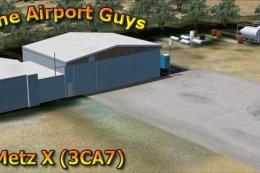
Metz X, Metz X is a comprehensive scenery package for Metz airport (3CA7) in …
Metz Nancy Lorraine Airport (LFJL) brings northeastern France to life with a detailed rendition of the airfield, refined AFCAD parking and taxiway layout, and scenery objects tuned for smooth everyday operations in FSX. Version 3 updates the airport environment for more accurate positioning and a cohesive on-field look for regional and general aviation flights.
Metz Nancy Lorraine (LFJL), France, v3. By Alexandre Remy.
Installation:
Before remove LFJL 2002 or LFJL2007v1 or LFJL2007v2.1 if it's on your computer.
Start LFJL2007v3.exe
Then start FSX go to your scenery library and validate the scenery like all others scenery that you already have.
Bugs :
At this moment, any bugs are reported in this scenery but if you have a problem don't hesitate to contact me via e-mail.
Credits to :
Bernard L. , Didier R Jean Pierre Vernier, Pierre Yves Tanguy, Roger Durochat for their help to AFACD positions and remarks.
Martin Wright for BMP2000 et DXT BMP.
Flight 1 fot AFX.
This scenery is FREEWARE.
Alexandre REMY FAF010
Free for all simmers · 3.86 MB · Scanned clean Oct 2026
Download speed: Free tier is capped at 0.5 Mbps (this file takes approximately 1 min at the cap). PRO members download at full line speed.
FSX\Addon Scenery\ containing scenery and texture sub-folders.readme.txt or README file. It tells you exactly where files go, what dependencies are needed, and any quirks specific to this add-on.Use these coordinates to fly directly to this location once the mod is installed.
48.98000000,6.25000000
Launch FSX or Prepar3D and use Flights → Load to open the downloaded .pln file. Your aircraft will be positioned at this location.
The archive lfjl08x.zip has 5 files and directories contained within it.
This list displays the first 500 files in the package. If the package has more, you will need to download it to view them.
| Filename/Directory | File Date | File Size |
|---|---|---|
| lisez_moi.txt | 07.20.08 | 1.69 kB |
| readme.txt | 07.20.08 | 903 B |
| LFJL2008v3.exe | 07.21.08 | 4.07 MB |
| flyawaysimulation.txt | 10.29.13 | 959 B |
| Go to Fly Away Simulation.url | 01.22.16 | 52 B |
Only PRO members can place votes.
More FSX & P3D add-ons hand-picked based on this download.
FSX Scenery
Metz X, Metz X is a comprehensive scenery package for Metz airport (3CA7) in …
 FSX Scenery
Nancy, France, version 2. Major update of v1 of LFSN airport landclass redraw…
 FSX Scenery
Nancy-Pont Saint-Vincent, France, and airfield LFSV that is not part of FSX s…
 FSX Scenery
Military Airport Of Nancy-Ochey (LFSO), France. This pack contains the milita…
 FSX Scenery
Aerodrome de Nancy-Malzeville (LFEZ), Malzeville, France. This scenery adds o…
 FSX Scenery
Nancy-Azelot Airfield, France, a few miles south of Nancy, that is not in FSX…
 FSX Scenery
Skara Scenery Bonaire X. Flamingo International Airport or Bonaire Internatio…
 FSX Scenery
Iwo Jima Scenery 1945 Update. This is a complete scenery with added effects a…
Be the first to leave a comment on this download.
Be the first to share your thoughts on this download.