

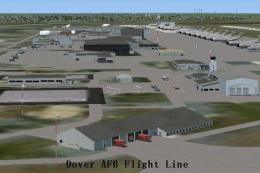
 FSX Scenery
Dover AFB
Dover Air Force Base or Dover AFB (IATA: DOV, ICAO: KDOV, FAA LID: DOV) is a …
Edwards AFB (KEDW) gets a busier ramp with added refuel stations and detailed static aircraft including a KC-135 tanker, F-15C, A-10, Predator UAV, and C-130 Hercules. Built for Microsoft Flight Simulator X, it requires the Acceleration Pack Edwards scenery and blends naturally into the existing base layout.
 Rate
Rate
 United States of America
Scenery Edwards AFB Additions (KEDW), California (CA). Adds two refuel stations, static KC-135 tanker, static F-15C, static A-10, static Predator, static C-130 Hercules.
***EDWARDS AIRFORCE BASE ADDITIONS***
This Scenery Addition is an unofficial Update for the Accelleration Pack Edwards Scenery!
It adds 2 Refuel Stations, Static KC-135 Tanker, Static F-15C, Static A-10, Static Predator, Static C-130 Hercules.
Installation:
Copy the "KEDW" Folder to your "Addon Scenery" Folder of your FSX Installation and overwrite if prompted. Then start the game and activate the "KEDW" Scenery in your Scenery Library.
Credits:
All Static Plane Addition Objects done by the Famous "Guy Diotte" (thanks man)!
Free for all simmers · 7.21 MB · Scanned clean Oct 2026
Download speed: Free tier is capped at 0.5 Mbps (this file takes approximately 2 mins at the cap). PRO members download at full line speed.
FSX\Addon Scenery\ containing scenery and texture sub-folders.readme.txt or README file. It tells you exactly where files go, what dependencies are needed, and any quirks specific to this add-on.Use these coordinates to fly directly to this location once the mod is installed.
34.90540000,-117.88460000
Launch FSX or Prepar3D and use Flights → Load to open the downloaded .pln file. Your aircraft will be positioned at this location.
The archive kedw-1.zip has 70 files and directories contained within it.
This list displays the first 500 files in the package. If the package has more, you will need to download it to view them.
| Filename/Directory | File Date | File Size |
|---|---|---|
| Install&Credits.txt | 09.16.10 | 571 B |
| KEDW | 09.16.10 | 0 B |
| scenery | 09.16.10 | 0 B |
| A10 library.bgl | 01.13.10 | 840.59 kB |
| C130 USA Library.bgl | 07.28.09 | 679.47 kB |
| dryden_x15_sr71_hl10_SC.BGL | 08.28.07 | 284 B |
| F106 library.bgl | 08.05.10 | 571.00 kB |
| F111A Library US AUST.bgl | 02.03.10 | 1.87 MB |
| F15 USA Grey.bgl | 04.09.10 | 951.28 kB |
| HL-10.bgl | 08.28.07 | 48.32 kB |
| KC 135 Library.bgl | 08.19.09 | 530.86 kB |
| KEDW_PAF_KM.BGL | 09.16.10 | 90.77 kB |
| KSFO_asbuilt_photo_v1.bgl | 05.14.08 | 1.54 MB |
| KSFO_asbuilt_v1.bgl | 04.30.08 | 422.39 kB |
| MAINBASE_AIRCRAFT_M_ADD.BGL | 03.02.08 | 412 B |
| MDD_empty.bgl | 03.02.08 | 930.14 kB |
| MDD_empty_SCEN.BGL | 03.02.08 | 156 B |
| RQ-4B.bgl | 07.29.10 | 507.52 kB |
| SOUTHBASE_CARS_ADD.BGL | 03.02.08 | 668 B |
| SR-71.bgl | 08.28.07 | 54.20 kB |
| static_C-17.bgl | 03.02.08 | 98.66 kB |
| X-15.bgl | 08.28.07 | 35.12 kB |
| texture | 09.16.10 | 0 B |
| 4x4jeep.dds | 11.23.07 | 85.45 kB |
| A10 GREY.bmp | 01.13.10 | 682.75 kB |
| brownshrub.dds | 08.03.07 | 85.45 kB |
| brownshrub_dark.dds | 07.28.07 | 85.45 kB |
| C-17_main.dds | 08.21.07 | 341.45 kB |
| C130 USA Grey.bmp | 07.27.09 | 512.07 kB |
| containerwhite_NASA.dds | 07.02.07 | 85.44 kB |
| F111 camo green.bmp | 02.03.10 | 682.75 kB |
| F15 Texture 1.bmp | 04.09.10 | 1.33 MB |
| F15 Texture 2.bmp | 04.09.10 | 1.33 MB |
| fuslg_t US.bmp | 05.31.09 | 512.07 kB |
| gearpods_t.bmp | 05.31.09 | 512.07 kB |
| greenshrub.dds | 06.09.07 | 85.45 kB |
| greenshrub_pale.dds | 08.02.07 | 85.45 kB |
| grey_metal.dds | 08.02.07 | 144 B |
| H2.dds | 01.10.08 | 85.45 kB |
| HL-10_main.dds | 08.28.07 | 85.45 kB |
| KC135 Texture.bmp | 08.19.09 | 512.07 kB |
| light_post_metal.dds | 08.20.07 | 640 B |
| light_post_metal_LM.dds | 08.20.07 | 640 B |
| light_post_wash.dds | 08.20.07 | 21.45 kB |
| light_post_wash_LM.dds | 08.20.07 | 21.45 kB |
| lwing_t US.bmp | 05.31.09 | 512.07 kB |
| MDM_framework.dds | 07.06.07 | 341.45 kB |
| MDM_steel.dds | 07.06.07 | 85.45 kB |
| MDM_steel_LM.dds | 08.20.07 | 85.45 kB |
| MDM_yellow.dds | 07.06.07 | 21.45 kB |
| NASA_747_CARRIER.dds | 07.06.07 | 341.45 kB |
| NASA_shack.dds | 07.06.07 | 42.78 kB |
| NMC-Wollard_NASA.dds | 08.14.07 | 85.45 kB |
| redlight.dds | 08.20.07 | 208 B |
| redlight_LM.dds | 08.20.07 | 208 B |
| RQ 4B texture 1.bmp | 07.28.10 | 682.75 kB |
| SBfence.dds | 08.20.07 | 42.78 kB |
| scaffold.dds | 05.26.07 | 21.45 kB |
| shrubfield_1024x32.dds | 06.06.07 | 682.78 kB |
| Shuttle_main.dds | 07.06.07 | 341.45 kB |
| Shuttle_main_specular.dds | 07.06.07 | 341.45 kB |
| SR_71_NASA.dds | 08.28.07 | 341.44 kB |
| tail_t US.bmp | 05.31.09 | 512.07 kB |
| Texture 1 F106.bmp | 08.05.10 | 682.75 kB |
| whitelight.dds | 08.20.07 | 208 B |
| whitelight_LM.dds | 08.20.07 | 208 B |
| Wing3.bmp | 04.06.09 | 512.07 kB |
| X-15_main.dds | 08.28.07 | 170.78 kB |
| flyawaysimulation.txt | 10.29.13 | 959 B |
| Go to Fly Away Simulation.url | 01.22.16 | 52 B |
Only PRO members can place votes.
More FSX & P3D add-ons hand-picked based on this download.
FSX Scenery
Dover Air Force Base or Dover AFB (IATA: DOV, ICAO: KDOV, FAA LID: DOV) is a …
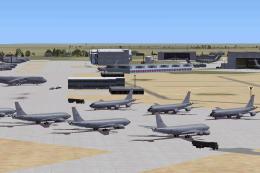 FSX Scenery
Custom built hangars and buildings for Altus AFB, Oklahoma (OK), USA. AFCAD f…
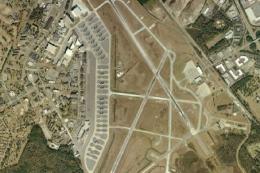 FSX Scenery
Charleston AFB / International Airport (KCHS), South Carolina (SC). A complet…
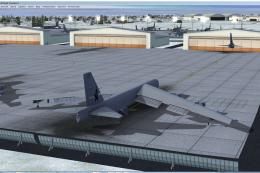 FSX Scenery
Scenery Griffiss AFB New York (NY) as it was back in the late 1980's before i…
 FSX Scenery
This freeware package refines the stock representation of Nellis Air Force Ba…
 FSX Scenery
Mountain Home AFB (KMUO), Idaho (ID). The Air Force has been consolidating ai…
 FSX Scenery
(KCOS), CO. Custom built detailed terminal, hangars, nearby buildings, hotels…
 FSX Scenery
Scenery for Kelly-Lackland Air Force Base, San Antonio, Texas (TX), USA. Incl…
Read what other simmers think, or add your own.

I do not know why aren't there any comments because this addon is AWESOME!!! Before, it was a typical default air base with some details, mostly referring to NASA and no fighters except for the Nasa's F-16 and QF-16. Now, it is a complete base with a lot of A-10s and F-15Cs and god knows how many more aircraft all around you in parking lots!! I recommend it a 110% if you like complete sceneries!!!