


 United States of America
  FSX Scenery
Dover Air Force Base
Dover Air Force Base (KDOV), Dover, Delaware (DE). An improved version with p…
Dover Air Force Base (KDOV) scenery for FSX recreates the Eagle Wing and Liberty Wing home field with custom buildings, a detailed flight line, and museum static aircraft for believable military airlift operations. Optional lite and removable scenery components let users tailor density while keeping approaches, ramp activity, and overall atmosphere faithful to Dover, Delaware.
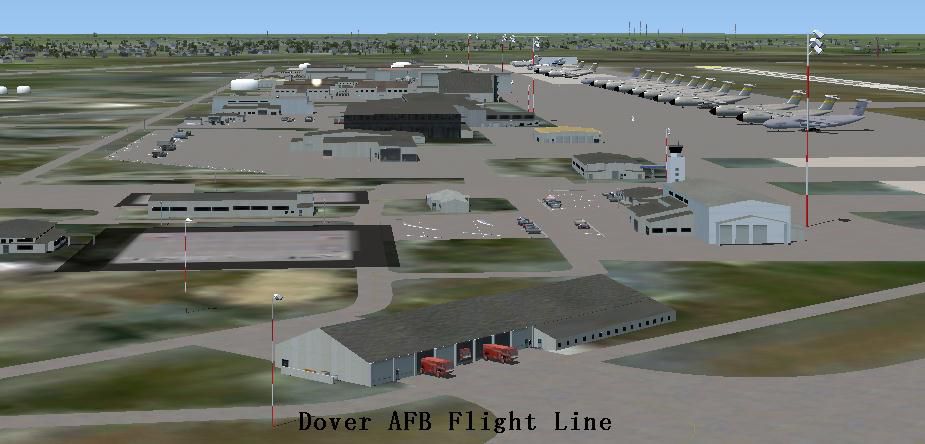
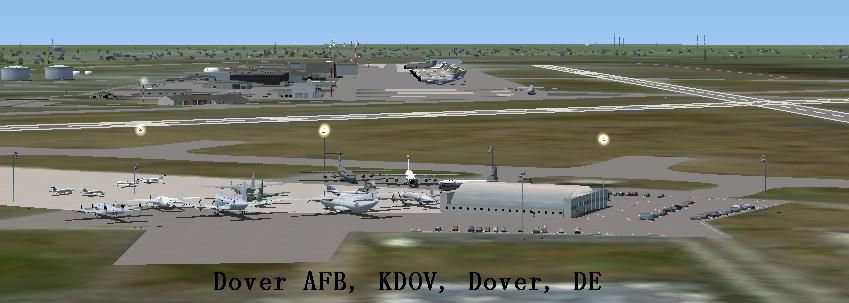
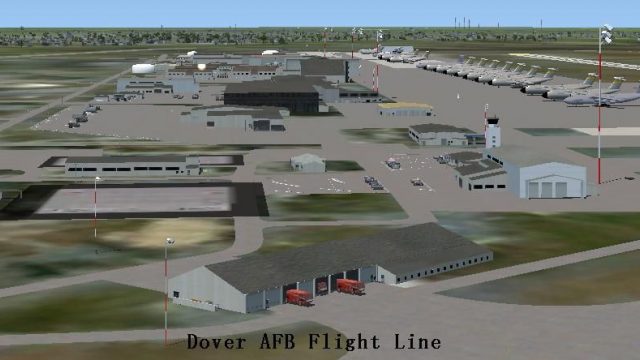
Dover Air Force Base or Dover AFB (IATA: DOV, ICAO: KDOV, FAA LID: DOV) is a United States Air Force base located two miles southeast of the city of Dover, Delaware (DE), USA. Dover AFB is home to the 436th Airlift Wing (436 AW) of the Air Mobility Command (AMC), known as the "Eagle Wing", and the AMC-gained 512th Airlift Wing (512 AW) of the Air Force Reserve Command (AFRC), referred to as the "Liberty Wing". It was the only base to solely operate the massive C-5 Galaxy, with two active flying squadrons (the 3rd Airlift Squadron, which now operates the C-17 Globemaster III, and 9th Airlift Squadron) and two Air Force Reserve flying squadrons (the 326th Airlift Squadron and the 709th Airlift Squadron). Just drop and fly. Created to enhance your Flight Sim experience by John B. Loney, Jr.
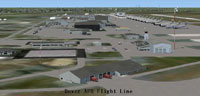
Aerial view of Dover Air Force Base.
This scenery came about from a request from a flight simmer friend of mine. I was more than happy to render Dover for him.
Dover's buildings are totally custom made. Dover is a very busy airport from the standpoint that the flight line has a lot of buildings and aircraft. Therefore there are some frame rate issues associated with this scenery.
I have taken steps to allow you to remove certain bgl files from the Dover scenery folder in an attempt to make the frame rates better.
The scenery package comes with a full flight line installed; however in the main Dover folder you will find a lite bgl that can replace the full one. The lite bgl file has half of the aircraft found in the full bgl file. Also you can remove two of the three museum files. They hold the museum static aircraft. The museum file has most of the aircraft in it. The museum2 file only has one aircraft in it and the museum3 file has the C21as in it. Any two can be removed for frame rate's sake.
Other files can be removed too. Any of the parking lot files and/or the car files. As long as the file contains the word removable, it's ok to remove. DO NOT DELETE the files. Just move them from the Dover scenery folder to the main Dover folder where FS cannot process it.
I have registered frame rates as low as 3.6 while on approach to runway 1 on a 2.13 GHz system with 3 GB of ram and 512 mb video ram.
Free for all simmers · 49.6 MB · Scanned clean Oct 2026
Download speed: Free tier is capped at 0.5 Mbps (this file takes approximately 14 mins at the cap). PRO members download at full line speed.
FSX\Addon Scenery\ containing scenery and texture sub-folders.readme.txt or README file. It tells you exactly where files go, what dependencies are needed, and any quirks specific to this add-on.Use these coordinates to fly directly to this location once the mod is installed.
39.12944000,-75.46556000
Launch FSX or Prepar3D and use Flights → Load to open the downloaded .pln file. Your aircraft will be positioned at this location.
The archive dover_afb_kdov_fsx.zip has 15 files and directories contained within it.
This list displays the first 500 files in the package. If the package has more, you will need to download it to view them.
| Filename/Directory | File Date | File Size |
|---|---|---|
| screenshots.zip | 06.08.12 | 923.40 kB |
| FILE_ID.DIZ | 06.08.12 | 808 B |
| kdov_1.jpg | 06.08.12 | 47.04 kB |
| kdov_3.jpg | 06.08.12 | 65.42 kB |
| lts_ss_1.zip | 03.14.07 | 595.93 kB |
| parking_ss.zip | 02.26.08 | 1.21 MB |
| parklrgs.zip | 08.23.08 | 3.07 MB |
| rladsc-5.zip | 09.04.03 | 6.29 MB |
| sc17.zip | 06.03.12 | 1.04 MB |
| readme.txt | 06.13.12 | 8.70 kB |
| dover_afb_kdov_fsx_scenery.zip | 06.13.12 | 36.09 MB |
| dover_grass_polygon.zip | 06.13.12 | 668 B |
| Readme.doc | 06.13.12 | 1.27 MB |
| flyawaysimulation.txt | 10.29.13 | 959 B |
| Go to Fly Away Simulation.url | 01.22.16 | 52 B |
Only PRO members can place votes.
More FSX & P3D add-ons hand-picked based on this download.
FSX Scenery
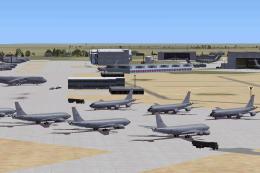
Dover Air Force Base (KDOV), Dover, Delaware (DE). An improved version with p…
 FSX Scenery
Custom built hangars and buildings for Altus AFB, Oklahoma (OK), USA. AFCAD f…
 FSX Scenery
Scenery Edwards AFB Additions (KEDW), California (CA). Adds two refuel statio…
 FSX Scenery
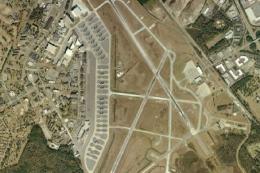
Charleston AFB / International Airport (KCHS), South Carolina (SC). A complet…
 FSX Scenery
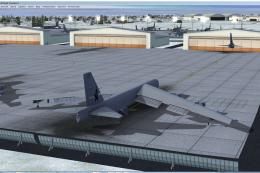
Scenery Griffiss AFB New York (NY) as it was back in the late 1980's before i…
 FSX Scenery
This freeware package refines the stock representation of Nellis Air Force Ba…
 FSX Scenery
Mountain Home AFB (KMUO), Idaho (ID). The Air Force has been consolidating ai…
 FSX Scenery
(KCOS), CO. Custom built detailed terminal, hangars, nearby buildings, hotels…
Read what other simmers think, or add your own.


A fantastic scenery with great detail,My uncle was stained there in the 60's!! GREAT WORK!!!