

 FSX Turboprops
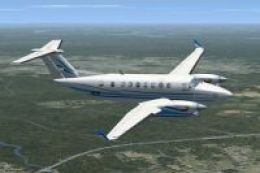
Beech 1900D
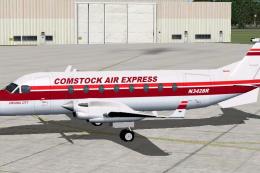
This is the Henry Tomkiewicz freeware Beechcraft 1900 made flyable in FSX by …
ARCS Beech Baron 58 repaint brings Australian Regional Charter Services VA colors to the default Beechcraft Baron 58, adding a crisp, authentic look for regional charter flying. Designed for FSX, it preserves the aircraft’s standard model, systems, and virtual cockpit while providing a distinctive registration and matching texture set; requires the default Baron 58.
 Rate
Rate
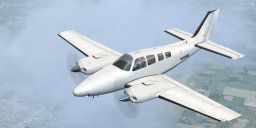
Repaint for the default Beechcraft Baron 58 in the Australian Regional Charter Services VA livery. Made in PaintDOTnet. By Jordan Gough.
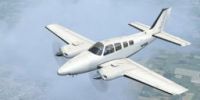
Screenshot of ARCS Beech Baron 58 in flight.
INSTALLATION:
1. Extract ARCS_B58.zip to a temporary location of your choice.
2. Copy Texture.ARCS folder into your FSX Aircraft folder (...\Flight Simulator X\SimObjects\Airplanes\beech_baron_58).
3. Copy the text below these instructions to the Aircraft CFG file. If you don't know how to do this, check the link in the folder.
4. Rename the [Flightsim.X] to whatever is the next number in the sequence. (eg. [Flightsim.6] if the last texture said 5.)
5. SAVE your aircraft.cfg file. DO NOT SAVE AS! This converts the aircraft.cfg file to a .txt file, making the aircraft disappear.
6. Fly with ARCS!
FOR AIRCRAFT CONFIGURATION FILE:
[fltsim.X]

	title=Beech Baron 58 - ARCS VA

	sim=Beech_Baron_58

	model=

	panel=

	sound=

	texture=ARCS

	kb_checklists=Beech_Baron_58_check

	kb_reference=Beech_Baron_58_ref

	atc_id=VH-LAX

	ui_manufacturer="Beechcraft"

	ui_type="Baron 58"

	ui_variation="Australian Regional Charter Services"

	ui_typerole="Twin Engine Prop"

	ui_createdby="Microsoft Corporation"

	description="With the wonderful control harmony that is the hallmark of the Bonanza line, the Beech Baron 58 is considered a classic light twin. The Baron 58 is the spiffed-up version of a time-tested favorite, made more modern by its new Continental Special engines. The Baron combines the attractiveness of Beechcraft design with the reliability of twin engines, resulting in a gorgeous workhorse of an aircraft."
Free for all simmers · 5.09 MB · Scanned clean Oct 2026
Download speed: Free tier is capped at 0.5 Mbps (this file takes approximately 1 min at the cap). PRO members download at full line speed.
SimObjects\Airplanes\, Addon Scenery\, Effects\, or Gauges\.readme.txt or README file. It tells you exactly where files go, what dependencies are needed, and any quirks specific to this add-on.The archive arcs_baron58.zip has 18 files and directories contained within it.
This list displays the first 500 files in the package. If the package has more, you will need to download it to view them.
| Filename/Directory | File Date | File Size |
|---|---|---|
| Baron_Baron_58_Interior_T.dds | 08.21.11 | 1.33 MB |
| Beech_Baron_58_1_c.dds | 09.04.06 | 682.79 kB |
| Beech_Baron_58_2_c.dds | 09.04.06 | 682.79 kB |
| Beech_Baron_58_3_c.dds | 09.04.06 | 682.79 kB |
| Beech_Baron_58_reflection.dds | 09.04.06 | 170.79 kB |
| Beech_Baron_58_T.dds | 08.21.11 | 5.33 MB |
| Beech_Baron_58_T_bump.dds | 09.04.06 | 1.00 MB |
| Beech_Baron_58_T_spec.dds | 09.04.06 | 1.33 MB |
| Fresnel_Ramp.dds | 09.04.06 | 640 B |
| Grumman_Goose_pilot.dds | 09.04.06 | 42.79 kB |
| prop_Baron.dds | 09.04.06 | 85.46 kB |
| texture.cfg | 08.14.06 | 137 B |
| thumbnail.jpg | 08.13.06 | 6.33 kB |
| README.txt | 08.31.11 | 1.79 kB |
| ARCS_Baron58.BMP | 08.23.11 | 647.55 kB |
| How to Install Repaints.url | 08.31.11 | 131 B |
| flyawaysimulation.txt | 10.29.13 | 959 B |
| Go to Fly Away Simulation.url | 01.22.16 | 52 B |
Only PRO members can place votes.
More FSX & P3D add-ons hand-picked based on this download.
FSX Turboprops
This is the Henry Tomkiewicz freeware Beechcraft 1900 made flyable in FSX by …
 FSX Turboprops
Flight dynamic packages for Beechcraft 300 and 350 Super KingAir. These files…
 FSX Turboprops
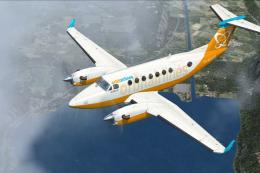
This is a repaint of the default Beechcraft King Air 350 into Orbit Airlines …
 FSX Turboprops
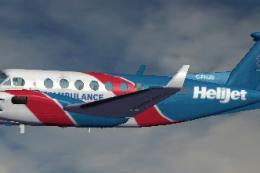
The default airplane in Helijet ambulance livery. C-FHJO is an actual aircraf…
 FSX Turboprops
Alphonse Coletti and Sir Reginald Percival Herringbone Cutlief III, co-propri…
 FSX Turboprops
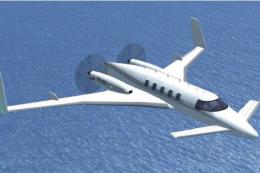
This is an update for FSX Acceleration of the Beechcraft Starship by Mike Sto…
 FSX Turboprops
A repaint for the default Beechcraft King Air 350. By Ian Griffith. Screensho…
 FSX Turboprops
This freeware package refines the default Beechcraft King Air 350 in Microsof…
Be the first to leave a comment on this download.
Be the first to share your thoughts on this download.