

 FS2004 Civil Jet Aircraft
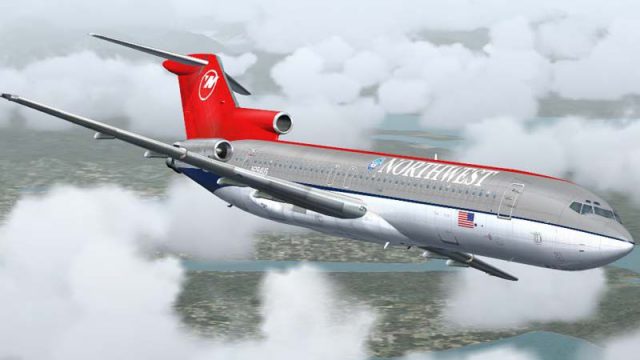
Northwest Airlines Boeing 727-200 N607NW
Textures only; requires SB7222.ZIP. Gmax model by Mike Stone. Repaint by Rick…
Northwest Airlines’ final Boeing 727-200 paint scheme is recreated with crisp metallic fuselage tones and the signature red tail, bringing classic trijet character to Flight Simulator 2004. The textures install via Flight1 Text-O-Matic and require the payware Flight1 and DreamFleet Greatest Airliners 727 Whisperjet, preserving its detailed virtual cockpit and flight dynamics.
 Rate
Rate
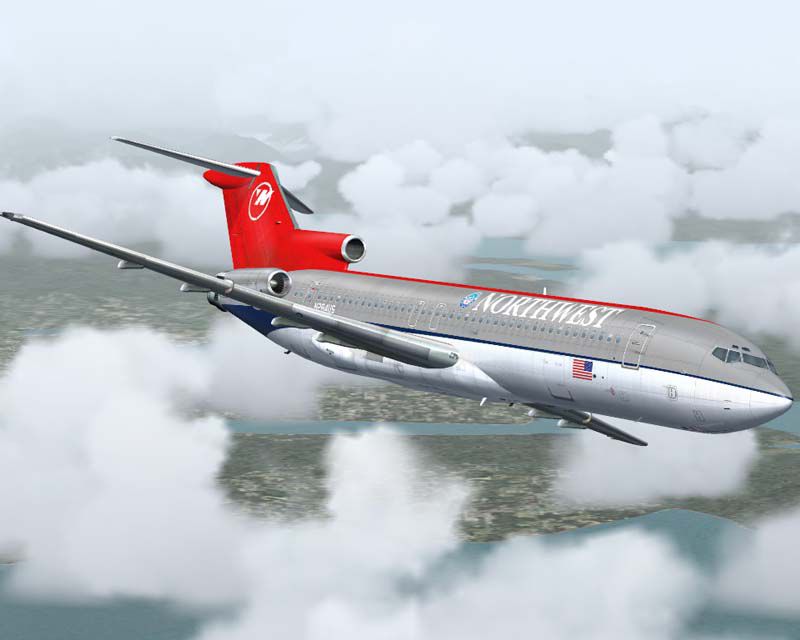
This freeware repaint package provides a faithful representation of the final Northwest Airlines color scheme for the Boeing 727-200 within Microsoft Flight Simulator 2004. It is designed to be installed using Flight 1’s Text-O-Matic utility and requires the payware “Greatest Airliners: 727 Whisperjet” developed by Flight 1 and DreamFleet (not included). Created by Paul Golding and Rui Cristina, this set of textures brings the distinctive features of Northwest’s trijet fleet into your virtual hangar—and was inspired by the airline’s iconic red tail and silver metallic fuselage that many enthusiasts recall from the carrier’s transitional years.
Commercial Heritage: Northwest Airlines operated Boeing 727-200 aircraft to handle both medium-range and domestic routes. The characteristic trijet format added reliability and efficient performance for traveler-heavy corridors.
Final Color Scheme: This texture set reflects the last livery style the airline used on its 727 fleet, combining classic metallic surfaces with the prominent red tail section. Blended fuselage shades are carefully scaled for flight simulation accuracy.
Visual preview of the Northwest paint scheme during cruise.
Payware Model Required: To utilize this repaint, you must own and install the commercial version of the Flight 1 and DreamFleet 727 Whisperjet. If you do not have this product, it can be acquired separately (for instance, from a payware store such as SimShack, though no direct link is provided here).
Text-O-Matic Integration: The included template file is intended for use with Flight 1’s Text-O-Matic tool, which streamlines the process of generating the correct folders and configuration files in Microsoft Flight Simulator 2004.
Manual References: For detailed instructions, refer to the official documentation that accompanies Flight 1’s 727. This will ensure you set up the paint correctly in your simulator installation.
With this repaint, you retain the original flight dynamics modeled by Flight 1 and DreamFleet, including the complex engine and fuel management specific to the three-engined Boeing 727. The carefully reproduced textures simply add an extra layer of authenticity for those who appreciate Northwest Airlines’ storied history.
Authors: Paul Golding and Rui Cristina
Free for all simmers · 8.82 MB · Scanned clean Sep 2026
Download speed: Free tier is capped at 0.5 Mbps (this file takes approximately 2 mins at the cap). PRO members download at full line speed.
FS9\Aircraft\, FS9\Addon Scenery\, FS9\Gauges\, or FS9\Effects\.readme.txt or README file. It tells you exactly where files go, what dependencies are needed, and any quirks specific to this add-on.The archive ga727nw.zip has 8 files and directories contained within it.
This list displays the first 500 files in the package. If the package has more, you will need to download it to view them.
| Filename/Directory | File Date | File Size |
|---|---|---|
| 722_NW_A.bmp | 12.15.04 | 7.62 MB |
| GA727NW.gif | 12.18.04 | 13.21 kB |
| GA727NW.jpg | 12.18.04 | 49.98 kB |
| READ_ME.txt | 12.18.04 | 1.28 kB |
| 722_NW.bmp | 12.16.04 | 22.85 MB |
| FILE_ID.DIZ | 12.18.04 | 307 B |
| flyawaysimulation.txt | 10.29.13 | 959 B |
| Go to Fly Away Simulation.url | 01.22.16 | 52 B |
Only PRO members can place votes.
More FS2004 add-ons hand-picked based on this download.
FS2004 Civil Jet Aircraft
Textures only; requires SB7222.ZIP. Gmax model by Mike Stone. Repaint by Rick…
 FS2004 Civil Jet Aircraft
Flight Dynamics and Sound Upgrade for FFX / Vistaliner models. Package contai…
 FS2004 Civil Jet Aircraft
Experience a vintage touch of Trans World Airlines in Microsoft Flight Simula…
 FS2004 Civil Jet Aircraft
Repaint textures for use with the Flight 1 "Text-O-Matic" utility. Requires G…
 FS2004 Civil Jet Aircraft
Northwest Airlines Boeing 747-200 and -400. Original by FSPainter. Livery by …
 FS2004 Civil Jet Aircraft
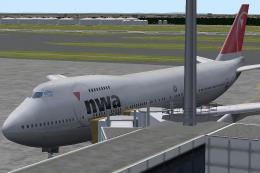
This package provides a freeware simulation of Northwest Airlines' Boeing 747…
 FS2004 Civil Jet Aircraft
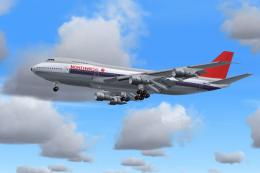
Model by Project Open Sky. Livery by Pantee Farhangi. Screenshot of Northwest…
 FS2004 Civil Jet Aircraft
The Boeing 757-200 bearing registration N545US and adorned in Northwest’s mod…
Be the first to leave a comment on this download.
Be the first to share your thoughts on this download.