

 FSX Panels & Gauges
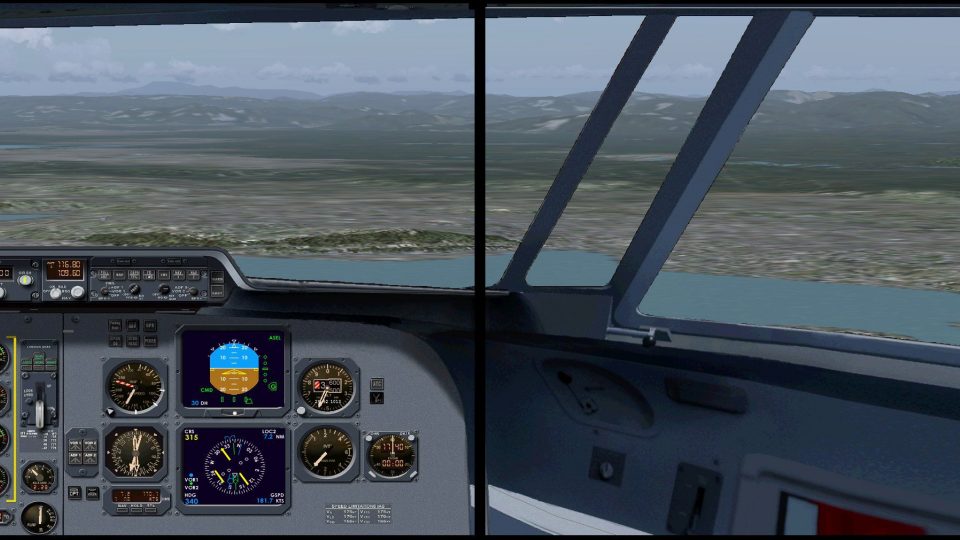
Fokker 60 Dual Display Panel
This dual-display freeware package integrates an updated Fokker 60 flight dec…
Fokker 50 dual-display panel layout brings captain and first officer viewpoints to life on two panoramic monitors in Microsoft Flight Simulator X, with widescreen-optimized 2D and virtual cockpit instrument placement for clearer runway alignment. It adds mouse-driven switchgear, an undockable radio/navigation window, and selectable Delco INS or Bendix/King FMS, and requires the Precision Aerobus Fokker 50.
 Rate
Rate
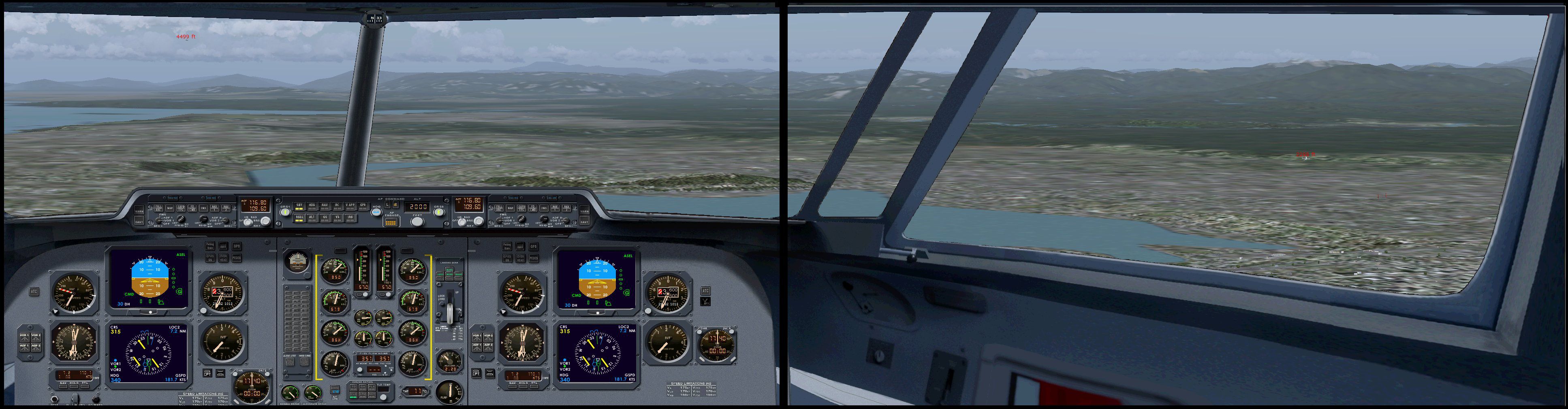
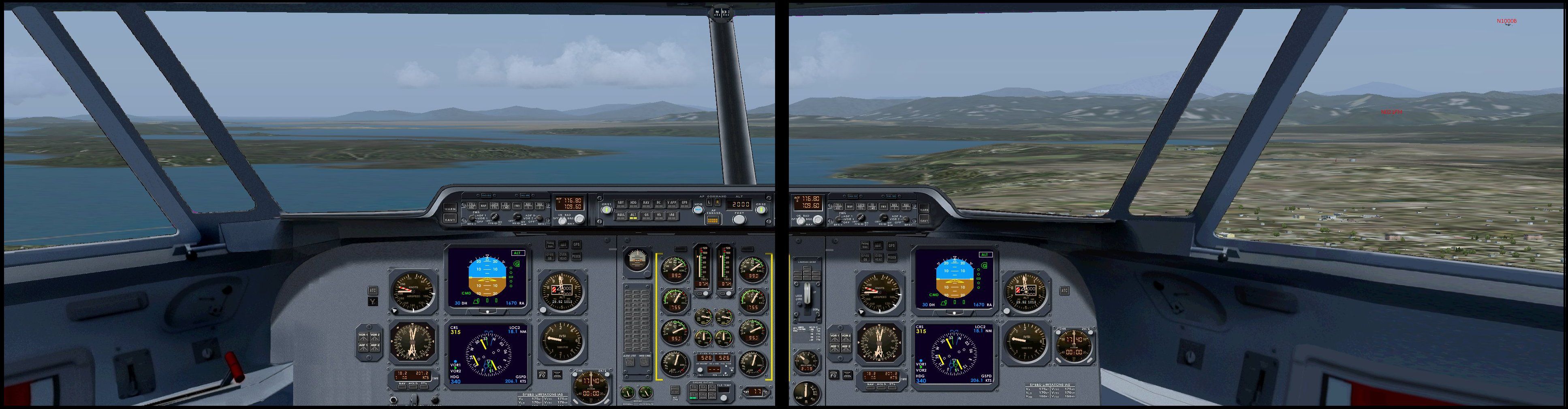
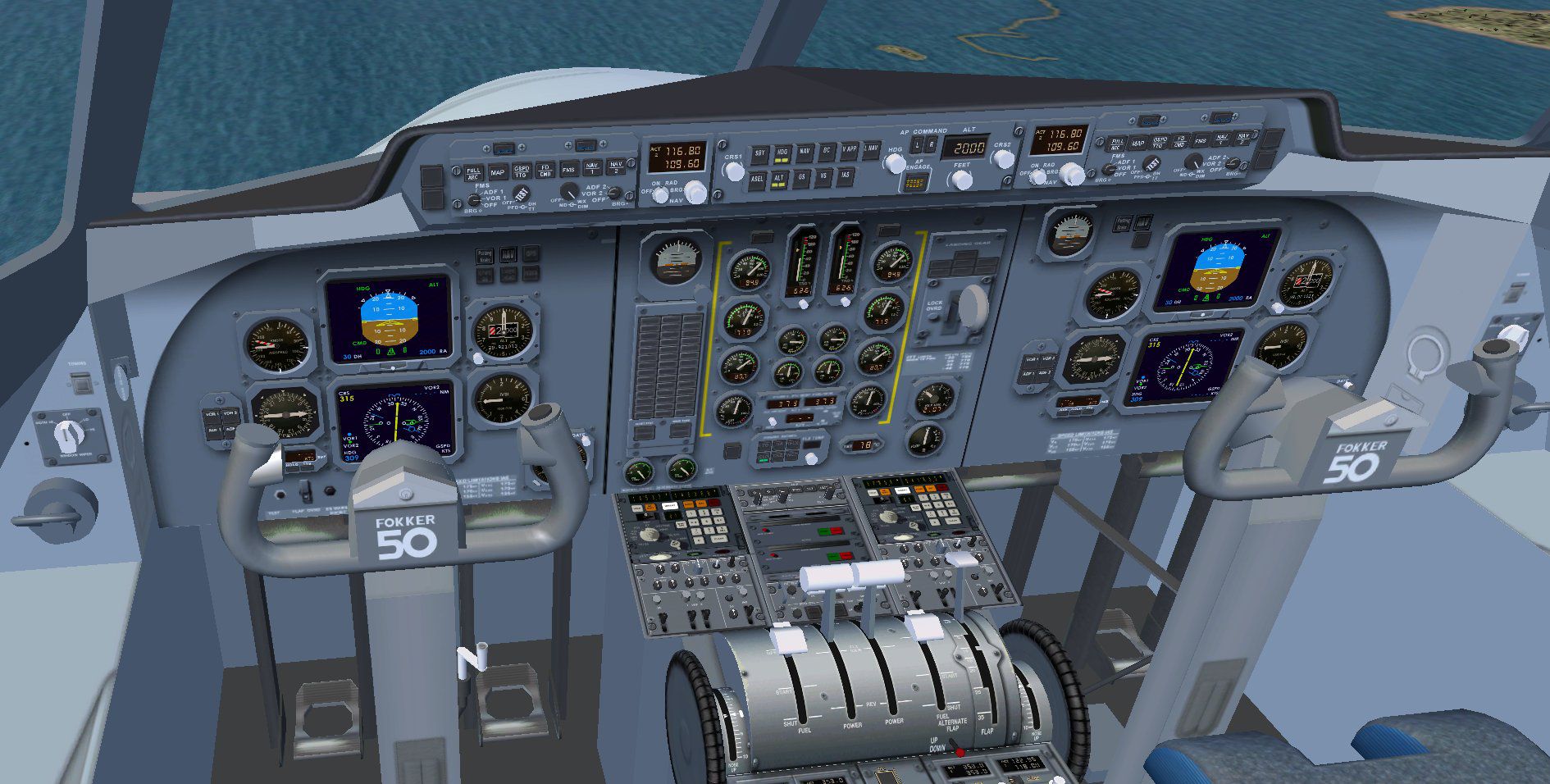
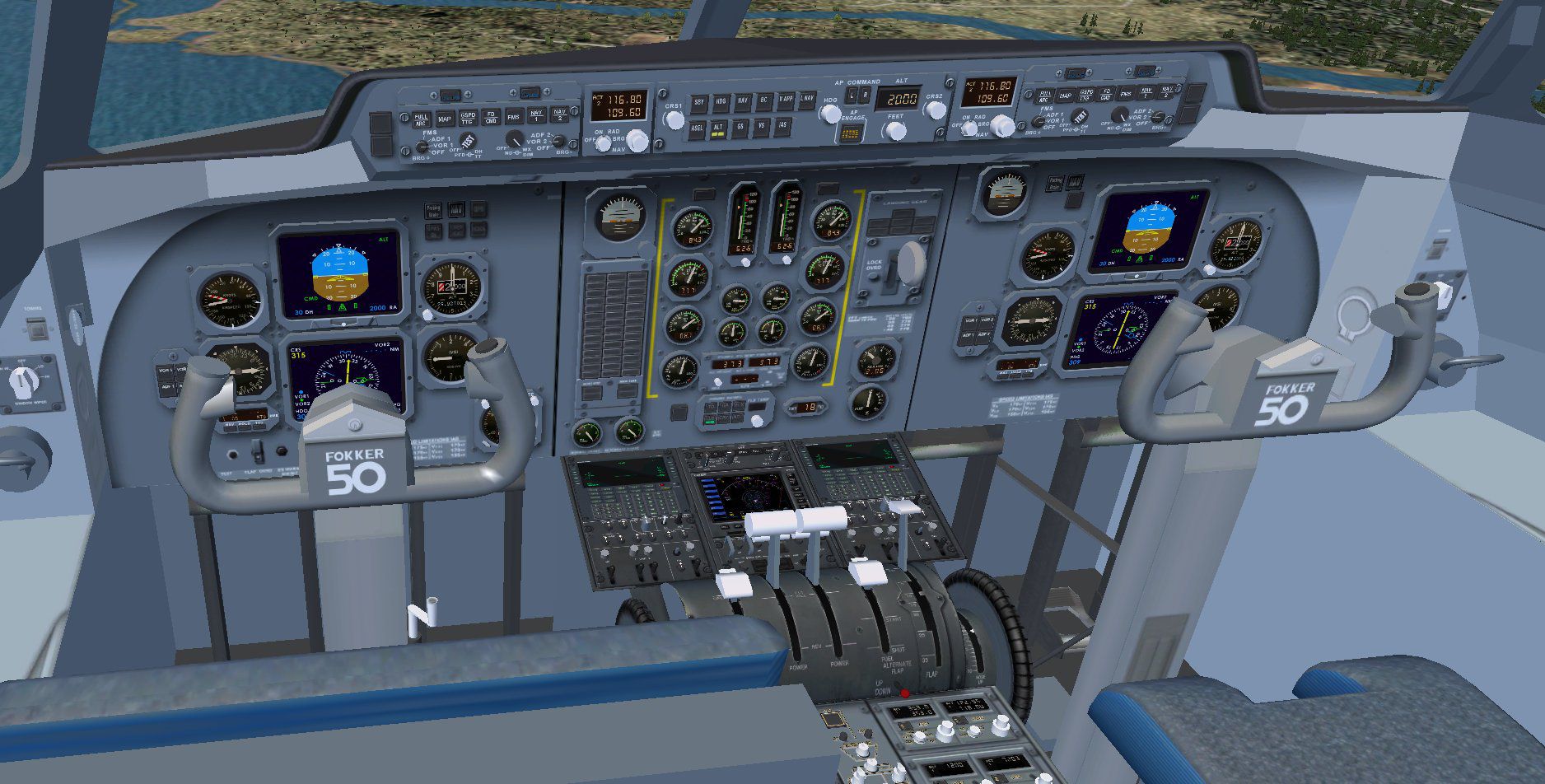
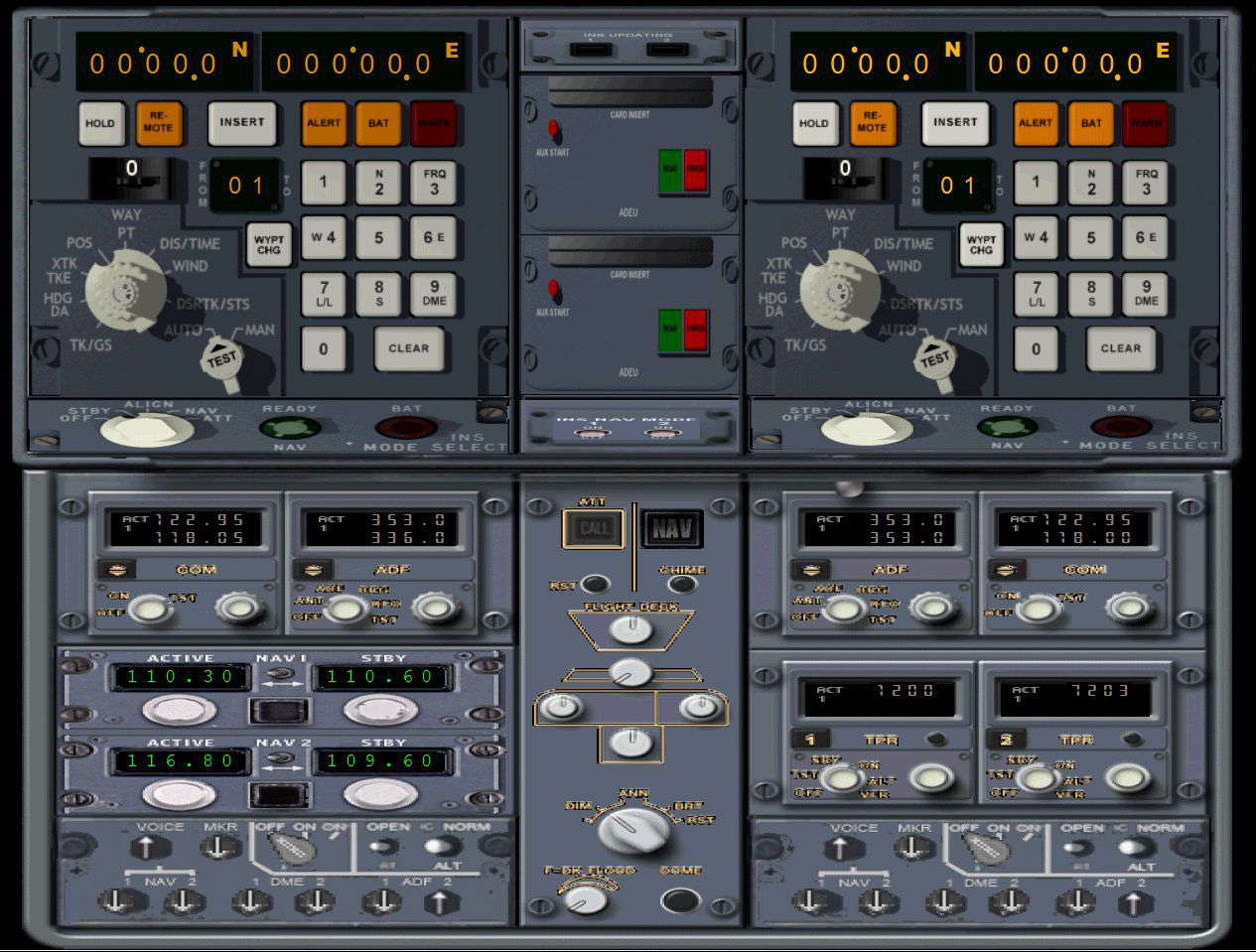
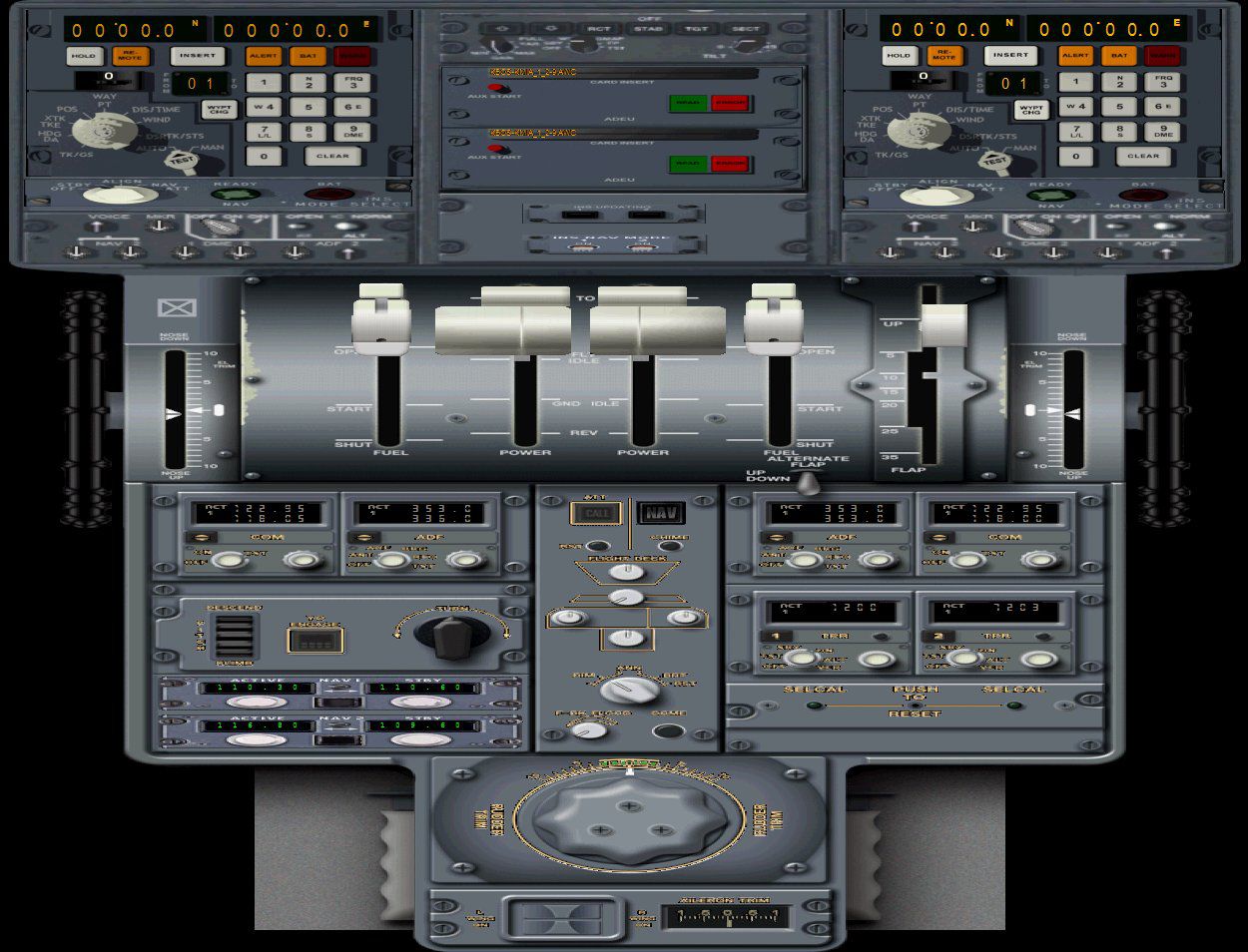
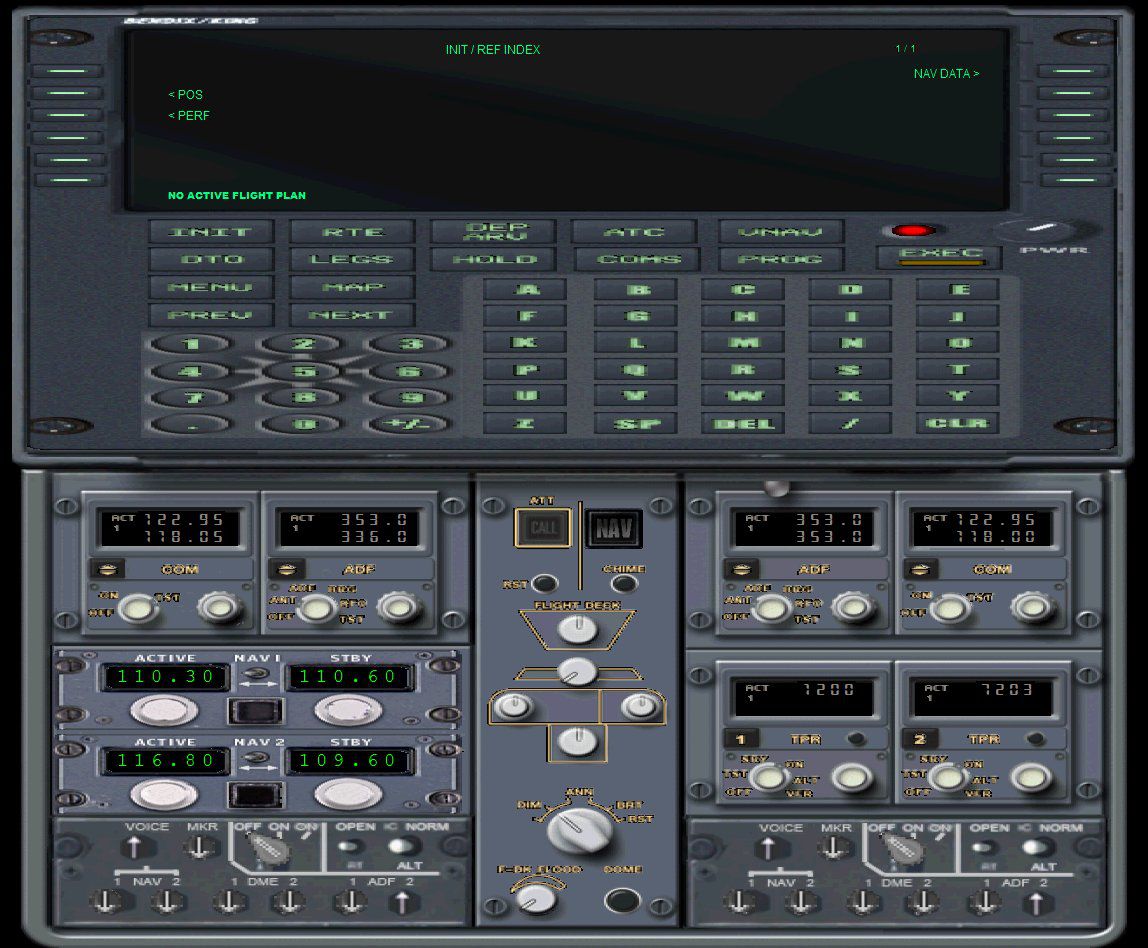
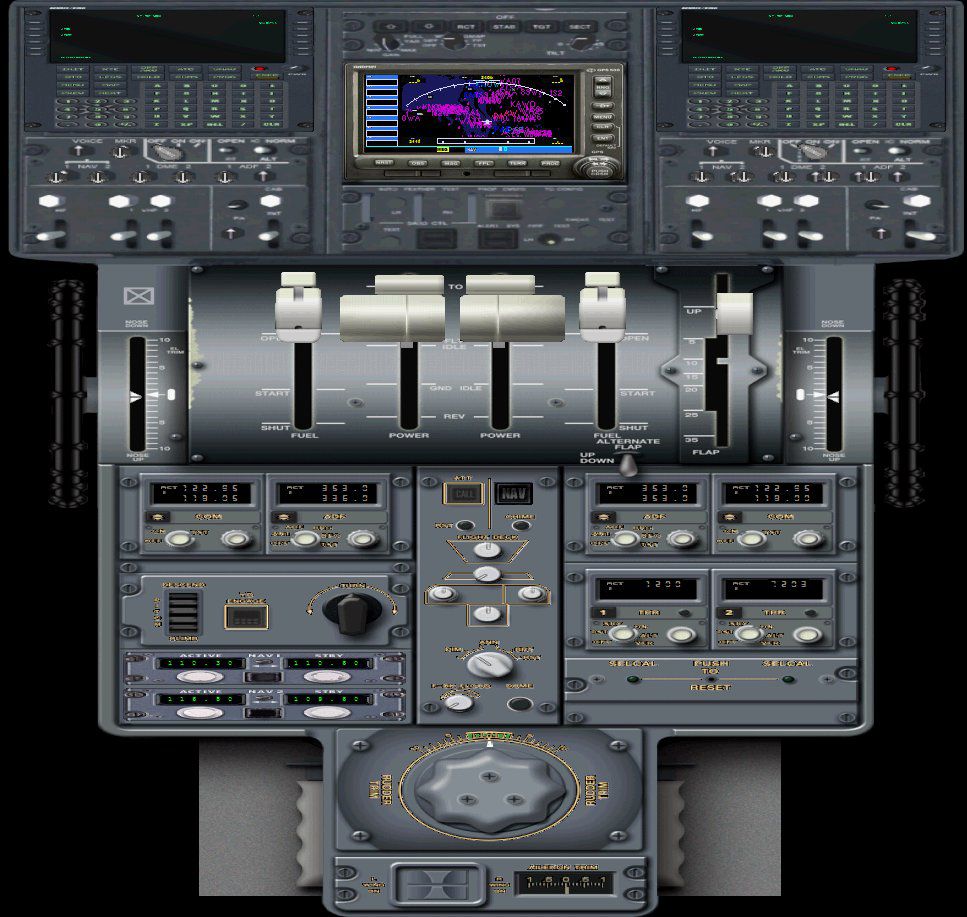
This advanced dual-display panel configuration for the Fokker 50 aircraft in FSX offers a meticulously designed flight deck that includes both pilot and first officer perspectives. The layout is adaptable for two panoramic monitors to enhance realism, provide wider visual fields, and accommodate a clearer presentation of runway alignment. Developed by Emile Lancee, it capitalizes on a refined approach to 2D and virtual cockpit instrument layouts. This freeware add-on requires the payware Fokker 50 package by Precision Aerobus, as it does not include proprietary gauges.
The creator has carefully formed a new positioning concept, which places the first officer’s instruments and panel on the left-hand panoramic monitor. This layout promotes better visibility during taxi and landing because it ensures unobstructed views of the runway environment. In addition, the panel sizing has been optimized for widescreen usage, providing a comfortable fit for modern display setups.
Two navigation management systems are accessible, either the Delco Carousel Inertial Navigation System or the Bendix/King Flight Management solution. Both options offer robust routing functionalities for the Fokker 50. These systems integrate seamlessly regardless of whether you play the role of captain or first officer.
The Fokker 50 is a high-wing turboprop developed in the Netherlands, admired for its commuter-friendly range and reliable performance. It thrives in short-to-medium regional routes, and its cockpit layout is revered for clarity and ergonomic placement of instrumentation. This add-on preserves those real-world cockpit principles while making it fully functional for dual-monitor workflows.
Screenshot of Fokker 50 Dual Display Panel.
Before applying this freeware enhancement, you must have the Precision Aerobus payware Fokker 50 already installed in FSX. Proprietary gauges or other components are not packaged with this download due to licensing constraints. Ensure your system supports widescreen modes to appreciate the panorama-based layout fully.
Implementation of this modified cockpit arrangement and exterior panel adjustments is the result of Emile Lancee’s effort to extend operational flexibility within the Fokker 50 platform. By combining distinct navigation equipment and an improved seat-based workflow, this add-on offers an immersive upgrade for simmers who desire to alternate between pilot and first officer roles on dual-screen setups. The integration of user-friendly controls, multiple navigation aids, and fresh panel designs underscores this project’s aim of advancing the realism and accessibility of Fokker 50 procedures in FSX.
Free for all simmers · 39.59 MB · Scanned clean Oct 2026
Download speed: Free tier is capped at 0.5 Mbps (this file takes approximately 11 mins at the cap). PRO members download at full line speed.
FSX\SimObjects\Airplanes\{aircraft}\panel\. Back up the existing panel folder first.readme.txt or README file. It tells you exactly where files go, what dependencies are needed, and any quirks specific to this add-on.The archive fsx_fokker_50_dual_panel.zip has 62 files and directories contained within it.
This list displays the first 500 files in the package. If the package has more, you will need to download it to view them.
| Filename/Directory | File Date | File Size |
|---|---|---|
| Panel.dual_BENDIX_V3 | 04.06.12 | 0 B |
| $over_h_1.bmp | 06.04.09 | 1.00 MB |
| $over_h_2.bmp | 06.04.09 | 1.00 MB |
| $over_h_3.bmp | 06.12.09 | 1.00 MB |
| CAP.bmp | 01.11.12 | 696.05 kB |
| Checklist.bmp | 09.06.09 | 975.96 kB |
| controlwheelbackgrond FO.bmp | 05.16.11 | 699.73 kB |
| controlwheelbackgrond.bmp | 05.14.11 | 885.98 kB |
| Copilot_full_27 feb.bmp | 02.27.12 | 15.82 MB |
| Copilot_low_27 feb.bmp | 02.27.12 | 15.82 MB |
| Door selectionpanel.bmp | 01.19.12 | 1.30 MB |
| Efis background.bmp | 01.29.12 | 418.58 kB |
| Fokker 50 FSX1.cab | 02.02.12 | 113.55 kB |
| Fokker_60_doors.cab | 08.24.11 | 2.54 kB |
| GPS.bmp | 08.28.09 | 169.38 kB |
| HoneywellFMC.CAB | 01.09.12 | 473.96 kB |
| Option.bmp | 09.06.09 | 411.03 kB |
| Overhead.bmp | 10.20.08 | 604.80 kB |
| Panel.cfg | 04.08.12 | 29.58 kB |
| Pedestal1.bmp | 01.12.12 | 1.48 MB |
| Pedestallarge.bmp | 01.12.12 | 3.03 MB |
| Pilot_full_26 feb.bmp | 02.26.12 | 11.87 MB |
| Pilot_lower_26 feb.bmp | 02.26.12 | 11.87 MB |
| Panel.dual_LTN_V3 | 04.06.12 | 0 B |
| $over_h_1.bmp | 06.04.09 | 1.00 MB |
| $over_h_2.bmp | 06.04.09 | 1.00 MB |
| $over_h_3.bmp | 06.12.09 | 1.00 MB |
| CAP.bmp | 01.11.12 | 696.05 kB |
| Checklist.bmp | 09.06.09 | 975.96 kB |
| controlwheelbackgrond FO.bmp | 05.16.11 | 699.73 kB |
| controlwheelbackgrond.bmp | 05.14.11 | 885.98 kB |
| Copilot_full_27 feb.bmp | 02.27.12 | 15.82 MB |
| Copilot_low_27 feb.bmp | 02.27.12 | 15.82 MB |
| Door selectionpanel.bmp | 01.19.12 | 1.30 MB |
| Efis background.bmp | 01.29.12 | 418.58 kB |
| Fokker 50 FSX1.cab | 02.02.12 | 113.55 kB |
| Fokker_60_doors.cab | 08.24.11 | 2.54 kB |
| GPS.bmp | 08.28.09 | 169.38 kB |
| Option.bmp | 09.06.09 | 411.03 kB |
| Overhead.bmp | 10.20.08 | 604.80 kB |
| Panel.cfg | 04.08.12 | 30.29 kB |
| PedestallargeLTN.bmp | 01.20.12 | 3.03 MB |
| PedestalLTN.bmp | 01.21.12 | 1.48 MB |
| Pilot_full_26 feb.bmp | 02.26.12 | 11.87 MB |
| Pilot_lower_26 feb.bmp | 02.26.12 | 11.87 MB |
| texture Bendix | 04.06.12 | 0 B |
| Fk50-Panel-7.dds | 02.14.12 | 4.00 MB |
| texture LTN | 04.06.12 | 0 B |
| Fk50-Panel-7.dds | 01.24.12 | 1.00 MB |
| Dual screen.gif | 04.10.12 | 5.95 kB |
| Dual screen captain.jpg | 04.06.12 | 617.61 kB |
| Dual screen copilot.jpg | 04.06.12 | 624.00 kB |
| Nav & Com panel Bendix.jpg | 04.06.12 | 202.14 kB |
| Nav & Com panel LTN.jpg | 04.06.12 | 243.47 kB |
| Pedestal Bendix.jpg | 04.06.12 | 170.59 kB |
| Pedestal LTN.jpg | 04.06.12 | 216.18 kB |
| Virtual Cockpit Bendix.jpg | 04.06.12 | 303.97 kB |
| Virtual Cockpit LTN.jpg | 04.06.12 | 306.35 kB |
| Panel description and installation instructions for Fokker 50 FSX.txt | 04.08.12 | 6.00 kB |
| FILE_ID.DIZ | 04.11.12 | 1.11 kB |
| flyawaysimulation.txt | 10.29.13 | 959 B |
| Go to Fly Away Simulation.url | 01.22.16 | 52 B |
Only PRO members can place votes.
More FSX & P3D add-ons hand-picked based on this download.
FSX Panels & Gauges
This dual-display freeware package integrates an updated Fokker 60 flight dec…
 FSX Panels & Gauges
This updated freeware panel for the Fokker 50 integrates a wide, three-monito…
 FSX Panels & Gauges
Experience a seamless multi-monitor flight deck arrangement with this special…
 FSX Panels & Gauges
This freeware release offers a versatile Boeing 767-300 cockpit panel for dua…
 FSX Panels & Gauges
This specialized flight deck enhancement for Microsoft Flight Simulator X ena…
 FSX Panels & Gauges
This specialized Boeing 767-400 dual-monitor panel update provides a more imm…
 FSX Panels & Gauges
Avro RJ100 Panel For Dual Monitors. This panel is for use with computer opera…
 FSX Panels & Gauges
This freeware modification introduces an updated cockpit environment for the …
Be the first to leave a comment on this download.
Be the first to share your thoughts on this download.