

 FS2004 Propeller Aircraft
Bonanza Airlines Douglas DC-3
This freeware repaint showcases a classic Douglas DC-3 wearing the distinctiv…
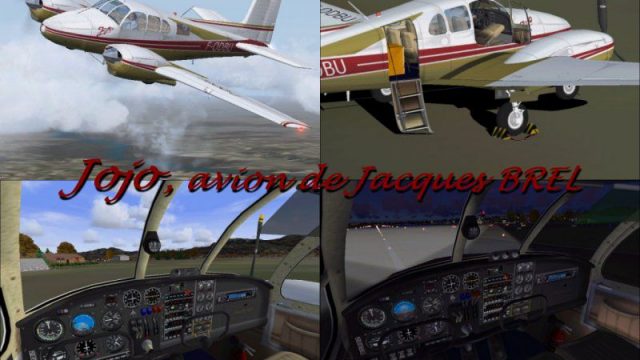
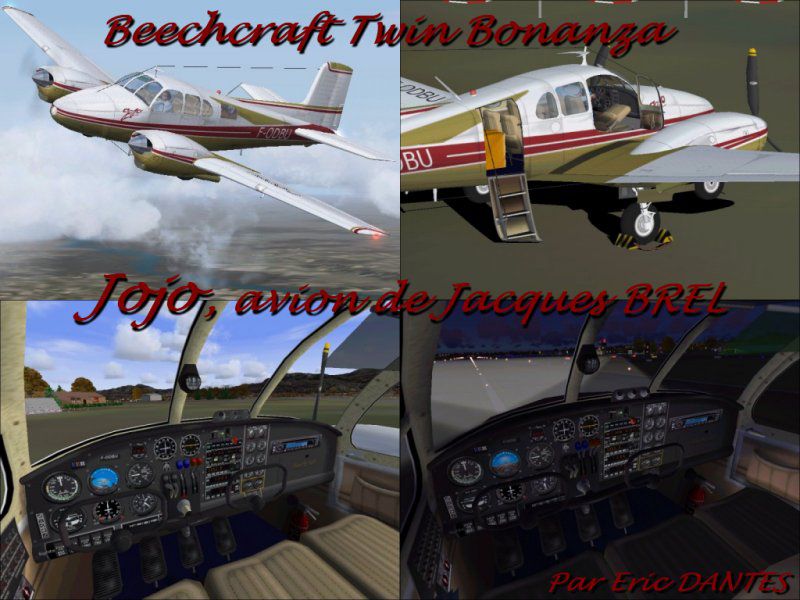
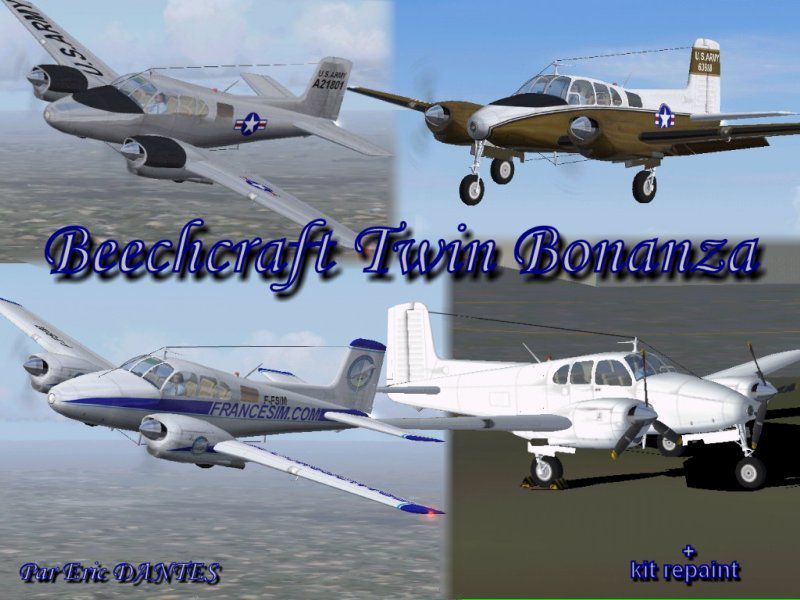
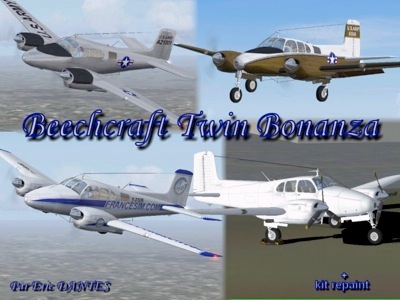
Beechcraft Twin Bonanza brings the classic piston twin to FS2004 with crisp exterior modeling, a period-correct virtual cockpit, and flight handling tuned for believable cross-country and light business hops. Detailed textures, clear gauges, and balanced performance make it a versatile choice for IFR practice or relaxed sightseeing.
 Rate
Rate
Free for all simmers · 9.02 MB · Scanned clean Oct 2026
Download speed: Free tier is capped at 0.5 Mbps (this file takes approximately 3 mins at the cap). PRO members download at full line speed.
FS9\Aircraft\, FS9\Addon Scenery\, FS9\Gauges\, or FS9\Effects\.readme.txt or README file. It tells you exactly where files go, what dependencies are needed, and any quirks specific to this add-on.The archive twin_bon.zip has 106 files and directories contained within it.
This list displays the first 500 files in the package. If the package has more, you will need to download it to view them.
| Filename/Directory | File Date | File Size |
|---|---|---|
| twin_bonanza | 03.13.04 | 0 B |
| aircraft.cfg | 03.14.04 | 19.49 kB |
| Twin Bonanza.jpg | 03.13.04 | 83.73 kB |
| twin_bonanza.air | 06.13.03 | 7.31 kB |
| Jojo.jpg | 03.10.04 | 93.35 kB |
| model | 03.13.04 | 0 B |
| Model.cfg | 03.13.04 | 31 B |
| twin_bonanza.mdl | 03.13.04 | 1.15 MB |
| panel | 03.13.04 | 0 B |
| principal 2.bmp | 03.01.04 | 769.05 kB |
| moteur.bmp | 03.01.04 | 88.31 kB |
| panel.cfg | 03.01.04 | 9.00 kB |
| sound | 03.13.04 | 0 B |
| Sound.cfg | 03.13.04 | 38 B |
| texture | 03.13.04 | 0 B |
| roue.bmp | 03.12.04 | 65.05 kB |
| 1.bmp | 01.27.04 | 17.05 kB |
| fuselage.bmp | 02.29.04 | 1.00 MB |
| tableau.bmp | 03.09.04 | 1.00 MB |
| cloison_ar.bmp | 02.13.04 | 1.00 MB |
| 2.bmp | 02.22.04 | 17.05 kB |
| interieur.bmp | 03.07.04 | 1.00 MB |
| cone.bmp | 02.16.04 | 5.05 kB |
| aile.bmp | 03.13.04 | 1.00 MB |
| aile2.bmp | 03.13.04 | 1.00 MB |
| cabine.bmp | 02.28.04 | 1.00 MB |
| prop.bmp | 10.26.02 | 1.33 MB |
| planche.bmp | 02.07.04 | 257.05 kB |
| vitres.bmp | 01.11.04 | 17.05 kB |
| pilote1.bmp | 02.22.04 | 1.00 MB |
| boite.bmp | 03.07.04 | 5.05 kB |
| texture.fsim | 03.13.04 | 0 B |
| roue.bmp | 03.12.04 | 65.05 kB |
| 1.bmp | 01.27.04 | 17.05 kB |
| fuselage.bmp | 03.07.04 | 1.00 MB |
| boite.bmp | 03.07.04 | 5.05 kB |
| tableau.bmp | 03.09.04 | 1.00 MB |
| cloison_ar.bmp | 03.07.04 | 1.00 MB |
| 2.bmp | 02.22.04 | 17.05 kB |
| interieur.bmp | 03.07.04 | 1.00 MB |
| cone.bmp | 02.16.04 | 5.05 kB |
| aile.bmp | 03.10.04 | 1.00 MB |
| aile2.bmp | 03.07.04 | 1.00 MB |
| cabine.bmp | 02.28.04 | 1.00 MB |
| prop.bmp | 10.26.02 | 1.33 MB |
| planche.bmp | 02.07.04 | 257.05 kB |
| vitres.bmp | 01.11.04 | 17.05 kB |
| pilote1.bmp | 02.22.04 | 1.00 MB |
| texture.usarmy | 03.13.04 | 0 B |
| roue.bmp | 03.12.04 | 65.05 kB |
| 1.bmp | 01.27.04 | 17.05 kB |
| fuselage.bmp | 03.06.04 | 1.00 MB |
| boite.bmp | 03.07.04 | 5.05 kB |
| tableau.bmp | 03.09.04 | 1.00 MB |
| cloison_ar.bmp | 03.07.04 | 1.00 MB |
| 2.bmp | 02.22.04 | 17.05 kB |
| interieur.bmp | 03.07.04 | 1.00 MB |
| cone.bmp | 02.16.04 | 5.05 kB |
| aile.bmp | 03.10.04 | 1.00 MB |
| aile2.bmp | 03.06.04 | 1.00 MB |
| cabine.bmp | 02.28.04 | 1.00 MB |
| prop.bmp | 10.26.02 | 1.33 MB |
| planche.bmp | 02.07.04 | 257.05 kB |
| vitres.bmp | 01.11.04 | 17.05 kB |
| pilote1.bmp | 02.22.04 | 1.00 MB |
| texture.alu | 03.13.04 | 0 B |
| roue.bmp | 03.12.04 | 65.05 kB |
| 1.bmp | 01.27.04 | 17.05 kB |
| fuselage.bmp | 03.07.04 | 1.00 MB |
| tableau.bmp | 03.09.04 | 1.00 MB |
| cloison_ar.bmp | 03.07.04 | 1.00 MB |
| 2.bmp | 02.22.04 | 17.05 kB |
| interieur.bmp | 03.07.04 | 1.00 MB |
| cone.bmp | 02.16.04 | 5.05 kB |
| aile.bmp | 03.10.04 | 1.00 MB |
| aile2.bmp | 03.07.04 | 1.00 MB |
| cabine.bmp | 02.28.04 | 1.00 MB |
| prop.bmp | 10.26.02 | 1.33 MB |
| planche.bmp | 02.07.04 | 257.05 kB |
| vitres.bmp | 01.11.04 | 17.05 kB |
| pilote1.bmp | 02.22.04 | 1.00 MB |
| boite.bmp | 03.07.04 | 5.05 kB |
| texture.blanc | 03.13.04 | 0 B |
| roue.bmp | 03.12.04 | 65.05 kB |
| 1.bmp | 01.27.04 | 17.05 kB |
| fuselage.bmp | 03.13.04 | 1.00 MB |
| tableau.bmp | 02.28.04 | 1.00 MB |
| cloison_ar.bmp | 03.07.04 | 1.00 MB |
| 2.bmp | 02.22.04 | 17.05 kB |
| interieur.bmp | 03.07.04 | 1.00 MB |
| cone.bmp | 02.16.04 | 5.05 kB |
| aile.bmp | 03.13.04 | 1.00 MB |
| aile2.bmp | 03.13.04 | 1.00 MB |
| cabine.bmp | 02.28.04 | 1.00 MB |
| prop.bmp | 10.26.02 | 1.33 MB |
| planche.bmp | 02.07.04 | 257.05 kB |
| vitres.bmp | 01.11.04 | 17.05 kB |
| pilote1.bmp | 02.22.04 | 1.00 MB |
| boite.bmp | 03.07.04 | 5.05 kB |
| a lire.txt | 03.14.04 | 2.75 kB |
| aircraft | 03.13.04 | 0 B |
| fx_beacon_BTB_ED.fx | 02.17.04 | 2.04 kB |
| fx_vclight_blanc.fx | 02.15.04 | 1.30 kB |
| effects | 03.13.04 | 0 B |
| flyawaysimulation.txt | 10.29.13 | 959 B |
| Go to Fly Away Simulation.url | 01.22.16 | 52 B |
Only PRO members can place votes.
More FS2004 add-ons hand-picked based on this download.
FS2004 Propeller Aircraft
This freeware repaint showcases a classic Douglas DC-3 wearing the distinctiv…
 FS2004 Propeller Aircraft
Canadian Forces 440 Transport Squadron based at Yellowknife, NW Territories. …
 FS2004 Propeller Aircraft
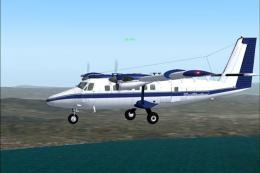
Reg# C-GLAI. This Twin Otter is based at Goose Bay, Labrador (CYYR) in Canada…
 FS2004 Propeller Aircraft
Done in White w/ Blue Texture, Simple repaint By Robert "Hawk" (R_Hawk_ zone …
 FS2004 Propeller Aircraft
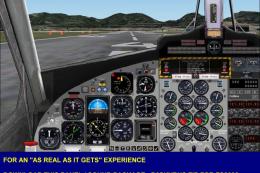
N44693, circa 1981. It flew scheduled services in the Hawaiian Islands. FS200…
 FS2004 Propeller Aircraft
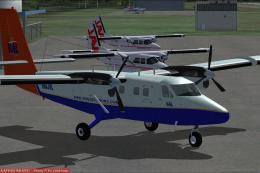
A Vieques Air Link Virtual Twin Otter in the new livery. VAL does not operate…
 FS2004 Propeller Aircraft
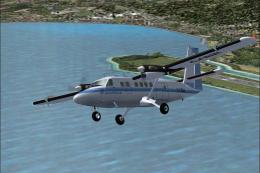
Repaint of the brilliant Twin Otter by Project Twotter. The original aircraft…
 FS2004 Propeller Aircraft
A very good STOL aircraft. Includes two different real liveries. Original air…
Read what other simmers think, or add your own.

The fuel gauges are missing. While flying IFR in the virtual cockpit mode, the top of the flight control covers up the top of the heading indicator and it makes it difficult to see the heading marker when changing course. Other than that, the plane is fun to fly.

Great plane, no instructions though for installation, but if you've manually installed planes before this isn't a problem. Good panel and virtual cockpit.