

 FSX Scenery
St-Barthelemy Island Sloped Runway
St Barthelemy island (TFFJ) is situated in the Caribbean Sea. It's small slop…
Blake Island, Washington scenery enhances the Hideaways airstrip in FSX with a fix for previously invisible trees near runway 15 and added ground-side visual detail to boost immersion on approach and rollout. Designed as a simple update for the existing Hideaways series, it keeps the island setting crisp and engaging.
 Rate
Rate
 United States of America
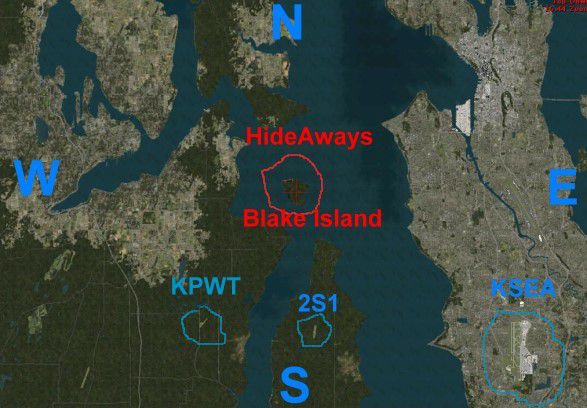
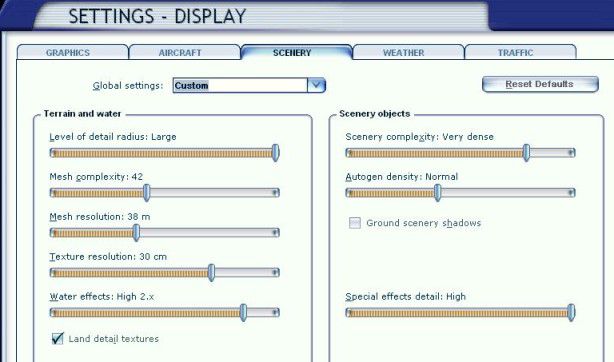
Hideaways - Blake Island, Washington (WA). By Jim Beall.
Hideaways - Blake Island Scenery.
This Scenery is a repair to fix some invisible trees at the end of runway 15, My apology for this oversight.
Also added a little more " Eye stimulation" to relieve the " pucker factor " once your safely on the ground. :-)
Please delete Hideaway Ranger Creek if you have it already in your " FSX/Addon Scenery/Scenery Folder and then follow the installation instructions in the " HideAway Ranger Creek text document" included with this download.
Installation:
Simply copy and paste ( or move ) the HideAways Blake Island BGL file from this download to your FSX/Addon Scenery/Scenery folder.
Free for all simmers · 239.26 KB · Scanned clean Sep 2026
Download speed: Free tier is capped at 0.5 Mbps. PRO members download at full line speed.
FSX\Addon Scenery\ containing scenery and texture sub-folders.readme.txt or README file. It tells you exactly where files go, what dependencies are needed, and any quirks specific to this add-on.Use these coordinates to fly directly to this location once the mod is installed.
47.53810000,-122.48370000
Launch FSX or Prepar3D and use Flights → Load to open the downloaded .pln file. Your aircraft will be positioned at this location.
The archive hdblkisl.zip has 16 files and directories contained within it.
This list displays the first 500 files in the package. If the package has more, you will need to download it to view them.
| Filename/Directory | File Date | File Size |
|---|---|---|
| Hideaway Ranger Creek Upgrade.Zip | 06.10.07 | 0 B |
| HideAway Ranger Creek | 06.10.07 | 0 B |
| HideAway Ranger Creek 2.bgl | 06.07.07 | 13.73 kB |
| Hideaway Ranger Creek.txt | 06.08.07 | 1.27 kB |
| Please Read First.txt | 06.07.07 | 449 B |
| HideAways Ranger Creek Upgrade.zip.zip | 06.07.07 | 5.45 kB |
| HideAways - - Blake Island~.zip | 06.10.07 | 119.56 kB |
| HideAways Blake Island | 06.10.07 | 0 B |
| Blake Island Map.jpg | 06.10.07 | 65.81 kB |
| HideAways -- Blake Island.txt | 06.10.07 | 1.49 kB |
| HideAways Blake Island.bgl | 06.10.07 | 8.01 kB |
| My Settings.jpg | 06.10.07 | 43.50 kB |
| Very Important !.txt | 06.10.07 | 304 B |
| FILE_ID.DIZ | 06.14.07 | 72 B |
| flyawaysimulation.txt | 10.29.13 | 959 B |
| Go to Fly Away Simulation.url | 01.22.16 | 52 B |
Only PRO members can place votes.
More FSX & P3D add-ons hand-picked based on this download.
FSX Scenery
St Barthelemy island (TFFJ) is situated in the Caribbean Sea. It's small slop…
 FSX Scenery
Island Of Saba. Includes redesign of all coasts and land class; SABA airport;…
 FSX Scenery
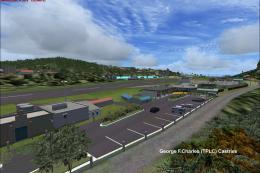
(Caraibes). Saint Lucia Island scenery including the correct redefinition of …
 FSX Scenery
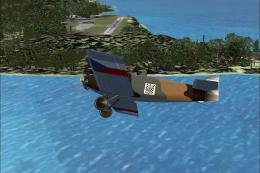
Saba Island (TNCS). Saba island in FSX is much improved over the flat island …
 FSX Scenery
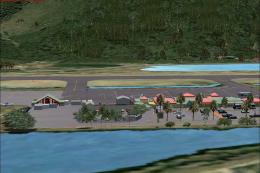
Grande Case Island, St Marteen (TFFG). This scenery is fully compatible with …
 FSX Scenery
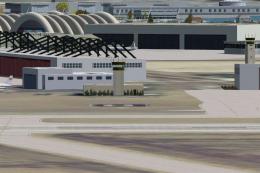
NAS North Island (KNZY), v1.01. After a hard day of trapping it's nice to hav…
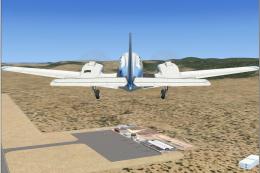 FSX Scenery
FSX Corse Island Scenery version I. Know as Corse to the French, Corsica to t…
 FSX Scenery
Scenery Mahon/Menorca Island, Islas Baleares (Balearic Islands), Spain (LEMH)…
Be the first to leave a comment on this download.
Be the first to share your thoughts on this download.