


 Australia
  FSX Scenery
Islay/Port Ellen Airport
Scenery Islay/Port Ellen Airport, Scotland, UK, v2. This version uses darker …
Port Augusta Airport (YPAG) scenery brings South Australia’s Spencer Gulf gateway closer to its real-world layout, guided by satellite imagery and upgraded buildings, facilities, and airfield details over the sparse default. Built from Microsoft Flight Simulator X library objects, it requires FSX Acceleration for a few minor extras while remaining compatible without it.
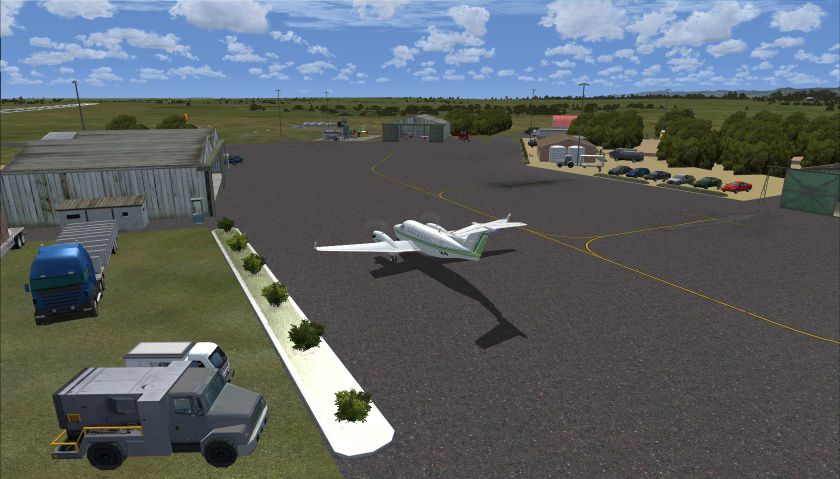
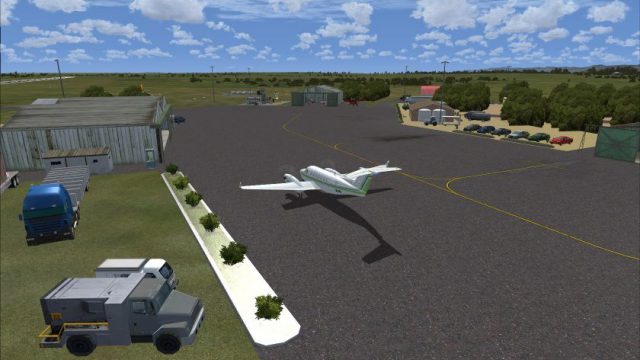
Port Augusta Airport (YPAG). Port Augusta is situated in South Australia at the head of the Spencer Gulf, and in close proximity to the spectacular Flinders Ranges. This scenery enhances the stock YPAG, using FSX default scenery objects, as well as a few objects from FSX Acceleration. Although designed for use with the FTX AU scenery, it will work without it. By Ian Williams.
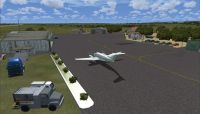
Screenshot of Port Augusta Airport Scenery.
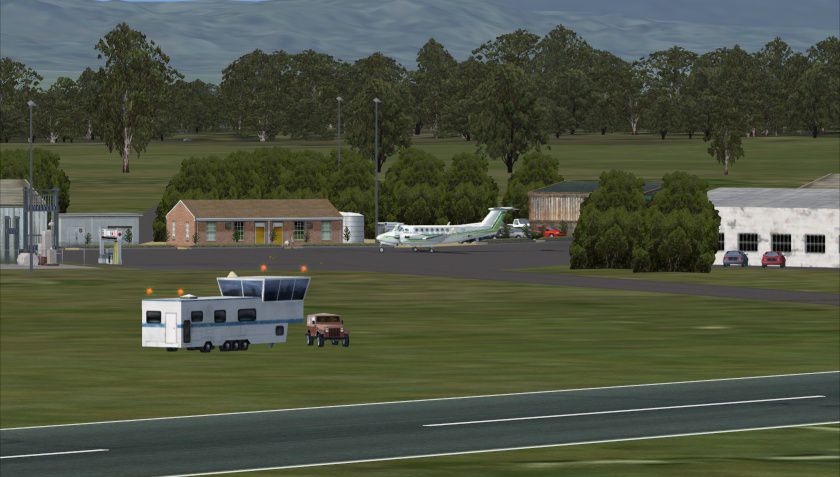
The default FSX scenery for Port Augusta Airport, (YPAG) comprises a couple of buildings and windsocks. It bears little resemblance to the real airport. Using FSX scenery objects, (and based on satellite imagery), this add-on attempts to present a more real-life version of the airport and its facilities. If you do not have FSX Acceleration installed, some of the minor scenery objects may not be visible, - such as the phone-box.
Install in the normal manner for add-on scenery. That is:
. copy or move the folder YPAG_IanW to your Add-on Scenery folder of Microsoft Flight Simulator X
. start FSX and go the Scenery Library
. add a new area, selecting the YPAG_IanW folder
. make it Priority 1
This scenery is released as Freeware, and was created using Airport Design Editor.
Initially used for a flight conducted by the Coffs Flight Simmers.
Ian W.
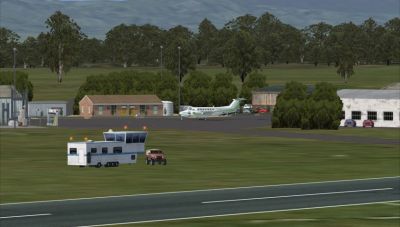
Screenshot of Port Augusta Airport Scenery.
Free for all simmers · 310.26 KB · Scanned clean Oct 2026
Download speed: Free tier is capped at 0.5 Mbps. PRO members download at full line speed.
FSX\Addon Scenery\ containing scenery and texture sub-folders.readme.txt or README file. It tells you exactly where files go, what dependencies are needed, and any quirks specific to this add-on.Use these coordinates to fly directly to this location once the mod is installed.
-32.50690000,137.71700000
Launch FSX or Prepar3D and use Flights → Load to open the downloaded .pln file. Your aircraft will be positioned at this location.
The archive ypag_ianw.zip has 11 files and directories contained within it.
This list displays the first 500 files in the package. If the package has more, you will need to download it to view them.
| Filename/Directory | File Date | File Size |
|---|---|---|
| scenery | 06.05.11 | 0 B |
| YPAG_ADEX_IRW.BGL | 05.13.11 | 20.33 kB |
| YPAG_ADEX_IRW_CVX.bgl | 05.13.11 | 243 B |
| texture | 06.05.11 | 0 B |
| YPAG_IanW | 06.05.11 | 0 B |
| readme.txt | 06.06.11 | 1.38 kB |
| YPAG_IanW.gif | 06.05.11 | 9.82 kB |
| YPAG_View1.jpg | 06.05.11 | 159.25 kB |
| YPAG_View2.jpg | 06.05.11 | 133.05 kB |
| flyawaysimulation.txt | 10.29.13 | 959 B |
| Go to Fly Away Simulation.url | 01.22.16 | 52 B |
Only PRO members can place votes.
More FSX & P3D add-ons hand-picked based on this download.
FSX Scenery
Scenery Islay/Port Ellen Airport, Scotland, UK, v2. This version uses darker …
 FSX Scenery
Port Stewart Area And Airport, AK. Remodels the area of Stewart and Hyder, Al…
 FSX Scenery
Port St. Johns Airport, South Africa. A holiday destination set in one of the…
 FSX Scenery
Port Shepstone Airport (FADG), Kwazulu Natal, South Africa. By Jacques Botha.…
 FSX Scenery
Scenery Port Columbus (KCMH), Columbus, Ohio (OH). This scenery is for FSX SP…
 FSX Scenery
Port Elizabeth Harbor, South Africa. By Frits Beyer. Remove Port Elizabeth Ha…
 FSX Scenery
BC PNW Port McNeill. Welcome to Port McNeill, British Columbia, Canada. Inclu…
 FSX Scenery
Scenery Port Blair, Andaman Islands. FSX version consists of a lone runway. T…
Be the first to leave a comment on this download.
Be the first to share your thoughts on this download.