

 FS2004 Civil Jet Aircraft
Independence Air CRJ-200 Fix
Fixes the misspelling on the aircraft. Model by Project Open Sky. Repaint by …
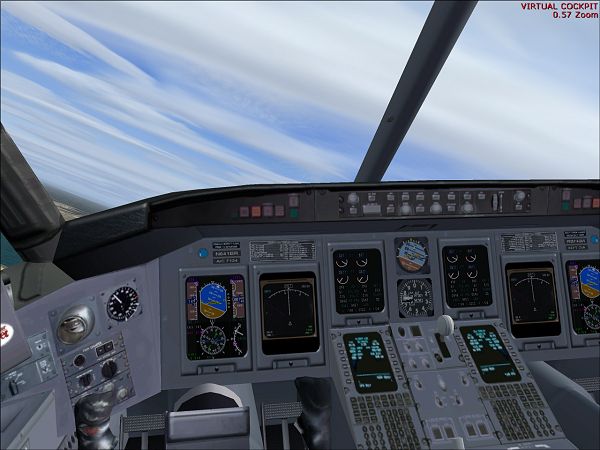
Independence Air’s CRJ-200ER N641BR brings classic regional-jet operations to FS2004 with two authentic livery variations, including the early blue wing and tail scheme and the later white revision. Expect a detailed Project Open Sky model with a virtual cockpit, reflective windows, 3D cabin, smooth animations, night lighting, and tuned flight dynamics.
 Rate
Rate
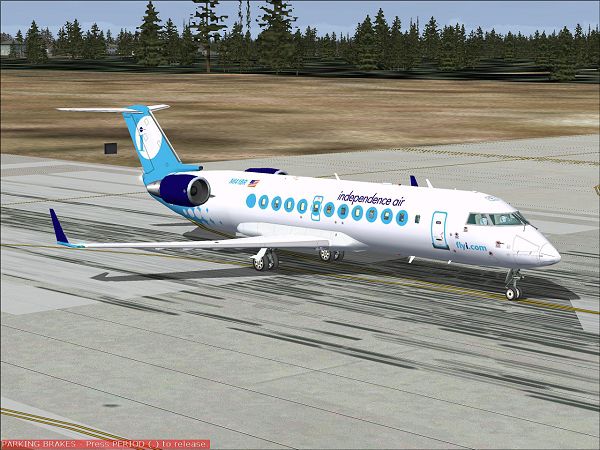
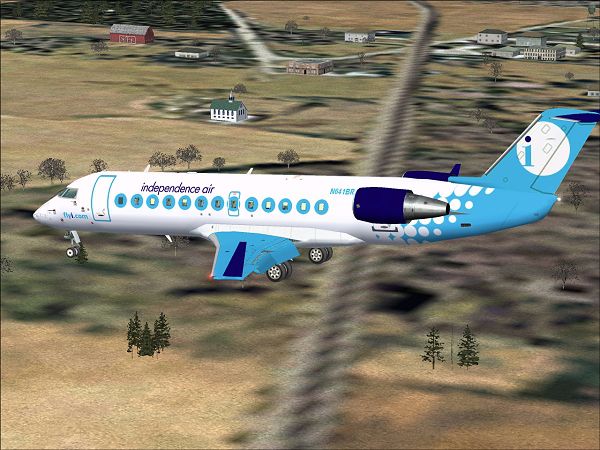
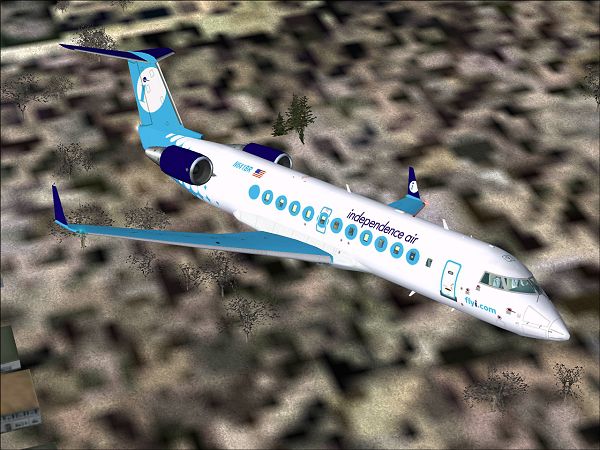
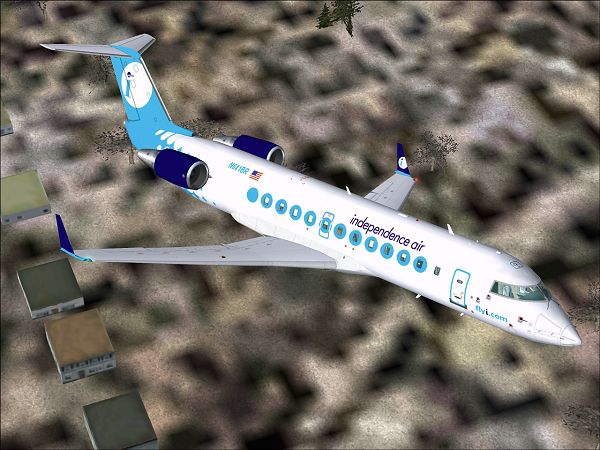
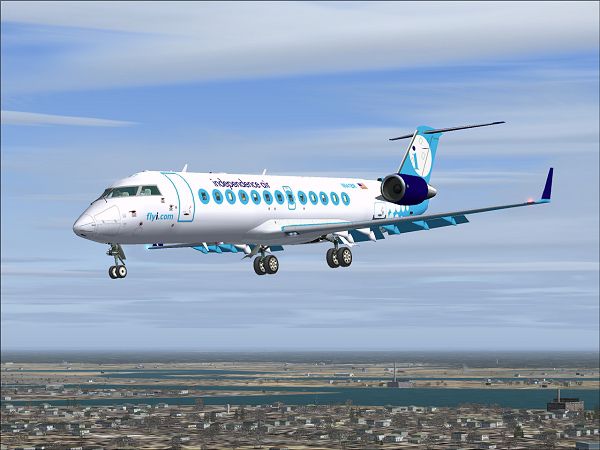
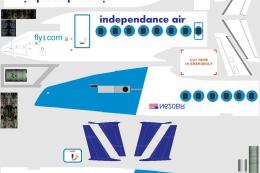
Independence Air CRJ-200ER, registration N641BR. When the Independence Air CRJ was first unveiled, it had blue wings and elevators. Recently, this design was modified and now the blue on the wings and tail has been replaced with white. You have both options in this download to choose from. By Chris Hannigan. Model by Project Open Sky.
Screenshot of Independence Air CRJ-200ER in flight.
This aircraft is made by : PROJECT OPEN SKY
Model Designer : Mitsushi Yutaka
Flight Dynamics Designer : Warren C,Daniel
FDE Advisor's : Nick Peterson, Simon Ng Hin Tat
Tested by : Project Open Sky Members
Master textures by : Thomas Stillner
Painted by : Thomas Stillner
Here are the features:
For those wanting to use a different panel, don't forget to copy the virtual cockpit ("vcockpit 01 - 04") sections from the included panel.cfg, into your new panel.cfg.
Installation:
Just unzip the file and send the Aircrafts folder to your " FS2002 / AIRCRAFT " folder.
Free for all simmers · 6.24 MB · Scanned clean Sep 2026
Download speed: Free tier is capped at 0.5 Mbps (this file takes approximately 2 mins at the cap). PRO members download at full line speed.
FS9\Aircraft\, FS9\Addon Scenery\, FS9\Gauges\, or FS9\Effects\.readme.txt or README file. It tells you exactly where files go, what dependencies are needed, and any quirks specific to this add-on.The archive inaicrch.zip has 109 files and directories contained within it.
This list displays the first 500 files in the package. If the package has more, you will need to download it to view them.
| Filename/Directory | File Date | File Size |
|---|---|---|
| Pic2.jpg | 02.09.04 | 222.97 kB |
| Pic3.jpg | 02.09.04 | 149.58 kB |
| Pic4.jpg | 02.09.04 | 230.47 kB |
| Pic5.jpg | 02.09.04 | 229.41 kB |
| Pic6.jpg | 02.09.04 | 174.51 kB |
| Independence Air CRJ | 02.09.04 | 0 B |
| aircraft.cfg | 02.09.04 | 12.47 kB |
| CRJ_OPERATIONS_MANUAL_v1.pdf | 09.14.02 | 538.85 kB |
| CRJ-200_check.txt | 06.21.01 | 4.95 kB |
| CRJ-200_notes.txt | 05.21.02 | 128 B |
| CRJ-200ER.air | 01.29.04 | 9.10 kB |
| model | 02.09.04 | 0 B |
| crj_200_america.mdl | 09.01.02 | 1.37 MB |
| model.cfg | 02.09.04 | 34 B |
| panel | 02.09.04 | 0 B |
| annunciator_640.bmp | 04.18.01 | 7.18 kB |
| forward_1024.bmp | 07.24.01 | 534.05 kB |
| forward_640.bmp | 07.24.01 | 209.18 kB |
| Lear_compass.BMP | 04.18.01 | 96.42 kB |
| left.bmp | 04.18.01 | 10.05 kB |
| panel.cfg | 09.06.02 | 3.62 kB |
| readme.txt | 02.09.04 | 3.25 kB |
| sound | 02.09.04 | 0 B |
| Sound.cfg | 09.11.02 | 30 B |
| texture.blue | 02.09.04 | 0 B |
| panel1_l.bmp | 08.09.02 | 5.40 kB |
| panel2_l.bmp | 08.09.02 | 5.40 kB |
| panel3_l.bmp | 08.09.02 | 5.40 kB |
| panel4_l.bmp | 08.09.02 | 5.40 kB |
| posky_crj2_cabin.bmp | 09.08.02 | 257.05 kB |
| posky_crj2_cabin_l.bmp | 09.08.02 | 64.07 kB |
| posky_crj2_cabin2_l.bmp | 08.16.02 | 256.07 kB |
| posky_crj2_cabin2_t.bmp | 07.21.02 | 1.00 MB |
| posky_crj2_ckpt_l.bmp | 08.16.02 | 256.07 kB |
| posky_crj2_ckpt_t.bmp | 08.25.02 | 1.00 MB |
| posky_crj2_fan_t.bmp | 05.13.02 | 65.05 kB |
| posky_crj2_fanspin_t.bmp | 05.18.02 | 65.05 kB |
| posky_crj2_fr1_l.bmp | 07.21.02 | 1.00 MB |
| posky_crj2_fr1_t.bmp | 07.21.02 | 1.00 MB |
| posky_crj2_fr2_l.bmp | 07.21.02 | 1.00 MB |
| posky_crj2_fr2_t.bmp | 07.21.02 | 1.00 MB |
| posky_crj2_nlt_l.bmp | 08.31.02 | 410 B |
| posky_crj2_nlt_t.bmp | 08.31.02 | 410 B |
| posky_crj2_stab_l.bmp | 09.11.02 | 1.00 MB |
| posky_crj2_stab_t.bmp | 02.09.04 | 341.43 kB |
| posky_crj2_visor.bmp | 07.19.02 | 256.07 kB |
| posky_crj200_panel_l.bmp | 08.25.02 | 4.00 MB |
| posky_crj200_panel_t.bmp | 02.09.04 | 1.33 MB |
| posky_crj2bdy_l.bmp | 07.21.02 | 4.00 MB |
| posky_crj2bdy_t.bmp | 02.09.04 | 1.33 MB |
| posky_crj2eng_l.bmp | 07.21.02 | 1.00 MB |
| posky_crj2eng_t.bmp | 02.09.04 | 341.43 kB |
| posky_crj2wingL_l.bmp | 07.21.02 | 1.00 MB |
| posky_crj2wingL_t.bmp | 02.09.04 | 341.43 kB |
| posky_crj2wingR_l.bmp | 07.21.02 | 1.00 MB |
| posky_crj2wingR_t.bmp | 02.09.04 | 341.43 kB |
| posky747_P_uniform_l.bmp | 07.11.02 | 64.07 kB |
| posky747_P_uniform_t.bmp | 05.13.02 | 17.05 kB |
| pspbrwse.jbf | 02.09.04 | 67.55 kB |
| Thumbs.db | 09.13.02 | 119.00 kB |
| your_face1_l.bmp | 07.21.02 | 64.07 kB |
| your_face1_t.bmp | 07.21.02 | 64.07 kB |
| your_face2_l.bmp | 07.21.02 | 64.07 kB |
| your_face2_t.bmp | 07.21.02 | 64.07 kB |
| texture.white | 02.09.04 | 0 B |
| panel1_l.bmp | 08.09.02 | 5.40 kB |
| panel2_l.bmp | 08.09.02 | 5.40 kB |
| panel3_l.bmp | 08.09.02 | 5.40 kB |
| panel4_l.bmp | 08.09.02 | 5.40 kB |
| posky_crj2_cabin.bmp | 09.08.02 | 257.05 kB |
| posky_crj2_cabin_l.bmp | 09.08.02 | 64.07 kB |
| posky_crj2_cabin2_l.bmp | 08.16.02 | 256.07 kB |
| posky_crj2_cabin2_t.bmp | 07.21.02 | 1.00 MB |
| posky_crj2_ckpt_l.bmp | 08.16.02 | 256.07 kB |
| posky_crj2_ckpt_t.bmp | 08.25.02 | 1.00 MB |
| posky_crj2_fan_t.bmp | 05.13.02 | 65.05 kB |
| posky_crj2_fanspin_t.bmp | 05.18.02 | 65.05 kB |
| posky_crj2_fr1_l.bmp | 07.21.02 | 1.00 MB |
| posky_crj2_fr1_t.bmp | 07.21.02 | 1.00 MB |
| posky_crj2_fr2_l.bmp | 07.21.02 | 1.00 MB |
| posky_crj2_fr2_t.bmp | 07.21.02 | 1.00 MB |
| posky_crj2_nlt_l.bmp | 08.31.02 | 410 B |
| posky_crj2_nlt_t.bmp | 08.31.02 | 410 B |
| posky_crj2_stab_l.bmp | 09.11.02 | 1.00 MB |
| posky_crj2_stab_t.bmp | 02.09.04 | 341.43 kB |
| posky_crj2_visor.bmp | 07.19.02 | 256.07 kB |
| posky_crj200_panel_l.bmp | 08.25.02 | 4.00 MB |
| posky_crj200_panel_t.bmp | 02.09.04 | 1.33 MB |
| posky_crj2bdy_l.bmp | 07.21.02 | 4.00 MB |
| posky_crj2bdy_t.bmp | 02.09.04 | 1.33 MB |
| posky_crj2eng_l.bmp | 07.21.02 | 1.00 MB |
| posky_crj2eng_t.bmp | 02.09.04 | 341.43 kB |
| posky_crj2wingL_l.bmp | 07.21.02 | 1.00 MB |
| posky_crj2wingL_t.bmp | 02.09.04 | 341.43 kB |
| posky_crj2wingR_l.bmp | 07.21.02 | 1.00 MB |
| posky_crj2wingR_t.bmp | 02.09.04 | 341.43 kB |
| posky747_P_uniform_l.bmp | 07.11.02 | 64.07 kB |
| posky747_P_uniform_t.bmp | 05.13.02 | 17.05 kB |
| pspbrwse.jbf | 02.09.04 | 66.02 kB |
| Thumbs.db | 09.13.02 | 119.00 kB |
| your_face1_l.bmp | 07.21.02 | 64.07 kB |
| your_face1_t.bmp | 07.21.02 | 64.07 kB |
| your_face2_l.bmp | 07.21.02 | 64.07 kB |
| your_face2_t.bmp | 07.21.02 | 64.07 kB |
| Opensky_sparks.fx | 09.08.02 | 7.05 kB |
| readme.txt | 02.09.04 | 3.28 kB |
| Pic1.jpg | 02.09.04 | 202.11 kB |
| flyawaysimulation.txt | 10.29.13 | 959 B |
| Go to Fly Away Simulation.url | 01.22.16 | 52 B |
Only PRO members can place votes.
More FS2004 add-ons hand-picked based on this download.
FS2004 Civil Jet Aircraft
Fixes the misspelling on the aircraft. Model by Project Open Sky. Repaint by …
 FS2004 Civil Jet Aircraft
This repaint was done on the Project Open Sky CRJ200 model. Features fully an…
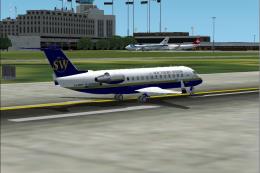 FS2004 Civil Jet Aircraft
V2 GMAX CRJ-200ER by POSKY, now with dynamic shine, as operated by British Eu…
FS2004 Civil Jet Aircraft
Using exactly the measurements of the real thing, apex values token from a sc…
 FS2004 Civil Jet Aircraft
Air France Boeing 777-200ER, registration F-GSPA. Model by Melvin Rafi. Repai…
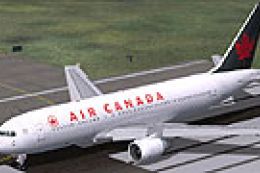 FS2004 Civil Jet Aircraft
Model by Albert Bouwman, Textures by Matt Biegner. Screenshot of Air Canada B…
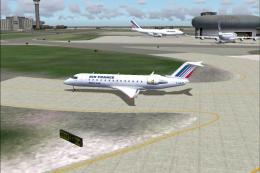 FS2004 Civil Jet Aircraft
A repaint of FSPainter's CRJ-200 in Air France/Brit Airs' color scheme. Compl…
 FS2004 Civil Jet Aircraft
Emirates Boeing 777-200ER v2 with Rolls Royce engines as a full package with …
Be the first to leave a comment on this download.
Be the first to share your thoughts on this download.