

 FS2004 Civil Jet Aircraft
Aeroflot Tupolev TU-154M
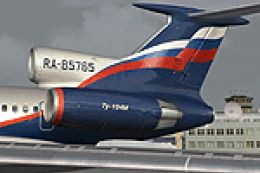
FS2004 Aeroflot Tupolev TU-154M, registration RA-85765, v2.0. Original by Pro…
Aeroflot Tupolev Tu-154B2 RA85402 brings a classic Soviet tri-jet to life with crisp Aeroflot-era markings and authentic registration details for FS2004. The repaint targets the Project Tupolev Tu-154B-2 base model and pairs clean exterior textures with a matching aircraft configuration entry for accurate in-sim identification.
 Rate
Rate
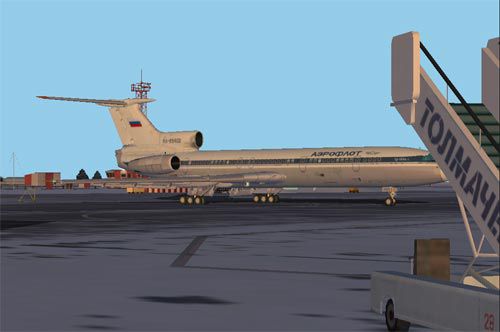
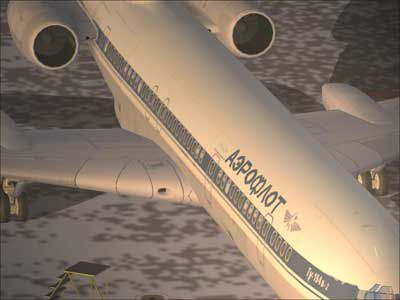
Model by Project Tupolev. Textures by M. Zukowski.
Screenshot of Aeroflot Tupolev Tu-154B2 on the ground.
Below you'll find the data for the "aircraft.cfg".
Maybe you have to change the value for the "sim".
[fltsim.x]

	title=PT154B-2

	sim=154b_02v5

	model=

	panel=

	sound=

	texture=x

	kb_checklists=

	kb_reference=

	atc_id=RA85402

	atc_airline=AEROFLOT

	atc_flight_number=RA85402

	editable=1

	ui_manufacturer=ANTK Tupolev

	ui_type=PT154B-2

	ui_variation=RA85402

	visual_damage=1

	description=Tu-154B-2 Project Tupolev, Textures by M.Zukowski

	atc_heavy=0
Free for all simmers · 783.68 KB · Scanned clean Sep 2026
Download speed: Free tier is capped at 0.5 Mbps. PRO members download at full line speed.
FS9\Aircraft\, FS9\Addon Scenery\, FS9\Gauges\, or FS9\Effects\.readme.txt or README file. It tells you exactly where files go, what dependencies are needed, and any quirks specific to this add-on.The archive text_aer.zip has 14 files and directories contained within it.
This list displays the first 500 files in the package. If the package has more, you will need to download it to view them.
| Filename/Directory | File Date | File Size |
|---|---|---|
| day.jpg | 10.17.04 | 18.83 kB |
| duese_web.jpg | 10.18.04 | 12.51 kB |
| engine_L.bmp | 06.23.03 | 256.07 kB |
| engine_T.bmp | 09.05.04 | 1.33 MB |
| mintu.gif | 10.18.04 | 16.58 kB |
| readme.txt | 10.18.04 | 866 B |
| tail_L.bmp | 06.23.03 | 85.40 kB |
| tail_T.bmp | 10.17.04 | 341.43 kB |
| TU-154B_L.bmp | 10.18.04 | 341.43 kB |
| TU-154B_T.bmp | 10.17.04 | 1.33 MB |
| TU-154Bw_L.bmp | 06.23.03 | 341.40 kB |
| TU-154Bw_T.bmp | 10.17.04 | 1.33 MB |
| flyawaysimulation.txt | 10.29.13 | 959 B |
| Go to Fly Away Simulation.url | 01.22.16 | 52 B |
Only PRO members can place votes.
More FS2004 add-ons hand-picked based on this download.
FS2004 Civil Jet Aircraft
FS2004 Aeroflot Tupolev TU-154M, registration RA-85765, v2.0. Original by Pro…
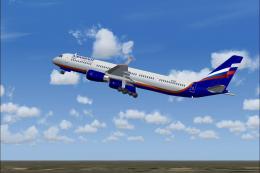 FS2004 Civil Jet Aircraft
This freeware release is a modern rendition of a Russian medium-haul jet airl…
 FS2004 Civil Jet Aircraft
Textures only; requires AI154PAK.ZIP. Model by Viktor Schacht. Livery by Vlad…
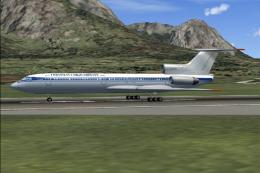 FS2004 Civil Jet Aircraft
Base model by PAI/Viktor Schacht. Textures only; requires AI154PAK.ZIP. Repai…
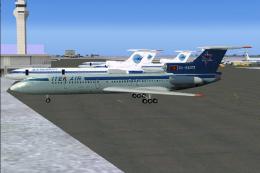 FS2004 Civil Jet Aircraft
Model PAI. Repainted by Christian Muenier. Screenshot of Air Company Itek-Air…
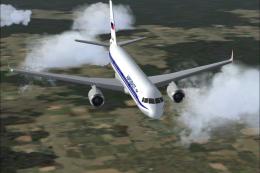 FS2004 Civil Jet Aircraft
This freeware release features a Russian-built medium-range aircraft equipped…
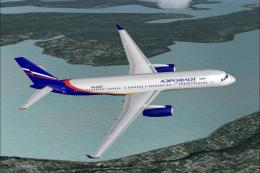 FS2004 Civil Jet Aircraft
This freeware release offers a detailed Tupolev Tu-204PS90 decked out in Aero…
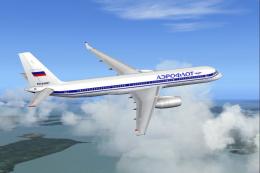 FS2004 Civil Jet Aircraft
This freeware release provides a classic 1992 Aeroflot livery for the Tupolev…
Be the first to leave a comment on this download.
Be the first to share your thoughts on this download.