

 FS2004 Civil Jet Aircraft
Aeroflot Tupolev Tu-204-120
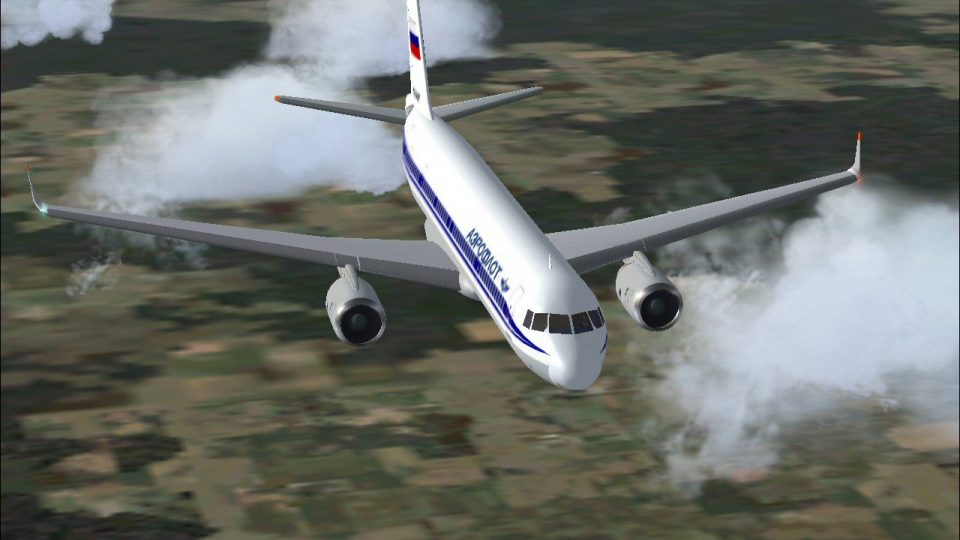
This freeware release is a modern rendition of a Russian medium-haul jet airl…
Aeroflot Tupolev Tu-204-120 brings a Russian medium-range airliner to Microsoft Flight Simulator 2004 with a high-fidelity Gmax exterior model, crisp 32-bit textures, and accurate proportions. The variant’s Rolls-Royce RB211 turbofans and Westernized configuration support believable climb and cruise performance, paired with an immersive virtual cockpit view.
 Rate
Rate
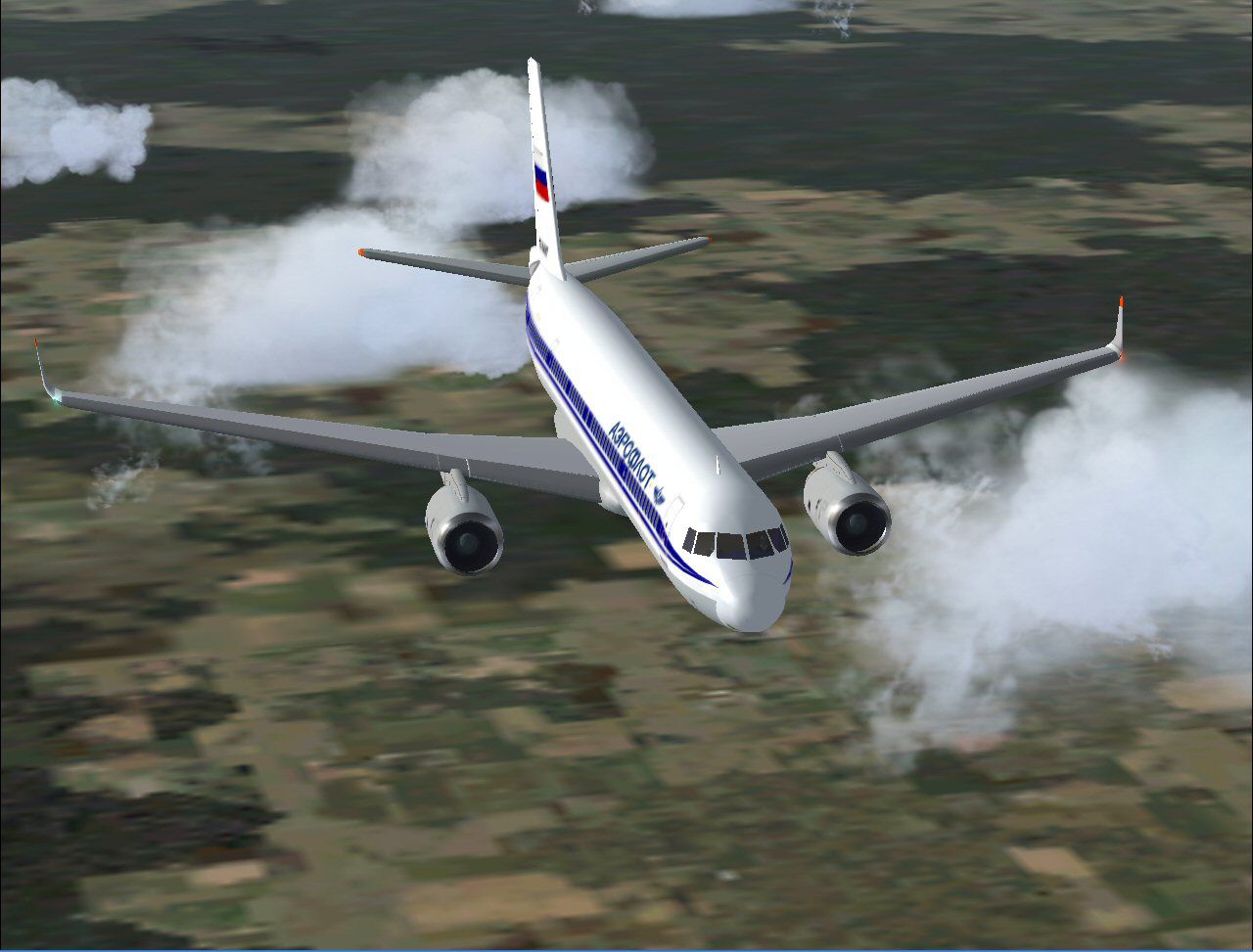
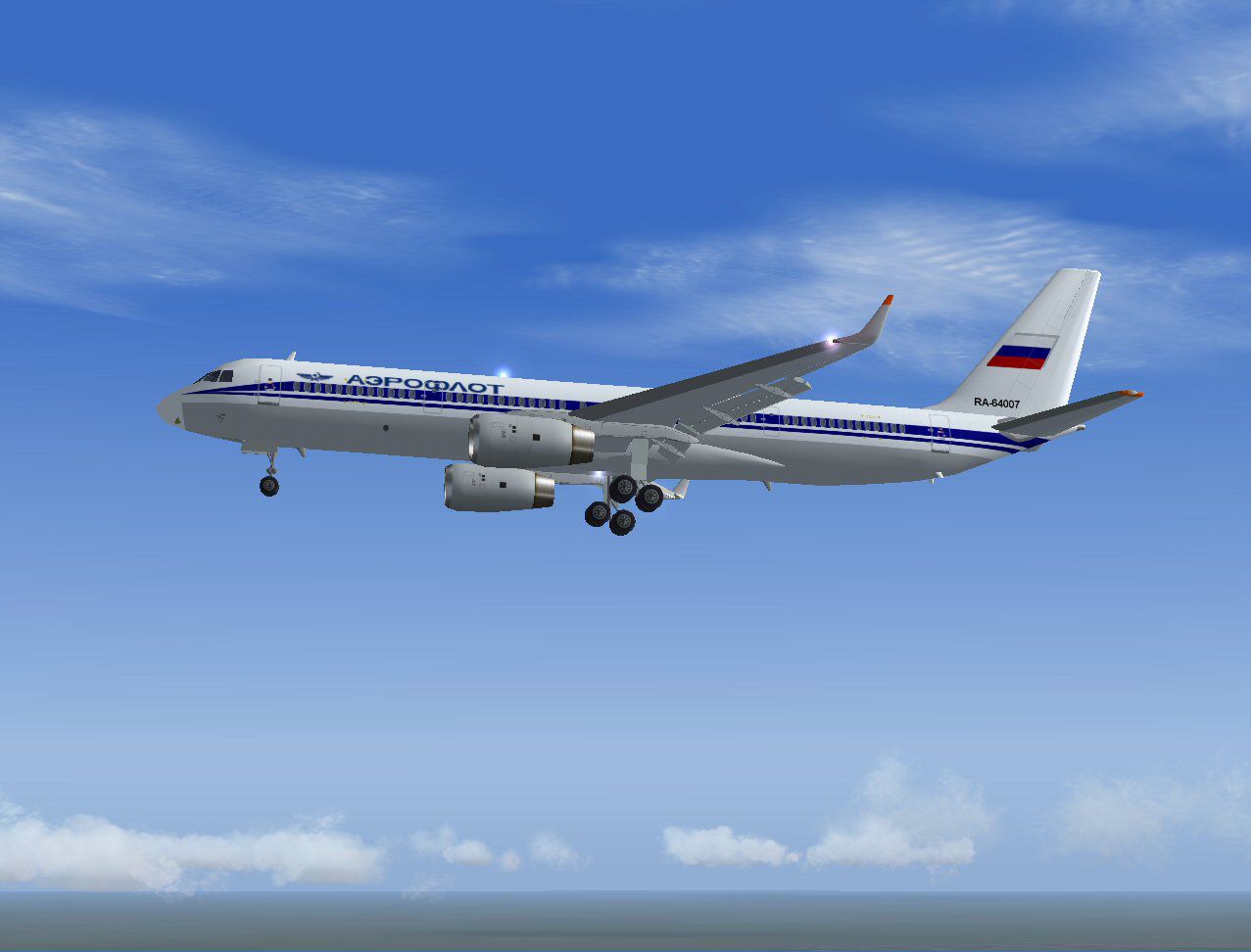
This freeware release features a Russian-built medium-range aircraft equipped with Rolls-Royce RB211 powerplants, rendered in a distinctive Aeroflot paint scheme. It is presented in detailed 32-bit textures, complete with a high-fidelity Gmax model crafted by developer Robert Versluys.
The Tupolev Tu-204-120 (an evolution of the standard Tu-204) incorporates Western turbofan engines and avionics to improve performance and reliability. Its Rolls-Royce RB211 engines generate substantial thrust, ensuring quick climb rates and efficient cruise profiles. Since this platform seeks to challenge other single-aisle airliners such as the Boeing 757 and Airbus A321, it integrates long-range capabilities with a comfortable cabin layout.
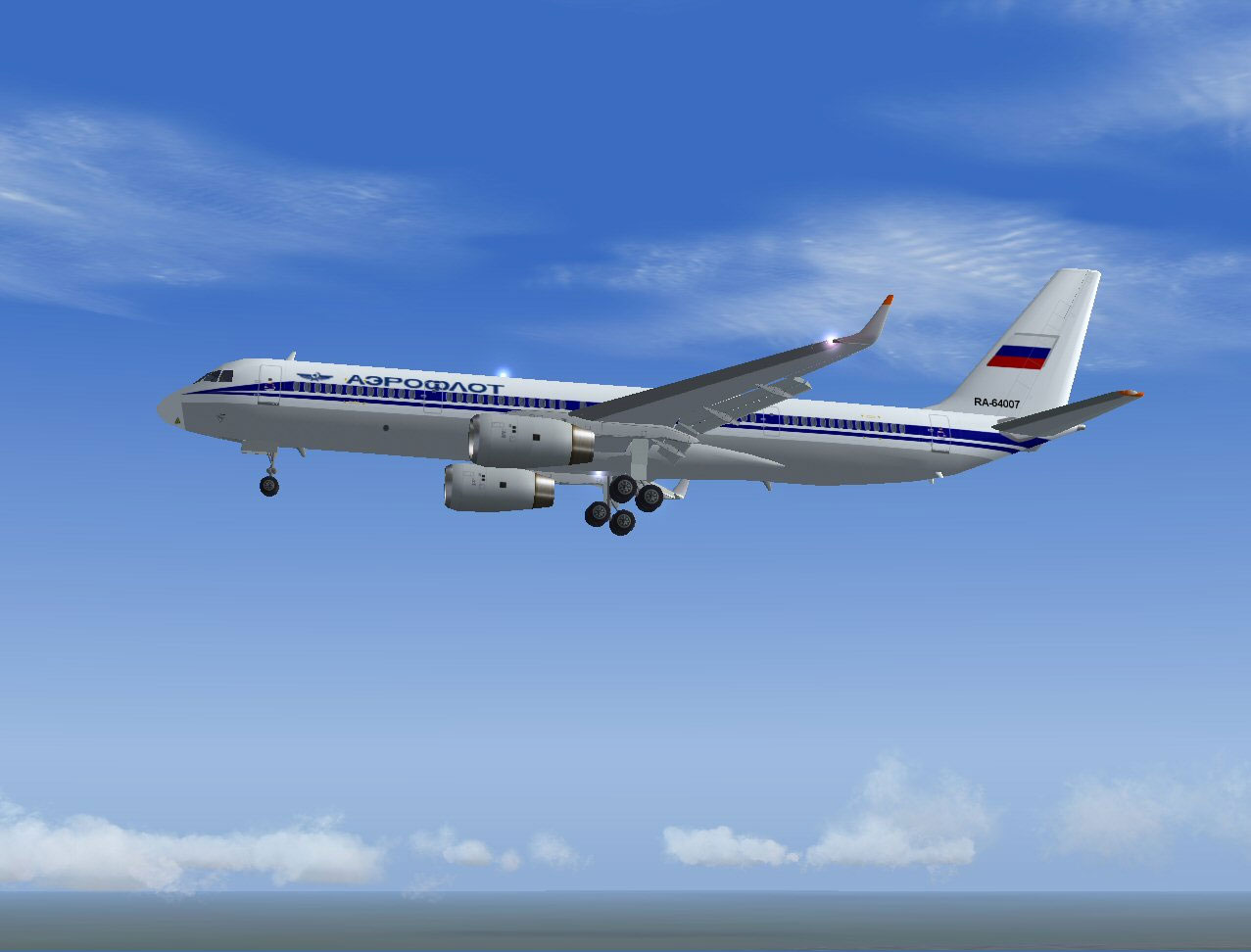
Aeroflot Tu-204-120 captured in flight, displaying landing gear deployment.
Specifically designed for Microsoft Flight Simulator 2004 (and compatible with certain FS2002 setups), the Gmax framework enhances virtual lighting and surface rendering. This method produces smooth lines, realistic fuselage shaping, and crisp detailing across the airframe. As a result, flight enthusiasts can enjoy an immersive cockpit view, along with exterior fidelity that closely reflects its real-world counterpart.
Within the virtual hangar, you will locate the aircraft under the "Tupolev PSC" listing after placing the "Air Cairo - Tupolev 204-120" folder inside the main aircraft directory. This streamlined installation ensures quick setup, letting sim pilots immediately explore the Tu-204-120’s flight envelope and operational nuances.
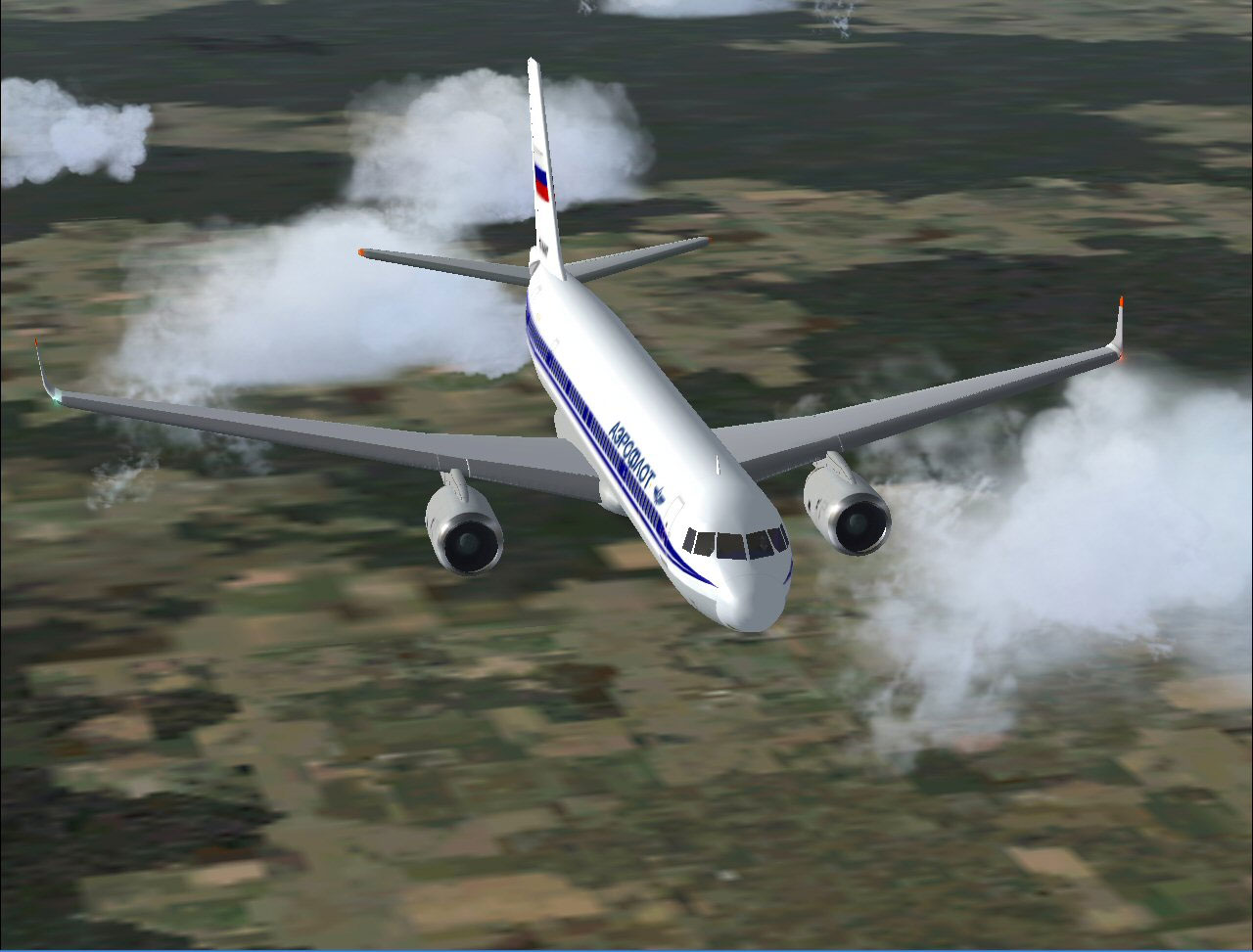
Detailed in-flight view showcasing livery and aerodynamic profile.
Aeroflot, recognized as Russia’s flagship airline, employs numerous advanced airframes to cover medium to long routes across varied geographies. This depiction reproduces Aeroflot’s official color scheme on the Tu-204-120, with careful attention to reflective surfaces and tail branding. While the real-world counterpart handles routes centered around domestic hubs and select international destinations, sim users can recreate these journeys or plan custom flight paths that take advantage of the aircraft’s flexibility.
Included with this package is a readme file containing comprehensive installation information, repaint guidelines, and details surrounding the model’s design. Developer Robert Versluys encourages simmers to consult this documentation for essential disclaimers and usage notes. Overall, the concise geometry, custom textures, and faithful systems modeling make this add-on an excellent resource for anyone wanting a sophisticated Russian jet within their simulator environment.
Free for all simmers · 1.54 MB · Scanned clean Oct 2026
Download speed: Free tier is capped at 0.5 Mbps. PRO members download at full line speed.
FS9\Aircraft\, FS9\Addon Scenery\, FS9\Gauges\, or FS9\Effects\.readme.txt or README file. It tells you exactly where files go, what dependencies are needed, and any quirks specific to this add-on.The archive rvtu204a.zip has 67 files and directories contained within it.
This list displays the first 500 files in the package. If the package has more, you will need to download it to view them.
| Filename/Directory | File Date | File Size |
|---|---|---|
| Aircraft.cfg | 10.13.03 | 11.95 kB |
| model | 10.13.03 | 0 B |
| Model.cfg | 10.13.03 | 30 B |
| tu204_v2_rr.mdl | 10.13.03 | 801.92 kB |
| PANEL | 10.13.03 | 0 B |
| panel.cfg | 08.30.03 | 30 B |
| rv tu204 aeroflot mc 2 small.gif | 10.13.03 | 6.87 kB |
| rv tu204 aeroflot mc 2.jpg | 10.13.03 | 84.39 kB |
| rv tu204 aeroflot mc.jpg | 10.13.03 | 133.66 kB |
| rv tu204 aeroflot readme.txt | 10.13.03 | 245 B |
| sound.rr | 10.13.03 | 0 B |
| Sound.cfg | 10.01.03 | 37 B |
| texture.aeroflot | 10.13.03 | 0 B |
| rv_t204_a1_l.bmp | 10.13.03 | 256.07 kB |
| rv_t204_a1_t.bmp | 10.13.03 | 170.75 kB |
| rv_t204_a2_l.bmp | 10.13.03 | 256.07 kB |
| rv_t204_a2_t.bmp | 10.13.03 | 170.75 kB |
| rv_t204_antene1.bmp | 10.13.03 | 10.75 kB |
| rv_t204_antene2.bmp | 10.13.03 | 10.75 kB |
| rv_t204_antene3.bmp | 10.13.03 | 10.75 kB |
| rv_t204_antene4.bmp | 10.13.03 | 10.75 kB |
| rv_t204_cgear_l.bmp | 10.13.03 | 256.07 kB |
| rv_t204_cgear_t.bmp | 10.13.03 | 64.07 kB |
| rv_t204_exhaust.bmp | 10.13.03 | 17.05 kB |
| rv_t204_flapr_l.bmp | 10.13.03 | 256.07 kB |
| rv_t204_flapr_t.bmp | 10.13.03 | 256.07 kB |
| rv_t204_fuse1_l.bmp | 10.13.03 | 256.07 kB |
| rv_t204_fuse1_t.bmp | 10.13.03 | 1.00 MB |
| rv_t204_fuse2_l.bmp | 10.13.03 | 256.07 kB |
| rv_t204_fuse2_t.bmp | 10.13.03 | 1.00 MB |
| rv_t204_fuse3_l.bmp | 10.13.03 | 256.07 kB |
| rv_t204_fuse3_t.bmp | 10.13.03 | 1.00 MB |
| rv_t204_fuse4_l.bmp | 10.13.03 | 256.07 kB |
| rv_t204_fuse4_t.bmp | 10.13.03 | 1.00 MB |
| rv_t204_fuse5_l.bmp | 10.13.03 | 256.07 kB |
| rv_t204_fuse5_t.bmp | 10.13.03 | 1.00 MB |
| rv_t204_gdoor_l.bmp | 10.13.03 | 256.07 kB |
| rv_t204_gdoor_t.bmp | 10.13.03 | 256.07 kB |
| rv_t204_htail_l.bmp | 10.13.03 | 256.07 kB |
| rv_t204_htail_t.bmp | 10.13.03 | 256.16 kB |
| rv_t204_interior.bmp | 10.13.03 | 170.75 kB |
| rv_t204_lwing_l.bmp | 10.13.03 | 256.07 kB |
| rv_t204_lwing_t.bmp | 10.13.03 | 256.07 kB |
| rv_t204_mgear_l.bmp | 10.13.03 | 256.07 kB |
| rv_t204_mgear_t.bmp | 10.13.03 | 64.07 kB |
| rv_t204_pilot1.bmp | 10.13.03 | 257.05 kB |
| rv_t204_pilot2.bmp | 10.13.03 | 257.05 kB |
| rv_t204_propf.bmp | 10.13.03 | 128.08 kB |
| rv_t204_props.bmp | 10.13.03 | 128.08 kB |
| rv_t204_rb211_l_t.bmp | 10.13.03 | 1.00 MB |
| rv_t204_rb211_r_t.bmp | 10.13.03 | 1.00 MB |
| rv_t204_reverser_t.bmp | 10.13.03 | 42.75 kB |
| rv_t204_rwing_l.bmp | 10.13.03 | 256.07 kB |
| rv_t204_rwing_t.bmp | 10.13.03 | 256.07 kB |
| rv_t204_spoilers_l.bmp | 10.13.03 | 256.07 kB |
| rv_t204_spoilers_t.bmp | 10.13.03 | 256.07 kB |
| rv_t204_tail_l.bmp | 10.13.03 | 256.07 kB |
| rv_t204_tail_t.bmp | 10.13.03 | 1.00 MB |
| rv_t204_wheelf.bmp | 10.13.03 | 42.75 kB |
| rv_t204_wheels.bmp | 10.13.03 | 42.75 kB |
| Thumbs.db | 10.13.03 | 88.50 kB |
| Thumbs.db | 10.13.03 | 21.00 kB |
| tu204 - rb211.AIR | 10.13.03 | 8.65 kB |
| README.TXT | 10.11.03 | 481 B |
| readme.pdf | 10.11.03 | 501.85 kB |
| flyawaysimulation.txt | 10.29.13 | 959 B |
| Go to Fly Away Simulation.url | 01.22.16 | 52 B |
Only PRO members can place votes.
More FS2004 add-ons hand-picked based on this download.
FS2004 Civil Jet Aircraft
This freeware release is a modern rendition of a Russian medium-haul jet airl…
 FS2004 Civil Jet Aircraft
This specialized freeware release showcases a Dalavia Tupolev Tu?204?120 equi…
 FS2004 Civil Jet Aircraft
Sibir Airlines Tupolev Tu-204-120 with Rolls-Royce RB211 engines. Painted in …
 FS2004 Civil Jet Aircraft
FS2004 Aeroflot Tupolev TU-154M, registration RA-85765, v2.0. Original by Pro…
 FS2004 Civil Jet Aircraft
Textures only; requires AI154PAK.ZIP. Model by Viktor Schacht. Livery by Vlad…
 FS2004 Civil Jet Aircraft
Model by Project Tupolev. Textures by M. Zukowski. Screenshot of Aeroflot Tup…
 FS2004 Civil Jet Aircraft
requires SGA_A300B4-200.zip here. Scanair Airbus A300B4-120 reg:se-dfk cn:094…
 FS2004 Civil Jet Aircraft
Textures only you need SGA's A300B4-200 basepack. Scanair Airbus A300B4-120 r…
Be the first to leave a comment on this download.
Be the first to share your thoughts on this download.