

 X-Plane Historic & Vintage Aircraft
X-Plane DHC-1 Chipmunk Club G-DHCC
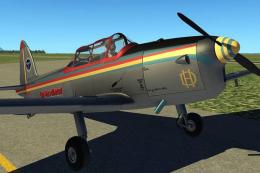
This is a completely fictitious livery for the Khamsin DHC-1 Chipmunk. The sp…
RCAF DeHavilland Canada Chipmunk DHC-1 brings a classic Canadian trainer to X-Plane 11 with a detailed virtual cockpit, authentic prop rotation, and improved tailwheel behavior that matches the real aircraft’s full-castoring handling. Included custom sounds and reference flight manual information help support immersive vintage flying and ground operations.
 Rate
Rate
X-Plane 11 RCAF DeHavilland Canada Chipmunk DHC-1 1.0.4. This is a simple conversion of Jacques Brault's X-Plane 8 and 9 DHC1 Chipmunk to X-Plane 11.
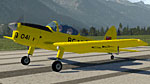 This particular aircraft can be seen at the Canadian Warplane Heritage Museum.
X-Plane 11 is configured by default for 3D cockpit view, so to use this aircraft you must choose to do one of two things: After loading the aircraft, select 'Option-w' on MacOS for 2D or 'Alt-w' on WinOS for the 2D instrument panel.
Sounds provided by Dataroots. Thank you to Jacques Brault for creating this aircraft for X-Plane.
Developer: Sean McLeod (Aerostarsim).
v1.0.4
Corrected the rotation of the prop, it now spins counter-clockwise as in the real aircraft.
v1.0.3
Fixed the ground handling, tailwheel is now full-castoring as in the real aircraft, you'd better have rudder pedals or a control stick with a twist for yaw control. That said, the ground handling is completely manageable, I just did a test flight and had no difficulties whatsoever. I found an Aircraft Flight Manual for the DHC-1B-2, now included for your information.
Free for all simmers · 13.99 MB · Scanned clean Oct 2026
Download speed: Free tier is capped at 0.5 Mbps (this file takes approximately 4 mins at the cap). PRO members download at full line speed.
Aircraft/ (planes), Custom Scenery/ (airports, mesh), or Resources/plugins/ (plugins).readme.txt or README file. It tells you exactly where files go, what dependencies are needed, and any quirks specific to this add-on.The archive dhc-1_chipmunk_rcaf_v104.zip has 33 files and directories contained within it.
This list displays the first 500 files in the package. If the package has more, you will need to download it to view them.
| Filename/Directory | File Date | File Size |
|---|---|---|
| DHC-1 Chipmunk RCAF v104 | 10.16.18 | 0 B |
| Airfoils | 04.21.18 | 0 B |
| Chip010.afl | 06.24.17 | 24.49 kB |
| Chip012.afl | 06.24.17 | 24.49 kB |
| Chip014.afl | 06.24.17 | 24.49 kB |
| Chipmunk.acf | 09.23.18 | 2.13 MB |
| Chipmunk_icon11.png | 09.06.18 | 85.20 kB |
| Chipmunk_icon11_thumb.png | 09.06.18 | 11.43 kB |
| Chipmunk_paint.png | 09.10.07 | 67.20 kB |
| Chipmunk_paint2.png | 09.10.07 | 59.29 kB |
| Chipmunk_panel_B.png | 08.26.06 | 19.17 kB |
| Chipmunk_prefs.txt | 09.23.18 | 385 B |
| Chipmunk_prop.png | 06.07.07 | 29.42 kB |
| cockpit | 09.10.07 | 0 B |
| -PANELS- | 09.10.07 | 0 B |
| Panel.png | 09.09.07 | 583.60 kB |
| documents | 10.16.18 | 0 B |
| Change_log.txt | 10.16.18 | 483 B |
| Dhc-1-Chipmunk-Afm.pdf | 09.22.18 | 11.95 MB |
| sounds | 04.21.18 | 0 B |
| contact | 06.24.17 | 0 B |
| Roll_Runway.wav | 01.03.09 | 165.55 kB |
| engine | 06.24.17 | 0 B |
| Chipmunk engn1.wav | 01.03.09 | 298.39 kB |
| Chipmunk engn1_INN.wav | 01.03.09 | 298.34 kB |
| Chipmunk prop1.wav | 01.03.09 | 366.37 kB |
| Chipmunk prop1_INN.wav | 01.03.09 | 354.62 kB |
| Chipmunk star1.wav | 01.03.09 | 323.61 kB |
| Chipmunk star1_INN.wav | 01.03.09 | 324.30 kB |
| systems | 06.24.17 | 0 B |
| Chipmunk flap.wav | 01.03.09 | 169.29 kB |
| flyawaysimulation.txt | 10.29.13 | 959 B |
| Go to Fly Away Simulation.url | 01.22.16 | 52 B |
Only PRO members can place votes.
More X-Plane add-ons hand-picked based on this download.
X-Plane Historic & Vintage Aircraft
This is a completely fictitious livery for the Khamsin DHC-1 Chipmunk. The sp…
 X-Plane Historic & Vintage Aircraft
Now version 3.2.0. The Douglas C47 is a twin-engined low wing transport aircr…
 X-Plane Historic & Vintage Aircraft
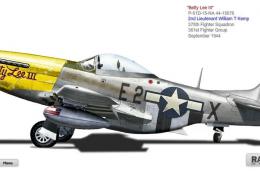
X-Plane 11 North American P-51D Mustang 1.0.1. This is Jacques Brault's P-51 …
 X-Plane Historic & Vintage Aircraft
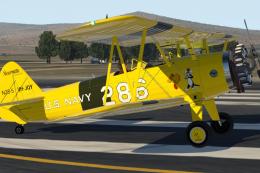
X-Plane 11 Stearman Spirit-of-Artemis v1.0. This version of the Stearman ori…
 X-Plane Historic & Vintage Aircraft
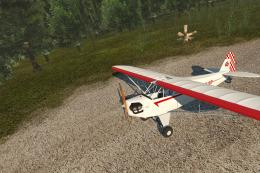
A complete package bringing the Piper J-3 Cub to X-Plane 11. The aircraft mod…
 X-Plane Historic & Vintage Aircraft
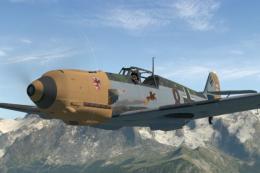
X-Plane 11.10+ Messerschmitt Bf 109-E4 1.0.1. The Messerschmitt Bf 109 is a G…
 X-Plane Historic & Vintage Aircraft
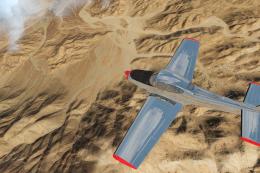
This is a 1950 Ryan Navion 205 freeware model for X-Plane 11.2 or newer. Now …
 X-Plane Historic & Vintage Aircraft
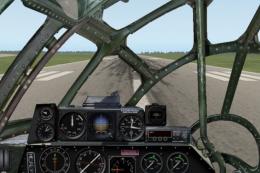
X-Plane 11 Boeing B-29 Superfortress 1.0. This is Jacques Brault's X-Plane 8 …
Read what other simmers think, or add your own.
