

 FSX Scenery
Monument Valley Beta
Experience the dramatic sandstone towers of Monument Valley in this public be…
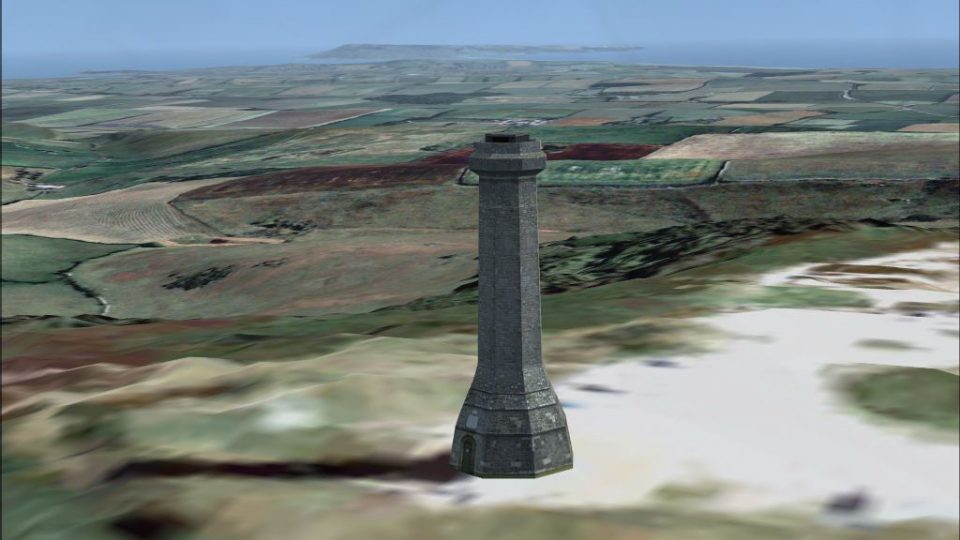
Hardy Monument brings Dorset’s octagonal 22 m landmark on Black Down to life as a crisp VFR reference point near Portesham, positioned to sit correctly on any terrain mesh. Built for Microsoft Flight Simulator X and requires Horizon VFR Generation X Volume 1 Southern England and South Wales for best regional blending.
 Rate
Rate
 United Kingdom
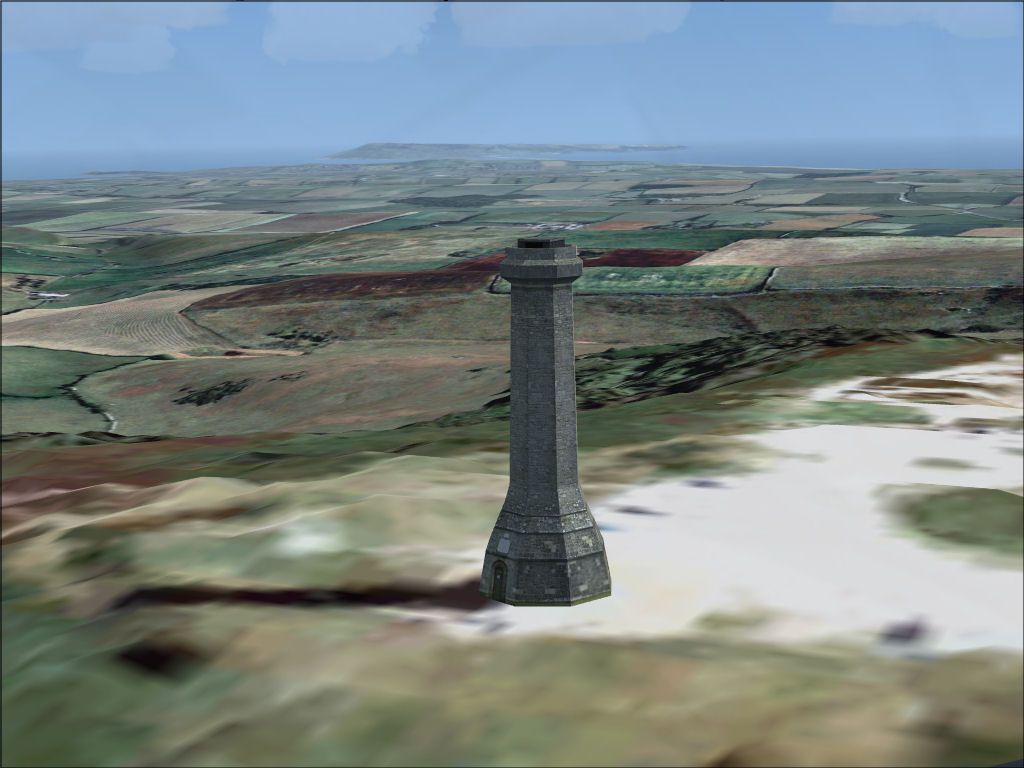
HARDY MONUMENT for FSX with VFR Generation X
NOTE: If possible please refer to the enclosed README.pdf
50º 41’ 12.21" North 2º 32’ 57.13" West
Ordnance Survey (OS) grid reference: 361301 087601
Simply copy the unzipped "Hardy Monument" folder (and its Scenery and Texture sub-folders) into the Addon Scenery sub-folder of Flight Sim. Then inside Flight Sim (FSX) select Settings > Scenery Library > Add Area... and navigate to and select the "Hardy Monument" folder you just unzipped.
Hardy Monument
Hardy Monument is situated high on Black Down near the village of Portesham in Dorset, England. The nearest airfields with ICAO codes are Westland’s in Yeovil (EGHG), Bournemouth International Airport (EGHH) and the former Royal Naval Air Station (RNAS) at Portland (EGDP), aka HMS Osprey.
Although only 8.6 km WSW of Thomas Hardy’s Casterbridge (i.e. Dorchester) this tower has nothing to do with the 19th century novelist and poet. Instead it stands in memory of Vice Admiral Sir Thomas Masterman Hardy, Royal Navy. The then Captain Hardy famously commanded Nelson’s flagship HMS Victory at the Battle of Trafalgar (21st Oct. 1805). When Nelson was mortally wounded on the Victory his last words to his friend and Captain were “kiss me, Hardy”, although this is now believed to have been “kismet Hardy”, from the Arabic word meaning “It is fate”.
This popular octagonal, 22m (72 ft) tall landmark is owned by the National Trust and manned by volunteers from April through September (mostly weekends). A £2 entrance fee allows you to climb the spiral staircase to a parapet to take in views stretching from The Needles on the Isle of Wight to Start Point in Devon (covering five counties) on a very clear day.
This FSDS v3 scenery was designed for and tested with FSX and Horizon Simulation’s VFR Generation X Volume 1 “Southern England & South Wales”.
However, it was created using MakeMDL and BGLcomp from the FS2004 SDK and therefore should also be compatible with FS2004 and Horizon Simulation’s VFR Terrain and VFR Photographic Scenery, England & Wales: Part 2 (also published by Just Flight as VFR Photographic Scenery Volume 2, Central & Southern England).
Crucially, the altitude above ground level (AGL) was set to zero in the XML file, so it’ll sit atop any terrain model (mesh) you might be using (inc. the default in Flight Sim mesh).
Free for all simmers · 455.02 KB · Scanned clean Oct 2026
Download speed: Free tier is capped at 0.5 Mbps. PRO members download at full line speed.
FSX\Addon Scenery\ containing scenery and texture sub-folders.readme.txt or README file. It tells you exactly where files go, what dependencies are needed, and any quirks specific to this add-on.Use these coordinates to fly directly to this location once the mod is installed.
50.68670000,-2.54920000
Launch FSX or Prepar3D and use Flights → Load to open the downloaded .pln file. Your aircraft will be positioned at this location.
The archive hardymon.zip has 11 files and directories contained within it.
This list displays the first 500 files in the package. If the package has more, you will need to download it to view them.
| Filename/Directory | File Date | File Size |
|---|---|---|
| Hardy Monument | 03.01.07 | 0 B |
| Hardy Monument FSX & VFR GenX large.jpg | 02.09.07 | 113.97 kB |
| Hardy Monument.gif | 03.01.07 | 12.24 kB |
| README.pdf | 03.01.07 | 113.49 kB |
| README.txt | 03.01.07 | 3.58 kB |
| scenery | 03.01.07 | 0 B |
| hardymon.BGL | 02.09.07 | 14.57 kB |
| texture | 03.01.07 | 0 B |
| hardymon.bmp | 02.05.07 | 682.73 kB |
| flyawaysimulation.txt | 10.29.13 | 959 B |
| Go to Fly Away Simulation.url | 01.22.16 | 52 B |
Only PRO members can place votes.
More FSX & P3D add-ons hand-picked based on this download.
FSX Scenery
Experience the dramatic sandstone towers of Monument Valley in this public be…
 FSX Scenery
Voortrekker Monument, Pretoria, South Africa. By Frits Beyer. Voortrekker Mon…
 FSX Scenery
Monument Plateau Des Glieres, France. The Glieres site is a beautiful plateau…
 FSX Scenery
Lansdowne Monument, located to the southeast of the White Horse, on top of Ch…
FSX Scenery
Skara Scenery Bonaire X. Flamingo International Airport or Bonaire Internatio…
 FSX Scenery
Iwo Jima Scenery 1945 Update. This is a complete scenery with added effects a…
FSX Scenery
Kjeller Area Scenery X, Norway. Scenery around Kjeller airport with photoreal…
 FSX Scenery
FSX Loney's Alaska For FSX. This is a compilation of the author's Alaskan sce…
Be the first to leave a comment on this download.
Be the first to share your thoughts on this download.