


 Portugal
 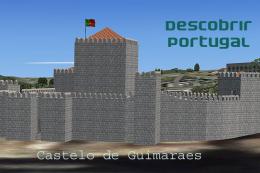 FSX Scenery
Descobrir Portugal
FSX, Descobrir Portugal V0.2 Description: This is my new project: DESCOBRIR P…
Descobrir Portugal X scenery fix resolves the building-crash issue at LPPM Portimão and LPCS Cascais Tires, restoring stable operations around both aerodromes. Built for FSX, it replaces the original OB0 BGL files and requires DPX02.ZIP, keeping the package’s regional detail intact while improving reliability across affected areas.
Descobrir Portugal Fix, for use with DPX02.ZIP. This update will correct the "building crash" problem in LPPM Portimao and LPCS Cascais Tires Aerodromes, detected in the original version.
Update for the scenery Descobrir Portugal X By José Maia
Simply copy and paste this files in the respective folders of DPX scenery. The LPCS_Cascais_Tires_OB0.BGl go to Center/scenery and LPPM_Portimao_OB0.BGL go to the South/scenery folders and overwrite the original ones.
This update will correct the "building crash" problem in LPPM Portimão and LPCS Cascais Tires Aerodromes, detected in the original version.
José Maia
Free for all simmers · 21.92 KB · Scanned clean Oct 2026
Download speed: Free tier is capped at 0.5 Mbps. PRO members download at full line speed.
This add-on may require the following files to function properly. If this is a repaint, the dependency below is likely the base aircraft package.
FSX\Addon Scenery\ containing scenery and texture sub-folders.readme.txt or README file. It tells you exactly where files go, what dependencies are needed, and any quirks specific to this add-on.Use these coordinates to fly directly to this location once the mod is installed.
38.72230000,-9.13930000
Launch FSX or Prepar3D and use Flights → Load to open the downloaded .pln file. Your aircraft will be positioned at this location.
The archive dpx_fix.zip has 5 files and directories contained within it.
This list displays the first 500 files in the package. If the package has more, you will need to download it to view them.
| Filename/Directory | File Date | File Size |
|---|---|---|
| LPCS_Cascais_Tires_OB0.BGL | 02.26.07 | 87.93 kB |
| LPPM_Portimao_OB0.BGL | 02.26.07 | 10.98 kB |
| Read Me.txt | 02.26.07 | 513 B |
| flyawaysimulation.txt | 10.29.13 | 959 B |
| Go to Fly Away Simulation.url | 01.22.16 | 52 B |
Only PRO members can place votes.
More FSX & P3D add-ons hand-picked based on this download.
FSX Scenery
FSX, Descobrir Portugal V0.2 Description: This is my new project: DESCOBRIR P…
 FSX Scenery
Portugal, intended for VFR flying. Adapts the author's previous scenery to FS…
 FSX Scenery
Scenery Fix--Madeira LPMA, Porto Santo LPPS, Portugal. The default scenery di…
FSX Scenery
Sofia International Airport Fix. Fixed version for FSX of Sofia International…
 FSX Scenery
Rio Mesh Fix. Corrections for the default mesh for Rio de Janeiro (SBRJ), Bra…
 FSX Scenery
Juneau Alaska Scenery Fix (AK), for use with JUNEAU_JD.ZIP. This file fixes t…
FSX Scenery
Fix For MZBZ Goldson Airport. A quick and dirty fix to remove autogen trees f…
 FSX Scenery
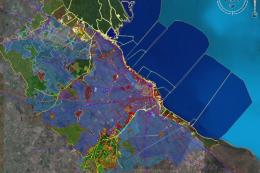
Buenos Aires 2008, Argentina, fix 08.2. This is the scenery of Buenos Aires, …
Read what other simmers think, or add your own.

Hello José Maia! I left a comment on the post of the pack Descobrir Portugal! I would like to know if it is possible to instalo only LPCS without installing the whole pack. Obrigado