

 FSX Military Aircraft
Royal Navy Hawker Hunter Flight Lines
Flight lines for each of 738, 759, 764 RNAS and FRADU, comprising 5-11 aircra…
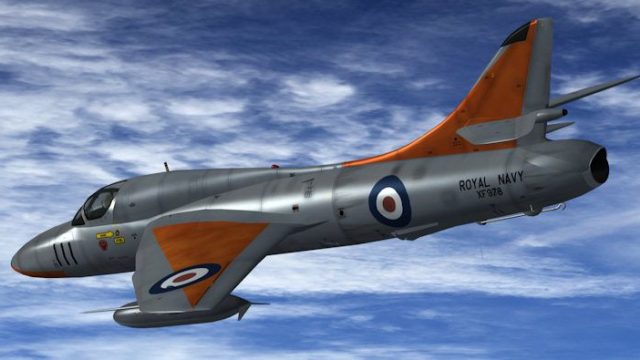
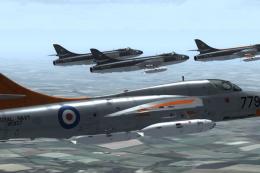
Silver-and-dayglo Fleet Air Arm liveries bring the two-seat Hawker Hunter T.8 trainers to life in FSX, covering 700Z, 738, 759, 764 and 800 Naval Air Squadrons plus HMS Heron Station Flight and the Air Direction Training Unit. Each repaint adds updated stenciling and tailored specular maps for crisp reflections, and requires Dave Garwood’s Hunter T.8 model.
 Rate
Rate
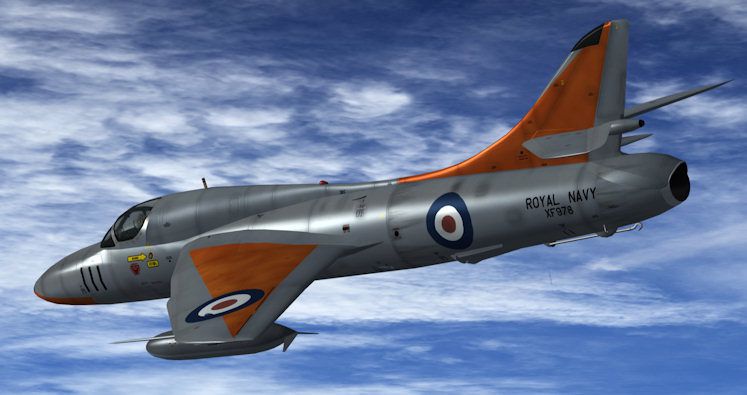

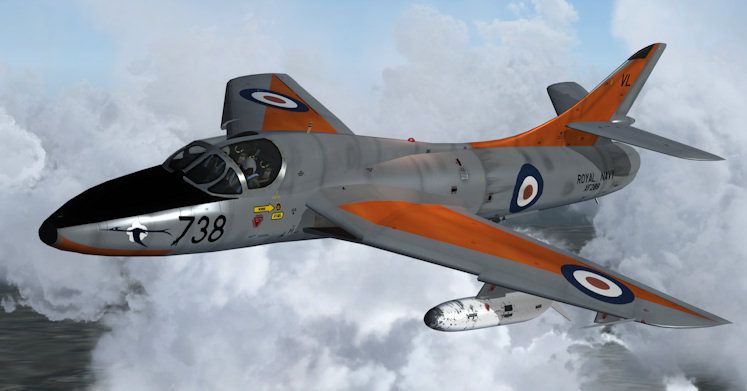

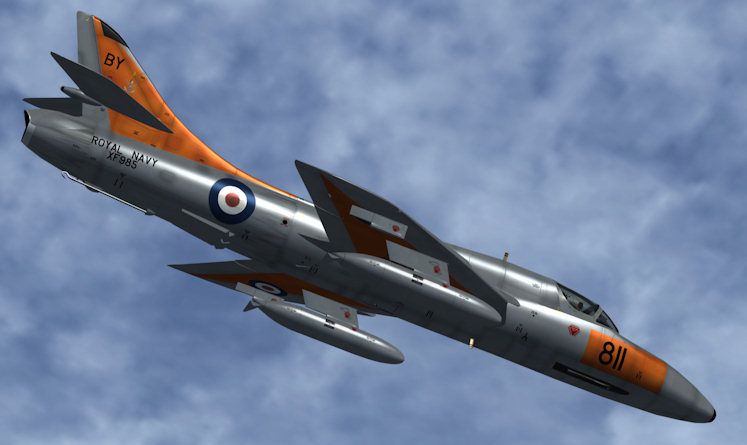
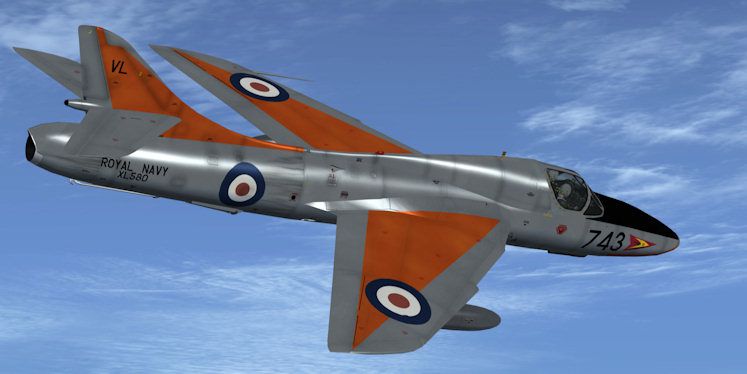
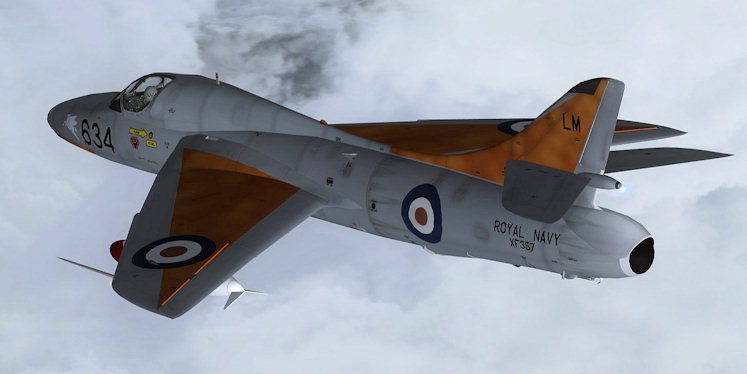
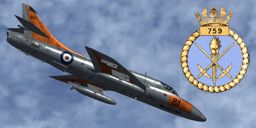
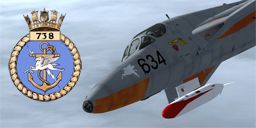
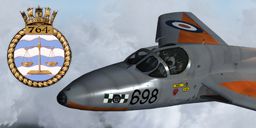

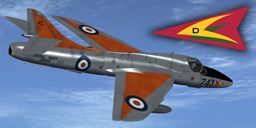

Silver-Dayglo Royal Navy Hunter Trainers. Repaints for Dave Garwood's two-seat Hawker Hunter trainers in the silver-dayglo "late" colors of the Royal Navy's Fleet Air Arm (FAA). Each repaint also includes custom specular reflection textures (spec maps). Updated stencils were kindly provided by Dave Quincey). Squadrons include 700Z, 738, 759, 764 and 800 NAS, plus HMS Heron Station Flight and the Air Direction Training Unit (ADTU). By Andy Ford.
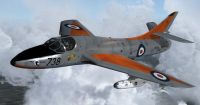
Silver-Dayglo Royal Navy Hunter in flight.
References
-----------------------------------------------------------------------
Bowman, M.W., 2002, Hunters: The Hawker Hunter in British Military Service, Sutton
Hall, A.W., 2004, Hawker Hunter: Warpaint Series No 8, Hall Park Books
Ward, R.L., 1985 Hunter Squadrons of the Royal Air Force and Fleet Air Arm, Aeolus
Ward, R.L. & F.K. Mason, 1971 Hawker Hunter F.I./T.66 in Royal Air Force and Foreign Service, Osprey
Wilson, S., 1995 F-86 Sabre, MIG-15 and Hawker Hunter v.1: F-86 Sabre, MIG-15 and Hawker Hunter: Legends of the Air Vol 1, Aerospace Publications
Installation
-----------------------------------------------------------------------
To install please move the following seven folders into your Flight Simulator X/SimObjects/Airplanes/Hunter T' folder:
texture.700ZNAS
texture.738NAS
texture.759NAS
texture.764NAS
texture.800NAS
texture.ADTU
texture.HERON
You must then edit the aircraft.cfg and insert the following seven sections. Make sure you replace the XX in [fltsim.XX] with the next sequential number for your textures.
[fltsim.XX]

	title=Hawker Hunter T8 ADTU at RNAS Yeovilton

	sim=hunter

	model=T8

	panel=

	sound=

	texture=ADTU

	checklists=

	kb_checklists=hunter_check

	kb_reference=hunter_ref

	description=

	ui_manufacturer=Hawker

	ui_type=Hunter T. Mk.8

	ui_variation=ADTU

	ui_typerole="Single engine jet trainer"

	ui_createdby="DG Designs"

	visual_damage=1

	atc_heavy=0

	atc_id=XL580

	atc_airline=Air Force

	atc_flight_number=XL580

	atc_type=HAWKER

	atc_model=HUNT
[fltsim.XX]

	title=Hawker Hunter T8 HMS Heron (RNAS Yeovilton) station flight

	sim=hunter

	model=T8

	panel=

	sound=

	texture=HERON

	checklists=

	kb_checklists=hunter_check

	kb_reference=hunter_ref

	description=

	ui_manufacturer=Hawker

	ui_type=Hunter T. Mk.8

	ui_variation=HMS Heron station flight

	ui_typerole="Single engine jet trainer"

	ui_createdby="DG Designs"

	visual_damage=1

	atc_heavy=0

	atc_id=XF289

	atc_airline=Air Force

	atc_flight_number=XF289

	atc_type=HAWKER

	atc_model=HUNT
[fltsim.XX]

	title=Hawker Hunter T8 759 NAS at RNAS Brawdy

	sim=hunter

	model=T8

	panel=

	sound=

	texture=759NAS

	checklists=

	kb_checklists=hunter_check

	kb_reference=hunter_ref

	description=

	ui_manufacturer=Hawker

	ui_type=Hunter T. Mk.8

	ui_variation=759 NAS

	ui_typerole="Single engine jet trainer"

	ui_createdby="DG Designs"

	visual_damage=1

	atc_heavy=0

	atc_id=XF985

	atc_airline=Air Force

	atc_flight_number=XF985

	atc_type=HAWKER

	atc_model=HUNT
[fltsim.XX]

	title=Hawker Hunter T8 700Z NAS at RNAS Lossiemouth

	sim=hunter

	model=T8

	panel=

	sound=

	texture=700ZNAS

	checklists=

	kb_checklists=hunter_check

	kb_reference=hunter_ref

	description=

	ui_manufacturer=Hawker

	ui_type=Hunter T. Mk.8

	ui_variation=700Z NAS

	ui_typerole="Single engine jet trainer"

	ui_createdby="DG Designs"

	visual_damage=1

	atc_heavy=0

	atc_id=WW664

	atc_airline=Air Force

	atc_flight_number=WW664

	atc_type=HAWKER

	atc_model=HUNT
[fltsim.XX]

	title=Hawker Hunter T8 738 NAS at RNAS Lossiemouth

	sim=hunter

	model=T8

	panel=

	sound=

	texture=738NAS

	checklists=

	kb_checklists=hunter_check

	kb_reference=hunter_ref

	description=

	ui_manufacturer=Hawker

	ui_type=Hunter T. Mk.8

	ui_variation=738 NAS

	ui_typerole="Single engine jet trainer"

	ui_createdby="DG Designs"

	visual_damage=1

	atc_heavy=0

	atc_id=XF357

	atc_airline=Air Force

	atc_flight_number=XF357

	atc_type=HAWKER

	atc_model=HUNT
[fltsim.XX]

	title=Hawker Hunter T8 764 NAS at RNAS Lossiemouth

	sim=hunter

	model=T8

	panel=

	sound=

	texture=764NAS

	checklists=

	kb_checklists=hunter_check

	kb_reference=hunter_ref

	description=

	ui_manufacturer=Hawker

	ui_type=Hunter T. Mk.8

	ui_variation=764 NAS

	ui_typerole="Single engine jet trainer"

	ui_createdby="DG Designs"

	visual_damage=1

	atc_heavy=0

	atc_id=XF995

	atc_airline=Air Force

	atc_flight_number=XF995

	atc_type=HAWKER

	atc_model=HUNT
[fltsim.XX]

	title=Hawker Hunter T8 800 NAS

	sim=hunter

	model=T8

	panel=

	sound=

	texture=800NAS

	checklists=

	kb_checklists=hunter_check

	kb_reference=hunter_ref

	description=

	ui_manufacturer=Hawker

	ui_type=Hunter T. Mk.8

	ui_variation=800 NAS

	ui_typerole="Single engine jet trainer"

	ui_createdby="DG Designs"

	visual_damage=1

	atc_heavy=0

	atc_id=XF978

	atc_airline=Air Force

	atc_flight_number=XF978

	atc_type=HAWKER

	atc_model=HUNT
Andy Ford, September 2009
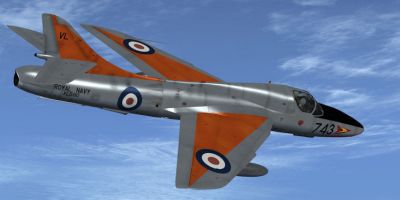
Silver-Dayglo Royal Navy Hunter in flight.
Free for all simmers · 38.53 MB · Scanned clean Sep 2026
Download speed: Free tier is capped at 0.5 Mbps (this file takes approximately 11 mins at the cap). PRO members download at full line speed.
SimObjects\Airplanes\, Addon Scenery\, Effects\, or Gauges\.readme.txt or README file. It tells you exactly where files go, what dependencies are needed, and any quirks specific to this add-on.The archive faa_hunter_trainers_late.zip has 60 files and directories contained within it.
This list displays the first 500 files in the package. If the package has more, you will need to download it to view them.
| Filename/Directory | File Date | File Size |
|---|---|---|
| README.txt | 09.04.09 | 5.62 kB |
| Fresnel_Ramp.bmp | 08.17.09 | 4.07 kB |
| fus.dds | 09.02.09 | 4.00 MB |
| fus_spec.dds | 09.03.09 | 4.00 MB |
| texture.cfg | 08.25.09 | 58 B |
| thumbnail.jpg | 09.02.09 | 51.74 kB |
| wings.dds | 08.28.09 | 4.00 MB |
| wings_spec.dds | 08.28.09 | 4.00 MB |
| Fresnel_Ramp.bmp | 08.17.09 | 4.07 kB |
| fus.dds | 08.28.09 | 4.00 MB |
| fus_spec.dds | 08.28.09 | 4.00 MB |
| texture.cfg | 08.25.09 | 58 B |
| thumbnail.jpg | 09.03.09 | 58.39 kB |
| wings.dds | 08.28.09 | 4.00 MB |
| wings_spec.dds | 08.28.09 | 4.00 MB |
| Fresnel_Ramp.bmp | 08.17.09 | 4.07 kB |
| fus.dds | 08.28.09 | 4.00 MB |
| fus_spec.dds | 08.28.09 | 4.00 MB |
| texture.cfg | 08.25.09 | 58 B |
| thumbnail.jpg | 09.03.09 | 57.41 kB |
| wings.dds | 08.28.09 | 4.00 MB |
| wings_spec.dds | 08.28.09 | 4.00 MB |
| Fresnel_Ramp.bmp | 08.17.09 | 4.07 kB |
| fus.dds | 08.30.09 | 4.00 MB |
| fus_spec.dds | 08.30.09 | 4.00 MB |
| texture.cfg | 08.25.09 | 58 B |
| thumbnail.jpg | 09.03.09 | 55.85 kB |
| wings.dds | 08.30.09 | 4.00 MB |
| wings_spec.dds | 08.30.09 | 4.00 MB |
| Fresnel_Ramp.bmp | 08.17.09 | 4.07 kB |
| fus.dds | 09.02.09 | 4.00 MB |
| fus_spec.dds | 09.02.09 | 4.00 MB |
| texture.cfg | 08.25.09 | 58 B |
| thumbnail.jpg | 09.02.09 | 60.95 kB |
| wings.dds | 09.02.09 | 4.00 MB |
| wings_spec.dds | 09.02.09 | 4.00 MB |
| Fresnel_Ramp.bmp | 08.17.09 | 4.07 kB |
| fus.dds | 08.29.09 | 4.00 MB |
| fus_spec.dds | 08.29.09 | 4.00 MB |
| texture.cfg | 08.25.09 | 58 B |
| thumbnail.jpg | 09.03.09 | 55.13 kB |
| wings.dds | 08.29.09 | 4.00 MB |
| wings_spec.dds | 08.29.09 | 4.00 MB |
| Fresnel_Ramp.bmp | 08.17.09 | 4.07 kB |
| fus.dds | 08.29.09 | 4.00 MB |
| fus_spec.dds | 08.29.09 | 4.00 MB |
| texture.cfg | 08.25.09 | 58 B |
| thumbnail.jpg | 09.02.09 | 54.97 kB |
| wings.dds | 08.29.09 | 4.00 MB |
| wings_spec.dds | 08.29.09 | 4.00 MB |
| 700ZNAS.jpg | 09.03.09 | 55.50 kB |
| 738NAS.jpg | 09.03.09 | 38.74 kB |
| 759NAS.jpg | 09.03.09 | 45.39 kB |
| 764NAS.jpg | 09.03.09 | 47.45 kB |
| 800NAS.jpg | 09.03.09 | 57.49 kB |
| ADTU.jpg | 09.03.09 | 44.93 kB |
| FAA_Hunter_Trainers_late.gif | 09.04.09 | 7.82 kB |
| HERON.jpg | 09.03.09 | 47.80 kB |
| flyawaysimulation.txt | 10.29.13 | 959 B |
| Go to Fly Away Simulation.url | 01.22.16 | 52 B |
Only PRO members can place votes.
More FSX & P3D add-ons hand-picked based on this download.
FSX Military Aircraft
Flight lines for each of 738, 759, 764 RNAS and FRADU, comprising 5-11 aircra…
 FSX Military Aircraft
Royal Navy Hawker Hunter. Two 764 NAS white-spine Hunter FSX repaints. A pair…
 FSX Military Aircraft
The three aircraft of 899 Sqn RNAS Yeovilton, circa 1991. Ground support equi…
 FSX Military Aircraft
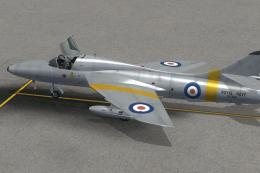
Royal Navy Hawker Hunter T8 RN repaints in "early" scheme. Three repaints for…
 FSX Military Aircraft
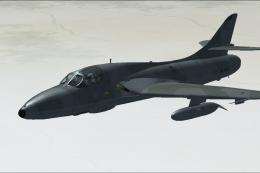
Royal Omani Air Force Hawker Hunter. Textures only for Dave Garwood's two sea…
 FSX Military Aircraft
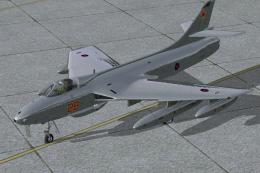
FSX RAF Aggressors Hawker Hunter. This package contains six fictional RAF Agg…
 FSX Military Aircraft
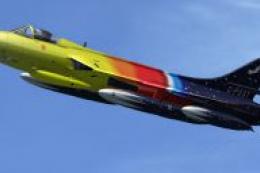
Texture. Why not make a solo demonstration with this texture of the gorgeous …
 FSX Military Aircraft
Hawker Hunter 738 NAS "Rough Diamonds". Repaint pack for both Dave Garwood's …
Be the first to leave a comment on this download.
Be the first to share your thoughts on this download.