

 FSX Military Aircraft
USNTPS F/A-18E
US Navy Test Pilot School repaint for the payware VRS Super Hornet. By Nathan…
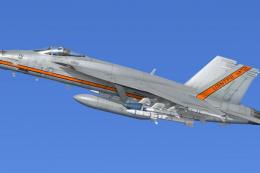
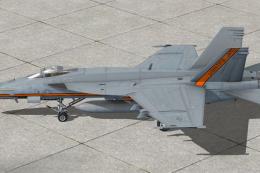
USNTPS-themed F/A-18C Hornet livery adds a crisp, fictional Naval Test Pilot School paint scheme with sharp instructional-style markings, accurate tones, and carefully placed numbers and insignia that suit the jet’s sleek lines. Built for Microsoft Flight Simulator X, it requires the default Acceleration F/A-18 model for proper alignment.
 Rate
Rate
This livery brings a fictional US Naval Test Pilot School (USNTPS) theme to the Boeing F/A-18C Hornet in Microsoft Flight Simulator X. Created by Ray Gagnon, it provides a fresh, detailed paint scheme that captures the essence of test pilot training operations. Users must have the freeware Acceleration default F/A-18 installed, available in the Fly Away Simulation file library, to apply these textures.
The USNTPS program prepares pilots and flight officers for rigorous evaluation tasks, and this repaint aims to reflect the symbolic training approach undertaken at their facilities. It showcases a crisp color layout that references naval instructional markings while retaining the Hornet’s sleek contours. Ray Gagnon’s work is a tribute to the advanced engineering and operational capabilities that test pilots employ during developmental flights.
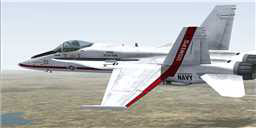
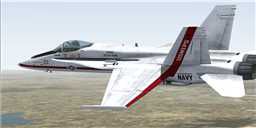
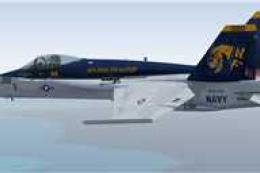
USNTPS F/A-18C Hornet in flight.
aircraft.cfg file and append the below configuration block, substituting “XX” with the next valid sequence number:
[fltsim.xx]
title=FA-18 test pilot
sim=FA-18
model=
panel=
sound=
texture=usntps
kb_checklists=boeing_FA18_check
kb_reference=boeing_FA18_ref
atc_id=03
atc_airline=NAVY
atc_flight_number=03
ui_manufacturer="Boeing"
ui_type="F/A-18"
ui_variation=US Navy Test Pilot School
ui_typerole=Airshow Hornets
ui_createdby=Ray Gagnon
description="The Hornet combines the ruggedness required of carrier-borne aircraft with speed and superior agility, especially at high angles of attack. Its powerful engines, canted vertical stabilizers, horizontal stabilators, large leading- and trailing-edge flaps, and sophisticated flight control system all contribute to a level of performance that makes the Hornet a versatile front-line fighter in several air forces around the world."
The F/A-18C Hornet is revered for its agility, robust structure for carrier-based operations, and supersonic maneuverability. Its advanced flight computer, extensive flap systems, and canted stabilizers allow for superior control, even during high-alpha testing. This repaint underscores that versatility, showcasing the Hornet’s crucial role in various operational and evaluative environments.
This texture set is Payware-free and requires the default Boeing F/A-18 from Microsoft Flight Simulator X Acceleration. The base model must be obtained from the Fly Away Simulation mod catalog before installing these textures. Ray Gagnon’s creative approach gives simmers a unique livery that mirrors the spirit of naval test pilot excellence, all while preserving top performance and fidelity in the sim.
Free for all simmers · 3.52 MB · Scanned clean Oct 2026
Download speed: Free tier is capped at 0.5 Mbps. PRO members download at full line speed.
texture.{airline}) inside FSX\SimObjects\Airplanes\{base-aircraft}\.aircraft.cfg in Notepad. Add a new [fltsim.X] section per the readme.readme.txt or README file. It tells you exactly where files go, what dependencies are needed, and any quirks specific to this add-on.The archive usntpsrepaint.zip has 26 files and directories contained within it.
This list displays the first 500 files in the package. If the package has more, you will need to download it to view them.
| Filename/Directory | File Date | File Size |
|---|---|---|
| FILE_ID.DIZ | 09.08.09 | 157 B |
| Read me!.txt | 09.08.09 | 2.72 kB |
| texture.usntps | 09.08.09 | 0 B |
| F-18_Main01_T.dds | 09.08.09 | 1.33 MB |
| F-18_Main01_T_Bump.dds | 09.05.09 | 1.33 MB |
| F-18_Main01_T_Specular.dds | 08.22.07 | 1.33 MB |
| F-18_Main02_T.dds | 09.08.09 | 1.33 MB |
| F-18_Main02_T_Bump.dds | 08.22.07 | 1.00 MB |
| F-18_Main02_T_Specular.dds | 08.22.07 | 1.33 MB |
| F-18_Main03_T.dds | 09.08.09 | 1.33 MB |
| F-18_Main03_T_Bump.dds | 08.22.07 | 1.00 MB |
| F-18_Main03_T_Specular.dds | 08.22.07 | 1.33 MB |
| F-18_Main04_T.dds | 09.08.09 | 1.33 MB |
| F-18_Main04_T_Bump.dds | 08.22.07 | 1.00 MB |
| F-18_Main04_T_Specular.dds | 08.22.07 | 1.33 MB |
| F-18_Main05_T.dds | 08.18.09 | 1.33 MB |
| F-18_Wingl_T.dds | 09.08.09 | 1.33 MB |
| F-18_Wingl_T_Bump.dds | 08.22.07 | 1.00 MB |
| F-18_Wingl_T_Specular.dds | 08.22.07 | 1.33 MB |
| F-18_WingR_T.dds | 09.08.09 | 1.33 MB |
| F-18_WingR_T_Bump.dds | 08.22.07 | 1.00 MB |
| F-18_WingR_T_Specular.dds | 08.22.07 | 1.33 MB |
| texture.cfg | 08.22.07 | 162 B |
| thumbnail.jpg | 09.08.09 | 4.45 kB |
| flyawaysimulation.txt | 10.29.13 | 959 B |
| Go to Fly Away Simulation.url | 01.22.16 | 52 B |
Only PRO members can place votes.
More FSX & P3D add-ons hand-picked based on this download.
FSX Military Aircraft
US Navy Test Pilot School repaint for the payware VRS Super Hornet. By Nathan…
 FSX Military Aircraft
A repaint for the payware VRS F/A-18E Super Hornet v1.4; not compatible with …
 FSX Military Aircraft
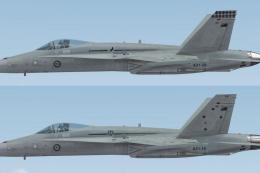
FSX Default F/A-18C RAAF Repaint. Repaints of 3 and 75 Squadron RAAF F/A-18C …
 FSX Military Aircraft
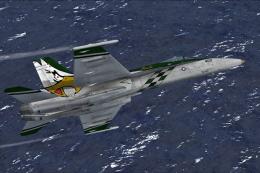
VFA-192 Dambusters CAG bird, BuNo. 164905 for the default Acceleration F/A-18…
 FSX Military Aircraft
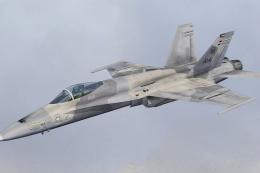
Kuwait Air Force McDonnell Douglas F/A-18C Hornet, textures only. A repaint o…
 FSX Military Aircraft
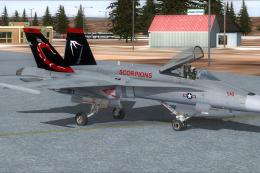
This repaint set provides a distinctive VAQ-132 “Scorpions” CAG livery for th…
 FSX Military Aircraft
This repaint faithfully depicts a VFA-192 “Golden Dragons” F/A-18C Hornet for…
 FSX Military Aircraft
This is an update for the FA-18E recently posted. That file revealed problems…
Be the first to leave a comment on this download.
Be the first to share your thoughts on this download.