

 FS2004 Civil Jet Aircraft
Midwest Express Douglas DC-9-32
This repaint provides a distinctive Midwest Express finish for the Douglas DC…
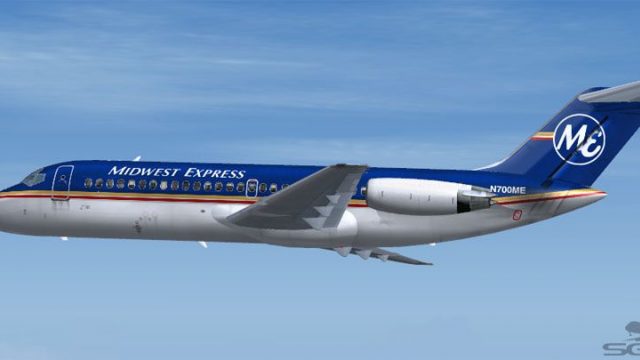
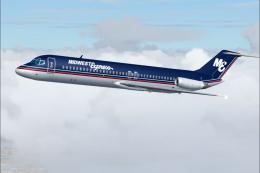
Midwest Express Douglas DC-9-14 N700ME brings a crisp, period-accurate paint scheme to Microsoft Flight Simulator 2004, recreating the airline’s distinctive look with careful exterior detailing. The repaint targets the SGA Douglas DC-9 series and requires the SGA910.ZIP base package to display correctly in the fleet menu.
 Rate
Rate
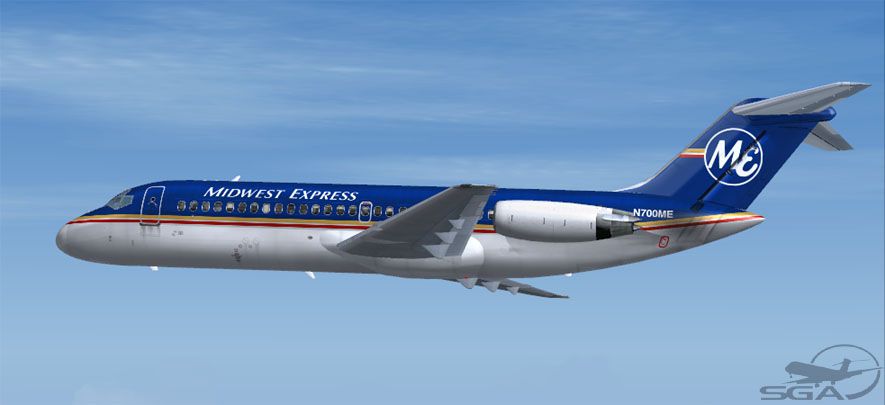
Bring a touch of classic aviation to Microsoft Flight Simulator 2004 with this specialized repaint depicting Midwest Express colors on the Douglas DC-9-14. The livery is meticulously created by Frank Idone to replicate N700ME’s unique appearance. It is compatible with the SGA Douglas DC-9 series but requires the SGA910.ZIP base package. Access to the original DC-9 base model is necessary (available in the Fly Away Simulation library). Below, you will find further details on configuration along with a closer look at the aircraft’s standout features and historical context.
This image illustrates the Midwest Express paint scheme at cruise altitude.
Douglas DC-9-14 models like this one were engineered with short field capability in mind. They were ideal for regional and medium-range operations, enabling swift boarding and efficient ground handling at smaller airports. Powered by JT8D engines providing thrust up to 14,000 pounds, these twinjets offered seating for around 90 passengers while accommodating roughly 600 cubic feet of underfloor cargo volume. With wings spanning 89.4 feet (27.2 m) and an overall length of 104.4 feet (31.8 m), the DC-9-14 bridged the gap between small commuter propeller models and larger narrow-body jets.
Midwest Express was known for its high-quality inflight service and comfortable seating arrangements. The airline frequently operated short to medium-distance routes, which aligned perfectly with the DC-9’s design parameters. Painted in the Midwest Express theme, this aircraft’s tail number N700ME references a specific operator registration that enthusiasts will recognize from historical flight schedules.
SGA DC-9 aircraft folder.aircraft.cfg file to add the following section, ensuring the [fltsim.XX] value corresponds to your next available entry.[fltsim.XX] title=SGA DC-9-14 Midwest Express sim=SGA DC9_10 model= panel= sound= texture=mwe checklists= atc_id=N700ME atc_id_color= atc_airline=Midwest Express atc_flight_number=674 ui_manufacturer=Douglas ui_type=DC-9-14 ui_variation=Midwest Express description=DC-9 no.2 flown by Midwest Express. Livery by Frank Idone. The DC-9 was designed specifically to operate from short runways and medium-range routes, extending jet transport access to numerous smaller communities.
This repaint is exclusively for the freeware Douglas DC-9 base model by SGA (SGA910.ZIP) which is not included. Be sure to install that original package beforehand to utilize this updated external skin. Once configured, your simulator will properly display the Midwest Express variant in your rotation of available DC-9 liveries.
Created by: Frank Idone
All credit for this artwork goes to the painter’s dedication in replicating the colors and details. The original DC-9 model remains the property of its respective developers. This modified texture is released as freeware.
Free for all simmers · 2.89 MB · Scanned clean Oct 2026
Download speed: Free tier is capped at 0.5 Mbps. PRO members download at full line speed.
This file is a repaint — the package below is the base model it paints onto. Install it first, or the textures will have nothing to load onto.
FS9\Aircraft\, FS9\Addon Scenery\, FS9\Gauges\, or FS9\Effects\.readme.txt or README file. It tells you exactly where files go, what dependencies are needed, and any quirks specific to this add-on.The archive dc914mw.zip has 24 files and directories contained within it.
This list displays the first 500 files in the package. If the package has more, you will need to download it to view them.
| Filename/Directory | File Date | File Size |
|---|---|---|
| TEXTURE.mwe | 11.04.04 | 0 B |
| 10FUSE_L.BMP | 11.04.04 | 1.00 MB |
| 10FUSE_T.BMP | 11.04.04 | 4.00 MB |
| CONE_L.BMP | 08.07.03 | 5.43 kB |
| CONE_T.BMP | 08.07.03 | 5.43 kB |
| DC9xINTERIOR_L.BMP | 05.19.04 | 256.07 kB |
| DC9xINTERIOR_T.BMP | 01.28.04 | 1.00 MB |
| DC9_B_L.BMP | 05.19.04 | 256.07 kB |
| DC9_B_T.BMP | 11.04.04 | 4.00 MB |
| ENGINES_L.BMP | 05.19.04 | 256.07 kB |
| ENGINES_T.BMP | 10.31.04 | 1.00 MB |
| INTAKE_L.bmp | 08.07.03 | 5.43 kB |
| INTAKE_t.BMP | 07.31.03 | 128.07 kB |
| Thumbs.db | 09.24.04 | 34.50 kB |
| WING_LEFT_L.BMP | 05.19.04 | 256.07 kB |
| WING_LEFT_T.BMP | 10.30.04 | 1.00 MB |
| WING_RIGHT_L.BMP | 05.19.04 | 256.07 kB |
| WING_RIGHT_T.BMP | 10.30.04 | 1.00 MB |
| file_id.diz | 11.04.04 | 148 B |
| Install.txt | 11.04.04 | 1.87 kB |
| mw910.jpg | 11.04.04 | 51.16 kB |
| SGA DC-9 Readme.pdf | 11.01.04 | 152.05 kB |
| flyawaysimulation.txt | 10.29.13 | 959 B |
| Go to Fly Away Simulation.url | 01.22.16 | 52 B |
Only PRO members can place votes.
More FS2004 add-ons hand-picked based on this download.
FS2004 Civil Jet Aircraft
This repaint provides a distinctive Midwest Express finish for the Douglas DC…
 FS2004 Civil Jet Aircraft
This freeware repaint showcases the classic Midwest Express Airlines livery f…
 FS2004 Civil Jet Aircraft
This repaint set offers a faithful homage to Midwest Express Airlines during …
 FS2004 Civil Jet Aircraft
This freeware repaint enhances Microsoft Flight Simulator 2004 by representin…
 FS2004 Civil Jet Aircraft
This freeware repaint delivers the iconic Midwest Airlines markings for the M…
 FS2004 Civil Jet Aircraft
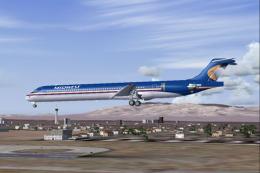
A repaint of the McDonnell Douglas MD83 by SGA/FFX. Includes full aircraft, n…
 FS2004 Civil Jet Aircraft
Midwest Airlines McDonnell Douglas MD-81 (new tail), registration N801ME. Tex…
 FS2004 Civil Jet Aircraft
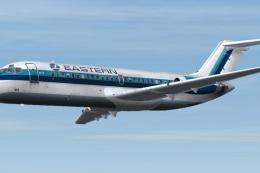
This repaint showcases the classic Eastern Airlines scheme for the short-haul…
Be the first to leave a comment on this download.
Be the first to share your thoughts on this download.