

 FS2004 Civil Jet Aircraft
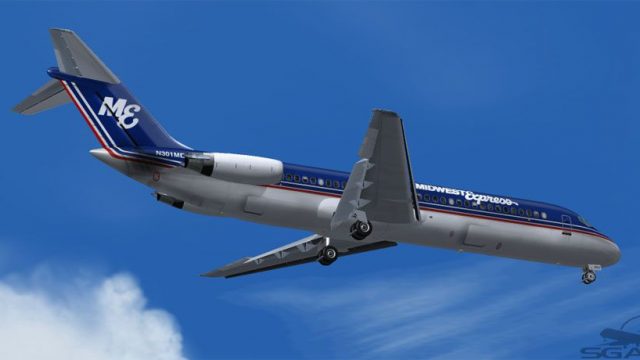
Midwest Express Douglas DC-9-14 N700ME
Bring a touch of classic aviation to Microsoft Flight Simulator 2004 with thi…
Midwest Express Douglas DC-9-32 textures depict aircraft N301ME with crisp logos, accurate striping, and clean line work that suits the classic Series 30 silhouette and JT8D-powered short- to medium-haul vibe in Microsoft Flight Simulator 2004. Requires the freeware SGA DC-9-30 base model to complete the aircraft.
 Rate
Rate

This repaint provides a distinctive Midwest Express finish for the Douglas DC-9-32 by SGA, originally crafted by developer Frank Idone. It is designed specifically for Microsoft Flight Simulator 2004 and replicates the airline’s “N301ME” registration with detailed markings. The DC-9 family, produced by McDonnell Douglas, was purpose-built for short to medium routes and remains favored among enthusiasts for its agility on limited runway lengths. This particular Series 30 offers an extended fuselage, broad wingspan, and efficient JT8D powerplants aimed at reliable performance. Please note that the base freeware model must be obtained separately, and it can be found in the Fly Away Simulation library.
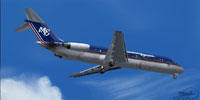
Screenshot showcasing the Midwest Express Douglas DC-9-32 in-flight appearance.
[fltsim.XX]

title=SGA DC-9-30 Midwest Express

sim=SGA DC9_30

model=

panel=

sound=

texture=me

checklists=

atc_id=N301ME

atc_id_color=

atc_airline=Midwest

atc_flight_number=337

ui_manufacturer=McDonnell Douglas

ui_type=DC-9-32

ui_variation=Midwest Express

description=DC-9 no.240 flown by Midwest Express. Livery by Frank Idone. The Series 30 DC-9 offers enhanced capacity with its 119.3-foot fuselage and extended wingspan of 93.3 feet, aided by a leading edge slat system for improved low-speed handling. Powered by JT8D variants, the DC-9 remains a trusted short- to medium-haul workhorse. visual_damage=0

atc_heavy=0

atc_id_font=Verdana,-11,1,600,0

atc_parking_codes=

atc_parking_types=GATE,RAMP
Midwest Express was noted for friendlier cabin features and a refined service profile, reflected in this meticulously drawn exterior. The DC-9-32 variant remains a cornerstone of mid-20th-century commercial aviation, providing a balance between passenger comfort and efficient flight scheduling. This particular repaint by Frank Idone enhances the visual immersion within Microsoft Flight Simulator 2004, granting simmers a classic era aesthetic when exploring regional routes.
Free for all simmers · 2.73 MB · Scanned clean Oct 2026
Download speed: Free tier is capped at 0.5 Mbps. PRO members download at full line speed.
FS9\Aircraft\, FS9\Addon Scenery\, FS9\Gauges\, or FS9\Effects\.readme.txt or README file. It tells you exactly where files go, what dependencies are needed, and any quirks specific to this add-on.The archive dc932me.zip has 23 files and directories contained within it.
This list displays the first 500 files in the package. If the package has more, you will need to download it to view them.
| Filename/Directory | File Date | File Size |
|---|---|---|
| TEXTURE.me | 10.31.04 | 0 B |
| 30FUSE_L.BMP | 10.27.04 | 1.00 MB |
| 30FUSE_T.bmp | 10.31.04 | 4.00 MB |
| CONE_L.BMP | 08.07.03 | 5.43 kB |
| CONE_T.BMP | 08.07.03 | 5.43 kB |
| DC9xINTERIOR_L.BMP | 05.19.04 | 256.07 kB |
| DC9xINTERIOR_T.BMP | 01.28.04 | 1.00 MB |
| DC9_B_L.BMP | 05.19.04 | 256.07 kB |
| DC9_B_T.BMP | 10.31.04 | 4.00 MB |
| ENGINES_L.BMP | 05.19.04 | 256.07 kB |
| ENGINES_T.BMP | 10.31.04 | 1.00 MB |
| INTAKE_L.bmp | 08.07.03 | 5.43 kB |
| INTAKE_t.BMP | 08.10.03 | 42.78 kB |
| WING_LEFT_L.BMP | 05.19.04 | 256.07 kB |
| WING_LEFT_T.BMP | 10.30.04 | 1.00 MB |
| WING_RIGHT_L.BMP | 05.19.04 | 256.07 kB |
| WING_RIGHT_T.BMP | 10.30.04 | 1.00 MB |
| me30.jpg | 10.31.04 | 53.37 kB |
| file_id.diz | 10.31.04 | 148 B |
| Install.txt | 10.31.04 | 2.35 kB |
| SGA DC-9 Readme.pdf | 09.23.04 | 153.00 kB |
| flyawaysimulation.txt | 10.29.13 | 959 B |
| Go to Fly Away Simulation.url | 01.22.16 | 52 B |
Only PRO members can place votes.
More FS2004 add-ons hand-picked based on this download.
FS2004 Civil Jet Aircraft
Bring a touch of classic aviation to Microsoft Flight Simulator 2004 with thi…
 FS2004 Civil Jet Aircraft
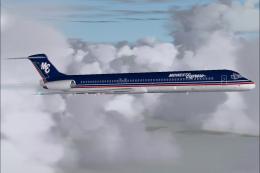
This freeware repaint showcases the classic Midwest Express Airlines livery f…
 FS2004 Civil Jet Aircraft
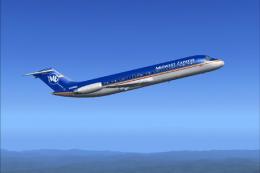
This repaint set offers a faithful homage to Midwest Express Airlines during …
 FS2004 Civil Jet Aircraft
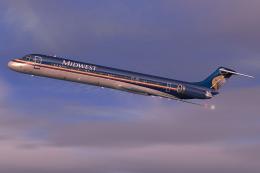
This freeware repaint enhances Microsoft Flight Simulator 2004 by representin…
 FS2004 Civil Jet Aircraft
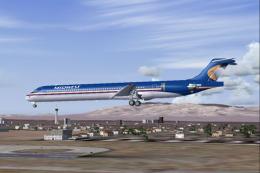
This freeware repaint delivers the iconic Midwest Airlines markings for the M…
 FS2004 Civil Jet Aircraft
A repaint of the McDonnell Douglas MD83 by SGA/FFX. Includes full aircraft, n…
 FS2004 Civil Jet Aircraft
Midwest Airlines McDonnell Douglas MD-81 (new tail), registration N801ME. Tex…
 FS2004 Civil Jet Aircraft
Elevate your Microsoft Flight Simulator 2004 collection with an intricately r…
Be the first to leave a comment on this download.
Be the first to share your thoughts on this download.