

 FS2004 Propeller Aircraft
Lancair Legacy 2000 v1.0
Full moving parts, Fowler flaps, speed brakes, landing lights, detailed retra…
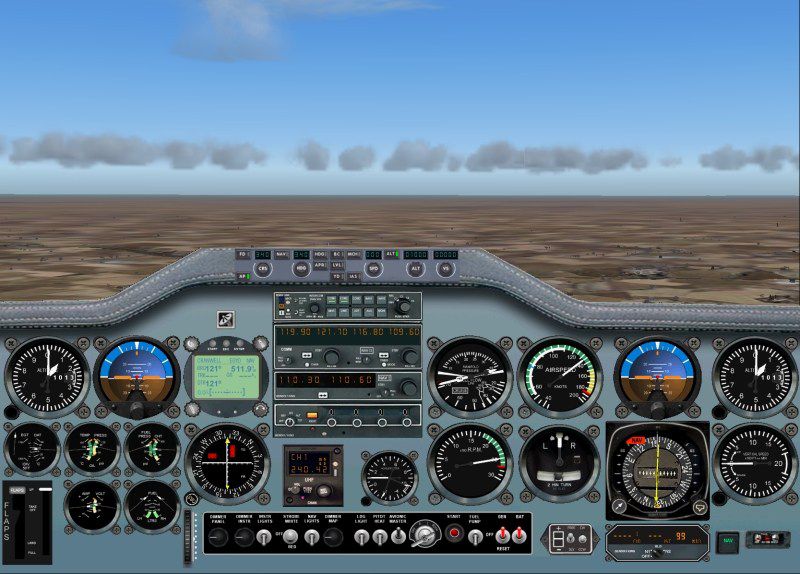
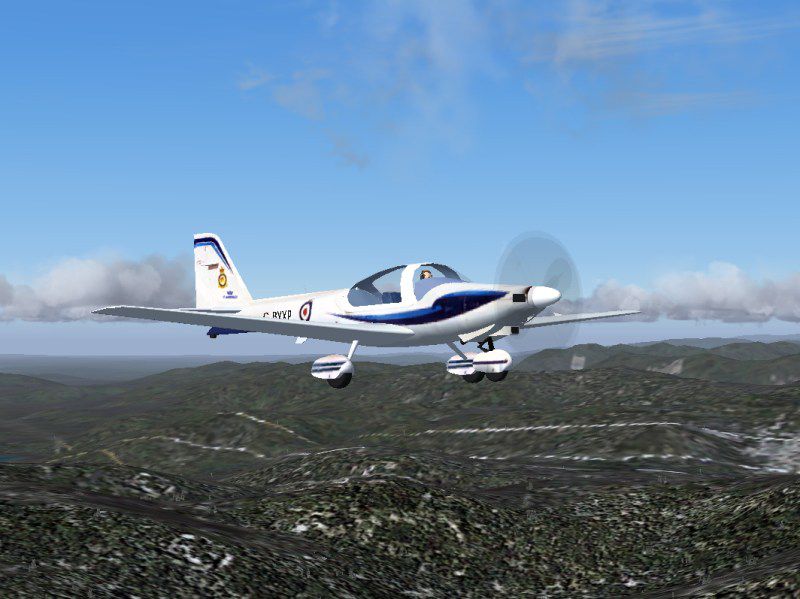
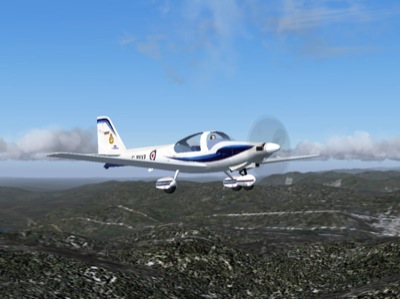
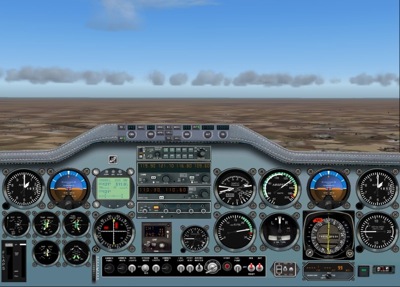
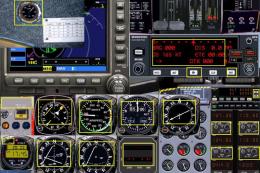
The Grob 115E Tutor T1 brings crisp light-aircraft handling and a refreshed training-focused panel to FS2004, updating Dave Garwood’s classic model with new gauges and instruments by Jim Cooper. Version 2.0 sharpens cockpit readability and systems feel, making circuits, aerobatics, and basic IFR practice more engaging and authentic.
 Rate
Rate
Free for all simmers · 7.35 MB · Scanned clean Sep 2026
Download speed: Free tier is capped at 0.5 Mbps (this file takes approximately 2 mins at the cap). PRO members download at full line speed.
FS9\Aircraft\, FS9\Addon Scenery\, FS9\Gauges\, or FS9\Effects\.readme.txt or README file. It tells you exactly where files go, what dependencies are needed, and any quirks specific to this add-on.The archive grobttr.zip has 32 files and directories contained within it.
This list displays the first 500 files in the package. If the package has more, you will need to download it to view them.
| Filename/Directory | File Date | File Size |
|---|---|---|
| Aircraft | 02.24.07 | 0 B |
| Grob115 | 02.24.07 | 0 B |
| Aircraft.cfg | 03.20.06 | 10.14 kB |
| grob.air | 06.08.06 | 8.73 kB |
| model | 02.24.07 | 0 B |
| grob.mdl | 08.24.02 | 853.42 kB |
| model.cfg | 06.19.02 | 21 B |
| panel | 02.24.07 | 0 B |
| panel.cfg | 02.23.07 | 3.65 kB |
| panel.long2.bmp | 02.09.06 | 1.68 MB |
| Thumbs.db | 09.27.06 | 19.00 kB |
| sound | 02.24.07 | 0 B |
| sound.cfg | 12.08.01 | 47 B |
| texture | 02.24.07 | 0 B |
| $dash.bmp | 02.13.02 | 384.05 kB |
| $dash2.bmp | 02.13.02 | 384.05 kB |
| 1$dash.bmp | 02.13.02 | 384.05 kB |
| 1$dash2.bmp | 02.13.02 | 384.05 kB |
| dash.bmp | 12.27.01 | 1.00 MB |
| interior1_t.bmp | 12.16.01 | 170.74 kB |
| panel.bmp | 02.11.02 | 1.45 MB |
| Prop_Pa28_180.bmp | 12.09.01 | 16.07 kB |
| texture_t.bmp | 08.24.02 | 1.33 MB |
| Gauges | 02.24.07 | 0 B |
| TUT.gau | 02.24.07 | 19.20 MB |
| Grob.gif | 02.24.07 | 11.98 kB |
| Grob_Tutor.jpg | 02.24.07 | 84.05 kB |
| readme.txt | 02.25.07 | 1008 B |
| Thumbs.db | 02.25.07 | 11.50 kB |
| Tutor_Panel.jpg | 02.24.07 | 116.50 kB |
| flyawaysimulation.txt | 10.29.13 | 959 B |
| Go to Fly Away Simulation.url | 01.22.16 | 52 B |
Only PRO members can place votes.
More FS2004 add-ons hand-picked based on this download.
FS2004 Propeller Aircraft
Full moving parts, Fowler flaps, speed brakes, landing lights, detailed retra…
 FS2004 Propeller Aircraft
Domestic Airline Canary Islands. Based on Jon Murchisson's ATR72-500. Models …
 FS2004 Propeller Aircraft
A 37 seat advanced turboprop regional airliner. Air Canada JAZZ Reg_ID: C-GAB…
 FS2004 Propeller Aircraft
Super King Air 300, v1.0 for FS2004. IncludesVC with full night lighting, smo…
 FS2004 Propeller Aircraft
for There is a red version and a blue version. both work very well. To instal…
 FS2004 Propeller Aircraft
Pkg incl gMax fully animated, radial propelled, taildragger AC with "hand-fly…
 FS2004 Propeller Aircraft
This contains all the files needed to install FS2002's 182RG to FS2004. Also …
 FS2004 Propeller Aircraft
Canadian Forces 440 Transport Squadron based at Yellowknife, NW Territories. …
Be the first to leave a comment on this download.
Be the first to share your thoughts on this download.