

 FSX Scenery
Princess Juliana International Airport
Princess Juliana International Airport (TNCM) in Saint Marteen, Netherlands A…
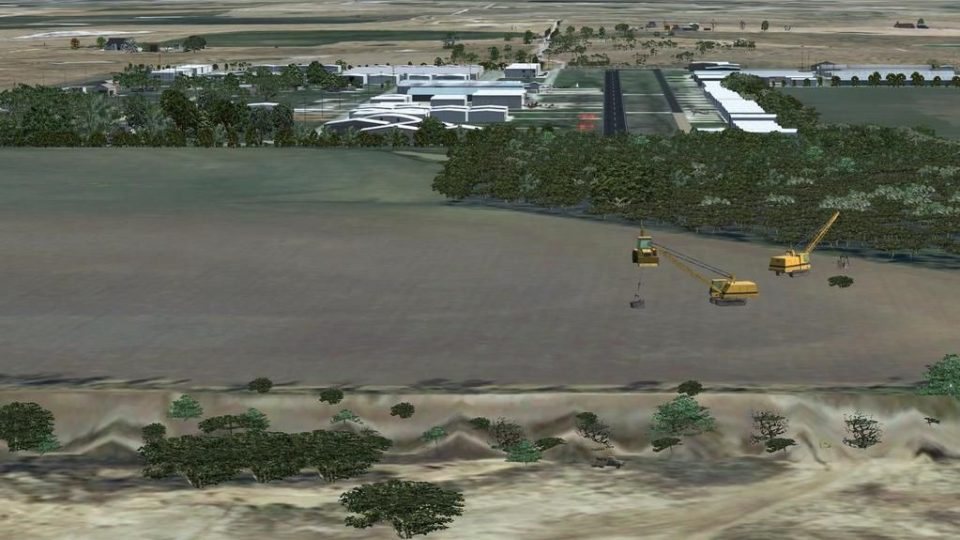
52F Northwest Regional Airport (52F) scenery brings Roanoke, Texas to life with custom airfield details, optional AI traffic, and an included runway 35 approach mission that models hot-day thermals and sink near the woods. Built for Microsoft Flight Simulator X, it requires SP1, with SP2 needed for the mission and select objects.
 Rate
Rate
 United States of America
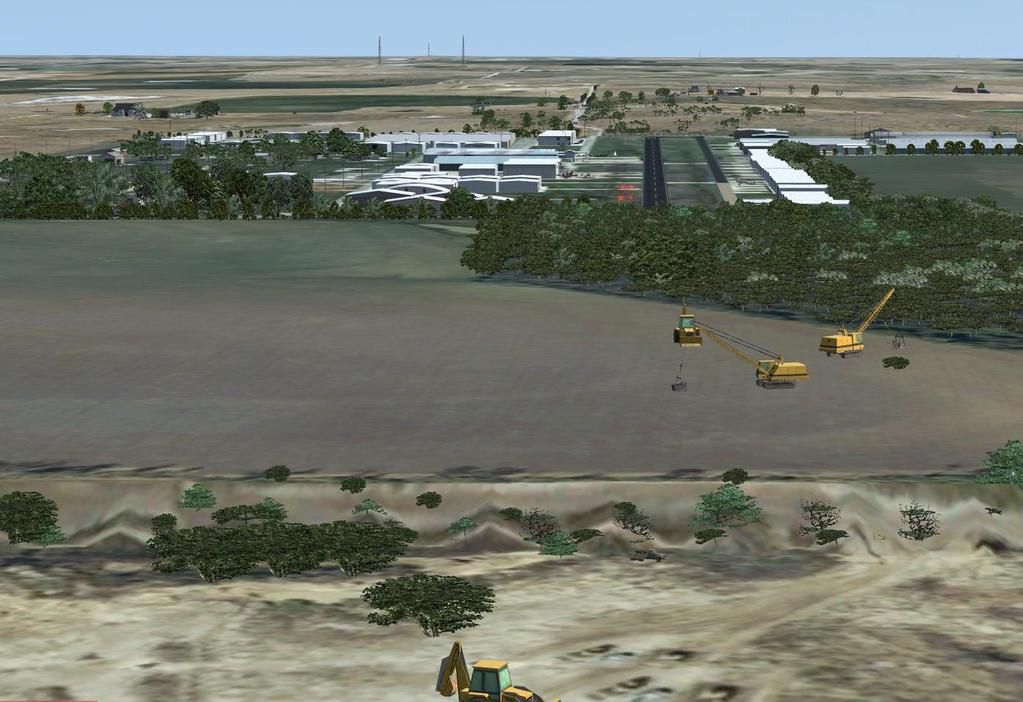
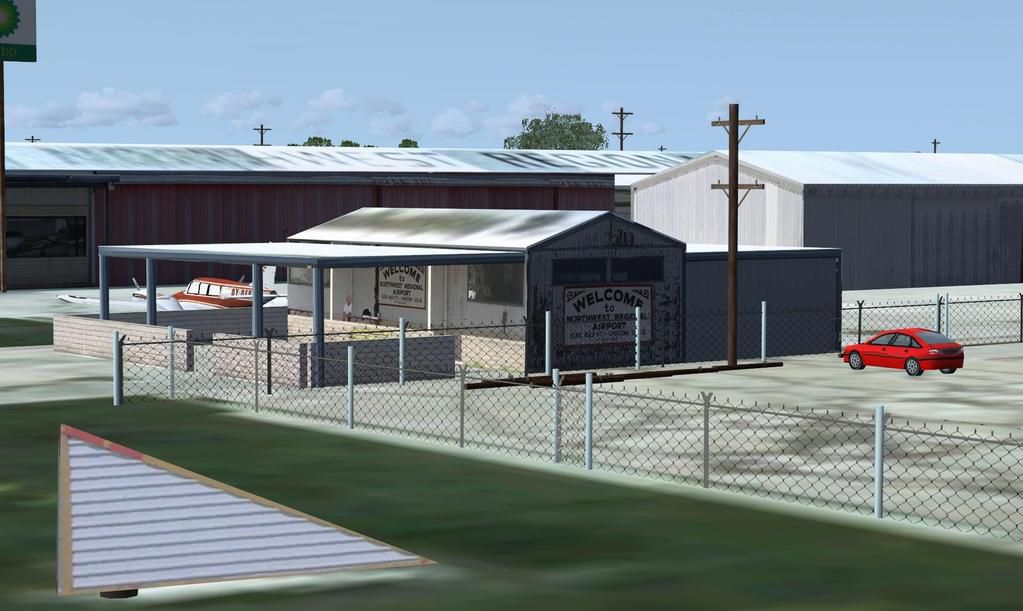
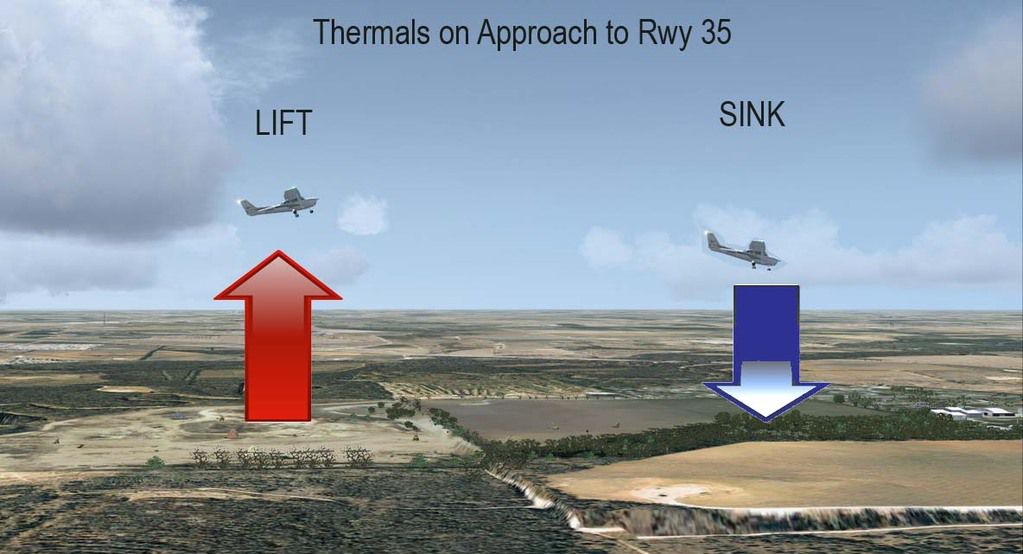
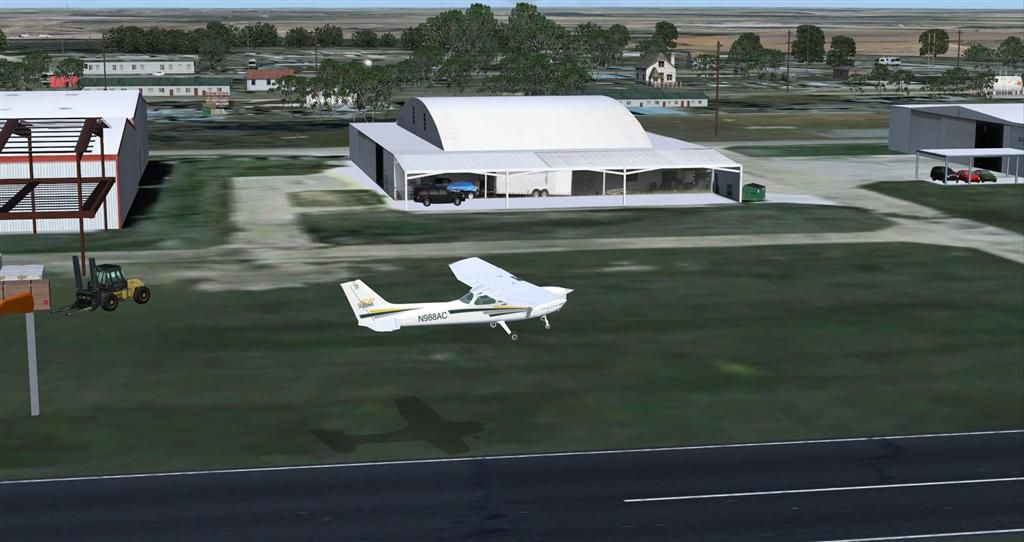
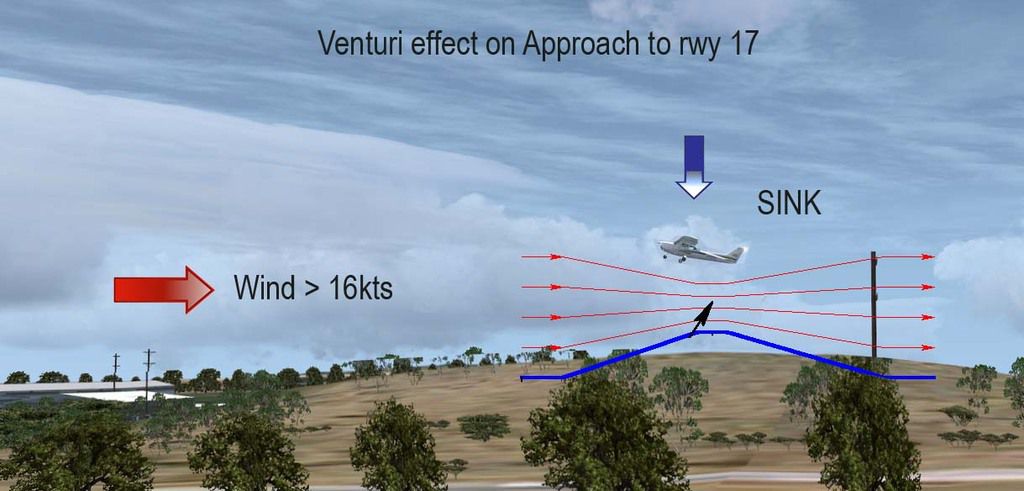
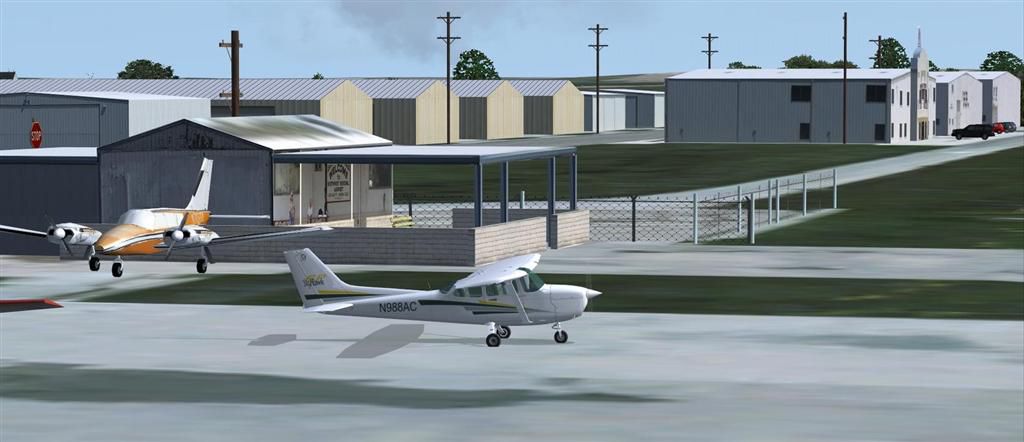
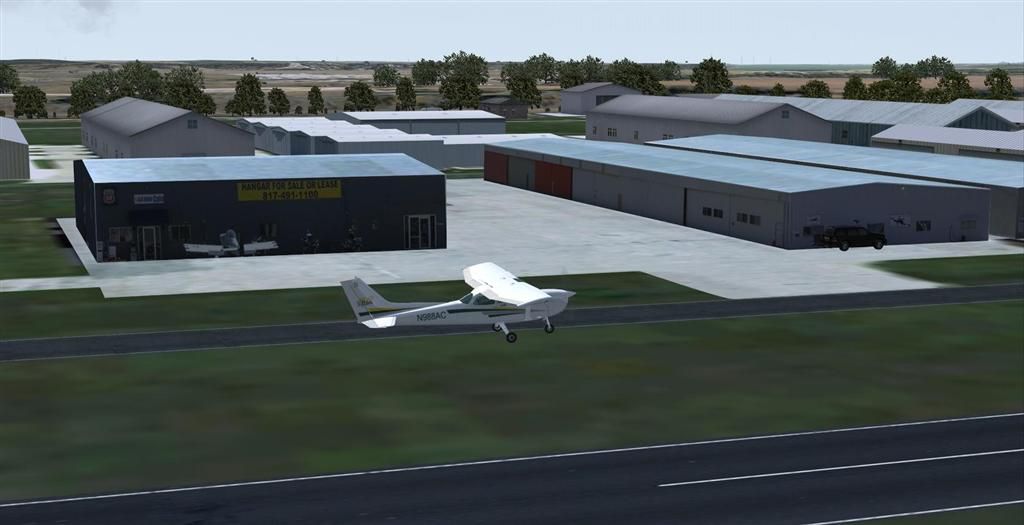
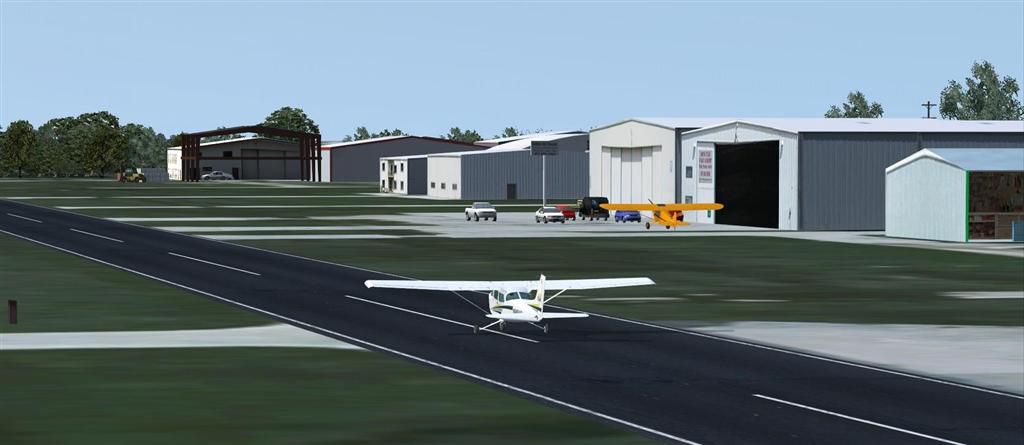
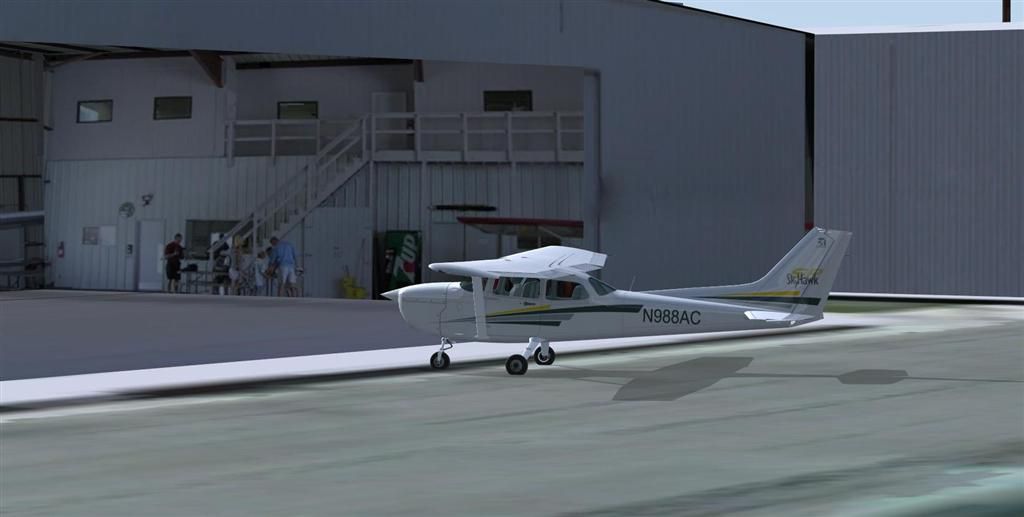
52Foxtrot Airport Scenery v1.1. This is a custom developed scenery for 52F - Northwest Regional, Roanoke, Texas (TX). 52F is next to Fort Worth Alliance in the Dallas Fort Worth Metroplex. It's a nice little airport. This airport scenery does not require any other software other than Microsoft Flight Sim X SP1 (minimum) - SP2 required for mission and display of some of the scenery items. However, it could help with performance on your PC if you install any accurate photo scenery for DFW. This scenery package also includes a Mission called "52Foxtrot - Approach to Rwy 35 - Thermals". It is more of a free flight than the traditional FSX missions. The ones who fly for real at 52F-Northwest Regional knows the quirks when coming in to land at runway 35 on a hot day. The thermals at the cleared land and the sinking feeling when flying over the wooded area nearing the approach to 35. These thermal lifts and sinks have been modeled here. However, the only way to experience these thermals in FSX is via Missions. Once you select the mission "52Foxtrot - Approach to Rwy 35 - Thermals" and by selecting option "Enable changes in selected Mission", you could fly around like you would under "free flight". Except this time, you would have these thermal effects around 52F and get to experience what it's really like to fly and land at 52F. By Manny Mahadevan.
52Foxtrot Airport Scenery.
FSX, 52Foxtrot- Airport Scenery Version 1.0 July 8th 2008
By: Manny Mahadevan
Description:
This airport scenery does not require any other software other than Microsoft Flight Sim X SP1 (minimum) - SP2 required for mission and display of some of the scenery items. However, it could help with performance on your PC if you install any accurate photo scenery for DFW. One such scenery is MEGASCENERY DFW photo scenery.
This is a custom developed scenery for airport, 52F - Northwest Regional, Roanoke, TX. 52F is next to Fort Worth Alliance in the Dallas Fort Worth Metroplex. It's a nice little airport.
This scenery package also includes a Mission called "52Foxtrot - Approach to Rwy 35 - Thermals". It is more of a free flight than the traditional FSX missions. The ones who fly for real at 52F-Northwest regional knows the quirks when coming into land at runway 35 on a hot day. The thermals at the cleared land and the sinking feeling when flying over the wooded area nearing the approach to 35. These thermal lifts and sinks have been modeled here. However, the only way to experience these thermals in FSX is via Missions. Once you select the mission "52Foxtrot - Approach to Rwy 35 - Thermals" and by selecting option "Enable changes in selected Mission", you could fly around like you would under "free flight". Except this time, you would have these thermal effects around 52F and get to experience what it's really like to fly and land at 52F.
I should caution you that the DFW area in FSX is a performance hog, and there is hardly any extra room for addons. So before you install this addon, you should fly around 52F as is and make sure you adjust your display settings such that you have around 25FPS (Display FPS by pressing Ctrl-Z a couple of times). This way, there is some CPU room for this addon.
Installation:
The Installation consists of three Parts. The 52Foxtrot basic scenery Installation, The Mission Installation and the bonus scenery (Bonus, only if you have a high performance PC and/or have installed Megascenery DFW photoscenery).
A. MM_52Foxtrot basic scenery Installation.
1. Extract MM_52Foxtrot.zip into your main FSX Addon Scenery folder, C:\Program Files\Microsoft Games\Microsoft Flight Simulator X\Addon Scenery"
MM_52Foxtrot_v1.zip
|>MM_52F_v1
|> scenery
|> texture
|>52F_AI_Traffic.BGL
|>MM_52F_v1_Bonus
|> scenery
|MM_52F_Mission_v1
|....
|>MM_52Foxtrot ReadMe.txt
|>Project_52_Foxtrot.pdf
or into a temporary folder, and manually place MM_52F_v1 (and its sub dir) into the "FSX/addon scenery" directory.
2. Move the file "52F_AI_Traffic.BGL" into folder "C:\Program Files\Microsoft Games\Microsoft Flight Simulator X\scenery\world\scenery"
3. Start up FSX and when the welcome screen, or initial menu comes on, select settings, then click on Scenery Library, and Add Area. Find the Addon Scenery folder and open it, then find the MM_52F_v1 folder and dbl click on it and press "OK" The name MM_52F_V1 should now appear in the title window, then click OK and again click OK tab at the bottom.
6That's it! The 52Foxtrot scenery is Installed.
B. The ""52Foxtrot - Approach to Rwy 35 - Thermals"" Mission Installation (SP2)
1. Copy or move the folder MM_52F_Mission_v1 and place it within this folder of your FSX like this (assuming C: is your FSX installation drive)
C:\Program Files\Microsoft Games\Microsoft Flight Simulator X\Missions\The Good Life\MM_52F_Mission_v1
c. MM_52Foxtrot Bonus scenery Installation. (OPTIONAL)
Make sure after your base MM_52Foxtrot installation you have at least 25FPS. Otherwise desist from installing this portion of the scenery.
Assuming your PC can take the additional load,
1) you can either move all the bgls from the bonus scenery folder into your
MM_52F_v1
|> scenery
folder or selectively move some of the bgls from the bonus folder. The description of the bgls should give you a clue as to what they contain.
OR
2)You may move the entire
MM_52F_V1_BONUS
|> scenery
folder into the main FSX Addon Scenery folder if its not there already and activate it. Make sure this is above the base 52Foxtrot scenery. This way, you could de-select and select it whenever.
Thats it..Enjoy!
Notes:
To begin with, DFW area in FSX does not have much spare FPS, and this scenery would take a hit on performance (FPS), so you may want to use the density settings in order to adjust the scenery for the best results on your computer.
IF the Density settings is not sufficient to adjust, you could simply rename (remove) some of the BGLs in the scenery folder as .tmp and restart FSX.
I have tried my level best to make each BGL as independent as possible. Meaning, by removing one BGL, you should not find any odd looking scenery. If an object is dependent on another object, I have tried to group them all in the same BGL.
The BGLs in the scenery folders are fairly descriptive to give you an idea if you can remove them and what objects they contain. So make your own choice if you feel you have to reduce the complexity by removing the bgls.
This scenery is freeware, but may not be used in whole or part for profit.
Manny Mahadevan
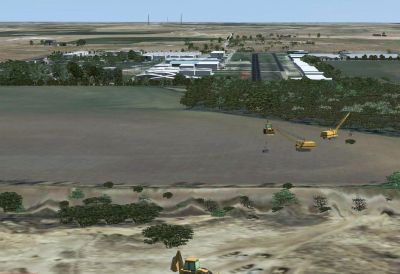
52Foxtrot Airport Scenery.
Free for all simmers · 19.34 MB · Scanned clean Oct 2026
Download speed: Free tier is capped at 0.5 Mbps (this file takes approximately 5 mins at the cap). PRO members download at full line speed.
FSX\Addon Scenery\ containing scenery and texture sub-folders.readme.txt or README file. It tells you exactly where files go, what dependencies are needed, and any quirks specific to this add-on.Use these coordinates to fly directly to this location once the mod is installed.
33.06580000,-97.22330000
Launch FSX or Prepar3D and use Flights → Load to open the downloaded .pln file. Your aircraft will be positioned at this location.
The archive 52foxtrt.zip has 158 files and directories contained within it.
This list displays the first 500 files in the package. If the package has more, you will need to download it to view them.
| Filename/Directory | File Date | File Size |
|---|---|---|
| MM_52F_V1_BONUS | 07.01.08 | 0 B |
| scenery | 07.04.08 | 0 B |
| MM_52F_Autogen.bgl | 06.27.08 | 7.79 kB |
| MM_52F_Birds35.bgl | 05.21.08 | 140 B |
| MM_52F_Custom_Misc.bgl | 06.24.08 | 284 B |
| MM_52F_Custom_PicketFence.Lowpoly_bgl | 06.26.08 | 236 B |
| MM_52F_MoreAutos.bgl | 06.30.08 | 620 B |
| MM_52F_MoreTreesL.bgl | 05.22.08 | 1.87 kB |
| MM_52F_PostATShackl.bgl | 05.20.08 | 140 B |
| MM_52F_R35Trees.bgl | 05.27.08 | 140 B |
| MM_52F_SE_Trees.bgl | 06.23.08 | 1.12 kB |
| MM_52F_Signs.bgl | 05.15.08 | 620 B |
| MM_52F_Static_Aircrafts.bgl | 07.04.08 | 236 B |
| MM_52F_Trailers.bgl | 05.22.08 | 380 B |
| MM_52F_WRoanokeAutogen.bgl | 05.27.08 | 3.71 kB |
| Charts.htm | 10.16.06 | 677 B |
| Charts_Tab.htm | 10.16.06 | 5.42 kB |
| Details.htm | 10.16.06 | 791 B |
| Details_Tab.htm | 10.16.06 | 5.42 kB |
| images | 07.03.08 | 0 B |
| Overview.jpg | 10.16.06 | 27.42 kB |
| Overview.psd | 10.16.06 | 176.11 kB |
| m_c.bmp | 10.16.06 | 87.17 kB |
| m_ci.psd | 10.16.06 | 559.70 kB |
| m_i.bmp | 10.16.06 | 87.17 kB |
| MM_52F_Approach_17_Venturieffects.FLT | 07.03.08 | 12.52 kB |
| MM_52F_Approach_17_Venturieffects.FSSAVE | 07.03.08 | 166.23 kB |
| MM_52F_Approach_17_Venturieffects.WX | 07.03.08 | 200.15 kB |
| MM_52F_Approach_35_Thermals.FLT | 07.03.08 | 11.28 kB |
| MM_52F_Approach_35_Thermals.FSSAVE | 07.03.08 | 162.83 kB |
| MM_52F_Approach_35_Thermals.WX | 07.03.08 | 198.37 kB |
| MM_52F_Approach_35_Thermals.xml | 07.03.08 | 5.25 kB |
| MM_52F_Thermals.xml | 07.03.08 | 5.28 kB |
| Overview.htm | 10.16.06 | 2.03 kB |
| Overview_Tab.htm | 10.16.06 | 5.41 kB |
| Sound | 07.03.08 | 0 B |
| MM_52F_Custom_WIP_Hangar.bgl | 07.08.08 | 236 B |
| Project_52_Foxtrot.pdf | 07.08.08 | 1.54 MB |
| MM_52Foxtrot Read Me.txt | 07.08.08 | 7.22 kB |
| 52F_AI_Traffic.BGL | 07.01.08 | 410 B |
| scenery | 07.18.08 | 0 B |
| 52F_ADE_MM.BGL | 07.01.08 | 4.84 kB |
| 52FBuildingsExclude.BGL | 05.08.08 | 112 B |
| CVX_Prj_52F_Terrain.BGL | 06.29.08 | 1.21 kB |
| CVX_Prj_52F_Terrain_TRAFFIC.BGL | 06.30.08 | 1.01 kB |
| MM_52F.bgl | 06.30.08 | 39.78 kB |
| MM_52F_Custom South.bgl | 06.21.08 | 476 B |
| MM_52F_Custom_1st_Bldg.bgl | 06.23.08 | 140 B |
| MM_52F_Custom_3D_Marcair.bgl | 06.22.08 | 140 B |
| MM_52F_CUSTOM_BigNagaratBACK.bgl | 06.17.08 | 140 B |
| MM_52F_Custom_CurveHangarLM.bgl | 07.01.08 | 236 B |
| MM_52F_Custom_ENERGY_LM.bgl | 06.23.08 | 188 B |
| MM_52F_Custom_FuelSt_StAC.bgl | 06.19.08 | 140 B |
| MM_52F_Custom_FuelStn.bgl | 06.18.08 | 380 B |
| MM_52F_Custom_FuelStnShed.bgl | 06.19.08 | 140 B |
| MM_52F_Custom_H2O.bgl | 06.17.08 | 188 B |
| MM_52F_Custom_HbyH2O.bgl | 06.18.08 | 140 B |
| MM_52F_Custom_LM.bgl | 07.07.08 | 1.87 kB |
| MM_52F_Custom_MetWS.bgl | 06.18.08 | 188 B |
| MM_52F_Custom_NE.bgl | 07.03.08 | 1.31 kB |
| MM_52F_Custom_NESignboards.bgl | 06.21.08 | 188 B |
| MM_52F_Custom_NW.bgl | 06.21.08 | 812 B |
| MM_52F_Custom_RadioRepair.bgl | 07.07.08 | 188 B |
| MM_52F_Custom_RanchFence.bgl | 06.28.08 | 284 B |
| MM_52F_Custom_Shack_Walll.bgl | 06.18.08 | 476 B |
| MM_52F_Custom_Signs.bgl | 06.23.08 | 188 B |
| MM_52F_Custom_SW_COLEH.bgl | 06.17.08 | 188 B |
| MM_52F_Custom_SW_COLEShed.bgl | 06.17.08 | 284 B |
| MM_52F_Custom_SW_CR_LM.bgl | 06.23.08 | 140 B |
| MM_52F_Custom_SW_Yellow_Hngr_LM.bgl | 06.22.08 | 140 B |
| MM_52F_Custom_W.bgl | 06.24.08 | 332 B |
| MM_52F_Custom_WireFence.bgl | 06.26.08 | 428 B |
| MM_52F_CustomA.bgl | 07.01.08 | 2.29 kB |
| MM_52F_CustomB.bgl | 06.26.08 | 284 B |
| MM_52F_CustomBigL.bgl | 07.01.08 | 188 B |
| MM_52F_more hangars.bgl | 06.21.08 | 332 B |
| MM_52F_Objs.bgl | 05.22.08 | 99.26 kB |
| MM_52F_Objs_B.bgl | 06.19.08 | 62.24 kB |
| MM_52F_Rwy_OBJ.bgl | 05.28.08 | 1.91 kB |
| MM_52F_RwyFS8NEW.bgl | 07.01.08 | 30.27 kB |
| MM_52F_South_Objs.bgl | 07.01.08 | 93.95 kB |
| MM_52F_SqHangaratMarcairL.bgl | 05.22.08 | 572 B |
| MM_52F_Tel_Poles.bgl | 06.30.08 | 1.03 kB |
| MM_52Fb.bgl | 05.20.08 | 3.70 kB |
| MM_OBJS_FENCE.bgl | 06.28.08 | 51.72 kB |
| MM_Objs_Flag_n_Fence.bgl | 02.19.08 | 64.44 kB |
| MM_OBJS_Hangars_LM.bgl | 07.08.08 | 107.82 kB |
| MM_Objs_Lights.bgl | 02.20.08 | 10.99 kB |
| MM_Objs_MyHouse.bgl | 02.05.08 | 12.95 kB |
| MM_OBJS_StaticAircrafts.bgl | 06.19.08 | 61.29 kB |
| Photo_52F_N_V2.bgl | 07.01.08 | 1.51 MB |
| Photo_52F_S_V2.bgl | 07.01.08 | 7.03 MB |
| texture | 07.18.08 | 0 B |
| 512_MM_52F_BIGSq_Hangar.bmp | 05.22.08 | 170.74 kB |
| 512_MM_52F_BIGSq_Hangar_LM.dds | 06.22.08 | 341.45 kB |
| 512_MM_52F_H2OTank.bmp | 06.17.08 | 128.07 kB |
| 512_MM_52F_sign.bmp | 06.17.08 | 170.74 kB |
| 512_MM_52F_SignB.bmp | 06.17.08 | 128.07 kB |
| 512_MM_52F_SignB_LM.bmp | 06.23.08 | 341.40 kB |
| 512_MM_52F_SW_Balcony_Hangar.bmp | 06.16.08 | 341.40 kB |
| 512_MM_52F_SW_RedBlu_Trim_Hangar.bmp | 06.16.08 | 170.74 kB |
| 512_MM_52F_SW_Yellow_Hangar.bmp | 06.17.08 | 170.74 kB |
| 512_MM_52F_SW_Yellow_Hangar_LM.bmp | 07.01.08 | 341.40 kB |
| 52F_ApronTexture.bmp | 06.25.08 | 256.07 kB |
| 52F_ApronTextureConcrete.bmp | 06.25.08 | 256.07 kB |
| 52F_MarcRoadTexture.bmp | 06.26.08 | 64.07 kB |
| 52F_MetWS_A.bmp | 06.18.08 | 42.74 kB |
| 52F_Waco_Bldg.bmp | 05.08.08 | 170.74 kB |
| 52FTaxi_Tex.bmp | 06.11.08 | 341.40 kB |
| 52FTaxiConcrete_Tex.bmp | 06.17.08 | 341.40 kB |
| Marcair_Hangar.dds | 06.23.08 | 1.33 MB |
| Marcair_Hangar_LM.dds | 06.23.08 | 1.33 MB |
| MM_52F_BigGreenTrim_Hangar.bmp | 06.14.08 | 170.74 kB |
| MM_52F_Cafe.bmp | 05.15.08 | 170.74 kB |
| MM_52F_Col_Hangar.bmp | 05.15.08 | 170.74 kB |
| MM_52F_emptyHangar.bmp | 06.14.08 | 170.74 kB |
| MM_52F_ENERGY_Bldg.bmp | 05.22.08 | 170.74 kB |
| MM_52F_ENERGY_Bldg_LM.bmp | 07.01.08 | 170.74 kB |
| MM_52F_First_Bldg.bmp | 05.09.08 | 682.74 kB |
| MM_52F_HangarA.bmp | 06.20.08 | 341.40 kB |
| MM_52F_HangarA.dds | 07.07.08 | 170.79 kB |
| MM_52F_HangarA_LM.dds | 06.22.08 | 341.45 kB |
| MM_52F_HangarFuelstation.bmp | 06.18.08 | 682.74 kB |
| MM_52F_HangarP.bmp | 06.14.08 | 170.74 kB |
| MM_52F_LongYellowClosedH.bmp | 06.18.08 | 170.74 kB |
| MM_52F_Lounge.bmp | 06.15.08 | 682.74 kB |
| MM_52F_Marcair_Bldg.bmp | 05.09.08 | 682.74 kB |
| MM_52F_NE_Hangars.bmp | 06.16.08 | 170.74 kB |
| MM_52F_Pilotshop.bmp | 07.01.08 | 170.74 kB |
| MM_52F_Rwy17End.bmp | 06.15.08 | 1.33 MB |
| MM_52F_Rwy35End.bmp | 06.10.08 | 1.33 MB |
| MM_52F_Sq_HangarA.bmp | 05.15.08 | 170.74 kB |
| MM_52F_Sq_HangarD.bmp | 05.13.08 | 682.74 kB |
| MM_52F_SW_Big_Back_Hangar.bmp | 06.16.08 | 170.74 kB |
| MM_52F_SW_CURVE_Hangar.bmp | 06.16.08 | 1.33 MB |
| MM_52F_SW_CURVE_Hangar_lm.bmp | 07.01.08 | 341.40 kB |
| MM_52F_SW_sm_Hangar.bmp | 06.16.08 | 341.40 kB |
| MM_52F_SW_sm_Hangar_LM.bmp | 06.23.08 | 64.07 kB |
| MM_52F_WIP_Hangar.dds | 07.08.08 | 341.45 kB |
| MM_FENCE_TEXTURE.bmp | 06.26.08 | 256.07 kB |
| MRFlags.bmp | 03.12.07 | 65.05 kB |
| MRFlags_LM.bmp | 05.26.07 | 65.05 kB |
| My_House.bmp | 02.05.08 | 42.74 kB |
| NEW_52F_Ground_Poly.bmp | 06.24.08 | 256.07 kB |
| rwy_Tex.bmp | 06.13.08 | 170.74 kB |
| seneca_OYOEP_t.bmp | 07.01.08 | 257.05 kB |
| 1_52FWriefence2.jpg | 07.08.08 | 82.01 kB |
| 2_52F_South10.jpg | 07.08.08 | 100.02 kB |
| 2_52F_ThermalEffect.jpg | 07.08.08 | 142.82 kB |
| 3_52F_Venturi.jpg | 07.08.08 | 134.28 kB |
| 52FP1 (Large).JPG | 07.08.08 | 70.45 kB |
| 52FP2 (Large).JPG | 07.08.08 | 55.70 kB |
| 52FP3 (Large).JPG | 07.08.08 | 41.70 kB |
| 52FP4 (Large).JPG | 07.08.08 | 58.17 kB |
| 52FP5 (Large).JPG | 07.08.08 | 49.61 kB |
| 52FWriefence2.gif | 07.08.08 | 10.38 kB |
| flyawaysimulation.txt | 10.29.13 | 959 B |
| Go to Fly Away Simulation.url | 01.22.16 | 52 B |
Only PRO members can place votes.
More FSX & P3D add-ons hand-picked based on this download.
FSX Scenery
Princess Juliana International Airport (TNCM) in Saint Marteen, Netherlands A…
 FSX Scenery
Los Angeles Airport Scenery v3, California (CA). This photoreal scenery is a …
 FSX Scenery
Barbados International Airport (TBPB). Grantley Adams International Airport f…
 FSX Scenery
Paris Charles de Gaulle Airport (CDG, LFPG), France. The entire airport has b…
 FSX Scenery
John F. Kennedy Airport (KJFK), New York, NYU. This is a photoreal scenery re…
 FSX Scenery
Dubai International Airport (OMDB), Dubai. Includes a new passenger terminal …
 FSX Scenery
Soekarno-Hatta International Airport (WIII), Jakarta, Indonesia. An update to…
 FSX Scenery
San Diego International Airport, California (CA), USA. This photoreal scenery…
Be the first to leave a comment on this download.
Be the first to share your thoughts on this download.