

 FSX Scenery
Invercargill Airport
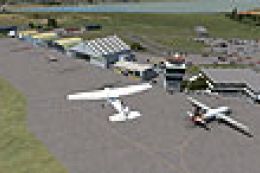
Invercargill Airport (NZNV) at the bottom of New Zealand South Island. Contai…
Invercargill photoreal scenery brings New Zealand’s South Island south coast to life with crisp ground imagery across roughly 1,100 square kilometres, ideal for VFR navigation and low-level touring. Built for Microsoft Flight Simulator X, it delivers a clean photographic base layer without autogen, highlighting roads, shoreline, and surrounding countryside.
 Rate
Rate
 New Zealand
Invercargill Photoreal Scenery. This photo-realistic scenery covers an area of land approx 1100 square kilometres, which is located on the southern coast of the South Island of New Zealand. Does not include any autogen. By Tracey Thatcher.
It covers an area of land approx 1,100 square kilometres, which is located on the southern coast of the South Island of New Zealand.
Due to the inaccuracies within the Flight Simulator environment, I have been unable to 100% accurately represent the Invercargill area. For this reason, I offer no claim for the exact accuracy for this scenery release. I have attempted to get this scenery as close as possible within the constraints of the software and I hope that you are happy with the result.
INSTALLATION:
Unzip the files into your Addon Scenery folder and then activate.
This scenery is released as Freeware.
This scenery add-on is made available for the private use of Microsoft Flight Simulator enthusiasts. Under no circumstances may this zip file be modified or sold for profit.
I accept no responsibility for any problems or damage resulting from the installation of this scenery.
Thanks to Robin Corn & Arno Gerretsen for their guidance in aligning the source image to the flightsim environment Robin Corn is a fantastic scenery designer and I highly recommend that you check out.
Tracey Thatcher
Free for all simmers · 53.93 MB · Scanned clean Oct 2026
Download speed: Free tier is capped at 0.5 Mbps (this file takes approximately 15 mins at the cap). PRO members download at full line speed.
FSX\Addon Scenery\ containing scenery and texture sub-folders.readme.txt or README file. It tells you exactly where files go, what dependencies are needed, and any quirks specific to this add-on.Use these coordinates to fly directly to this location once the mod is installed.
-46.41200000,168.35300000
Launch FSX or Prepar3D and use Flights → Load to open the downloaded .pln file. Your aircraft will be positioned at this location.
The archive fsxinvercargill.zip has 6 files and directories contained within it.
This list displays the first 500 files in the package. If the package has more, you will need to download it to view them.
| Filename/Directory | File Date | File Size |
|---|---|---|
| scenery | 11.11.10 | 0 B |
| AFX_NZNV.bgl | 10.25.10 | 6.39 kB |
| invercargillx.bgl | 11.11.10 | 56.39 MB |
| ReadMe.txt | 11.11.10 | 2.09 kB |
| flyawaysimulation.txt | 10.29.13 | 959 B |
| Go to Fly Away Simulation.url | 01.22.16 | 52 B |
Only PRO members can place votes.
More FSX & P3D add-ons hand-picked based on this download.
FSX Scenery
Invercargill Airport (NZNV) at the bottom of New Zealand South Island. Contai…
 FSX Scenery
This is a complete package containing photoreal scenery for the whole state o…
 FSX Scenery
A complete and fully featured photoreal, airport, building, and autogen scene…
 FSX Scenery
St Louis PhotoReal Scenery. This is high resolution, 1 meter/pixel, terrain s…
 FSX Scenery
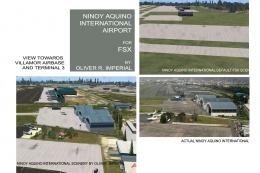
NAIA (RPLL) Photoreal Scenery. An FSX photoreal scenery package for the Ninoy…
 FSX Scenery
Take a trip to the small nation of Malta in any simulation package, and you w…
 FSX Scenery
A trip to the Southern European nation of Cyprus in a flight simulator should…
 FSX Scenery
This is a complete package containing photoreal scenery for the whole state o…
Be the first to leave a comment on this download.
Be the first to share your thoughts on this download.