

 FS2004 Civil Jet Aircraft
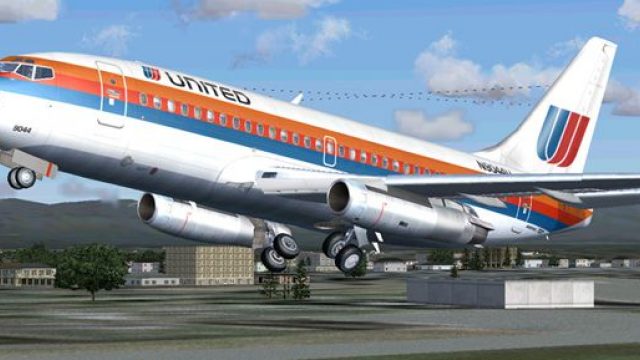
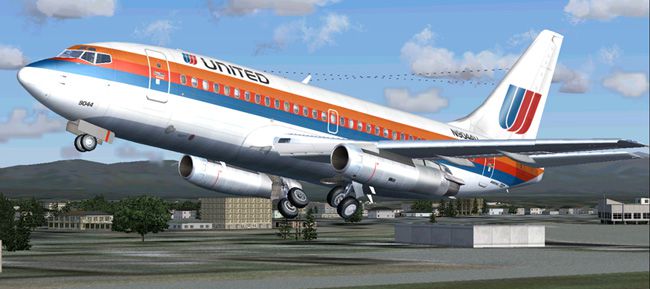
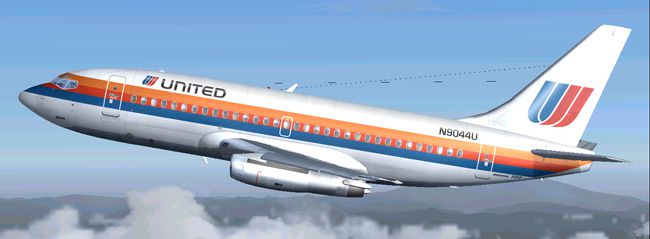
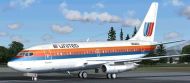
United Airlines Boeing 737-200 1970
This specialized freeware package recreates United Airlines' iconic Boeing 73…
United Airlines’ classic “OC” livery brings Erick Cantu’s Boeing 737-200 to life with authentic markings and a period-correct look in FS2004. The package pairs Cantu’s detailed model with Mike Baumann’s flight dynamics for convincing handling, and includes Henry William’s carefully matched repaint; requires Erick Cantu’s Boeing 737-200 base aircraft.
 Rate
Rate

Free for all simmers · 2.88 MB · Scanned clean Sep 2026
Download speed: Free tier is capped at 0.5 Mbps. PRO members download at full line speed.
FS9\Aircraft\, FS9\Addon Scenery\, FS9\Gauges\, or FS9\Effects\.readme.txt or README file. It tells you exactly where files go, what dependencies are needed, and any quirks specific to this add-on.The archive uni732td.zip has 31 files and directories contained within it.
This list displays the first 500 files in the package. If the package has more, you will need to download it to view them.
| Filename/Directory | File Date | File Size |
|---|---|---|
| AIRCRAFT.CFG | 06.28.04 | 16.38 kB |
| 7372.air | 11.06.03 | 8.17 kB |
| SMOKE_JT8D.fx | 02.23.04 | 1.87 kB |
| readme.txt | 06.29.04 | 262 B |
| panel | 06.29.04 | 0 B |
| panel.cfg | 03.16.03 | 30 B |
| sound | 06.29.04 | 0 B |
| sound.cfg | 03.16.03 | 31 B |
| Model | 06.29.04 | 0 B |
| B737_200.mdl | 02.21.04 | 1.31 MB |
| MODEL.CFG | 02.08.03 | 25 B |
| texture | 06.29.04 | 0 B |
| 732_B_T.BMP | 02.21.04 | 256.07 kB |
| 737INTERIOR_T.BMP | 12.31.03 | 1.00 MB |
| B732FUSE_L.bmp | 03.09.04 | 1.00 MB |
| b732fuse_t.bmp | 06.28.04 | 4.00 MB |
| B737TAIL_L.BMP | 02.23.04 | 64.07 kB |
| b737tail_t.bmp | 06.28.04 | 1.00 MB |
| ENGINES_L.BMP | 02.23.04 | 64.07 kB |
| engines_t.bmp | 03.20.04 | 1.00 MB |
| MISC_L.BMP | 02.23.04 | 4.07 kB |
| WINGS_L.BMP | 02.23.04 | 256.07 kB |
| misc_t.bmp | 06.28.04 | 1.00 MB |
| wings_t.bmp | 06.29.04 | 4.00 MB |
| 1.jpg | 06.29.04 | 87.67 kB |
| 2.jpg | 06.29.04 | 95.10 kB |
| 3.jpg | 06.29.04 | 63.16 kB |
| small.gif | 06.29.04 | 5.55 kB |
| Boeing 737-200 United tricolor | 06.29.04 | 0 B |
| flyawaysimulation.txt | 10.29.13 | 959 B |
| Go to Fly Away Simulation.url | 01.22.16 | 52 B |
Only PRO members can place votes.
More FS2004 add-ons hand-picked based on this download.
FS2004 Civil Jet Aircraft
This specialized freeware package recreates United Airlines' iconic Boeing 73…
 FS2004 Civil Jet Aircraft
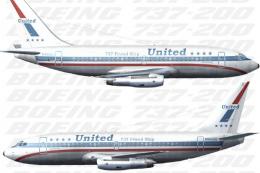
The timeless appeal of the Boeing 737-200 is showcased in this specially repa…
 FS2004 Civil Jet Aircraft
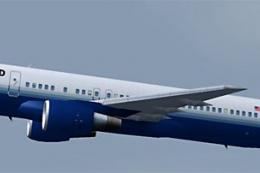
This complete freeware package offers a meticulously repainted Boeing 757-200…
 FS2004 Civil Jet Aircraft
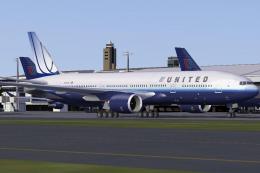
Includes N206UA (normal color, weathering clean), N775US (new color), N777UA …
 FS2004 Civil Jet Aircraft
Experience the iconic Boeing 747-200 sporting United Airlines’ 1980s paint sc…
 FS2004 Civil Jet Aircraft
Model by Project Open Sky. Livery by Hugh Pratt. Screenshot of United Airline…
 FS2004 Civil Jet Aircraft
This freeware package features a meticulously crafted Boeing 747-200, wearing…
 FS2004 Civil Jet Aircraft
Experience a classic rendition of United Airlines’ Boeing 747-200 (registrati…
Read what other simmers think, or add your own.
