

 FS2004 Civil Jet Aircraft
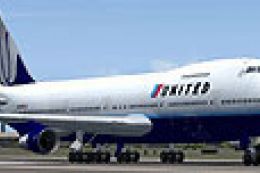
United Airlines Boeing 747-200 N161UA
This freeware package features a meticulously crafted Boeing 747-200, wearing…
United Airlines’ Boeing 747-200 N151UA recreates the airline’s classic 1980s look with a complete Project Open Sky model and Devyn Silverstein livery for Microsoft Flight Simulator 2004. Expect polished reflective textures, dynamic wing flex, detailed virtual cockpit glass, opening doors, accurate gear and reverser animations, night lighting, and authentic flight tuning.
 Rate
Rate
Experience the iconic Boeing 747-200 sporting United Airlines’ 1980s paint scheme, registration N151UA. This freeware package, developed as a complete model by Project Open Sky and painted by Devyn Silverstein, has been carefully designed for use with Microsoft Flight Simulator 2004. It includes detailed visuals, authentic flight tuning, and numerous animated components that replicate the unique characteristics of United's “Queen of the Skies” during that memorable decade.
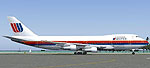
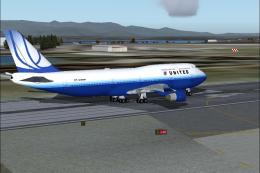
United Airlines Boeing 747-200 on the ramp showcasing classic 1980s markings.
United Airlines introduced various Boeing 747 variants into its fleet for long-haul routes, enhancing passenger capacity and operational efficiency. The 747-200, distinct for its higher-thrust engines and increased range compared to earlier series, carried passengers on transcontinental and international services. This virtual rendition encapsulates the airframe’s characteristics from that era.
Project Open Sky oversaw all major design aspects, while Devyn Silverstein meticulously recreated the livery. Below is the development team behind its functionality and appearance:
Free for all simmers · 5.49 MB · Scanned clean Oct 2026
Download speed: Free tier is capped at 0.5 Mbps (this file takes approximately 2 mins at the cap). PRO members download at full line speed.
FS9\Aircraft\, FS9\Addon Scenery\, FS9\Gauges\, or FS9\Effects\.readme.txt or README file. It tells you exactly where files go, what dependencies are needed, and any quirks specific to this add-on.The archive os74ua80.zip has 56 files and directories contained within it.
This list displays the first 500 files in the package. If the package has more, you will need to download it to view them.
| Filename/Directory | File Date | File Size |
|---|---|---|
| 747-200PW.air | 03.05.04 | 10.30 kB |
| 747-effects | 07.09.04 | 0 B |
| Opensky_747_vclight.fx | 10.02.02 | 1.31 kB |
| Opensky_beacon.fx | 02.12.02 | 3.04 kB |
| Opensky_conden.fx | 10.03.02 | 3.15 kB |
| Opensky_condens.fx | 09.08.02 | 2.71 kB |
| Opensky_logo_light.fx | 10.03.02 | 1.31 kB |
| Opensky_nacelle_refl.fx | 09.29.02 | 1.29 kB |
| Opensky_nav_yellow.fx | 09.29.02 | 3.07 kB |
| Opensky_sparks.fx | 09.08.02 | 7.05 kB |
| Opensky_vortex.fx | 10.08.03 | 1.23 kB |
| Opensky_wing_light.fx | 09.29.02 | 1.31 kB |
| Aircraft.cfg | 07.09.04 | 13.33 kB |
| model | 07.09.04 | 0 B |
| Model.cfg | 02.28.04 | 36 B |
| POSKY742PJT9A12B234.mdl | 03.13.04 | 1.91 MB |
| Panel | 07.09.04 | 0 B |
| PANEL.cfg | 01.17.02 | 32 B |
| Thumbs.db | 05.07.04 | 58.50 kB |
| readme.txt | 07.09.04 | 3.01 kB |
| sound | 07.09.04 | 0 B |
| Sound.cfg | 03.20.04 | 32 B |
| texture | 07.09.04 | 0 B |
| base_left_2.bmp | 07.09.04 | 3.39 MB |
| base_right_2.bmp | 07.09.04 | 3.39 MB |
| posky_tire1.bmp | 02.19.04 | 257.05 kB |
| posky_tire2.bmp | 02.19.04 | 257.05 kB |
| posky_tire3.bmp | 01.18.03 | 64.07 kB |
| posky742_bodyl_L.bmp | 03.20.04 | 5.33 MB |
| posky742_bodyl_t.bmp | 07.09.04 | 5.33 MB |
| posky742_bodyr_L.bmp | 03.20.04 | 5.33 MB |
| posky742_bodyr_t.bmp | 07.09.04 | 5.33 MB |
| posky742_doors_l.bmp | 10.14.02 | 1.00 MB |
| posky742_doors_t.bmp | 07.09.04 | 5.33 MB |
| posky742_eng_JT9D_L.bmp | 03.05.04 | 5.33 MB |
| posky742_eng_JT9D_t.bmp | 03.20.04 | 4.00 MB |
| posky742_gear_l.bmp | 10.14.02 | 64.07 kB |
| posky742_gear_t.bmp | 08.13.02 | 128.08 kB |
| posky742_misc_L.bmp | 01.01.03 | 1.00 MB |
| posky742_misc_t.bmp | 05.27.03 | 4.00 MB |
| posky742_pax_interior_t.bmp | 12.29.03 | 682.75 kB |
| posky742_vertical_l.bmp | 10.14.02 | 256.07 kB |
| posky742_vertical_t.bmp | 07.09.04 | 1.33 MB |
| posky742_window_L.bmp | 09.20.02 | 85.40 kB |
| posky742_window_t.bmp | 09.09.02 | 170.75 kB |
| posky742_wingbottom_l.bmp | 10.14.02 | 64.06 kB |
| posky742_wingbottom_t.bmp | 03.20.04 | 4.00 MB |
| posky742_wingtop_l.bmp | 10.14.02 | 64.06 kB |
| posky742_wingtop_t.bmp | 03.20.04 | 4.00 MB |
| posky742fan.bmp | 03.20.04 | 17.07 kB |
| posky742fanfast.bmp | 03.20.04 | 17.07 kB |
| posky747cabina1.bmp | 12.30.03 | 682.75 kB |
| Thumbs.db | 07.09.04 | 124.50 kB |
| Thumbs.db | 05.01.04 | 7.50 kB |
| flyawaysimulation.txt | 10.29.13 | 959 B |
| Go to Fly Away Simulation.url | 01.22.16 | 52 B |
Only PRO members can place votes.
More FS2004 add-ons hand-picked based on this download.
FS2004 Civil Jet Aircraft
This freeware package features a meticulously crafted Boeing 747-200, wearing…
 FS2004 Civil Jet Aircraft
Experience a classic rendition of United Airlines’ Boeing 747-200 (registrati…
 FS2004 Civil Jet Aircraft
Experience a classic wide-body airliner in Microsoft Flight Simulator 2004 wi…
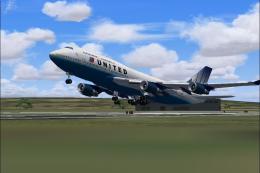 FS2004 Civil Jet Aircraft
This is a free download file for Microsoft Flight Simulator 2004. The file co…
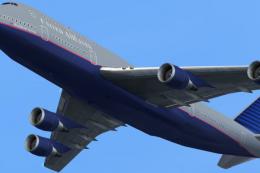 FS2004 Civil Jet Aircraft
A repaint of the default B747. Repaint by Salles Monteiro. Screenshot of Unit…
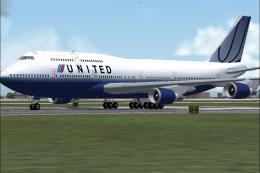 FS2004 Civil Jet Aircraft
Boeing 747-400 GE (new colors), registration N168UA. Model by Project Open Sk…
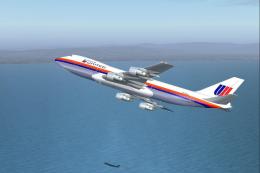 FS2004 Civil Jet Aircraft
This freeware release offers a meticulously recreated Boeing 747-122 complete…
 FS2004 Civil Jet Aircraft
This freeware repaint offers the 2004 United Airlines visual scheme for the i…
Be the first to leave a comment on this download.
Be the first to share your thoughts on this download.