

 FS2004 Civil Jet Aircraft
FS2004/FS2002 Boeing 737-200 FFX Aerolineas Argentinas Old Colors
It features the latest reflection including dynamic shine,lighting,and animat…
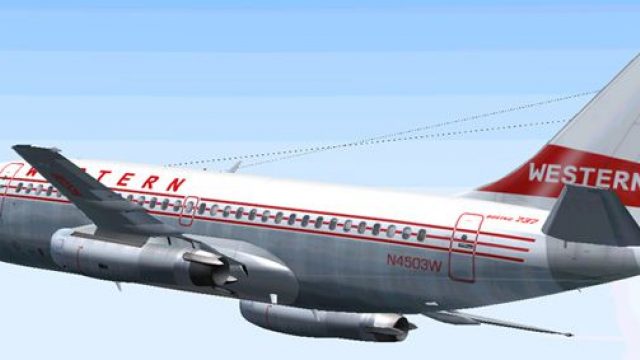
Western Airlines’ classic “old colors” livery arrives on a finely modeled Boeing 737-200 package for Microsoft Flight Simulator 2004, pairing crisp exterior textures with authentic proportions and animation. Tuned flight dynamics capture the early 737’s short-field manners and JT8D-era handling, complemented by a period-accurate virtual cockpit atmosphere.
 Rate
Rate

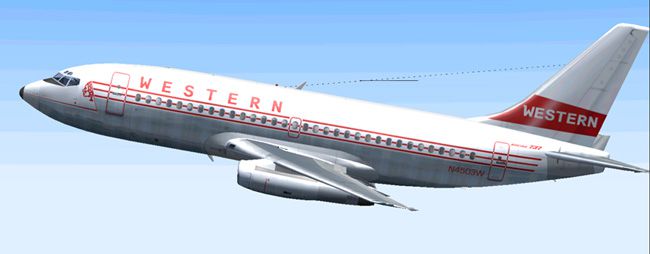
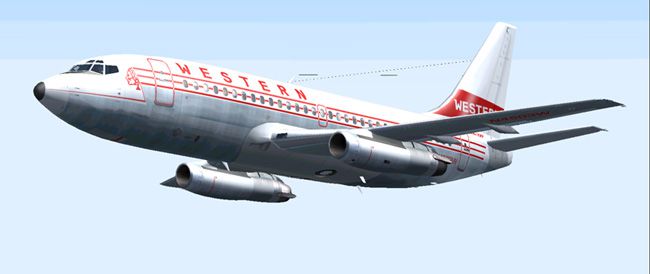
This complete freeware package showcases a detailed Boeing 737-200 repaint in Western’s retro livery, compatible with Microsoft Flight Simulator 2004. It offers faithful exterior texturing, precise flight behavior, and a historically accurate portrayal of this early twinjet’s design attributes while reflecting Western’s iconic classic color scheme.
The Boeing 737-200 is part of the original 737 lineup, introduced to enhance short-haul operations with its trustworthy turbofan engines and robust fuselage. It became popular with many carriers due to its high-lift devices (devices used on wing leading and trailing edges) and relatively short runway requirements, making it versatile for various airports.
This repaint pays homage to Western’s historical paint job, which underscores the airline’s strong legacy within North America’s aviation industry. The retro motif draws attention to angular stripes and a sleek fuselage design once common among carriers in the mid-to-late 20th century. Western Airlines, known for its pioneering routes, used this scheme to stand out in a competitive market.
The model originates from Erick Cantu, who ensured correct proportions and a cohesive 3D layout. Mike Baumann contributed the flight dynamics (FDE), allowing excellent operational realism with refined thrust response and aerodynamic handling. Henry William produced the repaint, capturing subtle surface details like rivet lines and window outlines that convey an authentic look.
Expect a meticulously tuned flight envelope verified for stable climb profiles, fuel consumption, and engine spool characteristics. The virtualization of the original JT8D powerplant helps replicate the 737-200’s signature cockpit instrumentation and engine sounds. This results in a practical simulation experience that simmers can enjoy while honing their hand-flying skills.
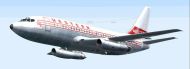
The downloaded package provides a clear folder structure, making integration into your existing Microsoft Flight Simulator 2004 setup straightforward. The entire base model is included, ensuring the mod remains self-sufficient without additional dependencies.
Incorporate this repainted Boeing 737-200 into your virtual hangar to explore short-haul routes or historically inspired journeys. Whether you prefer circuit training or cross-country adventures, this model is designed to deliver an engaging and faithful representation of a revered workhorse from Western’s fleet.
Free for all simmers · 2.94 MB · Scanned clean Oct 2026
Download speed: Free tier is capped at 0.5 Mbps. PRO members download at full line speed.
FS9\Aircraft\, FS9\Addon Scenery\, FS9\Gauges\, or FS9\Effects\.readme.txt or README file. It tells you exactly where files go, what dependencies are needed, and any quirks specific to this add-on.The archive wes732rn.zip has 31 files and directories contained within it.
This list displays the first 500 files in the package. If the package has more, you will need to download it to view them.
| Filename/Directory | File Date | File Size |
|---|---|---|
| AIRCRAFT.CFG | 06.29.04 | 16.38 kB |
| 7372.air | 11.06.03 | 8.17 kB |
| SMOKE_JT8D.fx | 02.23.04 | 1.87 kB |
| readme.txt | 06.29.04 | 434 B |
| texture | 06.29.04 | 0 B |
| 732_B_T.BMP | 02.21.04 | 256.07 kB |
| 737INTERIOR_T.BMP | 12.31.03 | 1.00 MB |
| B732FUSE_L.bmp | 03.09.04 | 1.00 MB |
| b732fuse_t.bmp | 06.29.04 | 4.00 MB |
| B737TAIL_L.BMP | 02.23.04 | 64.07 kB |
| b737tail_t.bmp | 06.29.04 | 1.00 MB |
| ENGINES_L.BMP | 02.23.04 | 64.07 kB |
| engines_t.bmp | 03.20.04 | 1.00 MB |
| MISC_L.BMP | 02.23.04 | 4.07 kB |
| WINGS_L.BMP | 02.23.04 | 256.07 kB |
| misc_t.bmp | 06.28.04 | 1.00 MB |
| wings_t.bmp | 06.29.04 | 4.00 MB |
| Model | 06.29.04 | 0 B |
| B737_200.mdl | 02.21.04 | 1.31 MB |
| MODEL.CFG | 02.08.03 | 25 B |
| sound | 06.29.04 | 0 B |
| sound.cfg | 03.16.03 | 31 B |
| panel | 06.29.04 | 0 B |
| panel.cfg | 03.16.03 | 30 B |
| 1.jpg | 06.29.04 | 50.48 kB |
| 2.jpg | 06.29.04 | 54.21 kB |
| 3.jpg | 06.29.04 | 62.48 kB |
| small.gif | 06.29.04 | 3.24 kB |
| Boeing 737-200 Western Old Colors | 06.29.04 | 0 B |
| flyawaysimulation.txt | 10.29.13 | 959 B |
| Go to Fly Away Simulation.url | 01.22.16 | 52 B |
Only PRO members can place votes.
More FS2004 add-ons hand-picked based on this download.
FS2004 Civil Jet Aircraft
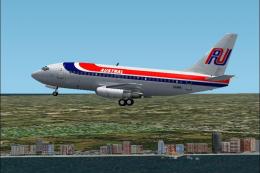
It features the latest reflection including dynamic shine,lighting,and animat…
 FS2004 Civil Jet Aircraft
This comprehensive freeware package offers a meticulously crafted Boeing 737-…
 FS2004 Civil Jet Aircraft
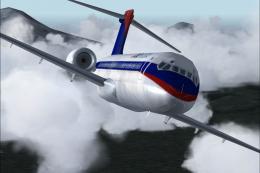
Take a flight in the one of the newist edditions to the Boeing fleet, The 717…
 FS2004 Civil Jet Aircraft
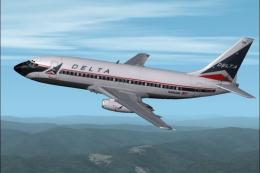
This Delta Airlines Boeing 737-287 rendition merges refined DXT3 textures, dy…
 FS2004 Civil Jet Aircraft
The developers at FFX/SGA have crafted a freeware package featuring the McDon…
 FS2004 Civil Jet Aircraft
The package showcased here provides a freeware recreation of a classic mid-ra…
 FS2004 Civil Jet Aircraft
This new aircraft features a completely new Gmax model that is true to the re…
 FS2004 Civil Jet Aircraft
Textures only for the Kittyhawk B737-200 by Erick Cantu. DXT3 with no mipmaps…
Be the first to leave a comment on this download.
Be the first to share your thoughts on this download.