

 FS2004 Civil Jet Aircraft
FS2004/FS2002 Boeing 717-200 Delta Airlines - Old & New colors
Take a flight in the one of the newist edditions to the Boeing fleet, The 717…
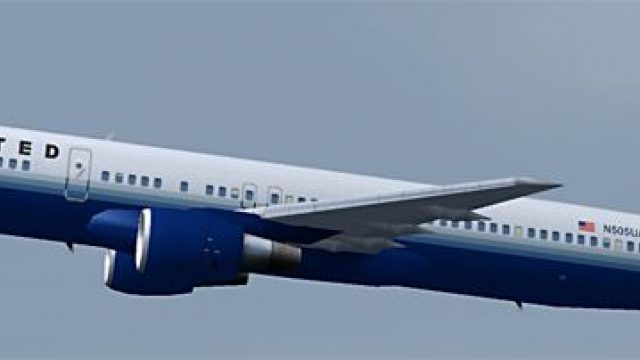
United Airlines’ new-colors Boeing 757-200 brings accurate ramp presence to Microsoft Flight Simulator 2004 with an AI-optimized model built for busy schedules. Five LOD stages help keep performance smooth while animations cover gear, spoilers, and flaps, backed by solid AI flight dynamics and crisp textures that highlight antennas and flap canoes.
 Rate
Rate
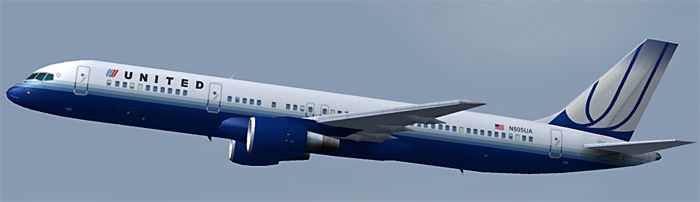
This complete freeware package offers a meticulously repainted Boeing 757-200 in United Airlines’ new color theme for Microsoft Flight Simulator 2004. It integrates a specialized model intended for AI traffic and ensures minimal impact on system resources. This rendition focuses on accurately capturing the revised livery and offers an easy setup process. Below, you will find details about the aircraft's technical highlights, unique capabilities, and guidelines for integrating it into active AI flight schedules.
The real-world Boeing 757-200 is a popular narrow-body transport designed for mid-range operations. United Airlines, known for its extensive domestic and international networks, applies updated paint schemes periodically, and this add-on reflects the latest refinements. By incorporating this visual package, you will see realistic United markings on your virtual ramp and in flight, showcasing the airline’s recognizable style.
Developed by AI Aardvark, this Boeing 757-200 model features five distinct levels of detail. The repaint by Daniel DiBacco captures the most recent color palette, bringing out notable elements such as the flap canoes and antennas in realistic detail. The add-on also shows animated landing gear, interactive spoilers, and functioning flaps, all presented with refined textures. Specular highlights further enhance the finish, reflecting light in a way that reinforces authenticity. This combination of geometry and textures provides an impressive presence, especially when observed on approach or parked at a busy terminal.
Screenshot of United Airlines Boeing 757-200 in flight.
This model by Craig Crawley, with David Rawlins’ original paint adaptations and David Carter’s flight dynamics, has been carefully optimized for AI use. Each LOD dynamically adjusts the visible geometry based on distance, simplifying the model as it moves farther away. This ensures that large fleets of 757s do not compromise frame rates when multiple aircraft populate the scene simultaneously. Such optimization can be vital at hubs where United Airlines might schedule numerous flights.
For smooth integration, place the folder named AIA_757_200_United_NC into your simulator’s aircraft directory. Once that step is complete, assign this Boeing 757 to any flight plans you prefer. If you are currently using any other AI Aardvark 757-200 models that share the aia_757_200_pw.mdl file, you may employ this texture set in the same folder by amending the corresponding aircraft.cfg entries to reference the new repaint.
This aircraft’s core design fits AI conditions, emphasizing realistic movements in congested airport environments. The included five LOD variations ensure smooth frame rates, while the AI flight dynamics balance reliable takeoffs with accurate landings. By default, the jet will settle close to the runway threshold before quickly vacating the strip, allowing subsequent approaches to flow efficiently. If you prefer lengthier landing roles with more pronounced flare, you can carefully modify parameters like cruise lift, parasite drag, or induced drag in the aircraft.cfg.
Model by: Craig Crawley
Original Paint by: David Rawlins
FDE by: David Carter
Repaint by: Daniel DiBacco
Free for all simmers · 357.69 KB · Scanned clean Oct 2026
Download speed: Free tier is capped at 0.5 Mbps. PRO members download at full line speed.
FS9\Aircraft\, FS9\Addon Scenery\, FS9\Gauges\, or FS9\Effects\.readme.txt or README file. It tells you exactly where files go, what dependencies are needed, and any quirks specific to this add-on.The archive ai752ua1.zip has 15 files and directories contained within it.
This list displays the first 500 files in the package. If the package has more, you will need to download it to view them.
| Filename/Directory | File Date | File Size |
|---|---|---|
| FILE_ID.diz | 05.22.04 | 480 B |
| aia_757_200_pw.air | 05.22.04 | 8.90 kB |
| Aircraft.cfg | 05.22.04 | 13.97 kB |
| model | 05.23.04 | 0 B |
| aia_757_200_pw.mdl | 05.22.04 | 275.74 kB |
| model.cfg | 05.22.04 | 33 B |
| texture.United Airlines (New) | 05.23.04 | 0 B |
| aia_757_200_pw_l.bmp | 05.22.04 | 256.07 kB |
| aia_757_200_pw_t.bmp | 05.22.04 | 1.00 MB |
| AIA_757_200_United_NC | 05.23.04 | 0 B |
| ai752ua1.gif | 05.22.04 | 4.25 kB |
| ai752ua1.jpg | 05.22.04 | 55.84 kB |
| AIA_752_United_Airlines_README.txt | 05.22.04 | 3.89 kB |
| flyawaysimulation.txt | 10.29.13 | 959 B |
| Go to Fly Away Simulation.url | 01.22.16 | 52 B |
Only PRO members can place votes.
More FS2004 add-ons hand-picked based on this download.
FS2004 Civil Jet Aircraft
Take a flight in the one of the newist edditions to the Boeing fleet, The 717…
 FS2004 Civil Jet Aircraft
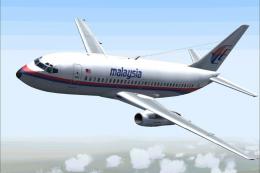
This updated package brings together the classic Boeing 737-200 with a distin…
 FS2004 Civil Jet Aircraft
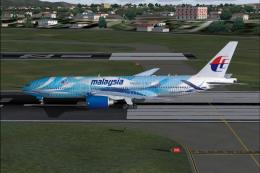
Meljet 777-200 Malaysia Airlines new colors, the aircraft has all the feature…
 FS2004 Civil Jet Aircraft
This downloadable package offers a Delta Airlines Boeing 767-400 (GE) in the …
 FS2004 Civil Jet Aircraft
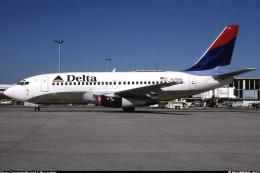
This complete freeware package offers a meticulously rendered Boeing 737-287 …
 FS2004 Civil Jet Aircraft
Model by Project Open Sky. Livery by Hugh Pratt. Screenshot of United Airline…
 FS2004 Civil Jet Aircraft
United Airlines Boeing 757-200 (old colors), registration N520AT. Model by Pr…
 FS2004 Civil Jet Aircraft
United Airlines Boeing 757-222 registration N588UA, repainted in 32-bit chrom…
Be the first to leave a comment on this download.
Be the first to share your thoughts on this download.