

 FS2004 Civil Jet Aircraft
Air Madrid Airbus A330-300 AB333
Air Madrid Airbus A330-300. Model by PSS. Screenshot of Air Madrid Airbus A33…
Dragon Air’s Airbus A330-300 repaint captures RR-powered B-HYF with crisp high-resolution textures, authentic markings, and polished reflective materials for FS2004. It pairs detailed animations, wing flex, independent gear suspension, operational reverse thrust, full night lighting, and an immersive virtual cockpit with accurate handling, and requires the Project Open Sky A330-300 base model.
 Rate
Rate
Experience an exceptional repaint for the Project Open Sky Airbus A330-300, featuring Dragon Air’s RR-powered variant (registration B-HYF). This freeware package offers a faithful livery of the Hong Kong-based carrier and brings you a meticulously crafted simulation that replicates countless details of the real wide-body jetliner.
Model Designer: Shervin Ahooraei
Flight Dynamics Designer: Warren C. Daniel
Master Textures: C. Vincent Cho, Ben Hewitt
Virtual Cockpit Textures: Gary Hayes
FDE Advisors: Nick Peterson, Simon Ng Hin Tat
Virtual Cockpit Gauges (Special Thanks): Eric Marciano
This repaint is intended for use with the Project Open Sky A330-300 base model. The team behind it has included various technical features to bring authenticity to each flight:
In the second version, the developers have enriched the add-on with a range of enhancements to match real-world experiences:
This repaint honors Dragon Air’s tradition of serving key regional routes from Hong Kong using the Airbus A330-300, which is well-known for its versatility and operational range. Enjoy the meticulous detail brought to you by Shervin Ahooraei, Warren C. Daniel, C. Vincent Cho, Ben Hewitt, Gary Hayes, and their collaborators. Every aspect has been tuned to offer a compelling flight experience, from startup to shutdown.
Free for all simmers · 4.53 MB · Scanned clean Oct 2026
Download speed: Free tier is capped at 0.5 Mbps (this file takes approximately 1 min at the cap). PRO members download at full line speed.
FS9\Aircraft\, FS9\Addon Scenery\, FS9\Gauges\, or FS9\Effects\.readme.txt or README file. It tells you exactly where files go, what dependencies are needed, and any quirks specific to this add-on.The archive podga333.zip has 34 files and directories contained within it.
This list displays the first 500 files in the package. If the package has more, you will need to download it to view them.
| Filename/Directory | File Date | File Size |
|---|---|---|
| INSTALL.txt | 02.01.04 | 1006 B |
| readme.txt | 10.10.03 | 2.89 kB |
| texture.DGA | 02.01.04 | 0 B |
| a330fuse1and2_L.bmp | 10.04.03 | 4.00 MB |
| a330fuse1and2_t.bmp | 01.23.04 | 4.00 MB |
| a330fuse3and4_L.bmp | 10.04.03 | 4.00 MB |
| a330fuse3and4_t.bmp | 01.23.04 | 4.00 MB |
| a333midfusev2_L.bmp | 10.04.03 | 4.00 MB |
| a333midfusev2_t.bmp | 01.23.04 | 4.00 MB |
| a333v2_L.bmp | 10.03.03 | 256.07 kB |
| a333v2_t.bmp | 10.03.03 | 1.00 MB |
| a333v2door_L.bmp | 10.03.03 | 256.07 kB |
| a333v2door_t.bmp | 10.03.03 | 1.00 MB |
| antenna.bmp | 06.05.03 | 256.07 kB |
| fan_t.bmp | 10.03.03 | 256.07 kB |
| gearmisc_L.bmp | 10.03.03 | 256.07 kB |
| gearmisc_t.bmp | 10.07.03 | 4.00 MB |
| gearmiscRR_L.bmp | 10.03.03 | 256.07 kB |
| gearmiscRR_t.bmp | 01.24.04 | 4.00 MB |
| lwing_L.bmp | 10.03.03 | 256.07 kB |
| lwing_t.bmp | 10.07.03 | 4.00 MB |
| lwingmain_L.bmp | 10.03.03 | 256.07 kB |
| lwingmain_t.bmp | 10.03.03 | 4.00 MB |
| lwingRR_L.bmp | 10.03.03 | 256.07 kB |
| lwingRR_t.bmp | 01.24.04 | 4.00 MB |
| misc_L.bmp | 10.03.03 | 256.07 kB |
| misc_t.bmp | 10.07.03 | 4.00 MB |
| rwing_L.bmp | 10.03.03 | 256.07 kB |
| rwing_t.bmp | 10.03.03 | 4.00 MB |
| taila330_L.bmp | 10.03.03 | 1.00 MB |
| taila330_t.bmp | 01.23.04 | 1.00 MB |
| Thumbs.db | 10.16.03 | 92.50 kB |
| flyawaysimulation.txt | 10.29.13 | 959 B |
| Go to Fly Away Simulation.url | 01.22.16 | 52 B |
Only PRO members can place votes.
More FS2004 add-ons hand-picked based on this download.
FS2004 Civil Jet Aircraft
Air Madrid Airbus A330-300. Model by PSS. Screenshot of Air Madrid Airbus A33…
 FS2004 Civil Jet Aircraft
FS2004 SAS Airbus A330-300 Package. The Project Open Sky A330-300 model in Sc…
 FS2004 Civil Jet Aircraft
This is my repaint of FSPainter Garuda Indonesia Airbus A330-300, based on re…
 FS2004 Civil Jet Aircraft
Aer Lingus Airbus A330-300 using photoreal textures based on a photo of a rea…
 FS2004 Civil Jet Aircraft
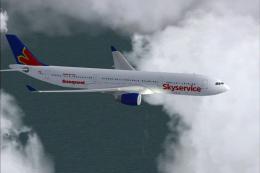
Model by Project Open Sky. Repainted by Shane Strong. Screenshot of Skyservic…
 FS2004 Civil Jet Aircraft
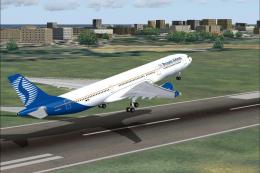
Model by Project Open Sky. Screenshot of SN Brussels Airbus A330-300 taking o…
 FS2004 Civil Jet Aircraft
Continental Airbus A330-300, registration N81865. Model by Project Open Sky. …
 FS2004 Civil Jet Aircraft
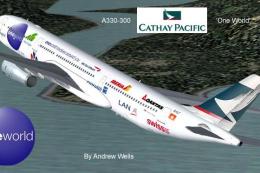
Project Open Sky A330-300 v2 Aer Lingus, Cathay Pacific and Qantas 'One World…
Be the first to leave a comment on this download.
Be the first to share your thoughts on this download.