

 FS2004 Civil Jet Aircraft
PMDG Boeing 737 Wing Views
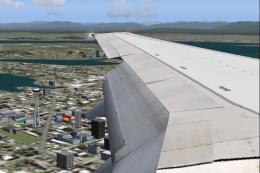
Wing and engine views for PMDG's Boeing 737-600, -700, -800 and -900 model 2D…
PMDG Boeing 737-900 vapor trails bring convincing wingtip vortices and flap contrails that intensify the sense of speed and humidity, with effects tuned through the smoke system and panel integration for smooth triggering in FS2004. Requires the PAVortices gauge and included contrail effect files placed in the correct simulator folders.
 Rate
Rate
Vapor trails and wing tip trails. By Shane Lewis.
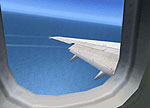
View over the wing of Boeing 737-900.
1) Add the SMOKESYSTEM text to the PMDG737-900 aircraft.cfg and save it...however!
At first look for the line [smokesystem]
Below you will read:
smoke.0= 16.500, -54.000, -40.000,fx_pmdgwinglight

	smoke.1= 16.500, -54.000, 40.000,fx_pmdgwinglight
You can select the complete selection [SMOKESYSTEM] together with those two lines and overwrite with the selection below.
Note: always backup originals first!
2)Move the fx_contrail_320.fx and fx_contrail_320f.fx file into the fs2002/fs2004 "Effects" Folder - when asked to overwrite select "yes to all".
3) Move the complete PAVortices.cab file (DO NOT UNZIP IT!!!) into FS2002/FS2004 gauges directory - when asked to overwrite select "yes to all".
4)Add this line to the PMDG737-800/panel.cfg (Note the 900 panel config references the 800 Panel) of the aircraft using Vapour Trails, below all the other gauges listed under [Window00]:
gaugeXX=PAVortices!PAVortices, 0, 0, 1
N.B Replace XX by the appropriate number (they're numbered sequentially in the panel.cfg).
[SMOKESYSTEM]

	smoke.0=0.00, -7.00, 0.00, fx_pmdg737cabin

	smoke.2=1, -70.000, 33.500, fx_contrail_320f //flaps

	smoke.3=1, -70.000, -33.500, fx_contrail_320f //flaps

	smoke.4=1, -80.000, 56.000, fx_contrail_320 //wingtip

	smoke.5=1, -80.000, -56.000, fx_contrail_320 //wingtip

	smoke.0= 16.500, -54.000, -40.000,fx_pmdgwinglight

	smoke.1= 16.500, -54.000, 40.000,fx_pmdgwinglight
Free for all simmers · 3.88 KB · Scanned clean Oct 2026
Download speed: Free tier is capped at 0.5 Mbps. PRO members download at full line speed.
FS9\Aircraft\, FS9\Addon Scenery\, FS9\Gauges\, or FS9\Effects\.readme.txt or README file. It tells you exactly where files go, what dependencies are needed, and any quirks specific to this add-on.The archive pm900vpr.zip has 6 files and directories contained within it.
This list displays the first 500 files in the package. If the package has more, you will need to download it to view them.
| Filename/Directory | File Date | File Size |
|---|---|---|
| fx_contrail_320.fx | 06.12.04 | 1.17 kB |
| fx_contrail_320f.fx | 06.12.04 | 1.17 kB |
| installation.txt | 06.12.04 | 3.10 kB |
| PAVortices.cab | 07.25.02 | 268 B |
| flyawaysimulation.txt | 10.29.13 | 959 B |
| Go to Fly Away Simulation.url | 01.22.16 | 52 B |
Only PRO members can place votes.
More FS2004 add-ons hand-picked based on this download.
FS2004 Civil Jet Aircraft
Wing and engine views for PMDG's Boeing 737-600, -700, -800 and -900 model 2D…
 FS2004 Civil Jet Aircraft
Wing and engine views for PMDG's Boeing 737-700 2D panel. By Richard Asberg. …
 FS2004 Civil Jet Aircraft
Fictional Cougar livery for the PMDG Boeing 737-700. This is the texture only…
 FS2004 Civil Jet Aircraft
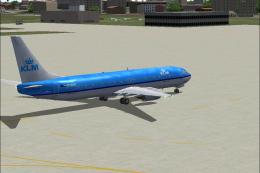
Textures only. Model by PMDG. Repaint by Vincent v/d Hof. Screenshot of KLM B…
 FS2004 Civil Jet Aircraft
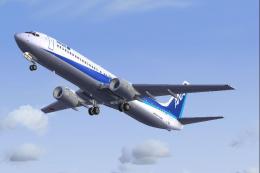
Boeing 737-900 (fictional). Textures only. Model by PMDG. ANA repaint by Yasu…
 FS2004 Civil Jet Aircraft
Model by Project Open Sky. AWA repaint by Tim Adams. Cover image for Project …
 FS2004 Civil Jet Aircraft
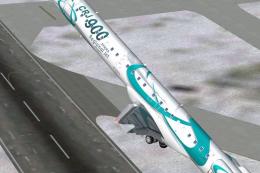
Bombardier CRJ-900 v1 base model, in house colors livery. Features dynamic sh…
 FS2004 Civil Jet Aircraft
This freeware release brings a refined Boeing 737-700 Business Jet (BBJ) to M…
Be the first to leave a comment on this download.
Be the first to share your thoughts on this download.