

 FSX Civil Aircraft
TWA "New" Douglas DC-9-30
A repaint of Ultimate Airliners Flight1/Coolsky DC9-30 in TWA new colors. By …
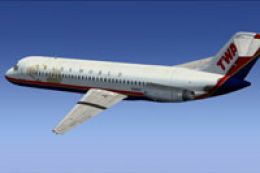
TWA’s final-colors Douglas DC-9-30 repaint brings registration N996Z to life with an accurate classic airline finish and matching identifiers for AI and ATC immersion. Designed for Microsoft Flight Simulator X, it requires the payware Sky Simulations DC-9-30 and integrates cleanly into aircraft selection for authentic vintage jet operations.
 Rate
Rate
TWA Douglas DC-9-30 (final colors), registration N996Z. This a repaint for the payware Sky Simulations DC9-30. By Michael Hogan. (See also FIX_TWAFINALCOLORS_SKYSIMDC9-30.ZIP).
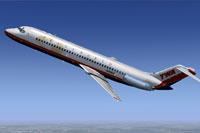
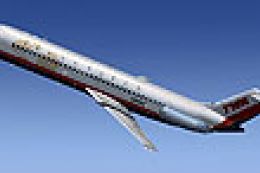
Screenshot of TWA Douglas DC-9-30 in flight.
Installation:
[fltsim.XX]

title=SKY DC-9 30 DC TWA New

sim=SKYDC930

model=

panel=B

sound=

texture=twan

kb_checklists=

kb_reference=

atc_id=N996Z

atc_airline=Mc Donnell Douglas

atc_flight_number=950

ui_manufacturer="McDonnell Douglas-SkySim"

ui_type="DC 9-30"

ui_variation="TWA New and Last"

ui_typerole="Commercial Airliner"

ui_createdby="SKY Simulations"

description=Sky Simulations\nMc Donnell Douglas DC-9 30\nCopyright Sky Simulations 2009\n

visual_damage=1
Free for all simmers · 2.11 MB · Scanned clean Oct 2026
Download speed: Free tier is capped at 0.5 Mbps. PRO members download at full line speed.
This file is a repaint — the package below is the base model it paints onto. Install it first, or the textures will have nothing to load onto.
texture.{airline}) inside FSX\SimObjects\Airplanes\{base-aircraft}\.aircraft.cfg in Notepad. Add a new [fltsim.X] section per the readme.readme.txt or README file. It tells you exactly where files go, what dependencies are needed, and any quirks specific to this add-on.The archive skysimtwadc9-30finalcolors.zip has 11 files and directories contained within it.
This list displays the first 500 files in the package. If the package has more, you will need to download it to view them.
| Filename/Directory | File Date | File Size |
|---|---|---|
| SKYSIM TWA DC9-30 final colors | 02.21.13 | 0 B |
| Read Me.txt | 02.21.13 | 883 B |
| texture.twan | 02.21.13 | 883 B |
| thumbnail.jpg | 02.21.13 | 7.91 MB |
| SKYD9wngU_T.dds | 01.21.13 | 1.00 MB |
| SKYDC-93_T.dds | 02.21.13 | 1.00 MB |
| SKYDC-9B_T.dds | 01.05.13 | 1.00 MB |
| texture.cfg | 12.09.12 | 147 B |
| thumbnail.jpg | 02.21.13 | 7.91 MB |
| flyawaysimulation.txt | 10.29.13 | 959 B |
| Go to Fly Away Simulation.url | 01.22.16 | 52 B |
Only PRO members can place votes.
More FSX & P3D add-ons hand-picked based on this download.
FSX Civil Aircraft
A repaint of Ultimate Airliners Flight1/Coolsky DC9-30 in TWA new colors. By …
 FSX Civil Aircraft
TWA Douglas DC-9-30, registration N926L, in 1980's colors. This a repaint for…
 FSX Civil Aircraft
Replacement textures for F1_DC-9_TWAN.ZIP for payware FSX Ultimate Airlines F…
 FSX Civil Aircraft
Texture fix only for the TWA final colors repaint for the payware SkySimulati…
 FSX Civil Aircraft
A repaint for the payware Commercial Level Simulations MD-81/82. MD-83 TWA la…
 FSX Civil Aircraft
Repaint for the payware Commercial Level Simulations MD-81/82. TWA 1980's liv…
 FSX Civil Aircraft
Texture fix for TWA new repaint of payware Commercial Level Simulations MD-81…
 FSX Civil Aircraft
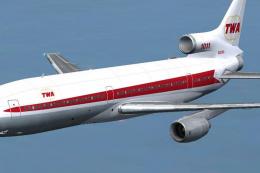
This freeware repaint showcases the iconic Lockheed L-1011 TriStar sporting T…
Be the first to leave a comment on this download.
Be the first to share your thoughts on this download.