



 MSFS General Aviation Aircraft
Cessna 172 G1000 Copper and Chrome Livery
Scott gives the built-in Asobo Cessna 172 G1000 in Microsoft Flight Simulator…
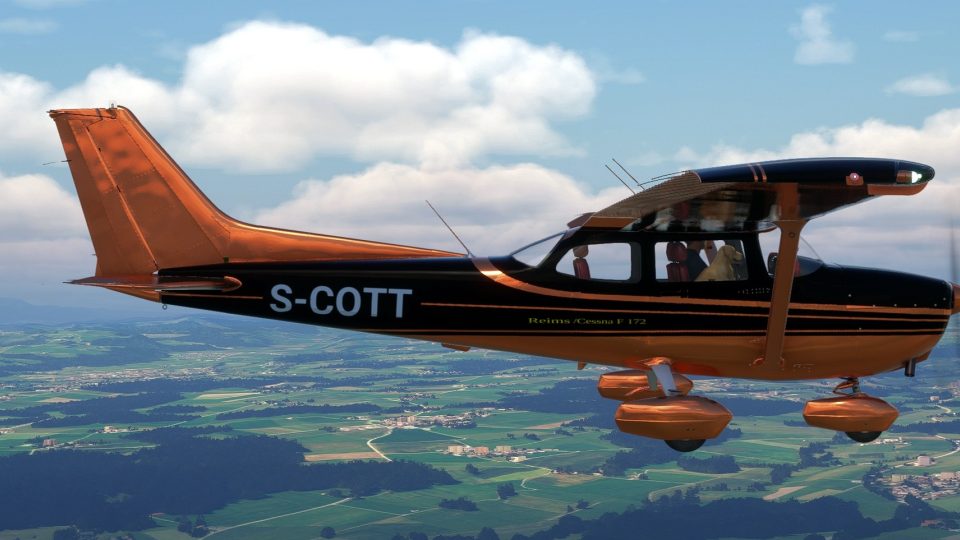
A fictional copper-and-black scheme gives the Cessna 172 Classic a distinctive, chrome-like finish in Microsoft Flight Simulator 2020. Designed for the simulator’s built-in aircraft, the repaint-only package requires the Asobo C172 Classic and combines warm copper tones with contrasting black for an eye-catching alternative to conventional paint schemes.
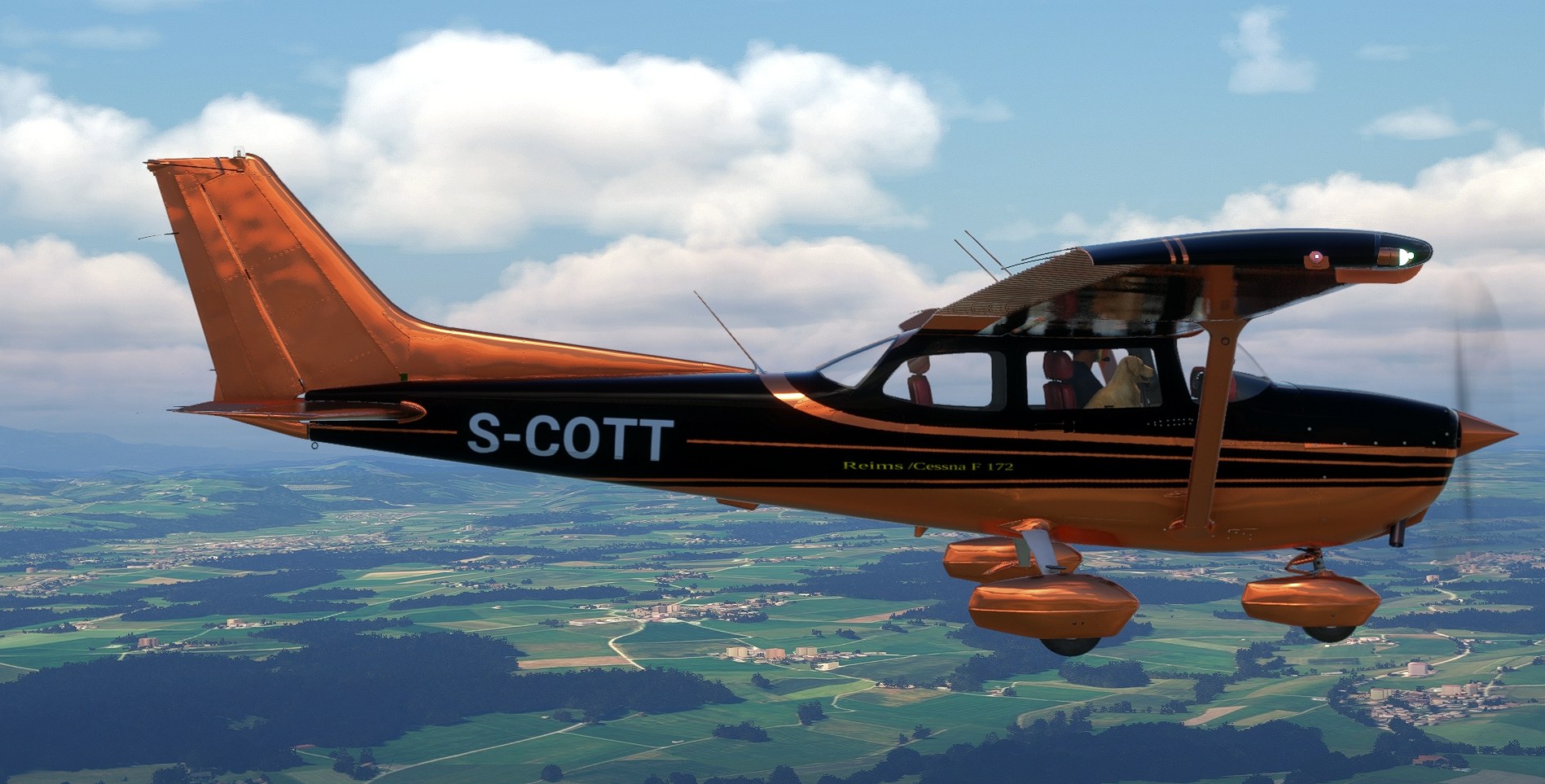



Switching to a side view in flight, I caught the reflections across the copper tail; the broad black fuselage band kept the shine from dominating the whole aircraft. That contrast works for me.
The chrome-like treatment is unapologetically showy. I like it here because copper has enough warmth to avoid the cold, bare-metal look I’d usually associate with this much reflection. It gives the 172 a custom-painted feel without needing an elaborate graphic.
Scott paints the Asobo C172 classic in copper and black for Microsoft Flight Simulator 2020, with a shiny, chrome-like finish intended to stand apart from the usual liveries. The scheme is fictional, so it doesn’t represent a particular real-world operator or airframe.
The package contains the repaint only and installs over the simulator’s own built-in Asobo C172 classic. No separate aircraft model needs to be downloaded, but check that you have the Classic available in your simulator before downloading.
Free for all simmers · 3.9 MB · Scanned clean Nov 2026
Download speed: Free tier is capped at 2 Mbps. PRO members download at full line speed.
Initial release.
%LOCALAPPDATA%\Packages\Microsoft.FlightSimulator_8wekyb3d8bbwe\LocalCache\Packages\Community\. Steam version: %APPDATA%\Microsoft Flight Simulator\Packages\Community\. Tip: enable Developer Mode in MSFS to see your exact Community folder path.readme.txt or README file. It tells you exactly where files go, what dependencies are needed, and any quirks specific to this add-on.I am a longtime flightsimmer with thousands of hours in a PMDG 737, but nowadays with MSFS2020 ans MSFS2024 I am GA flyer . I am half retired, so you can find me in the afternoons (european time zone).
Are you Scott? Sign in to Fly Away Creators for download stats, comment replies and updates. Make add-ons? Publish them here.
Only PRO members can place votes.
More MSFS add-ons hand-picked based on this download.
MSFS General Aviation Aircraft
Scott gives the built-in Asobo Cessna 172 G1000 in Microsoft Flight Simulator…
 MSFS General Aviation Aircraft
A pack containing repaints for the default Cessna 172SP G1000 and Cessna 172S…
 MSFS General Aviation Aircraft
EzMods 2024 XCub Classic replaces the stock CubCrafters XCub’s glass-panel la…
 MSFS General Aviation Aircraft
A pack of liveries in four colors for the ADI Kitfox Speedster Series 7 (both…
 MSFS General Aviation Aircraft
A pack of multi-color liveries for Asobo's Aviat Husky A-1C. The base aircra…
 MSFS General Aviation Aircraft
A repaint pack for the Asobo Aviat Husky A-1C featuring a brand-new Bear Toot…
 MSFS General Aviation Aircraft
A complete repaint/livery pack for the payware Asobo Aviat Husky A-1C which i…
 MSFS General Aviation Aircraft
A complete repaint/livery for the Asobo Aviat Husky A-1C is available for Mic…
Be the first to leave a comment on this download.
Be the first to share your thoughts on this download.