

 MSFS Utilities & Tools
Max Flight Deck Lite - Cockpit Screens on Your Tablet
Max Flight Deck Lite puts your aircraft’s cockpit screens on a tablet or brow…
PERFLIGHT organizes flight preparation for Microsoft Flight Simulator 2020 and 2024 through a standalone desktop app that requires Windows 10 or 11. Its linked mod library supports reusable sets and category browsing, while SimBrief integration identifies route-specific aircraft and scenery, service launchers open supporting tools, and an actionable pre-flight checklist coordinates planning, add-on activation and simulator startup.
 Rate
 By Innersanctum Studios
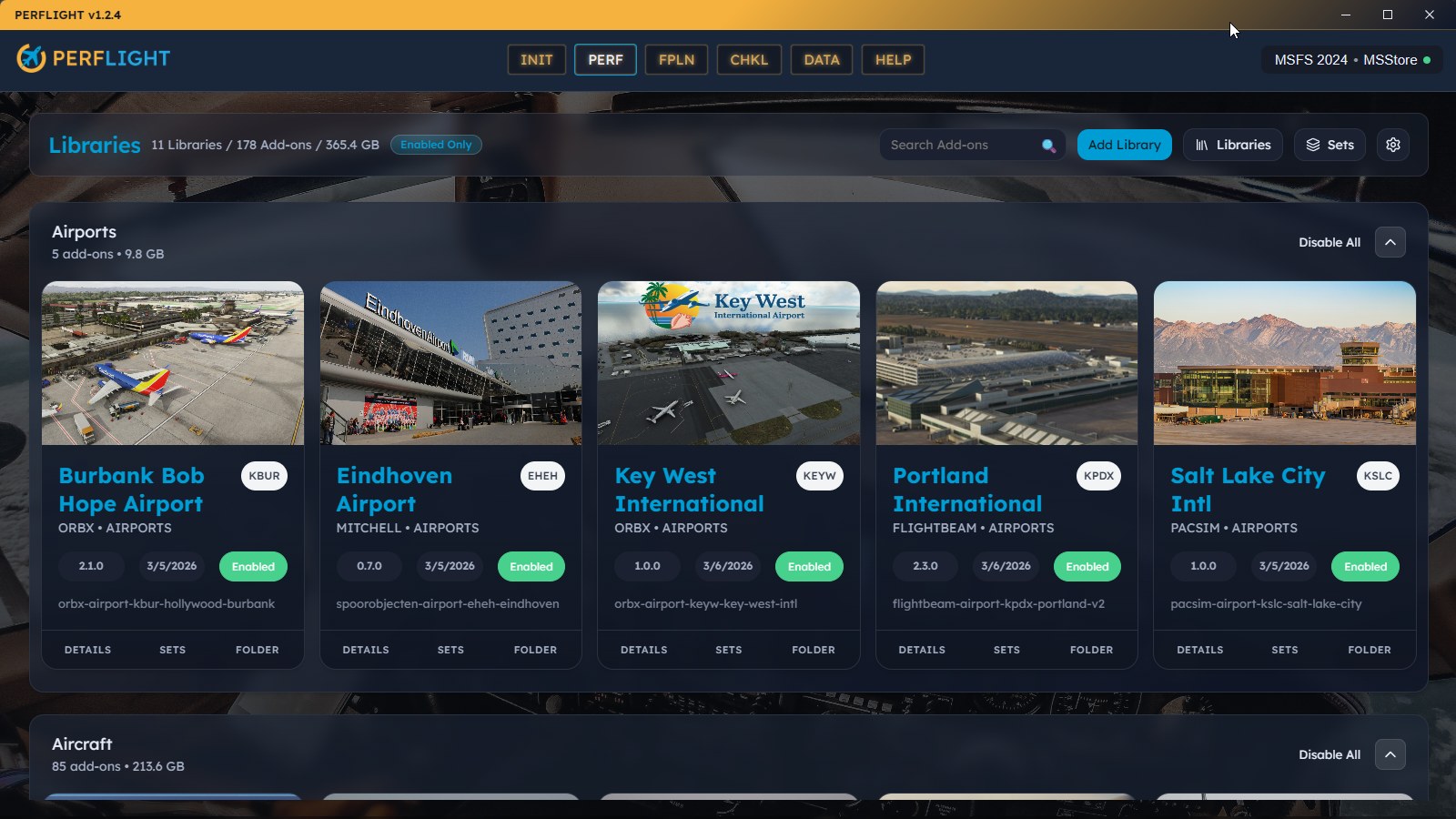
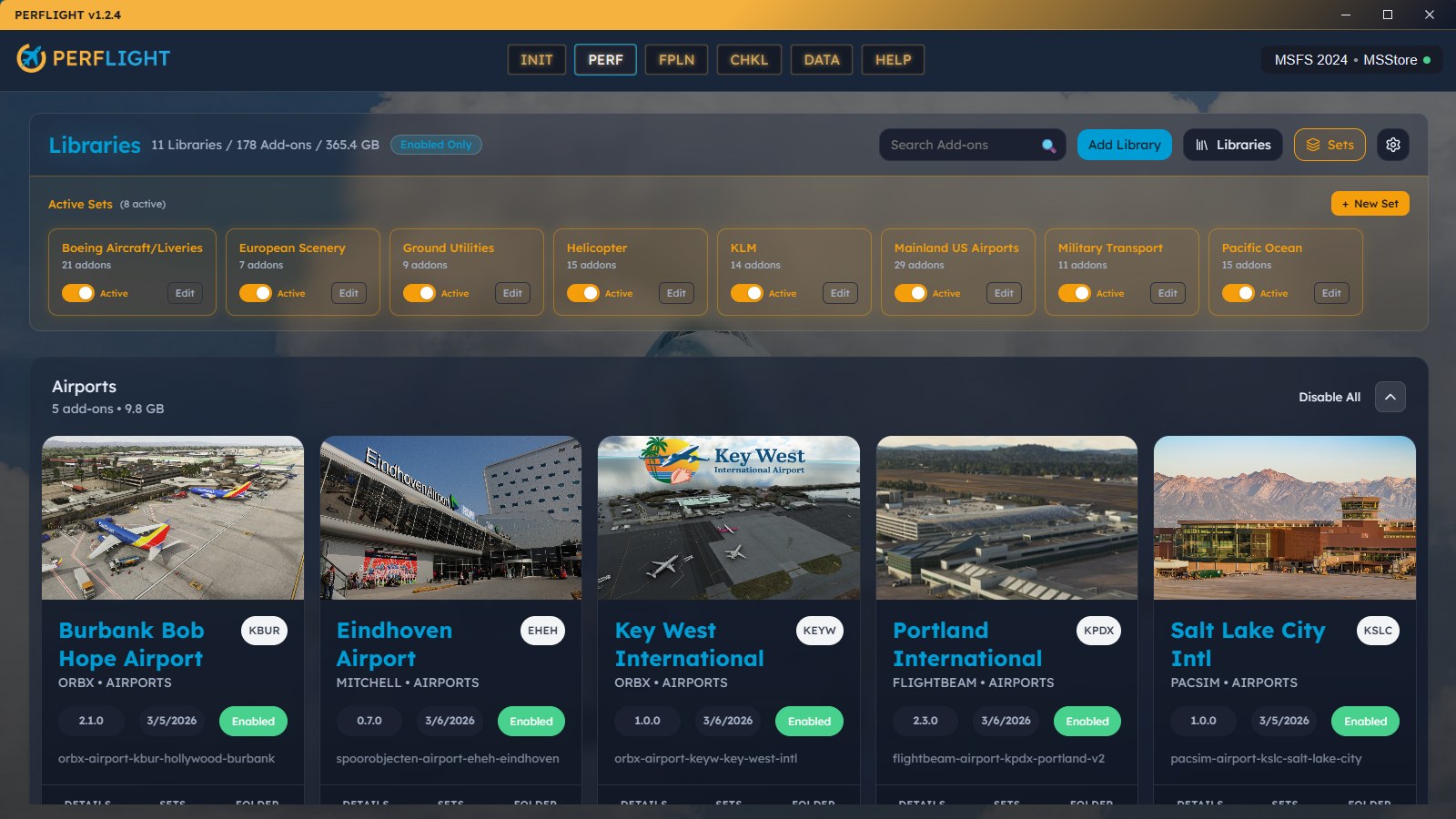
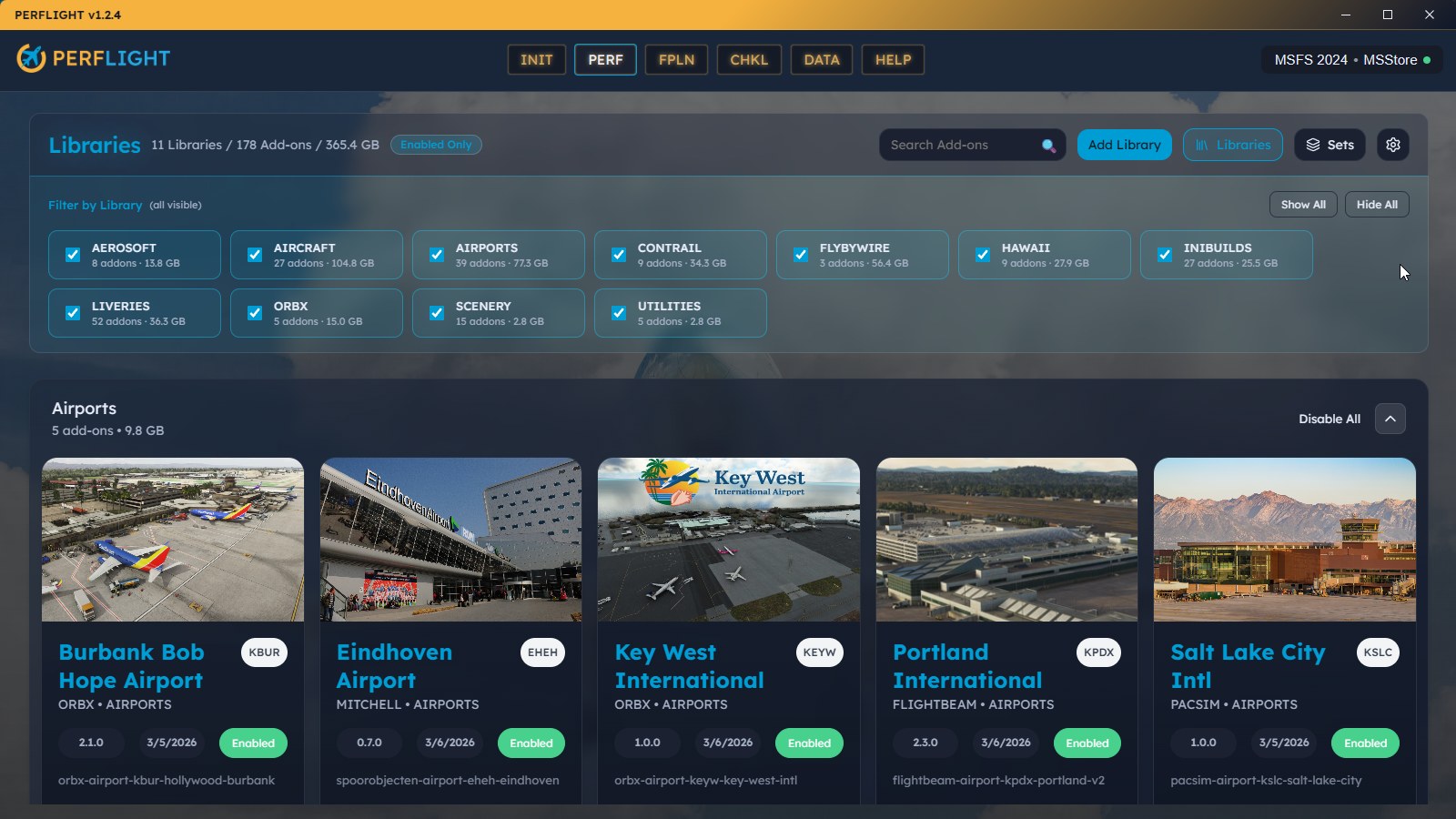
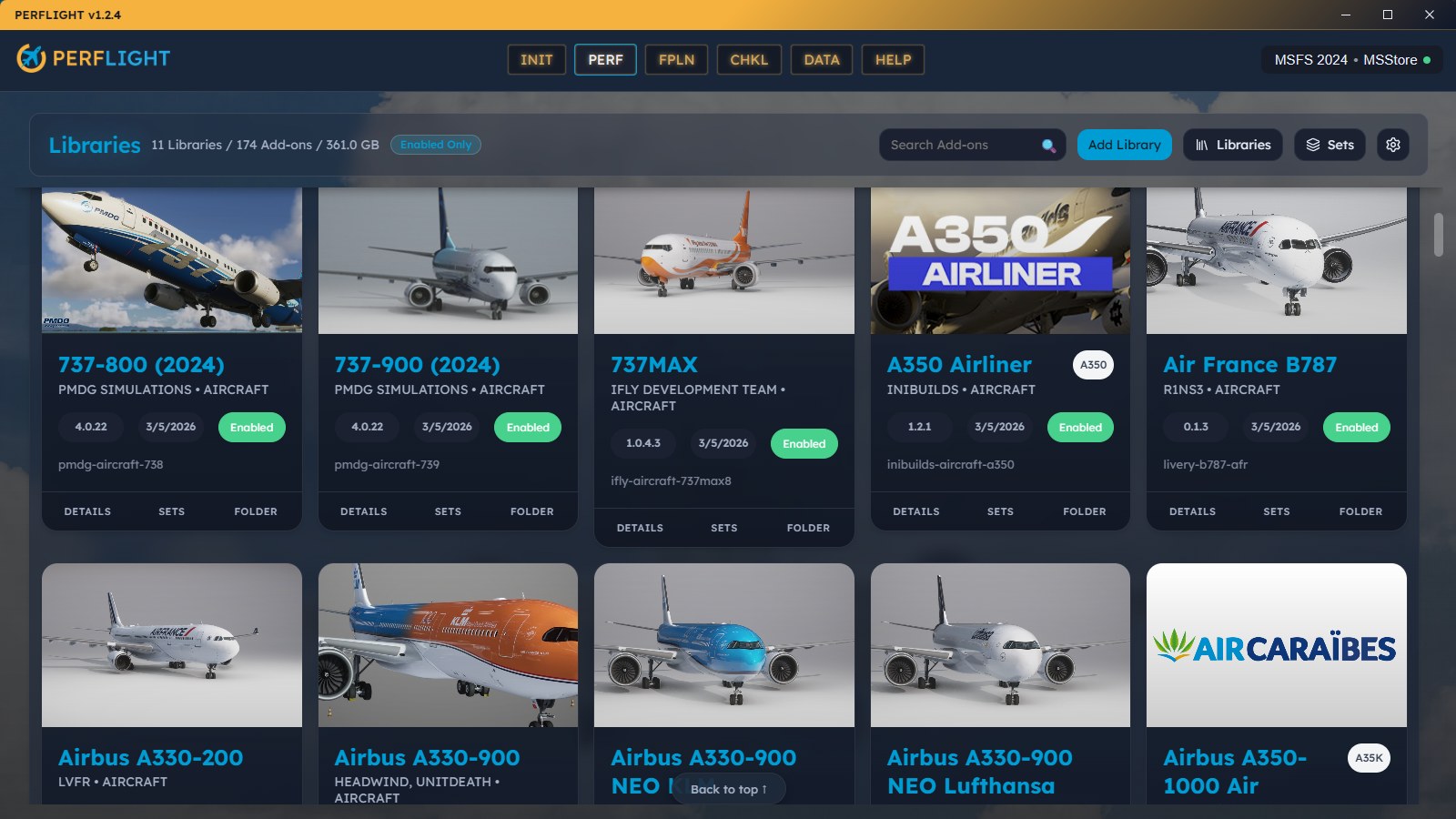
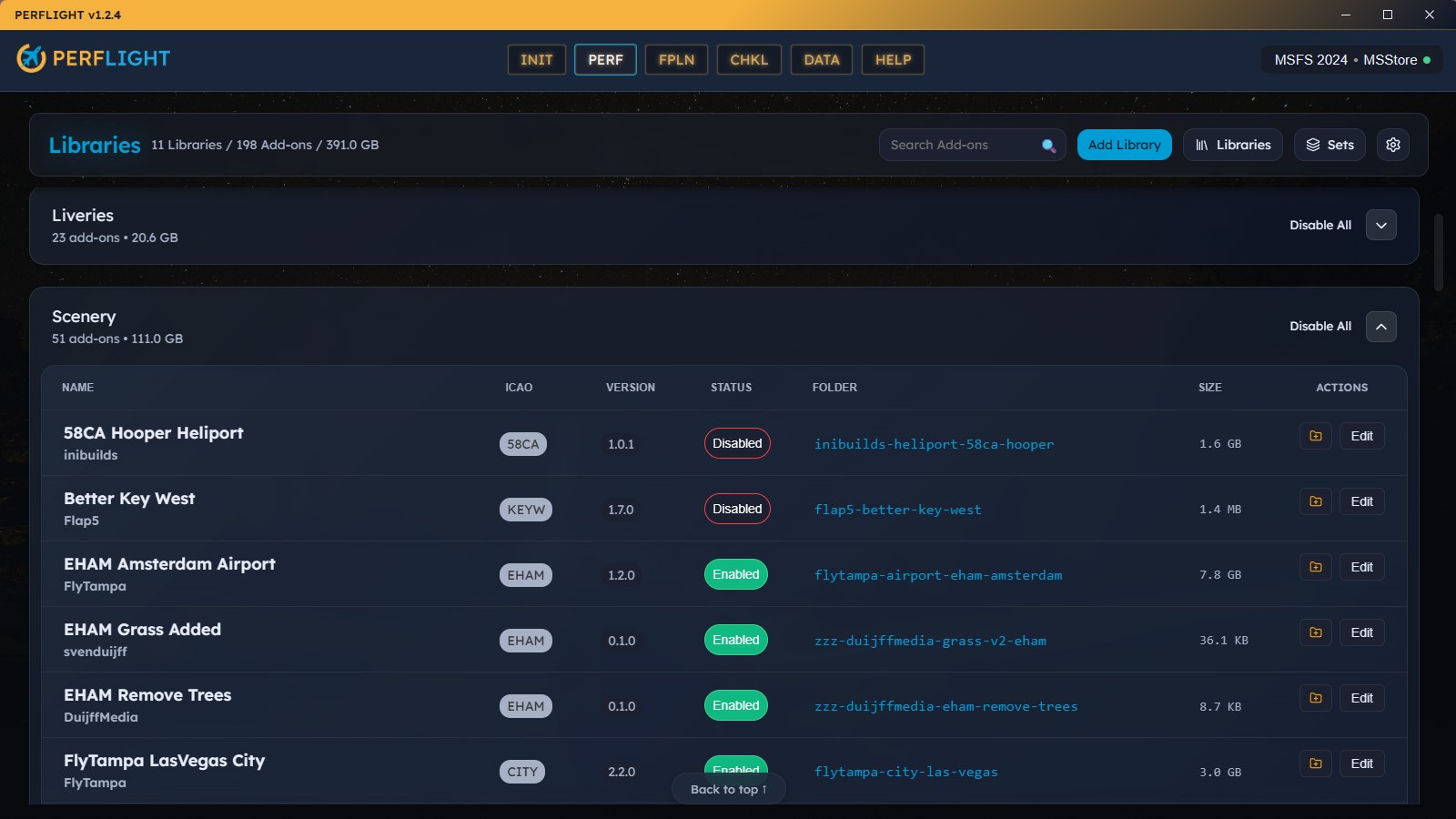
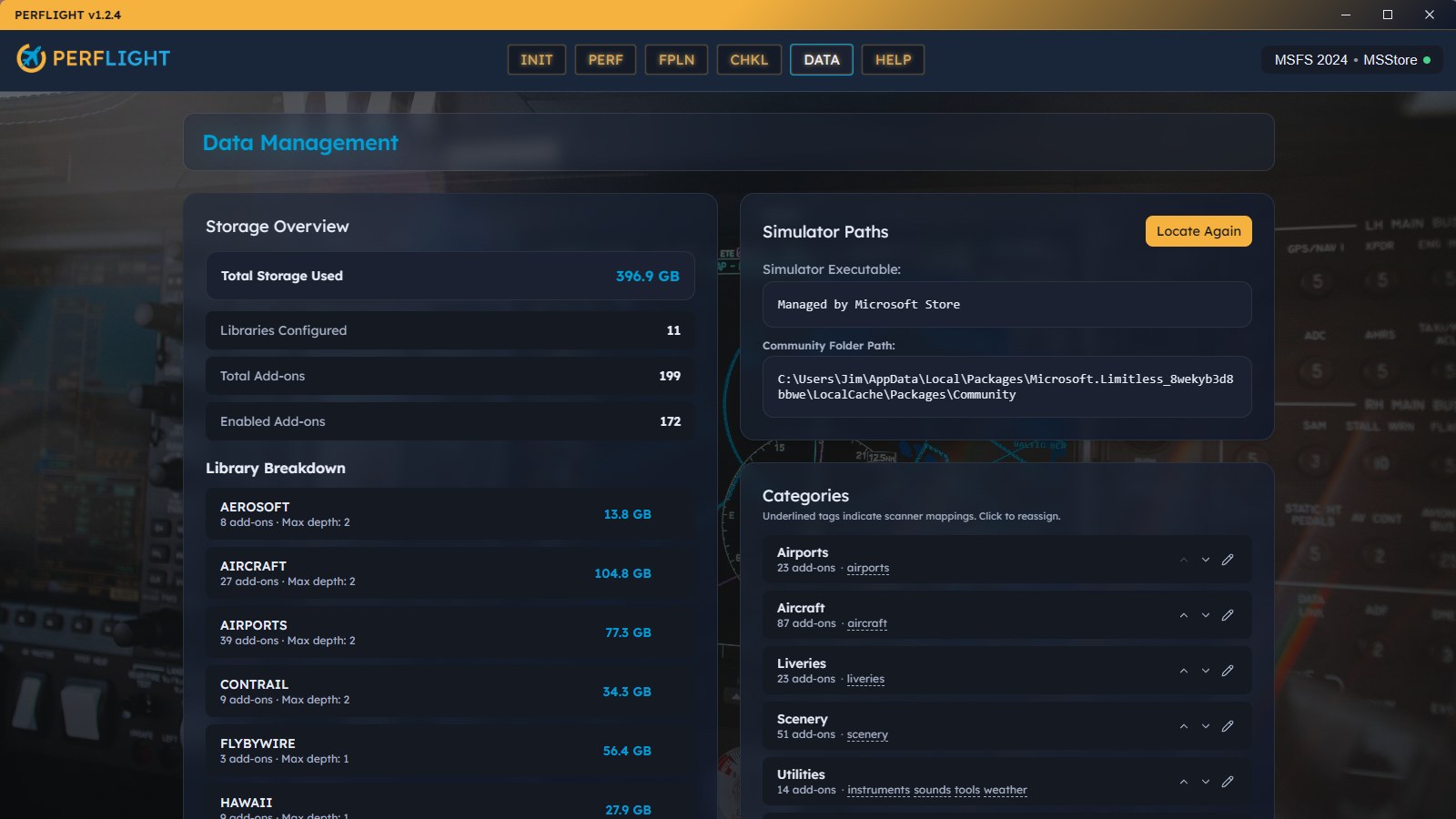
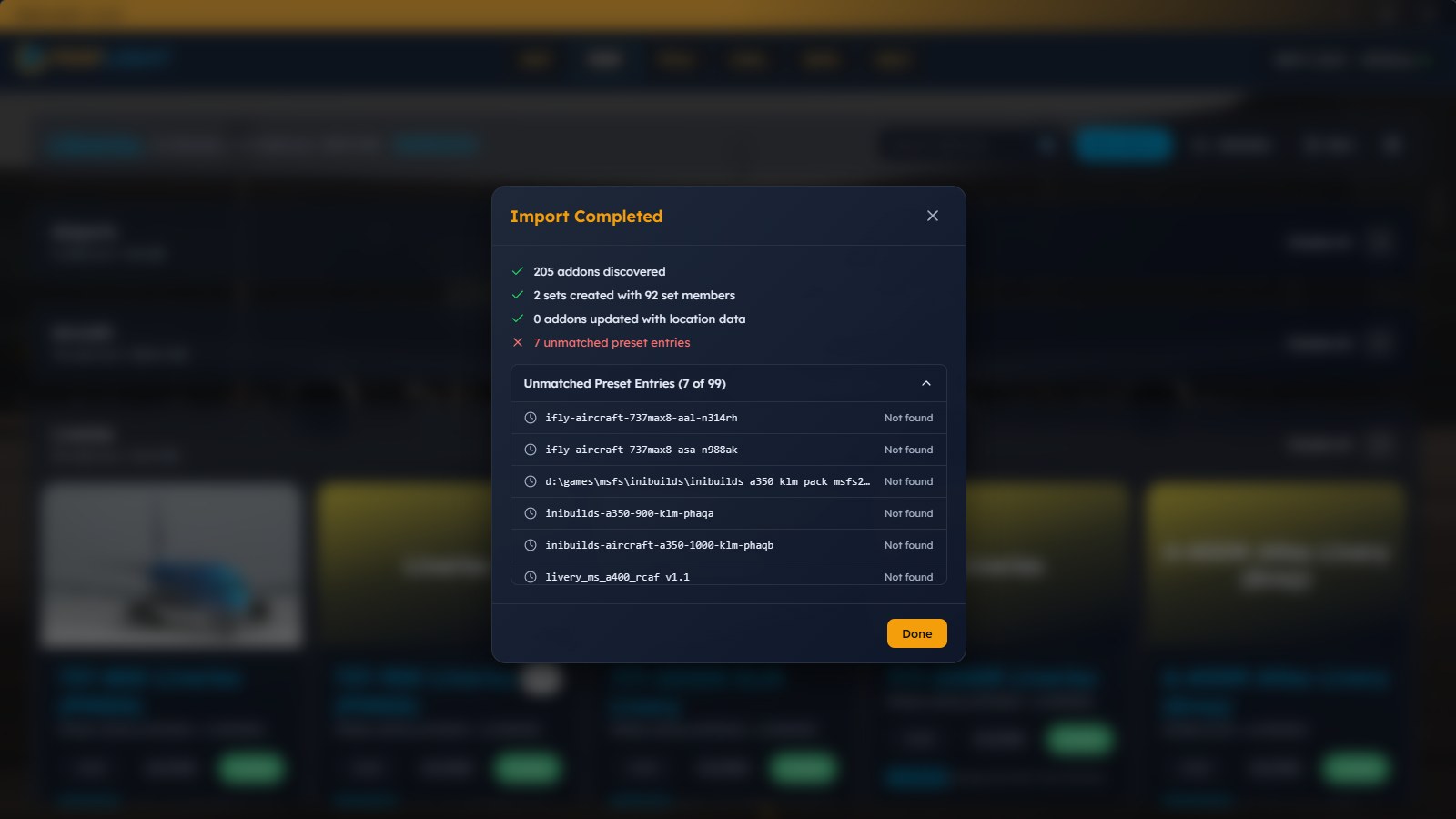

Leaving the mod files untouched when disabling an add-on tells me someone thought carefully about library management. PERFLIGHT removes the Community junction, not the files behind it. I’m comfortable using that arrangement for routine flight preparation, and the green Enabled badges make the active entries easy to spot.
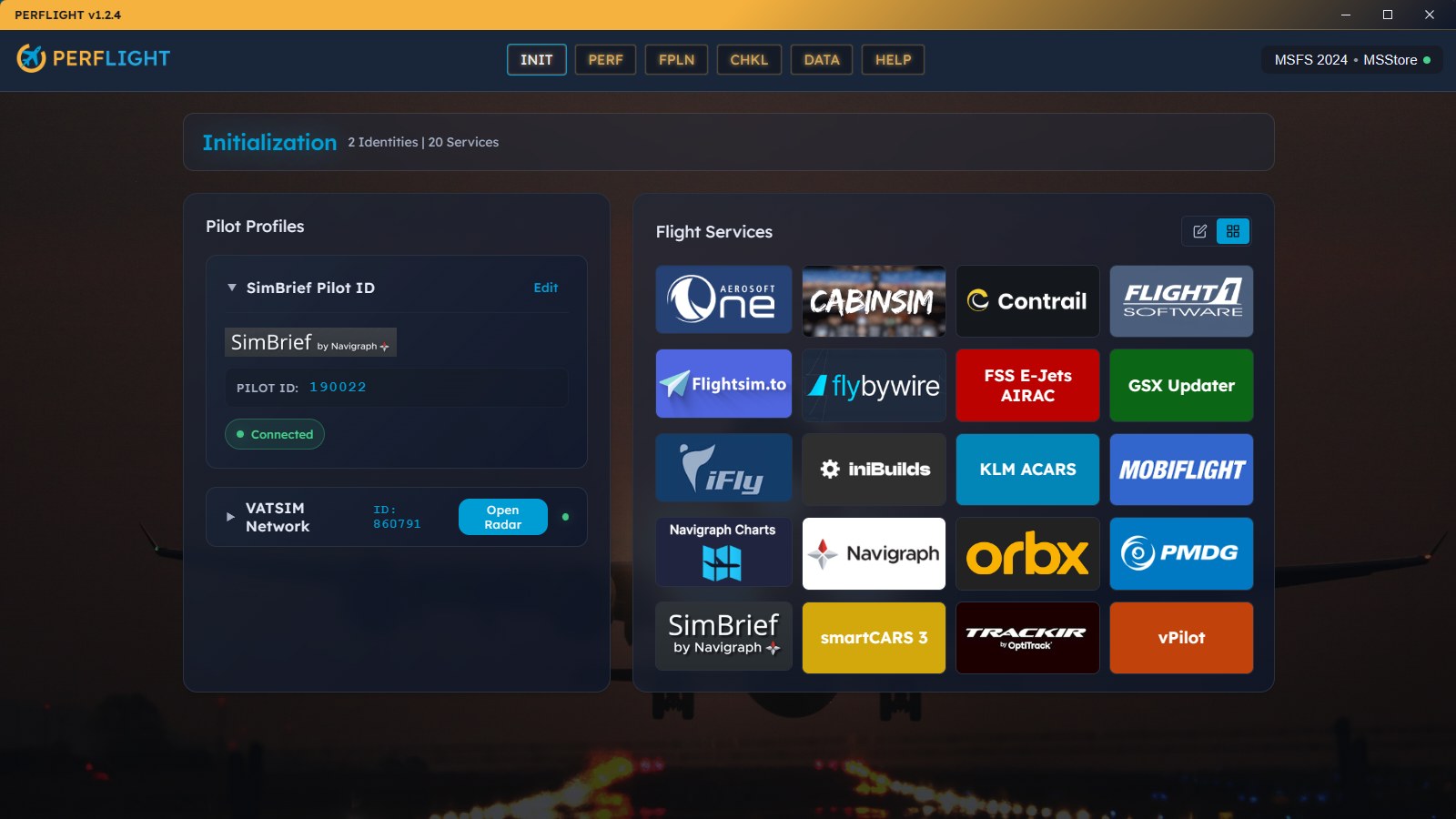
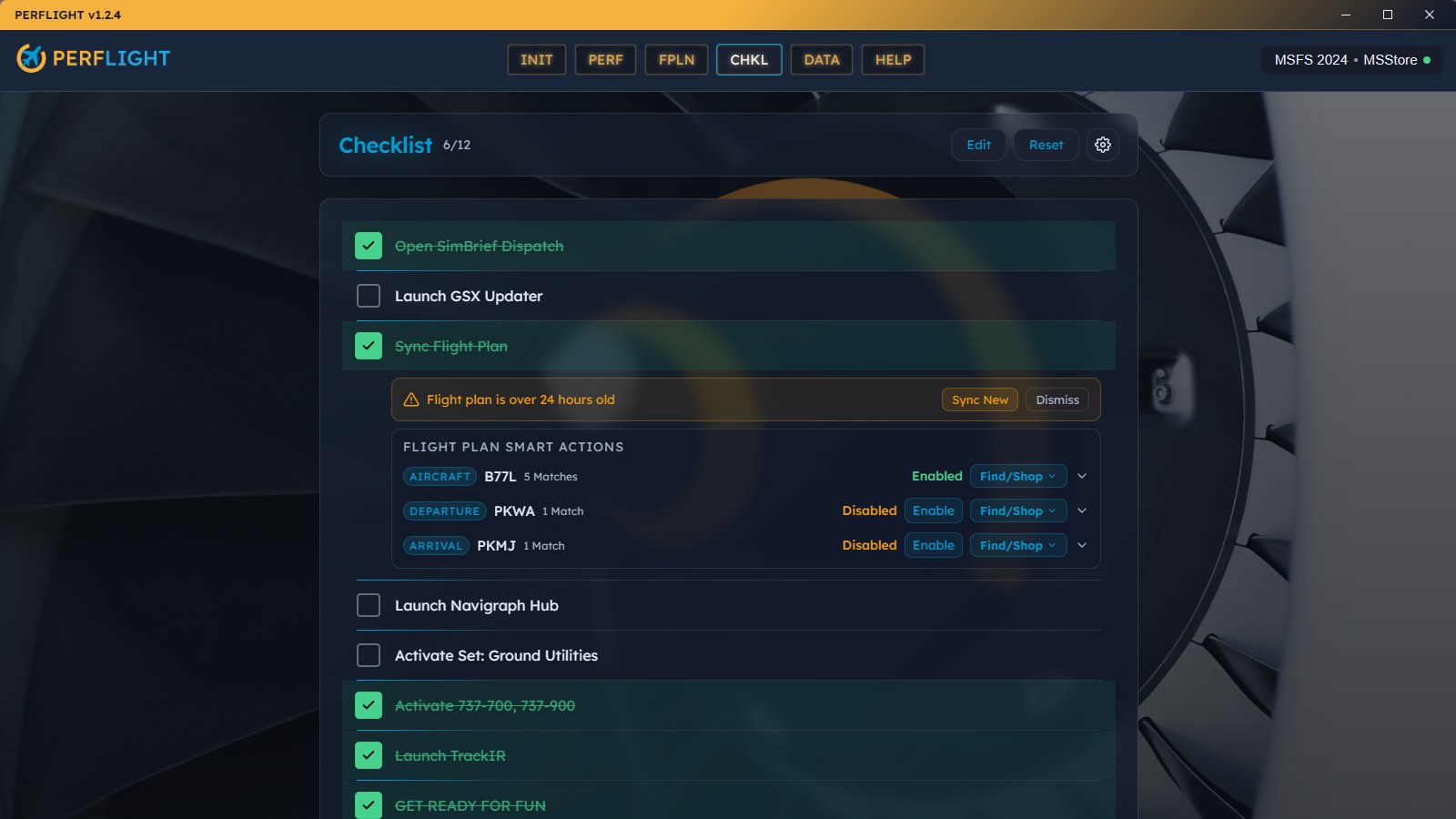
Checking a Launch Service step opened Navigraph without sending me off to find its shortcut. That’s the checklist behavior I appreciate: doing the task where I’m reminded of it. Manual Reminder steps still leave room for checks that need me, not another launcher.
PERFLIGHT from Innersanctum Studios organizes your mod library, flight-service launchers, SimBrief plan, and pre-flight checklist before you open Microsoft Flight Simulator 2024 or Microsoft Flight Simulator 2020. It runs as a separate Windows desktop app and lets you activate stored mods through links in the Community folder.
Your aircraft and scenery stay in library folders outside Community. Enabling a mod creates an NTFS directory junction in Community; disabling it removes that link. PERFLIGHT does not move, modify, or delete the mod files. Windows may display a UAC prompt when it creates junctions.
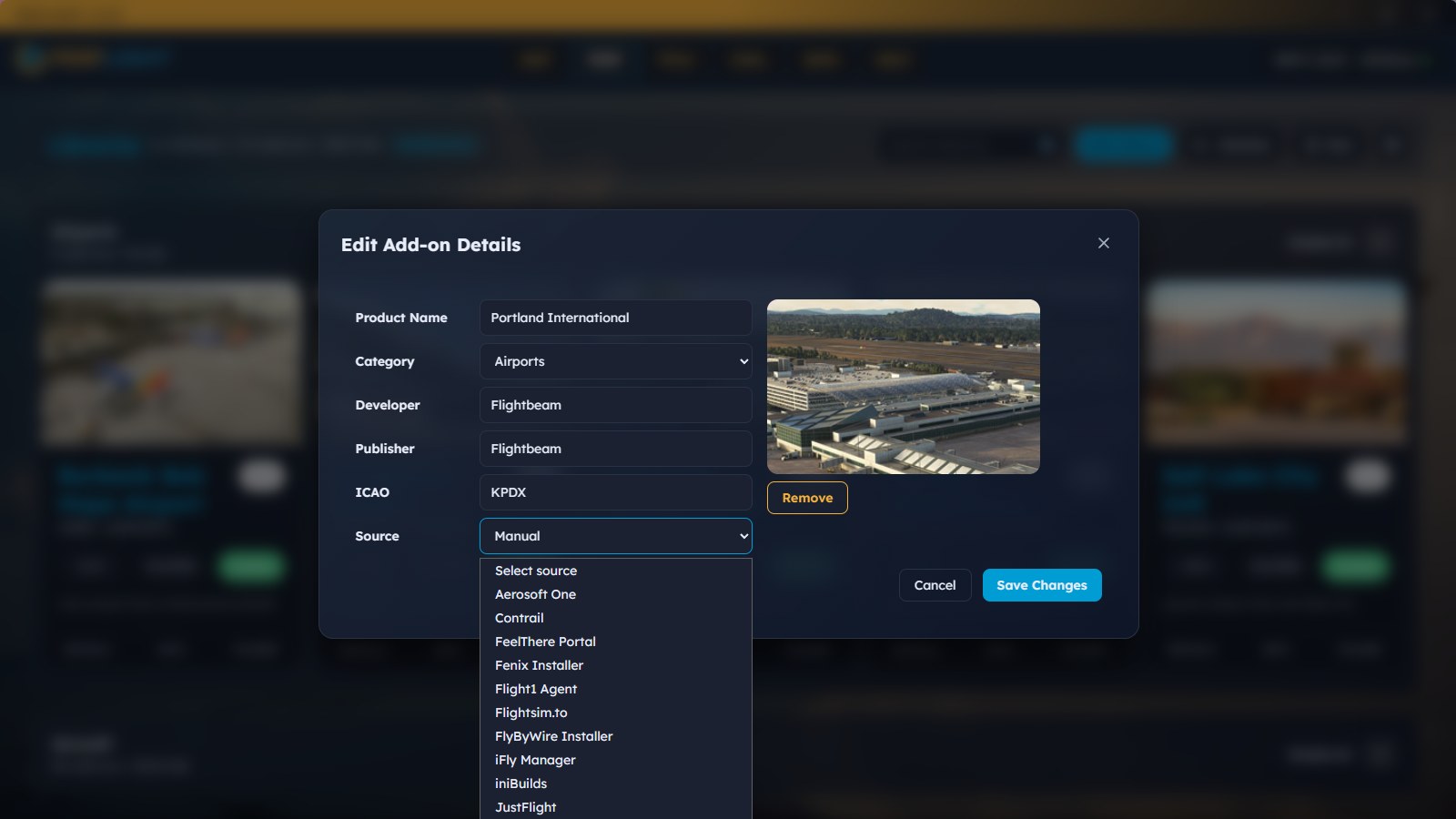
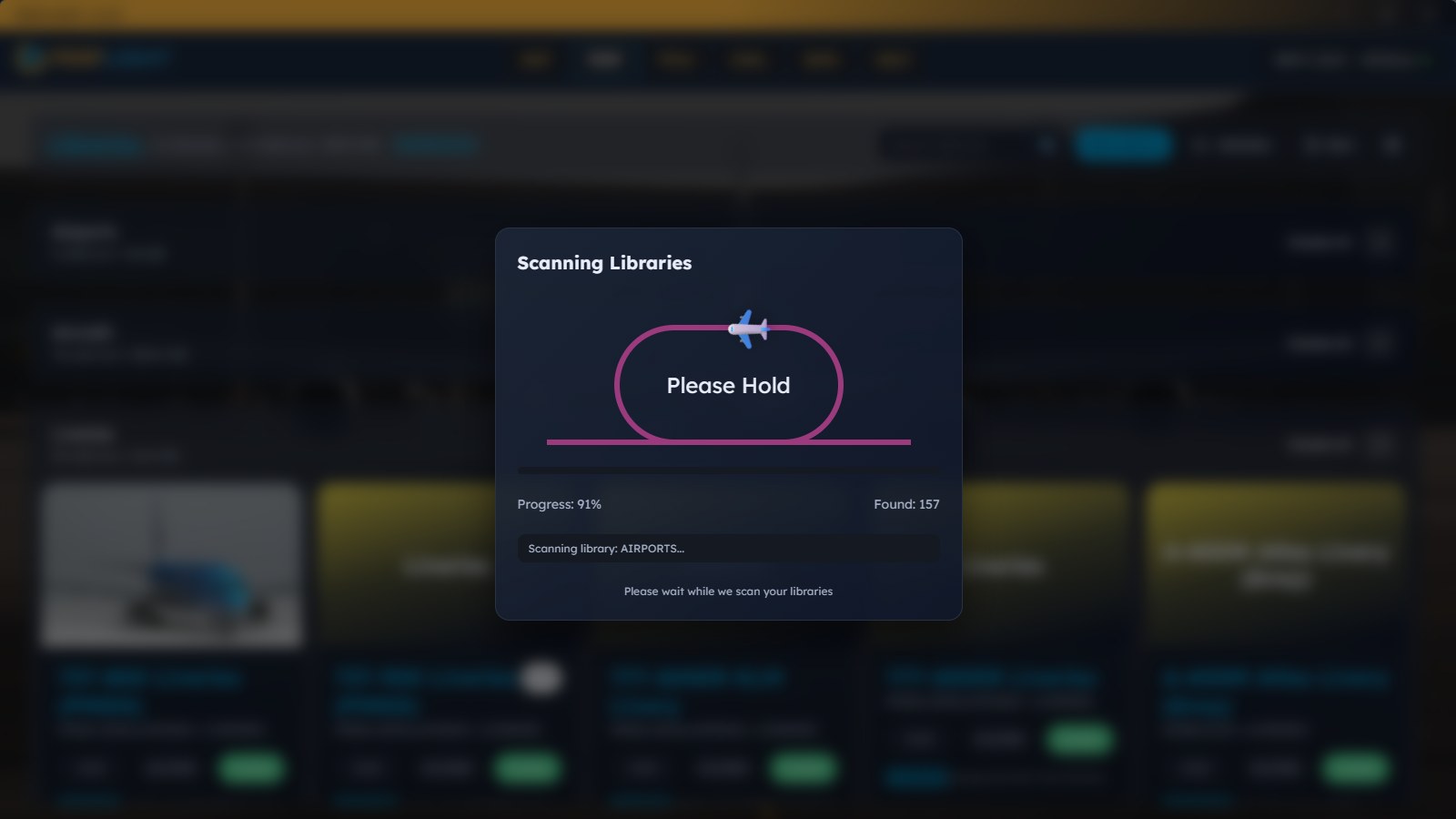
The library can be browsed by category or developer, with card and table views. Reusable Sets let you activate groups of mods together. You can edit metadata and replace thumbnails with your own images, while a file watcher monitors library folders for changes.
PERFLIGHT detects the Community folder automatically, including custom installation paths. For existing MSFS Addon Linker users, its one-click migration imports folders, presets, and geolocation data.
One-click launchers cover Navigraph Hub, Charts, SimBrief, VATSIM, IVAO, PMDG, and other services. Custom entries can open local applications or web addresses, with labels and colors of your choosing. Pilot profiles support SimBrief and VATSIM ID validation.
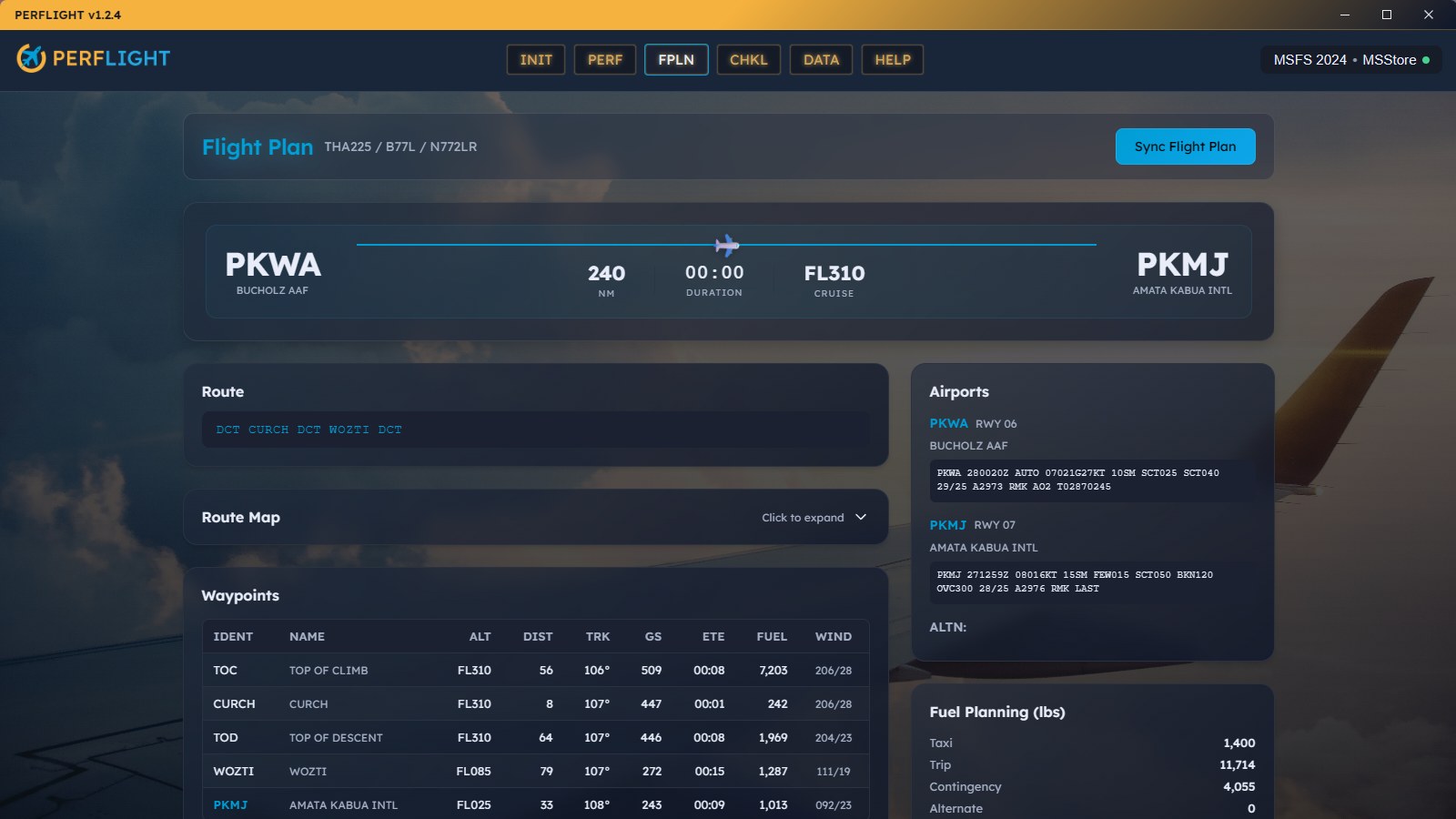
Syncing a SimBrief plan triggers Smart Actions. PERFLIGHT detects the aircraft and airport scenery needed for the route and prompts you to activate them. You can enable them with one click or search for missing items.
The customizable checklist follows a real-aviation checklist format, but its checkboxes also run actions. It offers six step types:
Drag steps into the order you want. Checking an actionable step performs it inline, whether that means syncing the plan, opening Navigraph, or activating the mods for your flight.
Install PERFLIGHT with its own installer, not by placing it in Community. It requires Windows 10/11 and supports the Store/Xbox and Steam editions of both simulators. To check the library setup, point it at a folder of mods outside Community and toggle them on and off.
The app is freeware and uses Tauri, with Rust and React, for its native desktop interface. It checks GitHub Releases for updates, and this build may offer to update itself.
Innersanctum Studios describes PERFLIGHT as built by pilots and invites users to share ideas and help shape future development through Discord. The project also maintains a changelog, roadmap, and a portal for bugs and feedback.
Please do not re-host or repackage without permission.
Free for all simmers · 49.04 MB · Scanned clean Nov 2026
Download speed: Free tier is capped at 2 Mbps (this file takes approximately 3 mins at the cap). PRO members download at full line speed.
See https://perflight.featurebase.app/changelog
%LOCALAPPDATA%\Packages\Microsoft.FlightSimulator_8wekyb3d8bbwe\LocalCache\Packages\Community\. Steam version: %APPDATA%\Microsoft Flight Simulator\Packages\Community\. Tip: enable Developer Mode in MSFS to see your exact Community folder path..exe installer if provided, or follow the readme. Some utilities use SimConnect — ensure MSFS is running before launching.readme.txt or README file. It tells you exactly where files go, what dependencies are needed, and any quirks specific to this add-on.Innersanctum is a developer of business and consumer apps for Healthcare, Consumer Goods and Aviation. Our team has been developing primary web-based technologies and services for the past 30 years.
Are you Innersanctum Studios? Sign in to Fly Away Creators for download stats, comment replies and updates. Make add-ons? Publish them here.
Only PRO members can place votes.
More MSFS add-ons hand-picked based on this download.
MSFS Utilities & Tools
Max Flight Deck Lite puts your aircraft’s cockpit screens on a tablet or brow…
 FSX Utilities
Addit! Pro gives you the power to fully manage all of your Flight Simulator X…
 Other
Addit! Pro For Prepar3D is a full-featured addon manager for Lockheed Martin…
 Free Flight Simulators
PRE-Flight RC Flight Simulator has the powerful Physics and Rendering Engine …
 FSX Misc
A .doc file in Word format, primarily for use with the FS2Crew Voice Commande…
 FSX Helicopters
Launch fireworks from everywhere to illuminate your skies that can be seen in…
 FS2004 Propeller Aircraft
This file contains textures for the default Douglas DC3. The included texture…
 FS2004 Utilities/Misc
FS2004 FS Addon Manager v3.66. New: scenery and splash screen auto-install. F…
Be the first to leave a comment on this download.
Be the first to share your thoughts on this download.