

 Italy

 MSFS Scenery
Grand Canyon National Park Airport (KGCN)
This mod developed by JustOkayPilot brings Grand Canyon National Park Airport…
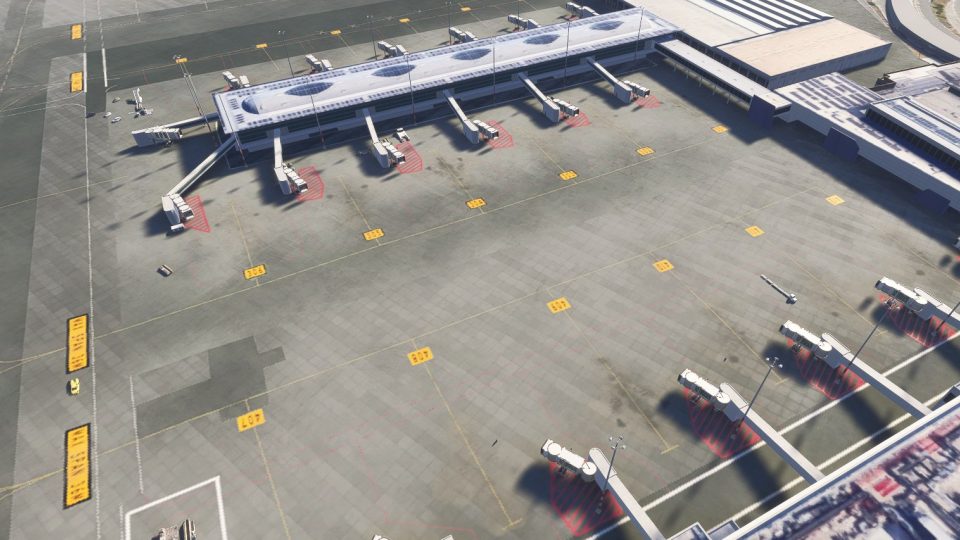
Rome Fiumicino Airport (LIRF) gains richer terminal surroundings, detailed ground markings, static airport vehicles, and additional apron objects in Microsoft Flight Simulator 2024. Focused on passenger terminal and ground operations areas, the scenery adds visual detail to the airport environment seen from parking stands and while taxiing between terminals and runways.
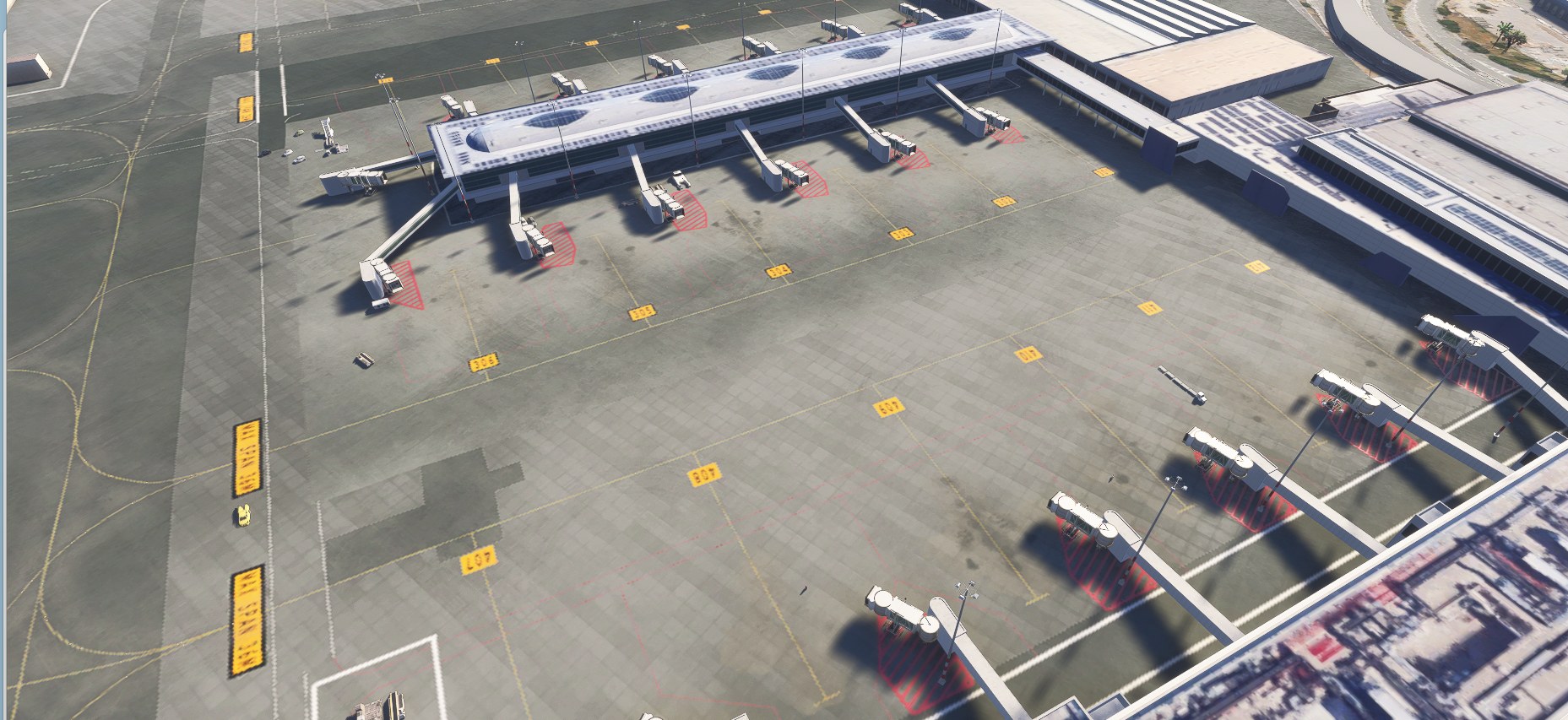
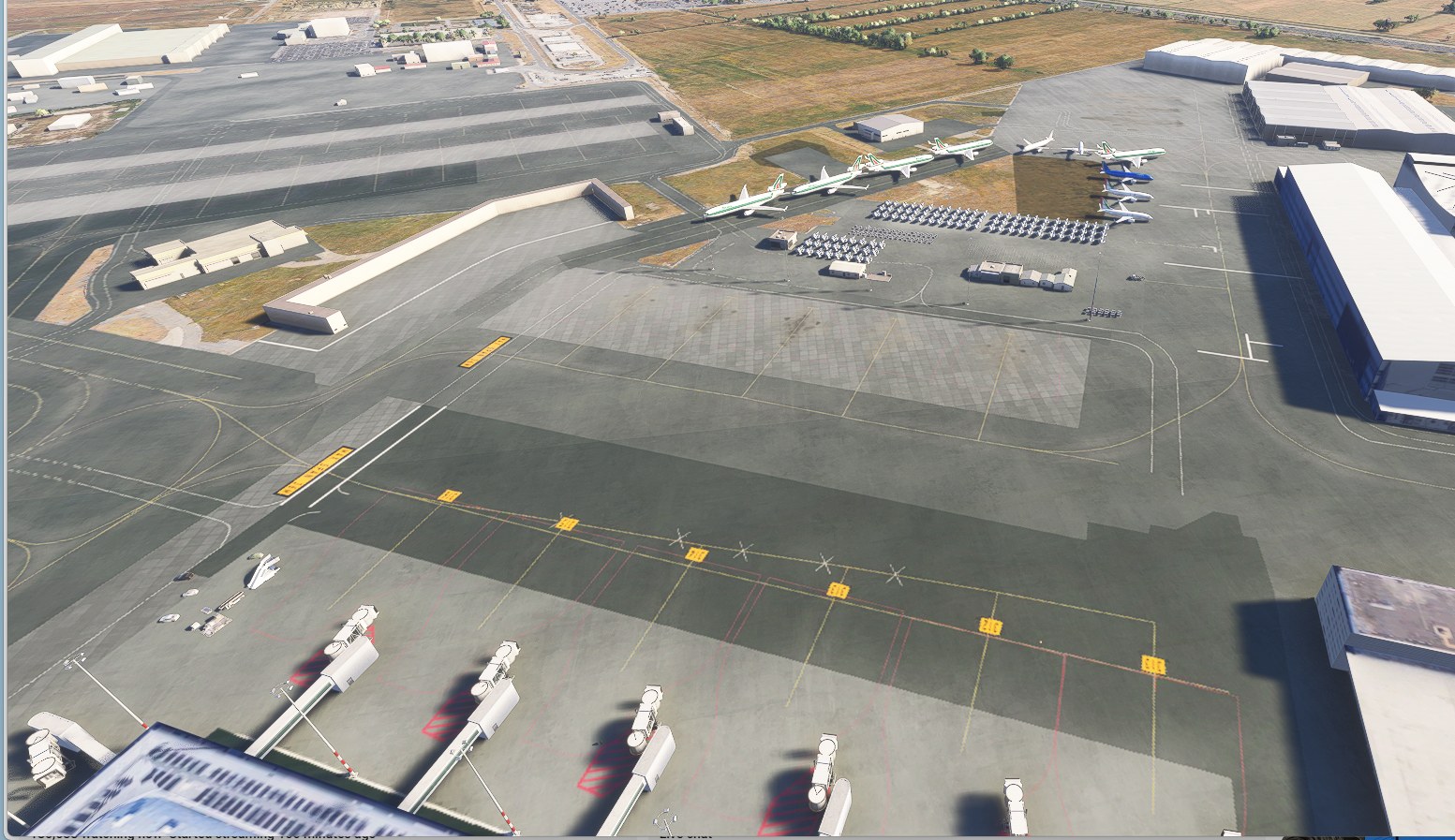

The added apron markings give stock LIRF’s broad stretches of pavement some welcome definition. Taxiing past the gates, I noticed the red hatching beneath the jet bridges and the yellow stand labels. That’s where this scenery earns its keep for me: the gate area looks like somewhere prepared for aircraft, not just space around a terminal.
The vehicles don’t move, so don’t expect working service traffic. This is MSFS 2024 only, and the developer hasn’t specified whether it needs a particular base rendition of LIRF. I’d want that clarified before downloading.
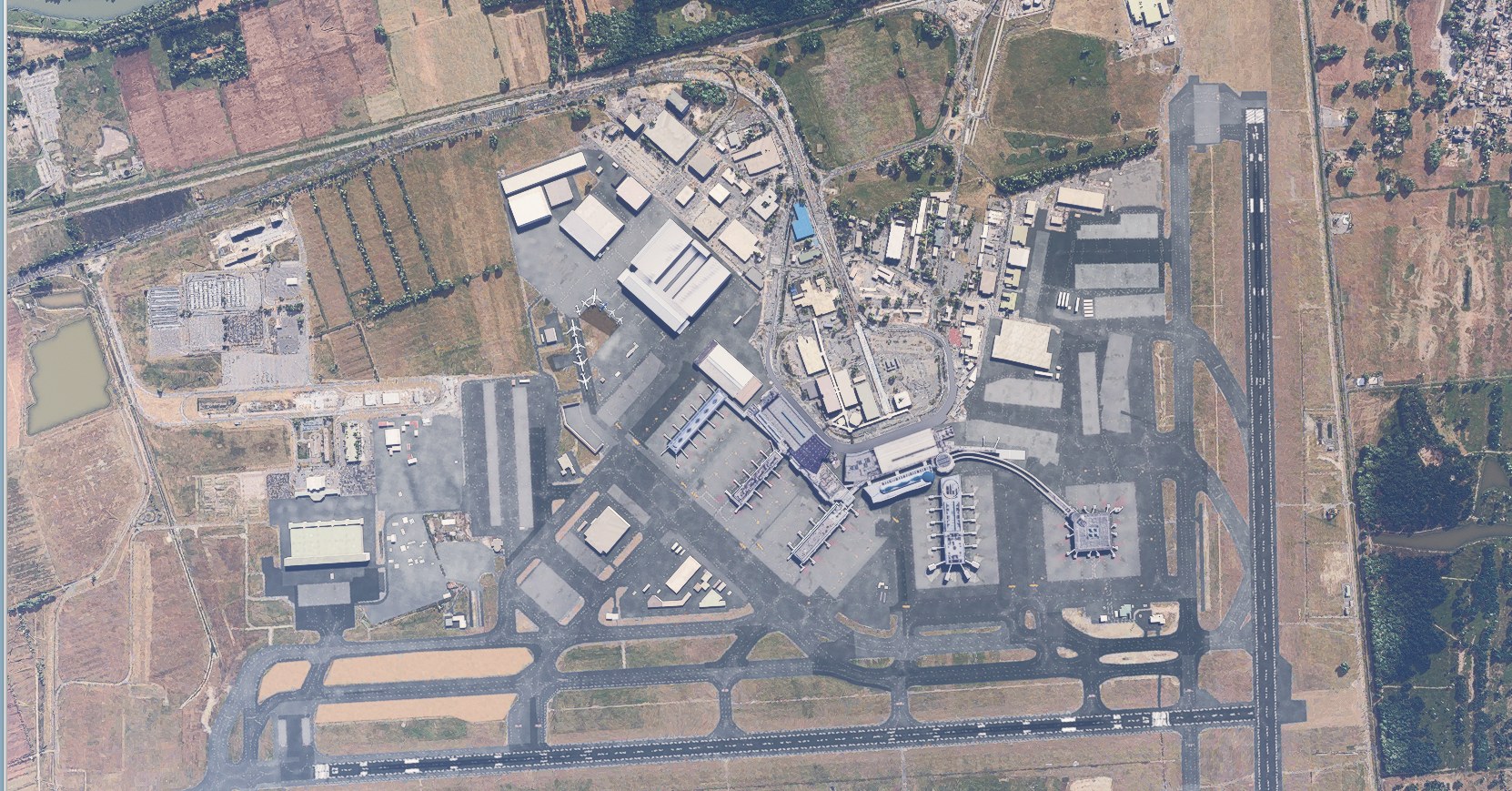
DRDOOM adds ground detail to Rome Fiumicino Airport (LIRF) in Microsoft Flight Simulator 2024, with improved passenger terminal surroundings, more detailed ground markings, static airport vehicles, and extra objects across the terminal and apron areas. The scenery concentrates on the airport environment you see from the stands and during ground operations.
Fiumicino, also known as Leonardo da Vinci Airport, is Rome’s principal international airport and the main hub for ITA Airways. Here, the work centers on the spaces around the terminals and the surrounding ground operations areas. The vehicles are static, so treat them as visual scenery rather than working ground-service traffic.
Compatibility is limited to Microsoft Flight Simulator 2024. The developer provides no installation instructions and doesn’t say whether a particular base rendition of LIRF is needed.
Free for all simmers · 25.86 KB · Scanned clean Nov 2026
Download speed: Free tier is capped at 2 Mbps. PRO members download at full line speed.
%LOCALAPPDATA%\Packages\Microsoft.FlightSimulator_8wekyb3d8bbwe\LocalCache\Packages\Community\. Steam version: %APPDATA%\Microsoft Flight Simulator\Packages\Community\. Tip: enable Developer Mode in MSFS to see your exact Community folder path.readme.txt or README file. It tells you exactly where files go, what dependencies are needed, and any quirks specific to this add-on.Use these coordinates to fly directly to this location once the mod is installed.
41.80030000,12.23890000
Paste these coordinates into the Microsoft Flight Simulator search bar when planning a flight, or into the Developer Mode Teleport window, to fly directly to this location.
Are you DRDOOM? Sign in to Fly Away Creators for download stats, comment replies and updates. Make add-ons? Publish them here.
Only PRO members can place votes.
More MSFS add-ons hand-picked based on this download.
MSFS Scenery
This mod developed by JustOkayPilot brings Grand Canyon National Park Airport…
 MSFS Scenery
Sandane Airport (ENSD) is located on the beautiful west coast of Norway and i…
 MSFS Scenery
Enhance your flight simulation experience with this mod for Microsoft Flight …
 MSFS Scenery
The Disney World airport/STOLport (also known as the Lake Buena Vista airport…
 MSFS Scenery
Enhance your flight simulation experience with a detailed rendition of Madrid…
 MSFS Scenery
A complete and extensive replacement freeware scenery package for Paris–Le Bo…
 MSFS Scenery
A highly detailed rendition of Gainesville Regional Airport (KGNV), Florida (…
 MSFS Scenery
A rendition of George T. Lewis Airport for Microsoft Flight Simulator (MSFS) …
Be the first to leave a comment on this download.
Be the first to share your thoughts on this download.