

 MSFS Utilities & Tools
CTC CrossCheck - Two-Pilot Shared Cockpit App
ClearedtoCode’s CTC CrossCheck lets two pilots fly one aircraft together in M…
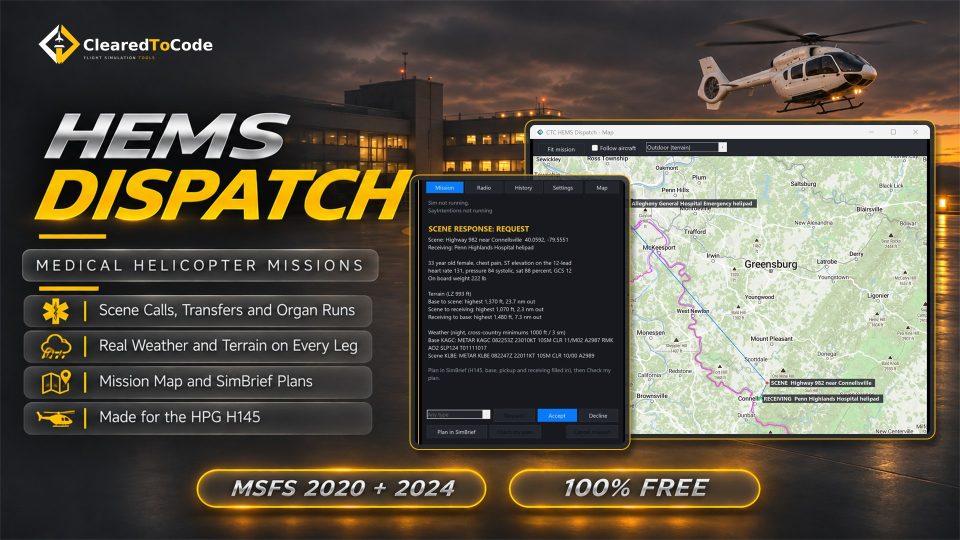
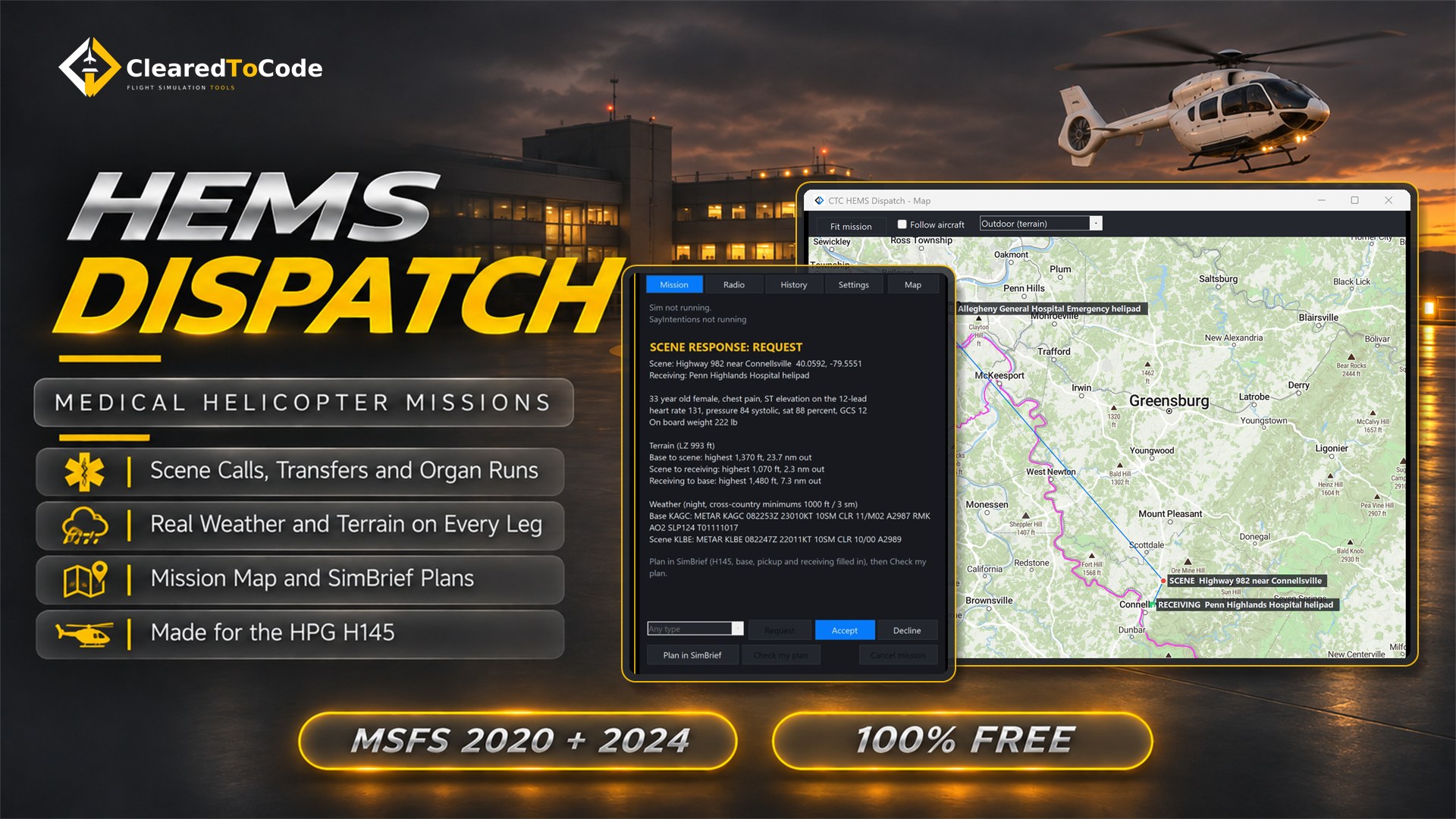
CTC HEMS Dispatch coordinates scene responses, hospital transfers and organ or blood deliveries in Microsoft Flight Simulator 2020 and 2024, and requires the HPG Airbus H145 or H145 HEMS. With optional SayIntentions.AI radio dispatch and SimBrief planning, the Windows app provides mission tracking, terrain maps, METAR weather, operational minimums, optional patient care, payload management and postflight reports.
 Rate
 By ClearedtoCode
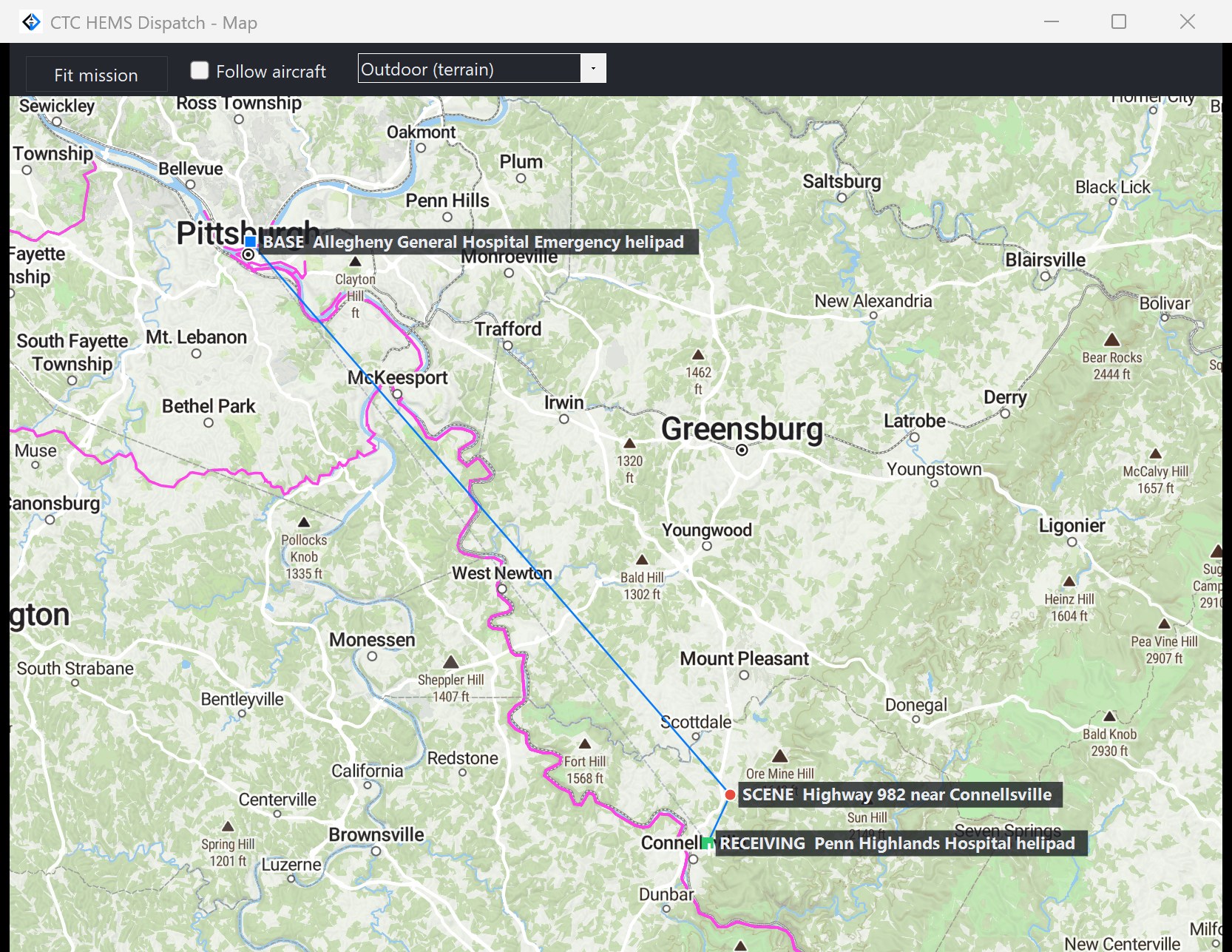
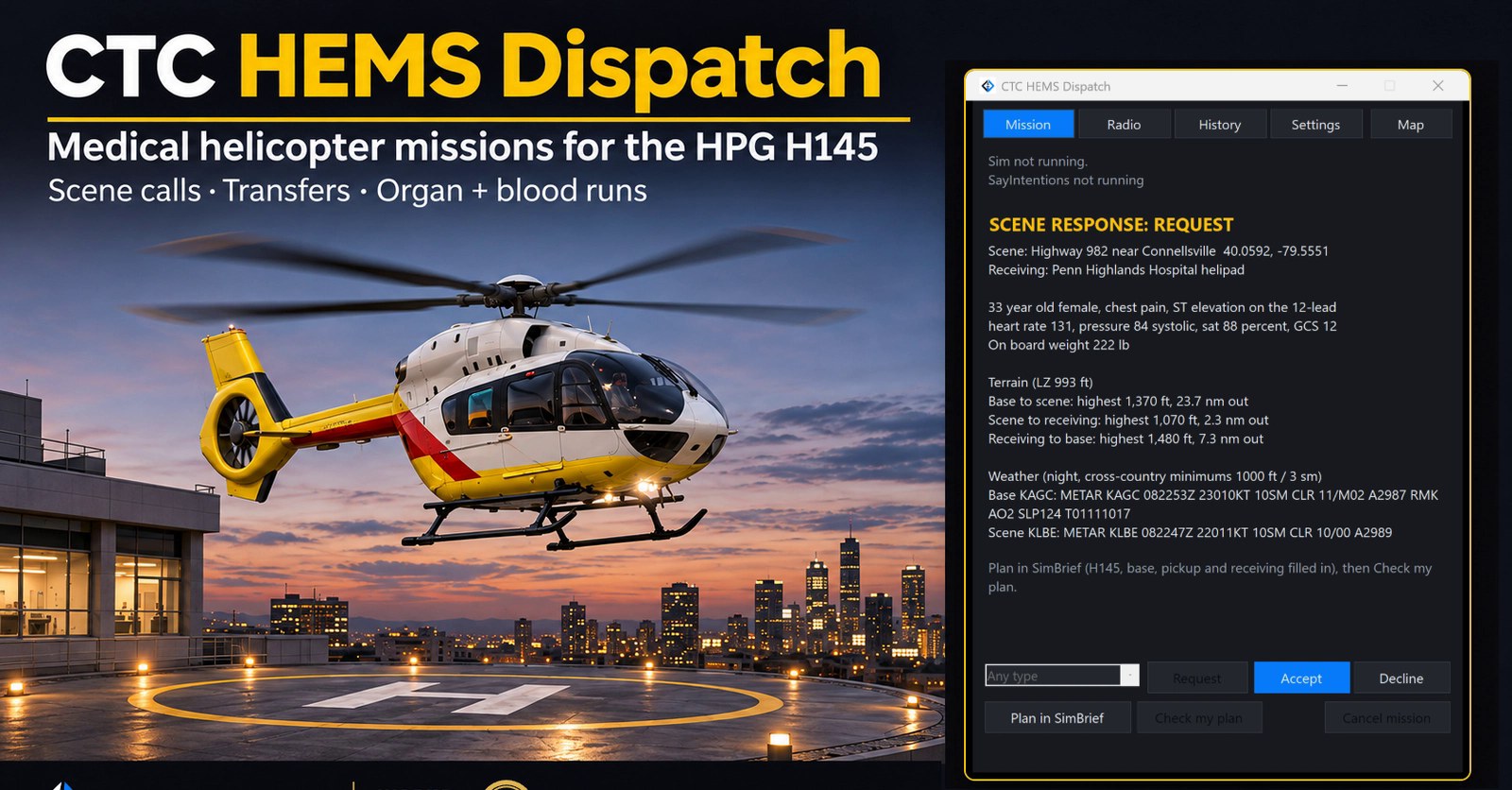

I like how CTC HEMS Dispatch makes returning to base part of finishing the job. The receiving-pad handoff isn't the end of the assignment; landing back home saves the report card in History. After one handoff, I flew back to base and opened the saved report rather than ending the session at the hospital. That gives me a reason to complete the return leg, something I’m prone to skip on self-directed helicopter flights.
The predeparture information deserves attention, too. Landing-zone elevation and the highest terrain on each leg are figures I actually want before lifting. The map’s labeled base, scene, and receiving hospital make the route easy to follow without decoding a string of coordinates. For voiced dispatch, remember the radio split: the company dispatcher uses COM2, and the app puts flight-following in COM1 standby. I'd check both before accepting a call over the radio.
ClearedtoCode’s CTC HEMS Dispatch runs medical helicopter assignments for the HPG Airbus H145 and H145 HEMS in Microsoft Flight Simulator 2020 and Microsoft Flight Simulator 2024. The free Windows tray app covers scene calls, hospital transfers, and organ or blood runs, with optional voiced company dispatch through SayIntentions.AI.
You’ll need the appropriate payware HPG helicopter. The app contains no aircraft or paid content and doesn’t unlock any. SimBrief and SayIntentions.AI are optional integrations that use your own accounts.
Set your callsign and home base, choose the mission types you want, then request a call. You can also let calls arrive automatically after shutting down at base. Accept or decline each assignment, then follow the job through departure, pickup or scene attendance, ground loading, transport, and handoff on the receiving pad. Landing back at base saves a report card in History.
The mission map shows your base, the scene, the receiving hospital, every route leg, and your aircraft. Map choices include outdoor terrain, streets, topographic, and satellite views. Scene calls use the real street and town, while landing-zone elevation and the highest terrain on each leg give you useful planning references before departure.
With the optional SayIntentions.AI integration, the company dispatcher speaks on COM2 and you can accept or decline calls over the radio. The app also places the flight-following frequency in COM1 standby. That radio arrangement matters when setting up the H145 for a mission.
The app requires Windows 10/11 and .NET Framework 4.8, which the developer notes is built into Windows. Unzip the package and run CTCHEMSDispatch.exe. It runs in the Windows tray and can be set to start and close with the simulator.
Free for all simmers · 896.05 KB · Scanned clean Nov 2026
Download speed: Free tier is capped at 2 Mbps. PRO members download at full line speed.
1.0.0: first release.
%LOCALAPPDATA%\Packages\Microsoft.FlightSimulator_8wekyb3d8bbwe\LocalCache\Packages\Community\. Steam version: %APPDATA%\Microsoft Flight Simulator\Packages\Community\. Tip: enable Developer Mode in MSFS to see your exact Community folder path.readme.txt or README file. It tells you exactly where files go, what dependencies are needed, and any quirks specific to this add-on.ClearedToCode is a premium development company for Microsoft Flight Simulator 2020 and 2024. We care about two things: building every product to a high standard, and looking after the people who use them.
Are you ClearedtoCode? Sign in to Fly Away Creators for download stats, comment replies and updates. Make add-ons? Publish them here.
Only PRO members can place votes.
More MSFS add-ons hand-picked based on this download.
MSFS Utilities & Tools
ClearedtoCode’s CTC CrossCheck lets two pilots fly one aircraft together in M…
 FSX Scenery
This package brings additional scenery, missions, and flights to the Nepal ar…
 FSX Missions
Flight To The Gold Light Missions. FSadventureSky FSX flight: Today you fly t…
 FSX Scenery
California Missions Pack 2. Eleven of the twenty-two Spanish Missions, includ…
 FSX Missions
While on Holiday in the Orkney Islands, Scotland. Your services as a Helicopt…
 FSX Turboprops
Carolinas Medical Center King Air N207CM. A repaint for the AFG Beechcraft Ki…
 FS2004 Propeller Aircraft
Textures only; requires DH104V1.ZIP. A repaint of Derek Palmer's DeHavilland …
 FSX Civil Aircraft
Designed to be a competitor to the Boeing 777-200, Airbus Industries has out …
Be the first to leave a comment on this download.
Be the first to share your thoughts on this download.