

 FSX Civil Aircraft
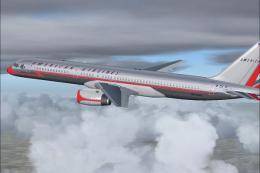
Dominican Airway Boeing 757-200
Dominican Airway Boeing 757-200 RR. Model by Project Open Sky. Dominican Airw…
Dominican Airways Boeing 757-200 brings a fictional Caribbean livery to a winglet-equipped narrow-body, paired with a tailored flight deck for hands-on airline operations in Microsoft Flight Simulator X. Expect detailed external textures, a custom panel with adapted overhead and Sperry-style autopilot, plus switchable Garmin GPS layouts and included checklists for streamlined procedures.
 Rate
Rate
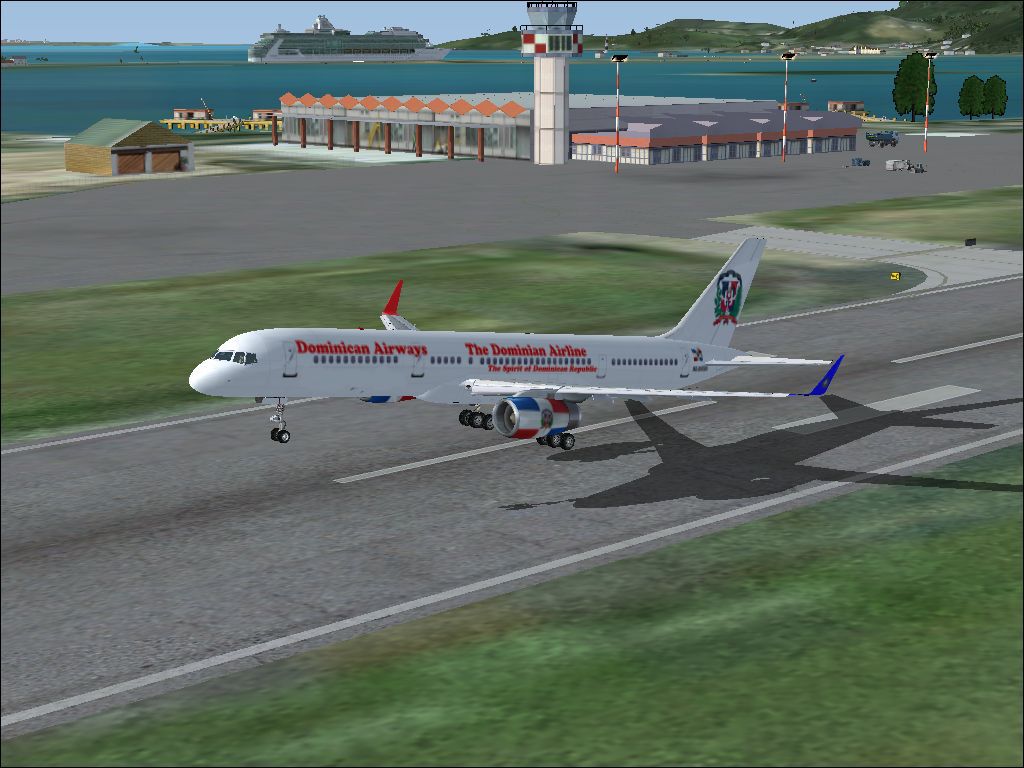

This freeware Dominican Airways Boeing 757-200 package includes winglets and incorporates a custom panel. Created by Orlandy Perez, with avionics and panel configurations by Pablo Contouris (contoarg16@yahoo.com), it comes ready for easy integration into Microsoft Flight Simulator X. The real-world Boeing 757-200 is a narrow-body airliner known for its versatility and efficiency, making it suitable for transcontinental or short-haul routes. This add-on aims to replicate those characteristics while providing a complete set of operational features.
The fictional Dominican Airways paint scheme highlights a crisp visual design that complements the Boeing 757-200 airframe. In actual operations, a Boeing 757-200 typically offers seating for around 200 passengers, powered by efficient twin engines. This version includes the popular winglet upgrade, enhancing aerodynamic performance and yielding improved fuel burn metrics. The included textures capture subtle details, delivering an immersive flight experience when viewed externally or from cockpit windows.
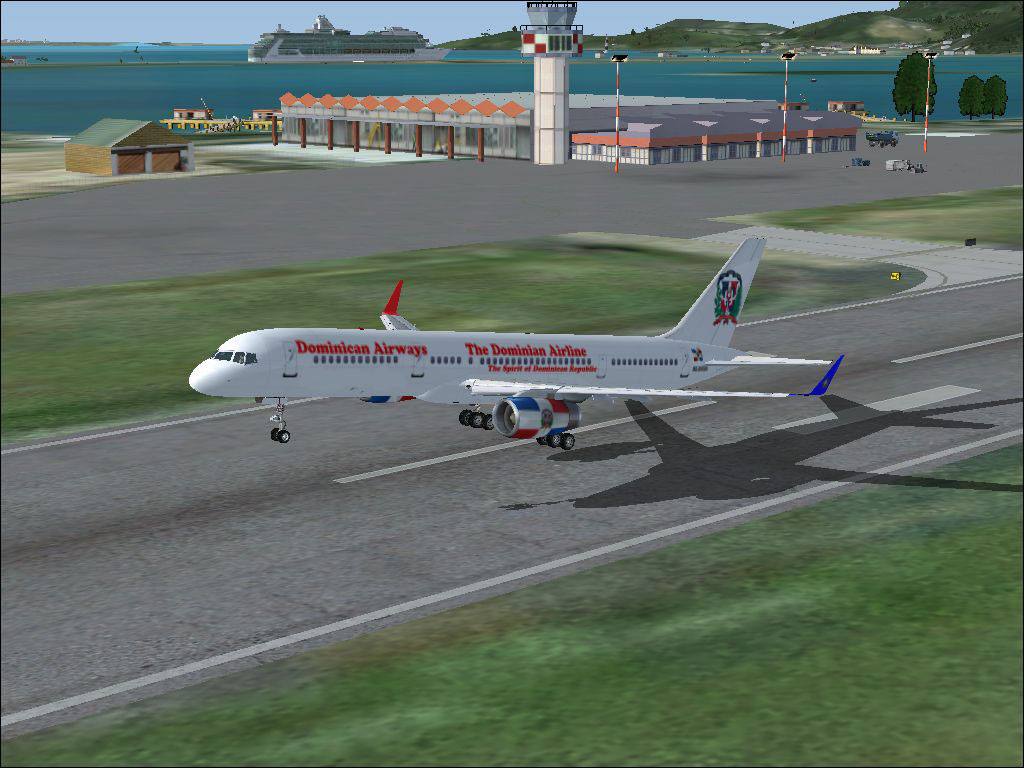
Dominican Airways Boeing 757-200 in the takeoff roll.
This package contains a complete freeware base model specific to each simulator version, ensuring straightforward setup without requiring extra downloads.
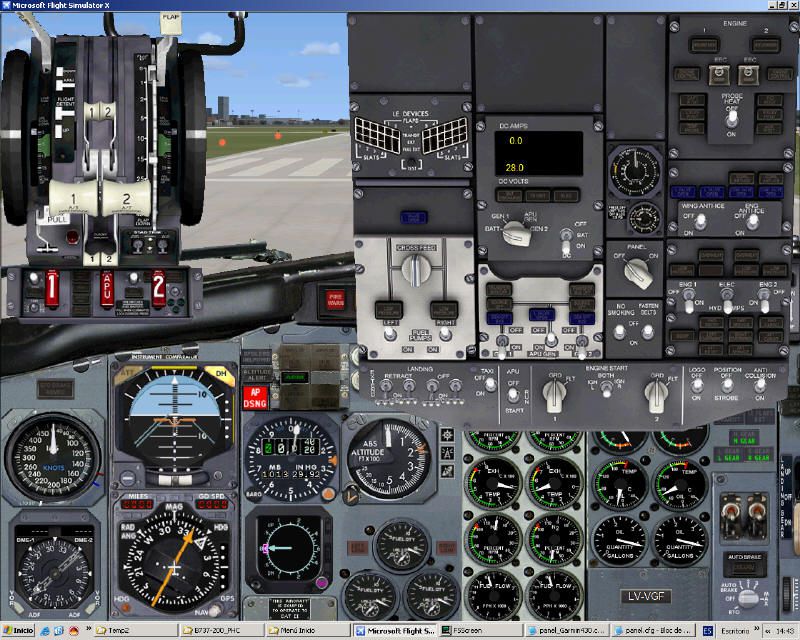
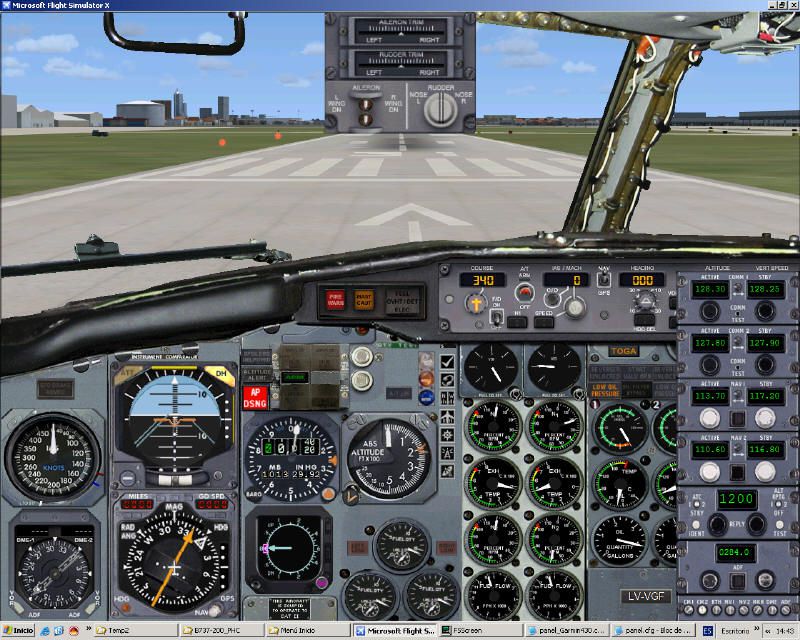
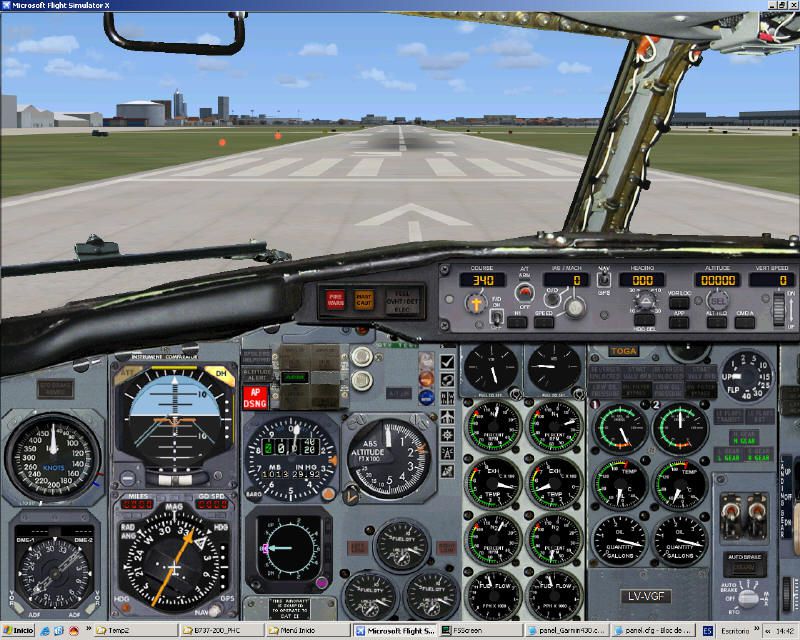
The custom panel, designed by Pablo Contouris, employs a flight model originally inspired by the FFX Boeing 737-200. It has been carefully reworked to integrate properly within FSX. Various avionics drawn from Microsoft Flight Simulator 2004 and Microsoft Flight Simulator X are included, along with gauges contributed by other developers who granted permission:
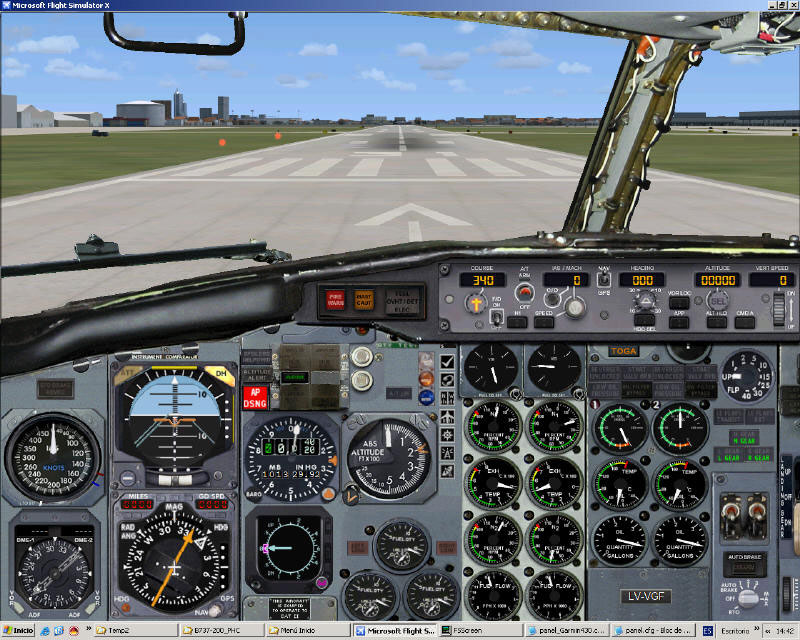
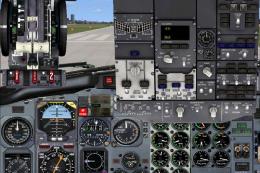
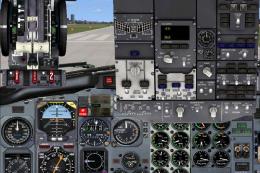
Cockpit perspective demonstrating instrument layout and runway orientation.
Inside the panel directory, three configurations are provided:
To switch, simply overwrite the panel.cfg in your aircraft’s panel folder with the desired file (for example, copy panel_Garmin500.cfg and rename it panel.cfg).
For proper functionality and lighting, add or verify these lines in the Aircraft.cfg of your Boeing 757-200 folder (often located in SimObjects/Airplanes for FSX). Ensure the following parameters are present in each section:
[hydraulic_system]
electric_pumps=1

[deice_system]
structural_deice_type=1

[airspeed_indicators]
airspeed_indicator.0=1
airspeed_indicator.1=1

[fuel]
electric_pump=1

[Radios]
Audio.1 = 1
Com.1 = 1, 1
Com.2 = 1, 1
Nav.1 = 1, 1, 1
Nav.2 = 1, 1, 0
Adf.1 = 1
Transponder.1 = 1
Marker.1 = 1

[Flaps.0]
flaps-position.0= 0.000
flaps-position.1= 1.000
flaps-position.2= 2.000
flaps-position.3= 5.000
flaps-position.4= 10.000
flaps-position.5= 15.000
flaps-position.6= 25.000
flaps-position.7= 30.000
flaps-position.8= 40.000
These entries control hydraulic performance, radio stack functionality, de-icing capability, and flaps extension points. If they are missing, the overhead panel or various gauges may not behave as intended.
The package contains a user guide for the Garmin 430, along with a checklist that aligns with typical Boeing 737-200 procedures (modified for this panel). The checklist is available in Word format and in HTML format for direct integration. If you prefer to link the checklist to the simulator’s kneeboard function, place the HTML checklist file into your aircraft directory and update your Aircraft.cfg under [fltsim.X] with:
kb_checklists=boeing737-200_check
With these steps complete, the Dominican Airways Boeing 757-200 becomes fully operational, replicating the mid-size performance and handling of the actual 757-series aircraft. Bob Scott’s overhead panel elements and Ken Mitchell’s engine instrumentation, among other customizations, help deliver an engaging flight deck environment. This package is an excellent supplement to your existing hangar and offers a unique chance to experience a fictional Caribbean airline’s take on Boeing’s iconic twinjet.
Free for all simmers · 29.15 MB · Scanned clean Oct 2026
Download speed: Free tier is capped at 0.5 Mbps (this file takes approximately 8 mins at the cap). PRO members download at full line speed.
FSX\SimObjects\Airplanes\. The folder must contain an aircraft.cfg file. Effects go into FSX\Effects\; gauges go into FSX\Gauges\.readme.txt or README file. It tells you exactly where files go, what dependencies are needed, and any quirks specific to this add-on.The archive dominican_airways_b757-200.zip has 147 files and directories contained within it.
This list displays the first 500 files in the package. If the package has more, you will need to download it to view them.
| Filename/Directory | File Date | File Size |
|---|---|---|
| READ ME !!!!!!!!.txt | 08.09.11 | 454 B |
| Dominican Airways 757 Winglets | 08.09.11 | 0 B |
| Aircraft.cfg | 08.09.11 | 14.87 kB |
| B757-200-RR-RB211-535E4B-Winglet.air | 11.18.04 | 9.31 kB |
| model | 08.09.11 | 0 B |
| model.cfg | 07.06.07 | 41 B |
| OS752_RR_winglet.mdl | 07.10.07 | 1.52 MB |
| panel | 08.09.11 | 0 B |
| 732KM.cab | 06.20.04 | 1.10 MB |
| 737-400.dll | 09.05.06 | 2.33 MB |
| 737-800_panel_background.bmp | 05.12.06 | 769.05 kB |
| 737-800_panel_background_night.bmp | 05.12.06 | 769.05 kB |
| 737_compass.BMP | 05.12.06 | 95.51 kB |
| 737_Panel_Decals_2.bmp | 05.12.06 | 257.05 kB |
| Airbus_A321.cab | 05.11.07 | 2.72 MB |
| annunciator_640.bmp | 05.12.06 | 7.18 kB |
| B737_800.cab | 09.04.06 | 2.01 MB |
| Cessna208B_XML.cab | 09.05.06 | 1.48 MB |
| CONCORDE.GAU | 03.05.03 | 3.60 MB |
| Docs | 08.09.11 | 0 B |
| A1.jpg | 02.05.10 | 129.84 kB |
| A2.jpg | 02.05.10 | 135.25 kB |
| A3.jpg | 02.05.10 | 135.20 kB |
| A4.jpg | 04.12.07 | 115.93 kB |
| boeing737-200_check.doc | 04.14.07 | 57.50 kB |
| boeing737-200_check.htm | 02.05.10 | 89.99 kB |
| GARMIN GNS430 Users Guide.doc | 02.05.10 | 206.50 kB |
| Leame - instalacion_B737-200adv PHC_V4_1.doc | 09.22.07 | 42.00 kB |
| Leame - instalacion_B737-200adv PHC_V4_1.txt | 09.22.07 | 5.01 kB |
| Readme - installation_B737-200adv PHC_V4_1.doc | 09.22.07 | 45.00 kB |
| Readme - installation_B737-200adv PHC_V4_1.txt | 09.22.07 | 4.93 kB |
| forward_1024.bmp | 05.12.06 | 769.05 kB |
| forward_1024_night.bmp | 05.12.06 | 769.05 kB |
| FS9Garmin430.cab | 02.05.10 | 152.54 kB |
| KingAir.dll | 02.05.10 | 4.01 MB |
| Lear_45_XML.cab | 09.04.06 | 1.57 MB |
| Lear_compass.BMP | 05.12.06 | 96.42 kB |
| Lear_Gray.bmp | 05.22.06 | 256.07 kB |
| main_1024.bmp | 02.05.10 | 1.25 MB |
| panel.cfg | 07.27.06 | 6.08 kB |
| panel.cp3 | 01.03.07 | 8.85 kB |
| panel_decal_lear_2.bmp | 05.12.06 | 257.05 kB |
| panel_Garmin430.cfg | 04.14.07 | 8.58 kB |
| panel_Garmin500.cfg | 02.05.10 | 8.57 kB |
| PedestalA.bmp | 02.05.10 | 769.05 kB |
| PS737CA.cab | 02.05.10 | 3.09 MB |
| radio_stack_bg.bmp | 02.05.10 | 67.86 kB |
| throttle_quadrant_640.bmp | 05.12.06 | 42.69 kB |
| upper_640.bmp | 05.12.06 | 18.99 kB |
| sound | 08.09.11 | 0 B |
| c5wind2.wav | 05.12.06 | 426.64 kB |
| door_large_close.wav | 05.12.06 | 131.81 kB |
| door_large_open.wav | 05.12.06 | 116.30 kB |
| laapdis.wav | 05.12.06 | 11.25 kB |
| lagear.wav | 05.12.06 | 18.25 kB |
| lan11.wav | 08.01.06 | 68.23 kB |
| lan12.wav | 08.01.06 | 68.73 kB |
| lan13.wav | 08.01.06 | 60.23 kB |
| lan14.wav | 08.01.06 | 63.19 kB |
| lan1shut.wav | 08.01.06 | 243.77 kB |
| lan1strt.wav | 08.01.06 | 493.84 kB |
| lan21.wav | 08.01.06 | 46.23 kB |
| lan22.wav | 08.01.06 | 68.23 kB |
| lan23.wav | 08.01.06 | 59.73 kB |
| lan24.wav | 08.01.06 | 44.69 kB |
| lan2shut.wav | 08.01.06 | 59.30 kB |
| lan2strt.wav | 08.01.06 | 100.27 kB |
| lan2t.wav | 08.01.06 | 101.34 kB |
| laover.wav | 05.12.06 | 13.25 kB |
| lbn11.wav | 08.01.06 | 69.23 kB |
| lbn12.wav | 08.01.06 | 69.73 kB |
| lbn13.wav | 08.01.06 | 63.73 kB |
| lbn14.wav | 08.01.06 | 61.19 kB |
| lbn1shut.wav | 08.01.06 | 211.77 kB |
| lbn1strt.wav | 08.01.06 | 459.34 kB |
| lbn21.wav | 08.01.06 | 57.23 kB |
| lbn22.wav | 08.01.06 | 33.73 kB |
| lbn23.wav | 08.01.06 | 37.23 kB |
| lbn24.wav | 08.01.06 | 44.73 kB |
| lbn2shut.wav | 08.01.06 | 65.30 kB |
| lbn2strt.wav | 08.01.06 | 96.77 kB |
| lbn2t.wav | 08.01.06 | 97.34 kB |
| LearRumble1.wav | 06.01.06 | 30.68 kB |
| LearRumble2.wav | 06.01.06 | 30.68 kB |
| lmflaps.wav | 05.12.06 | 68.31 kB |
| lmgeardn.wav | 05.12.06 | 54.27 kB |
| lmgearup.wav | 05.12.06 | 59.27 kB |
| lncrash1.wav | 05.12.06 | 70.19 kB |
| lncrash2.wav | 05.12.06 | 102.69 kB |
| lncrash3.wav | 05.12.06 | 136.19 kB |
| lnsplash.wav | 05.12.06 | 85.69 kB |
| Sound.cfg | 05.12.06 | 30 B |
| xlan11.wav | 05.12.06 | 67.73 kB |
| xlan12.wav | 05.12.06 | 68.23 kB |
| xlan13.wav | 05.12.06 | 65.23 kB |
| xlan14.wav | 05.12.06 | 62.69 kB |
| xlan1shut.wav | 05.12.06 | 220.75 kB |
| xlan1strt.wav | 05.12.06 | 464.31 kB |
| xlan21.wav | 05.12.06 | 62.23 kB |
| xlan22.wav | 05.12.06 | 56.73 kB |
| xlan23.wav | 05.12.06 | 60.73 kB |
| xlan24.wav | 05.12.06 | 64.23 kB |
| xlan2shut.wav | 05.12.06 | 195.25 kB |
| xlan2strt.wav | 05.12.06 | 71.75 kB |
| xlan2t.wav | 05.12.06 | 100.81 kB |
| xlbn11.wav | 05.12.06 | 68.73 kB |
| xlbn12.wav | 05.12.06 | 69.23 kB |
| xlbn13.wav | 05.12.06 | 60.23 kB |
| xlbn14.wav | 05.12.06 | 64.19 kB |
| xlbn1shut.wav | 05.12.06 | 203.75 kB |
| xlbn1strt.wav | 05.12.06 | 459.81 kB |
| xlbn21.wav | 05.12.06 | 41.69 kB |
| xlbn22.wav | 05.12.06 | 53.69 kB |
| xlbn23.wav | 05.12.06 | 69.19 kB |
| xlbn24.wav | 05.12.06 | 68.19 kB |
| xlbn2shut.wav | 05.12.06 | 192.25 kB |
| xlbn2strt.wav | 05.12.06 | 72.25 kB |
| xlbn2t.wav | 05.12.06 | 96.81 kB |
| xlmflap.wav | 05.12.06 | 67.81 kB |
| xlncras1.wav | 05.12.06 | 70.19 kB |
| xlncras2.wav | 05.12.06 | 102.69 kB |
| xlncras3.wav | 05.12.06 | 136.19 kB |
| xlnsplash.wav | 05.12.06 | 85.69 kB |
| texture.DOMI | 08.09.11 | 0 B |
| OS752_winglet_t.bmp | 08.09.11 | 1.33 MB |
| posky757fuse1_l.bmp | 01.08.08 | 1.00 MB |
| posky757fuse1_t.bmp | 08.09.11 | 5.33 MB |
| posky757fuse2_l.bmp | 01.08.08 | 1.00 MB |
| posky757fuse2_t.bmp | 08.09.11 | 5.33 MB |
| posky757gauge_l.bmp | 09.17.03 | 257.05 kB |
| posky757gear_l.bmp | 01.08.08 | 16.07 kB |
| posky757gear_t.bmp | 10.30.03 | 4.00 MB |
| posky757lwing_L.bmp | 10.29.03 | 1.33 MB |
| posky757lwing_t.bmp | 09.13.03 | 4.00 MB |
| posky757lwing_t_overwing.bmp | 09.13.03 | 4.00 MB |
| posky757misc1_l.bmp | 01.08.08 | 1.00 MB |
| posky757misc1_t.bmp | 10.30.03 | 4.00 MB |
| posky757misc2_l.bmp | 01.08.08 | 1.00 MB |
| posky757rr_l.bmp | 01.08.08 | 16.07 kB |
| posky757rr_t.bmp | 08.09.11 | 5.33 MB |
| posky757rwing_L.bmp | 10.29.03 | 1.33 MB |
| posky757rwing_t.bmp | 09.13.03 | 4.00 MB |
| posky757rwing_t_overwing.bmp | 09.13.03 | 4.00 MB |
| thumbnail.jpg | 08.09.11 | 112.63 kB |
| Thumbs.db | 11.15.08 | 49.00 kB |
| flyawaysimulation.txt | 10.29.13 | 959 B |
| Go to Fly Away Simulation.url | 01.22.16 | 52 B |
Only PRO members can place votes.
More FSX & P3D add-ons hand-picked based on this download.
FSX Civil Aircraft
Dominican Airway Boeing 757-200 RR. Model by Project Open Sky. Dominican Airw…
 FSX Civil Aircraft
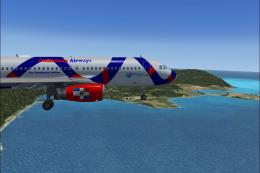
This complete freeware package features a fully modeled Boeing 737-200 in Dom…
 FSX Civil Aircraft
Dominican Airways Airbus A320-200. Model by Project Airbus. By Orlandy Perez.…
 FSX Civil Aircraft
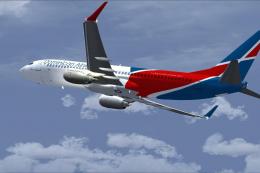
This complete freeware package features a Dominican Airways Boeing 737-500 cr…
 FSX Civil Aircraft
This freeware package provides a faithful rendition of the Dominican Airways …
 FSX Civil Aircraft
This complete freeware package integrates the Boeing 737-900 in a special All…
 FSX Civil Aircraft
This enhanced Boeing 737-800 package showcases Dominican Airways’ “Tropical S…
 FSX Civil Aircraft
Dominican Airways Boeing 747-400. A repaint of the default B747-400. Dominica…
Be the first to leave a comment on this download.
Be the first to share your thoughts on this download.