


 United States of America

 MSFS Scenery
Gainesville Regional Airport (KGNV)
A highly detailed rendition of Gainesville Regional Airport (KGNV), Florida (…
Currituck County Regional Airport (KONX) scenery brings a growing gateway to North Carolina’s Outer Banks to Microsoft Flight Simulator 2024. Set in the state’s northeastern corner, the airport also houses the Aviation School of Technology, giving this regional destination a role in both visitor travel and aviation education.
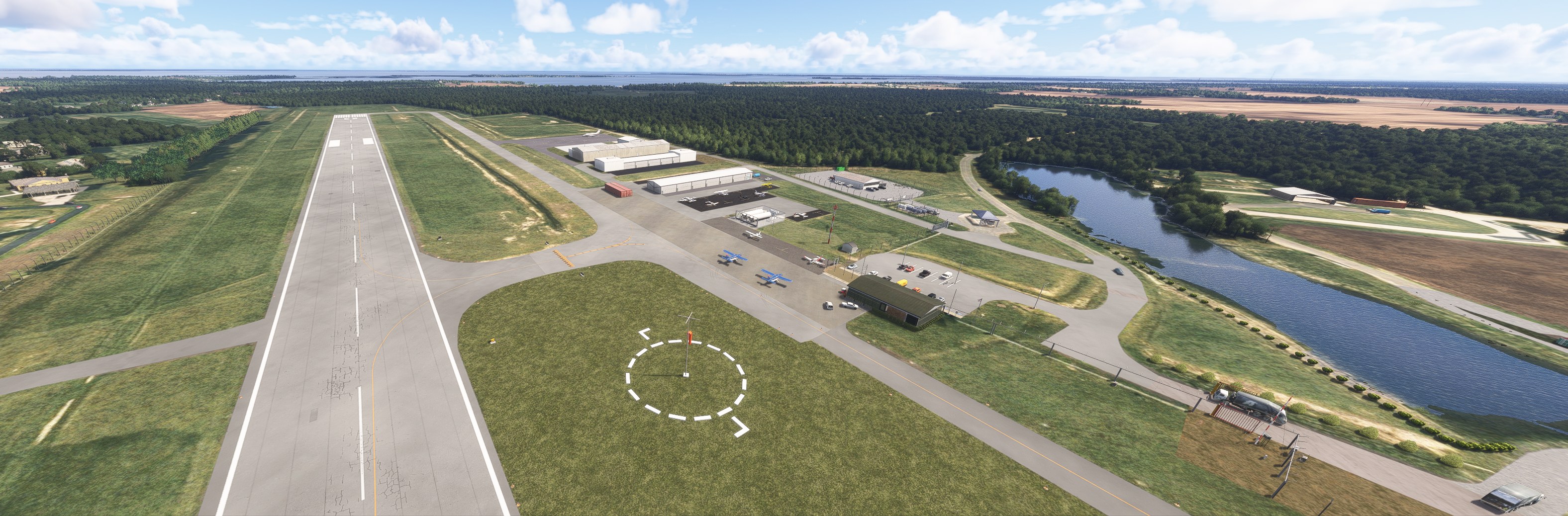
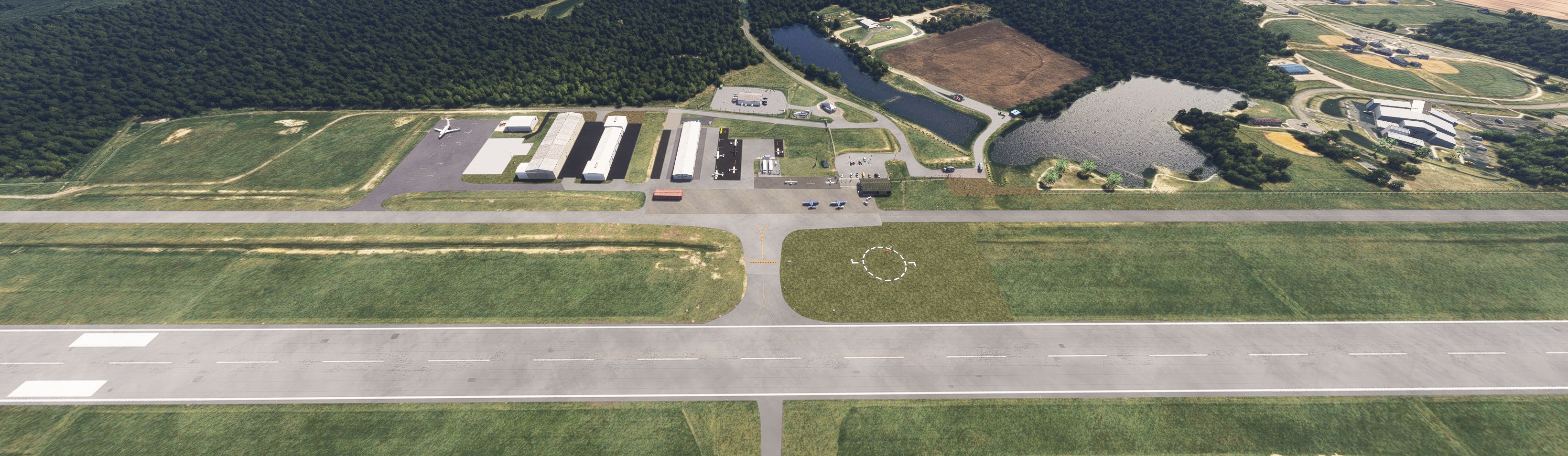
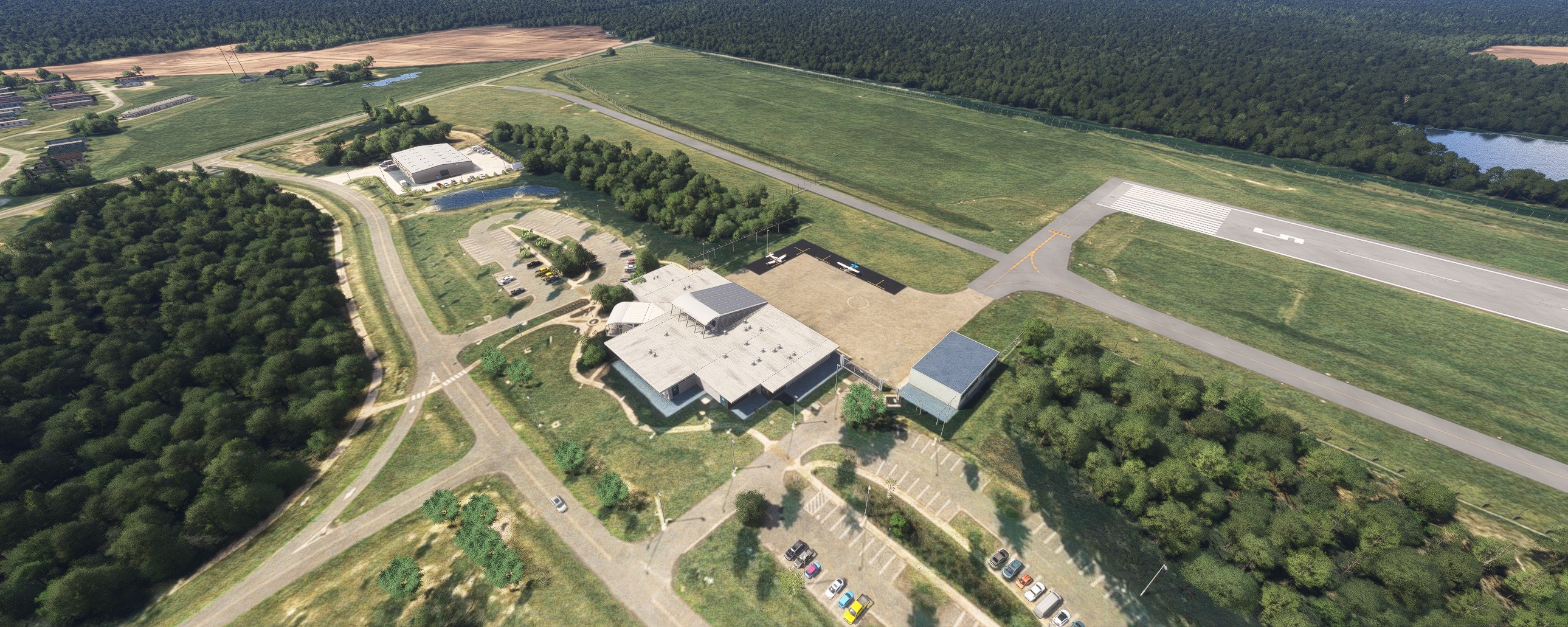
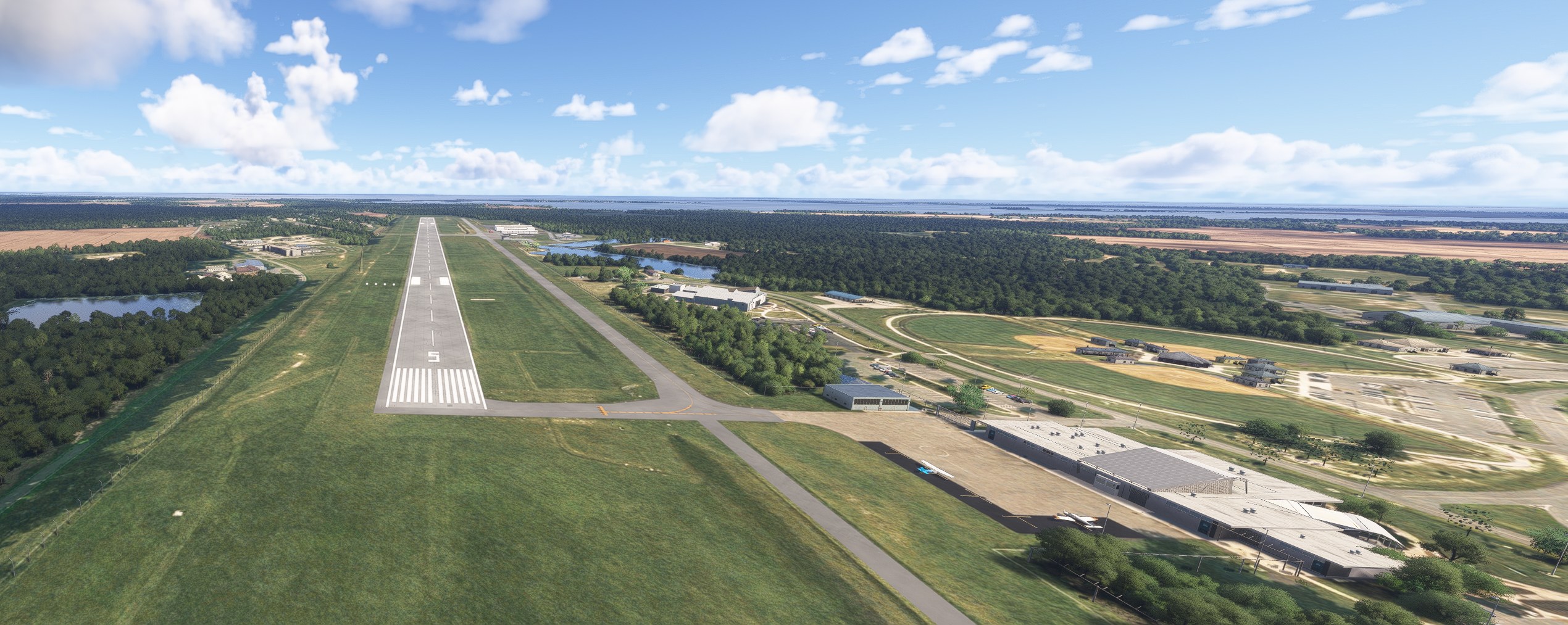
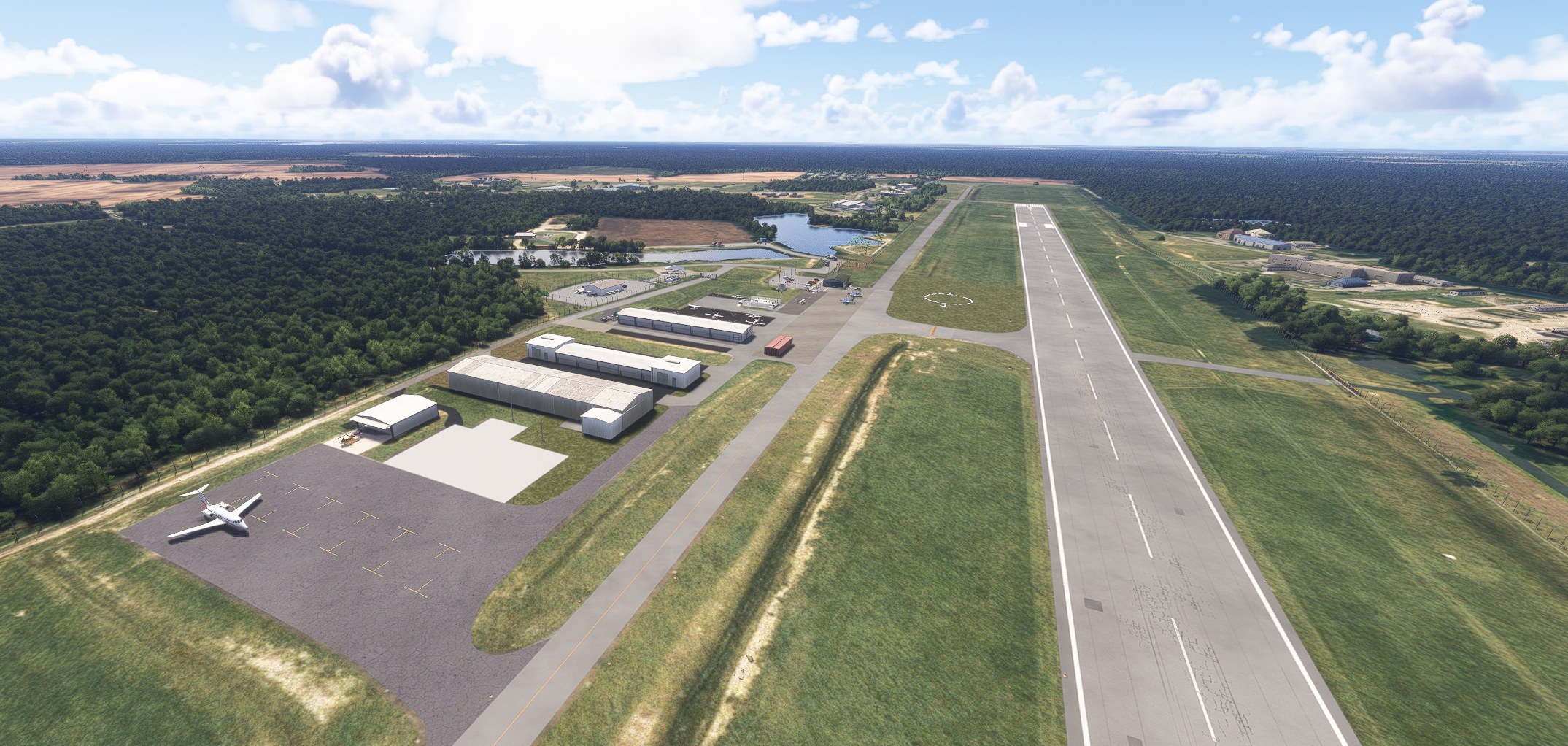

Local VFR flyers would get the most out of this one, I think, especially if they enjoy practicing arrivals at quieter fields. The school’s place in the airport layout matters to me here. It gives KONX a purpose beyond somewhere to park, and I’d choose it as the base for a few circuits rather than just a stop along the way.
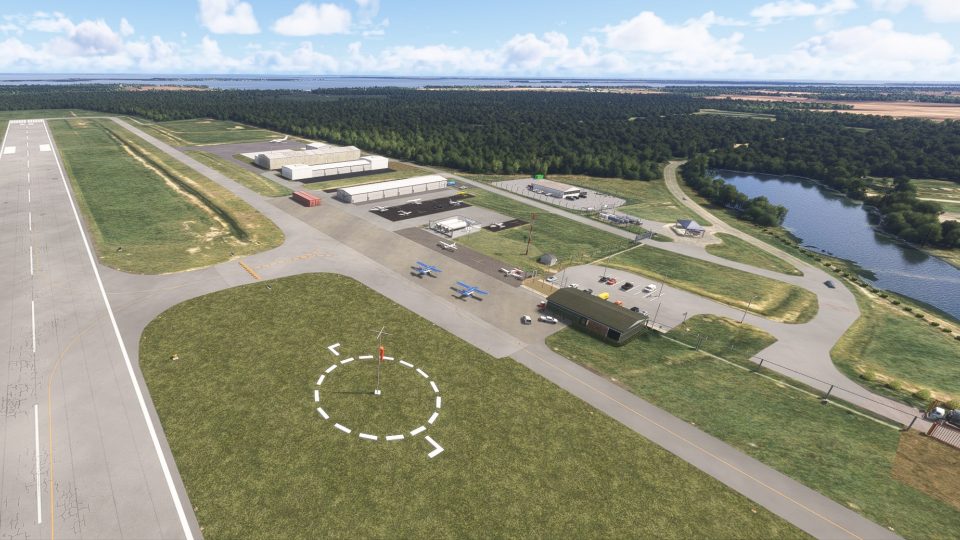
Coming toward runway 5, I could pick out the school apron beside the threshold, with the main hangar area farther along the field. That separation gives the approach some character. My interest here is in flying the airport, not hunting for decorative details.
Benny's Flight Sim Stuff depicts Currituck County Regional Airport (KONX) for Microsoft Flight Simulator 2024. The airport sits in northeastern North Carolina and is a growing destination for visitors to the Outer Banks. Its property now also includes the Aviation School of Technology.
Free for all simmers · 56.73 KB · Scanned clean Nov 2026
Download speed: Free tier is capped at 2 Mbps. PRO members download at full line speed.
Initial release.
%LOCALAPPDATA%\Packages\Microsoft.FlightSimulator_8wekyb3d8bbwe\LocalCache\Packages\Community\. Steam version: %APPDATA%\Microsoft Flight Simulator\Packages\Community\. Tip: enable Developer Mode in MSFS to see your exact Community folder path.readme.txt or README file. It tells you exactly where files go, what dependencies are needed, and any quirks specific to this add-on.Use these coordinates to fly directly to this location once the mod is installed.
36.39890000,-76.01610000
Paste these coordinates into the Microsoft Flight Simulator search bar when planning a flight, or into the Developer Mode Teleport window, to fly directly to this location.
Private Pilot since 1987. Experimental Aircraft Builder. Lover of all things aviation. I recently taught myself to create sceneries and such on my sim and at my age it ain't easy!
Are you Benny's Flight Sim Stuff? Sign in to Fly Away Creators for download stats, comment replies and updates. Make add-ons? Publish them here.
Only PRO members can place votes.
More MSFS add-ons hand-picked based on this download.
MSFS Scenery
A highly detailed rendition of Gainesville Regional Airport (KGNV), Florida (…
 MSFS Scenery
This is a complete replacement scenery mod of the default (and lacking) Guthr…
 MSFS Scenery
Benny's Flight Sim Stuff updates Chesapeake Regional Airport (KCPK) in Chesap…
 MSFS Scenery
Benny's Flight Sim Stuff models the All Veterans Memorial at Pratt Regional A…
 MSFS Scenery
This mod developed by JustOkayPilot brings Grand Canyon National Park Airport…
 MSFS Scenery
Sandane Airport (ENSD) is located on the beautiful west coast of Norway and i…
 MSFS Scenery
Enhance your flight simulation experience with this mod for Microsoft Flight …
 MSFS Scenery
The Disney World airport/STOLport (also known as the Lake Buena Vista airport…
Be the first to leave a comment on this download.
Be the first to share your thoughts on this download.