

 FS2004 Civil Jet Aircraft
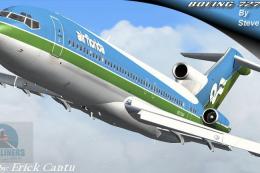
Air Florida Boeing 727-200
This remarkable Air Florida Boeing 727-200 rendition brings the classic tri-j…
Air Florida repaint collection brings classic green-and-blue liveries to AI traffic in FS2004, covering the AI Aardvark Boeing 737-200 and 727-200 plus the FSPainter DC-10-30. Designed with LODs and balanced AI flight dynamics for smooth performance, it adds period-authentic visuals and optional reflective model selection via configuration.
 Rate
Rate
This freeware package showcases a classic Air Florida repaint collection featuring multiple Boeing and McDonnell Douglas jets optimized for AI traffic in FS2004. Repaints by Henry Tomkiewicz are included, and each aircraft has been carefully crafted to provide smooth performance and faithful visual details. Flight simulation enthusiasts interested in historical carriers will enjoy seeing this iconic airline, known for its distinctive green and blue livery, integrated into their AI environment.
Within this set, you will find textures for three distinct models:
These repaints incorporate the Air Florida branding in a manner that preserves the retro style of the operator, which rose to prominence in the late 1970s.
To begin using this ensemble, drop the AIA_727_200_PAINTKIT directory into the main “aircraft” folder of your flight simulator installation. Once positioned, these models can be assigned to any flightplans you have configured. If you are unsure about flightplan assignment, consult AI traffic documentation or the methods recommended by the aircraft’s creators.
This package employs a non-reflective model by default. If you prefer a reflective finish, adjust the “model=” line in the aircraft.cfg file by replacing “model=no_refl” with “model=reflective.” Although the textures here do not contain a reflective alpha channel, this option remains available should you wish to modify or experiment with reflective paints in the future.
All aircraft within this package have been built with AI traffic in mind. They integrate multiple LOD (Levels of Detail) states for efficiently rendering each model based on distance from the user’s perspective. As the aircraft moves farther away, simpler geometry is used, reducing the load on your system and maintaining fluid frame rates in busy airports. By contrast, non-LOD AI aircraft may negatively impact performance when multiple instances of the same model populate an airport simultaneously.
The flight characteristics have been balanced to allow smooth operations in an AI environment. These aircraft typically land with minimal float to ensure rapid runway clearing and improved traffic flow. If you prefer a gentler touchdown experience, you can modify factors such as cruise lift, parasite drag, and induced drag within the aircraft.cfg file. Adjusting these entries tailors landing behavior to your personal preference, helping you manage approach dynamics for ideal AI immersion.
Free for all simmers · 811.04 KB · Scanned clean Oct 2026
Download speed: Free tier is capped at 0.5 Mbps. PRO members download at full line speed.
FS9\Aircraft\, FS9\Addon Scenery\, FS9\Gauges\, or FS9\Effects\.readme.txt or README file. It tells you exactly where files go, what dependencies are needed, and any quirks specific to this add-on.The archive qh_ai.zip has 11 files and directories contained within it.
This list displays the first 500 files in the package. If the package has more, you will need to download it to view them.
| Filename/Directory | File Date | File Size |
|---|---|---|
| README RetroAI.txt | 02.24.04 | 2.52 kB |
| AIA 727-200_README.txt | 09.01.03 | 4.19 kB |
| aia_727_200_l.bmp | 09.23.03 | 341.40 kB |
| aia_727_200_t.bmp | 01.23.04 | 1.00 MB |
| AIA_737_200_l.bmp | 01.29.04 | 1.00 MB |
| AIA_737_200_t.bmp | 01.23.04 | 1.00 MB |
| Blank 737-200_README.txt | 06.01.03 | 4.02 kB |
| fsp_dc10_l.bmp | 02.01.04 | 1.00 MB |
| fsp_dc10_t.bmp | 02.01.04 | 1.00 MB |
| flyawaysimulation.txt | 10.29.13 | 959 B |
| Go to Fly Away Simulation.url | 01.22.16 | 52 B |
Only PRO members can place votes.
More FS2004 add-ons hand-picked based on this download.
FS2004 Civil Jet Aircraft
This remarkable Air Florida Boeing 727-200 rendition brings the classic tri-j…
 FS2004 Civil Jet Aircraft
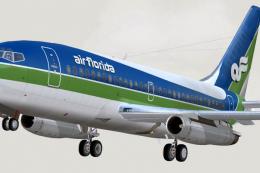
Textures only, by Mike Mahat. Original textures by Henry William. Model by Er…
 FS2004 Civil Jet Aircraft
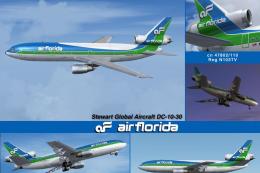
This updated DC-10-30 package for FS2004 brings authentic Air Florida marking…
 FS2004 Civil Jet Aircraft
Dreamwings Embraer ERJ135 painted in Florida Air VA colors. Paint by Walter W…
 FS2004 Civil Jet Aircraft
This Ai Package replaces the Default FS2004 with Pacific Air ( VA ), Hooters …
FS2004 Civil Jet Aircraft
This file is the most complete Air Philippines artificial intelligence (AI) a…
 FS2004 Civil Jet Aircraft
FS2004 Airbus A340-600. Includes repaints for Air Tahiti Nui, BWAI, Cathay Pa…
 FS2004 Civil Jet Aircraft
The glorious highly detailed Bae146 model including four textures:- UPS - FED…
Be the first to leave a comment on this download.
Be the first to share your thoughts on this download.