

 FS2004 Utilities/Misc
VPN Virtual Pilot Network
S2004 VPN - Virtual Pilot Network 1.4us. Access weather radar, forecasts, MET…
Jetstream builds persistent airline careers for Microsoft Flight Simulator 2020 and 2024 through a standalone Windows companion, drawing rosters from over 390 airlines and 90,000 routes. Pilots earn ranks, airline mastery, XP and virtual salaries while tracking flights, reviewing telemetry-based grades, accessing SimBrief briefings, collecting passport stamps, exploring event routes and playing custom cabin announcements.
 Rate
 By Blue Matters Studio
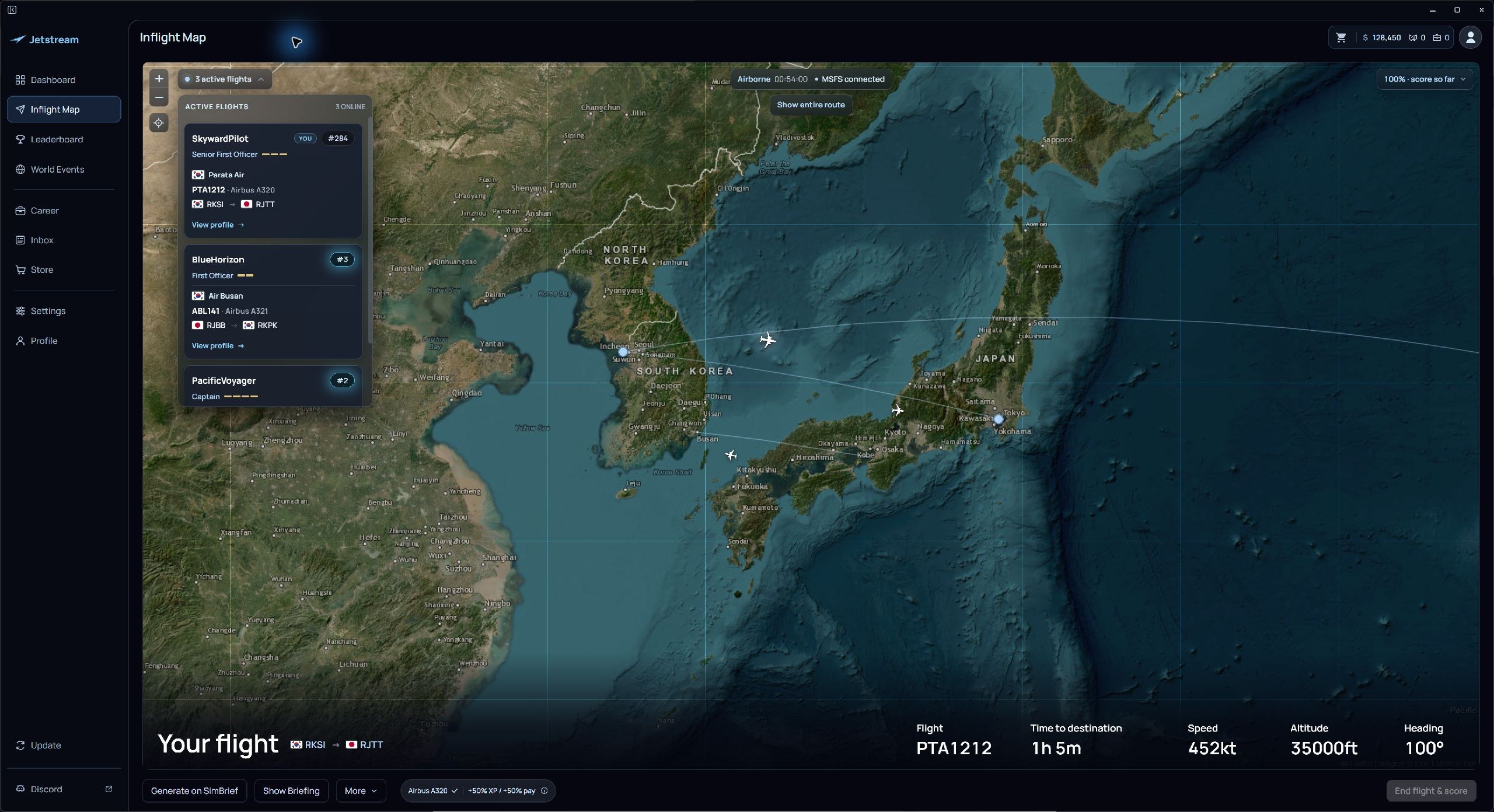
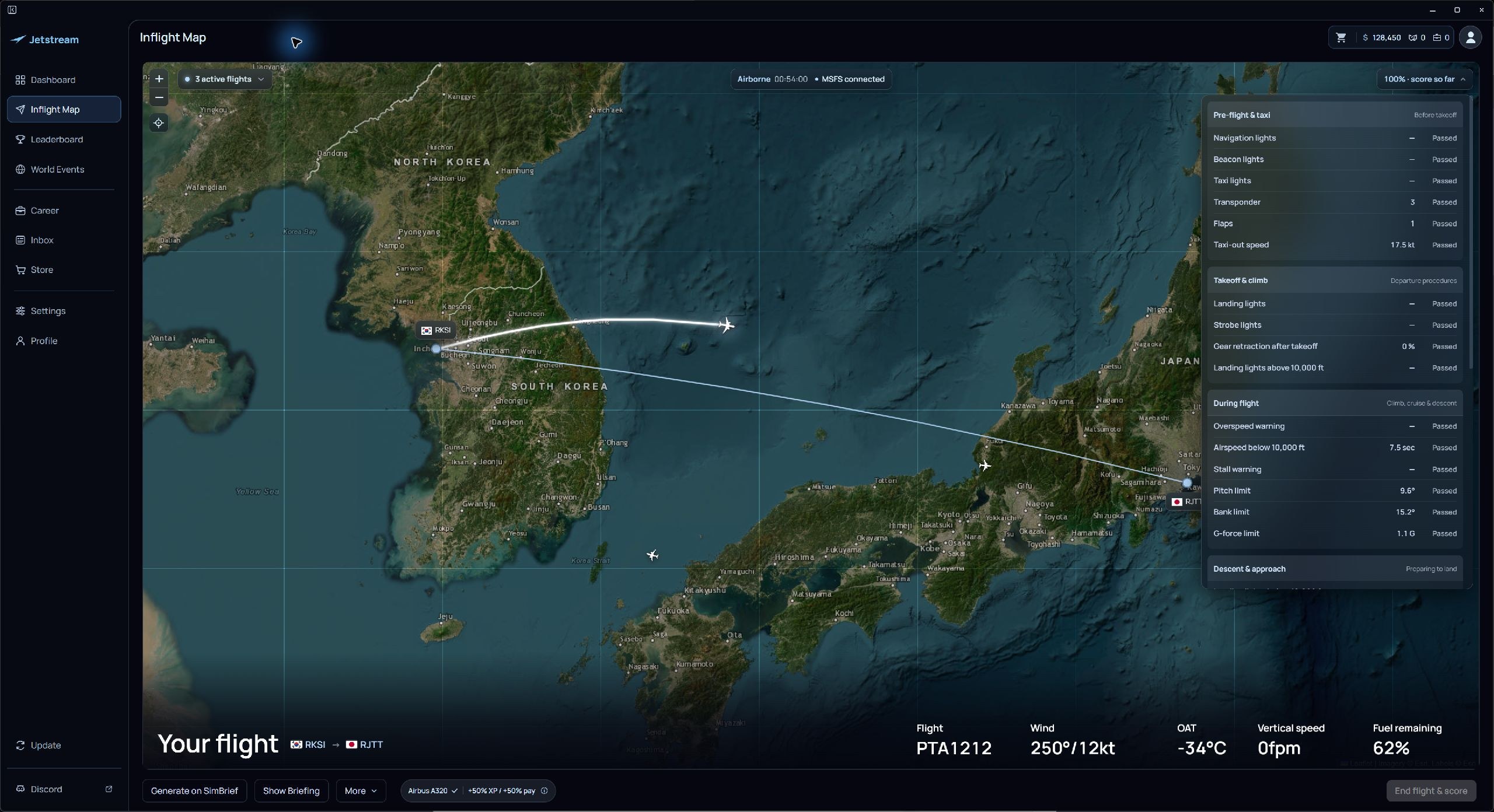
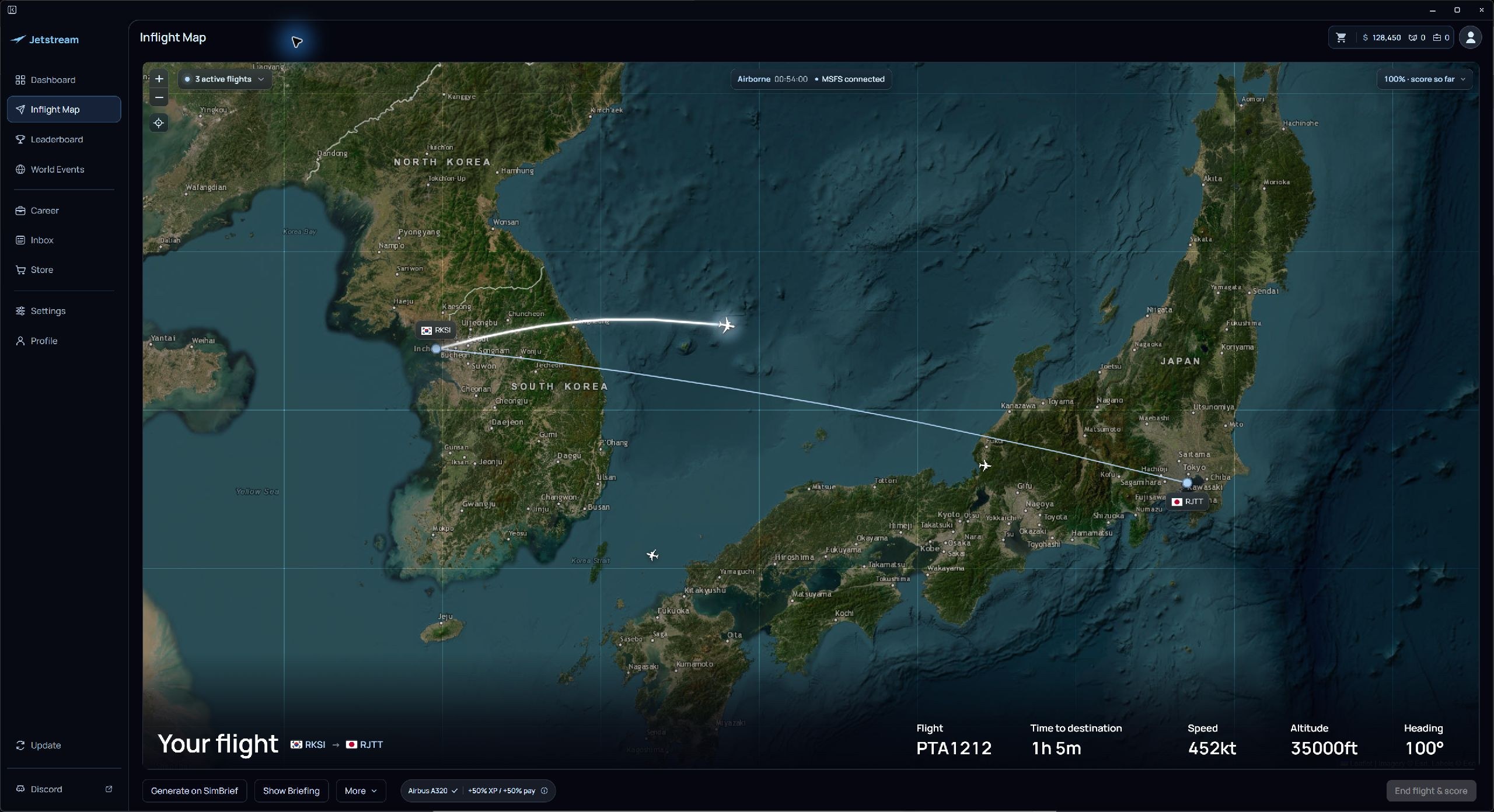
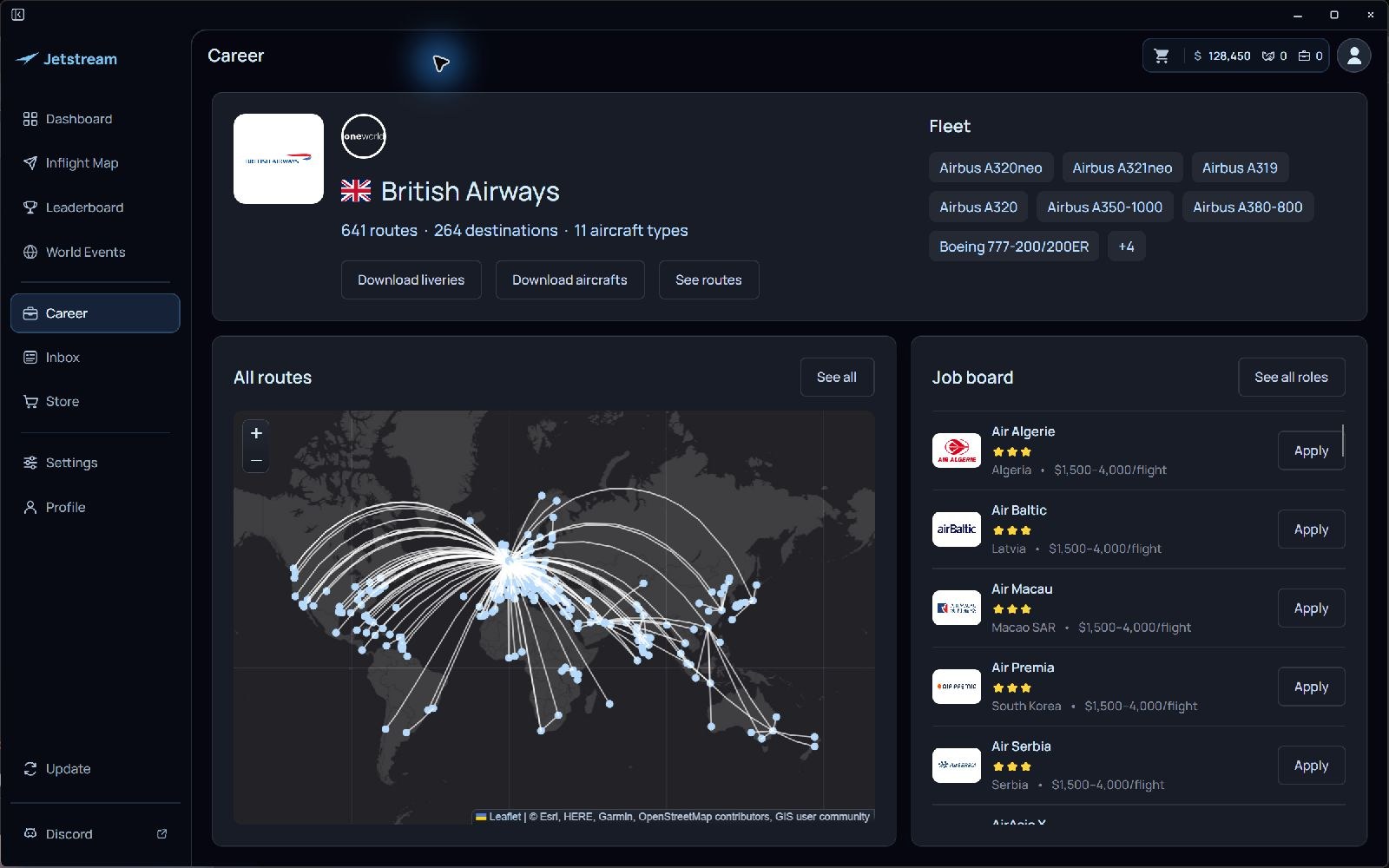
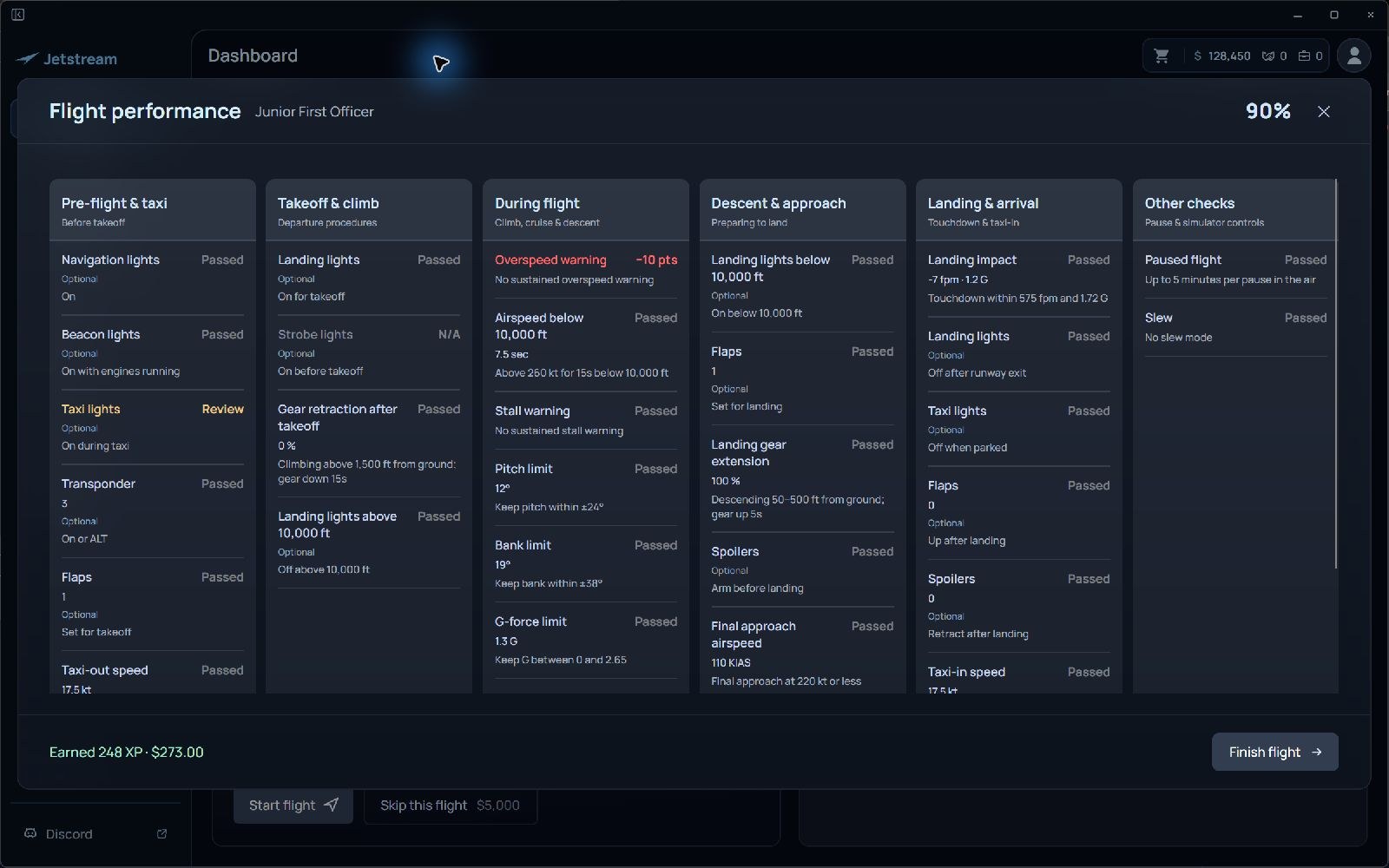
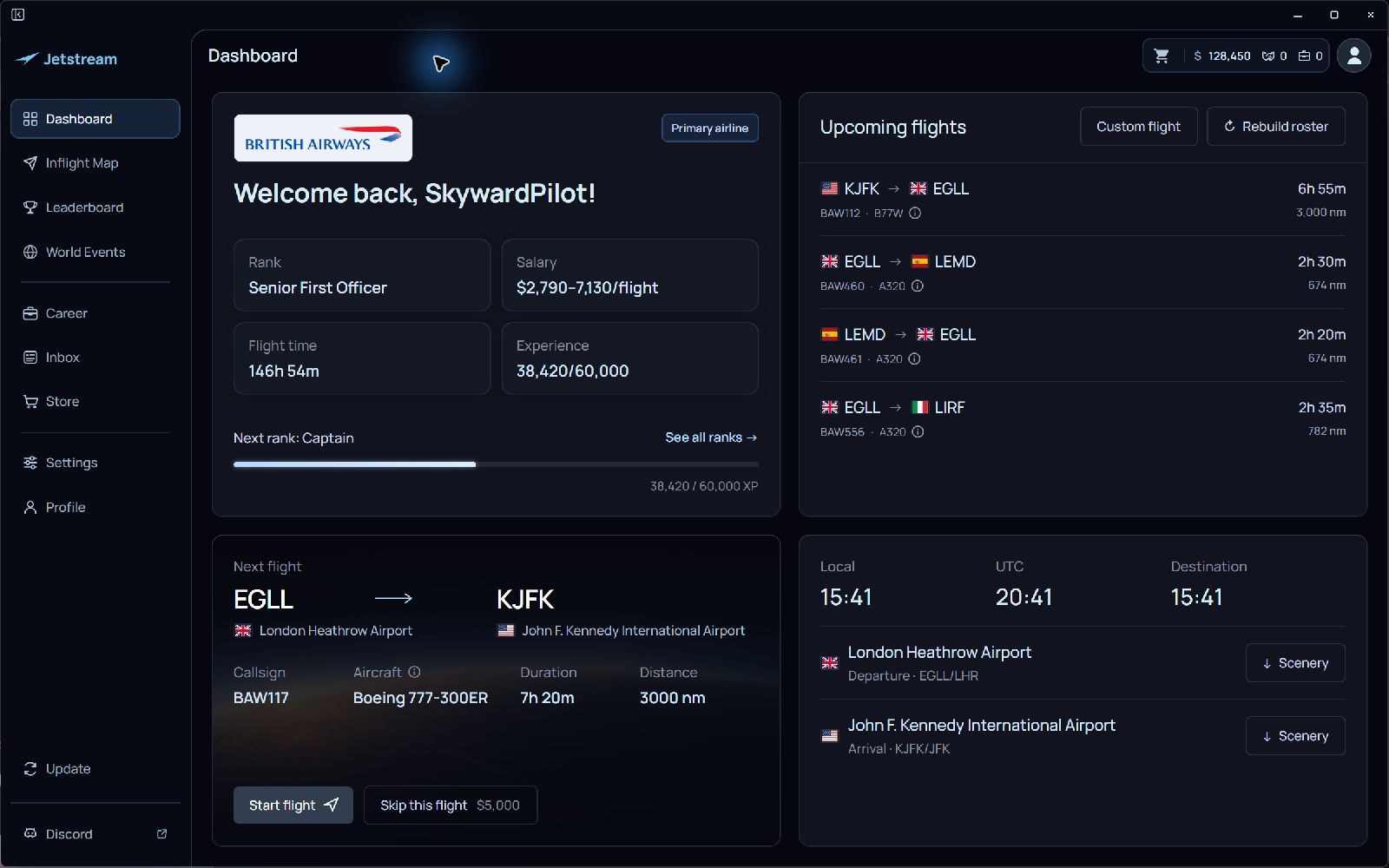
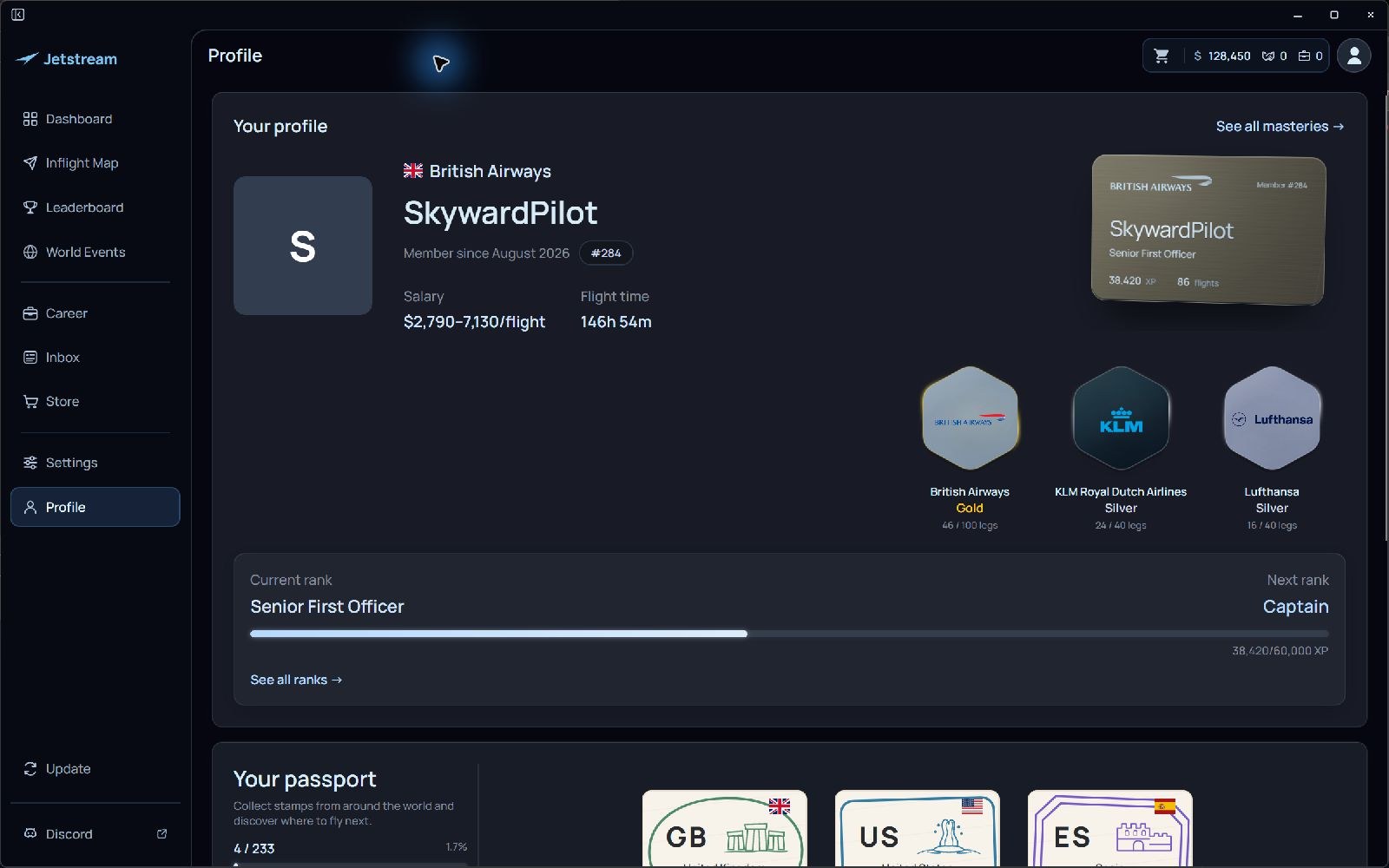
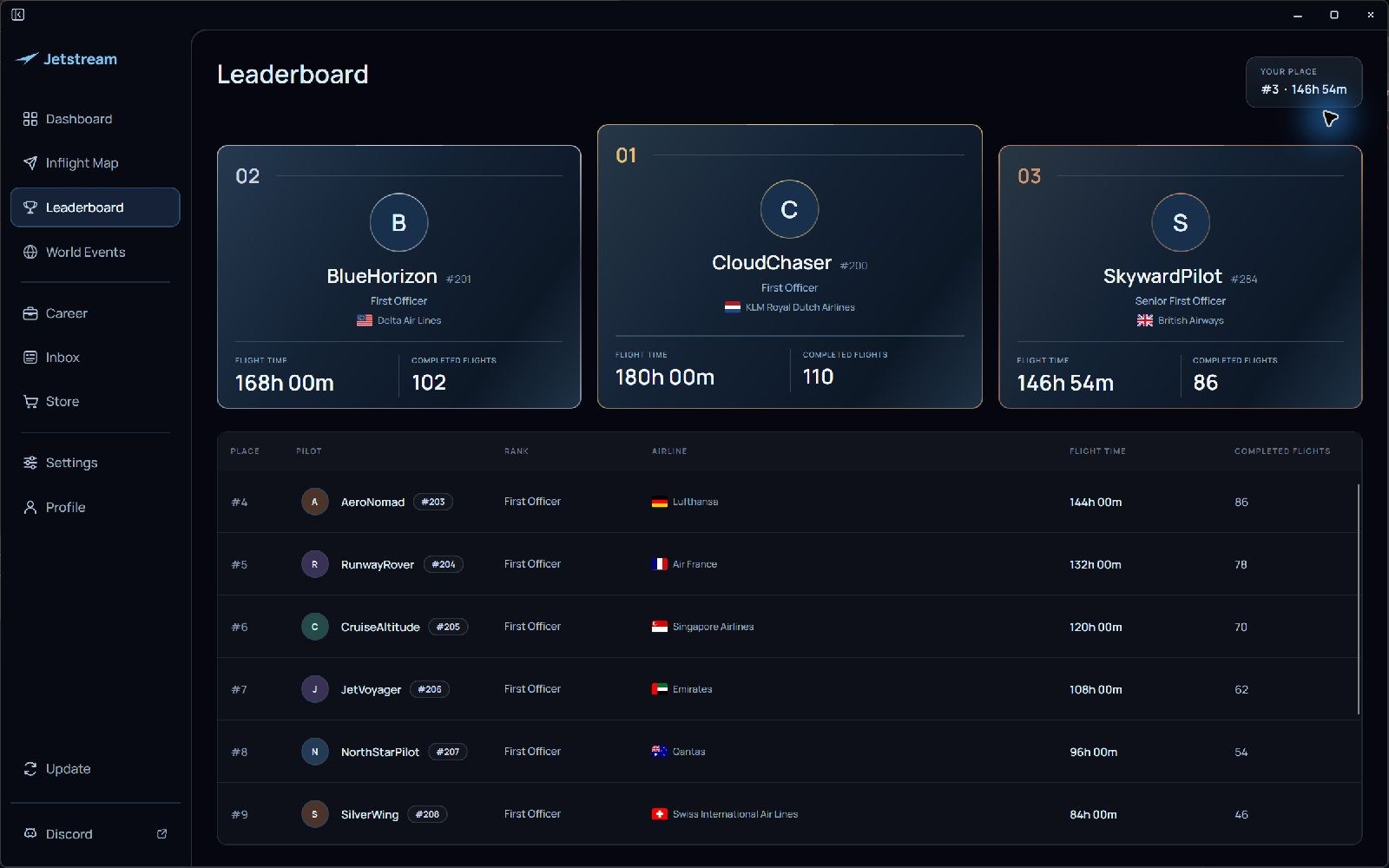
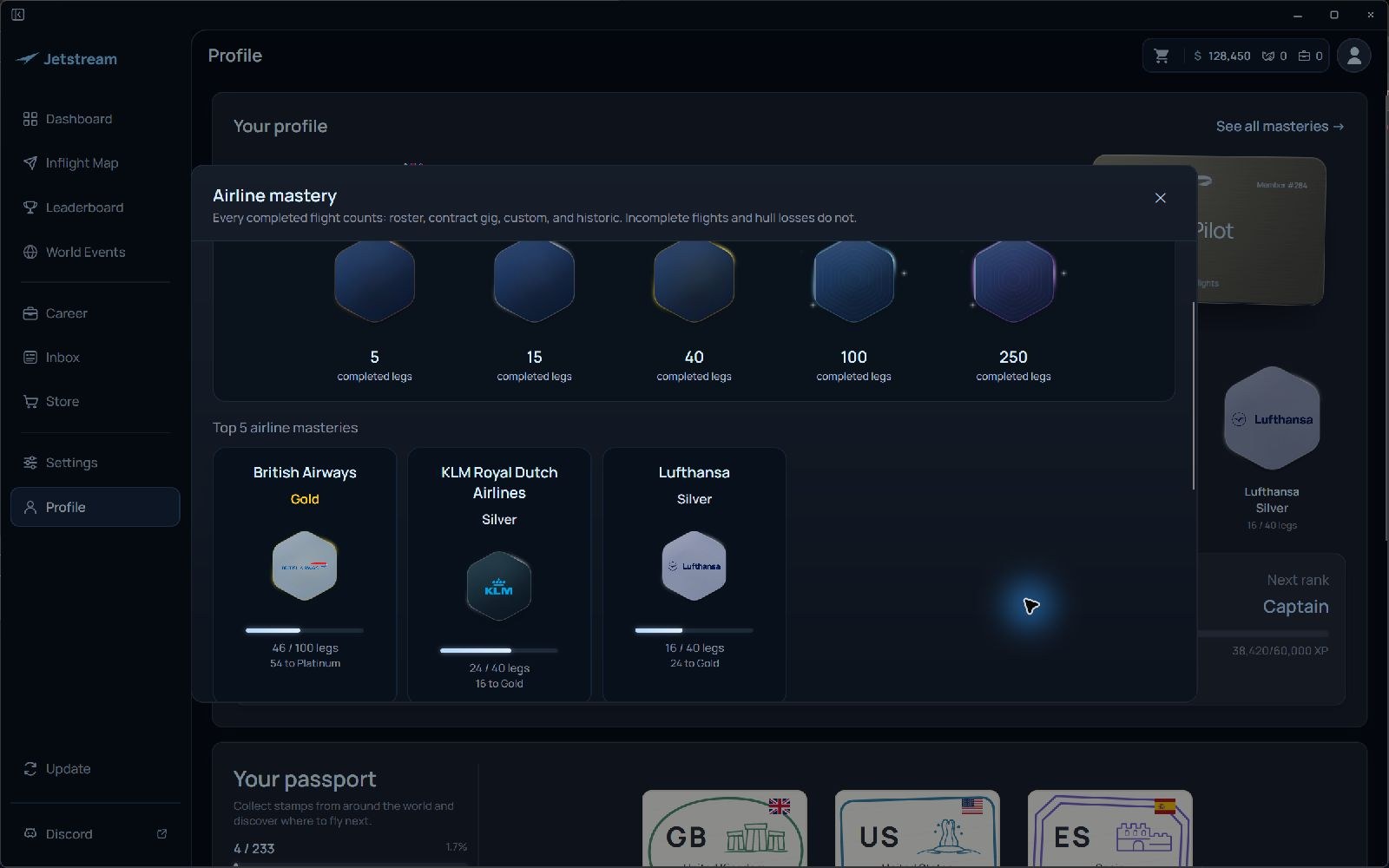

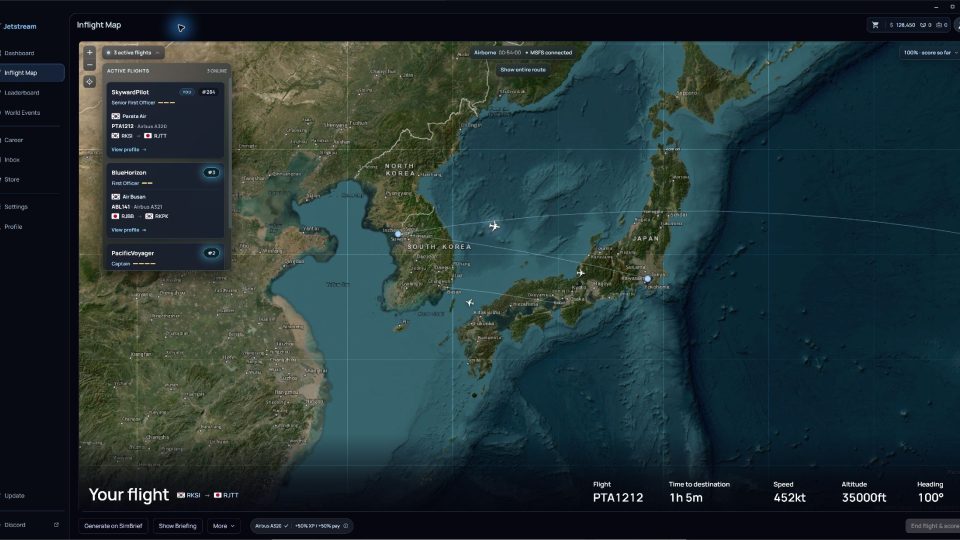
I normally pick an airline route on a whim and forget about it after shutdown; having an employer’s network supply the roster gives that choice some welcome discipline. Airline mastery is the part I’d stick with, because it gives me a reason to keep flying for one carrier instead of chasing the next job. On a rostered flight, I opened the linked SimBrief briefing and checked the matching route on Jetstream’s map. That’s a useful connection between planning the trip and tracking it, without making me enter the route again. The career view also puts the fleet and job board within easy reach, which suits an app I’ll consult between flights. Paid XP boosts don’t appeal to me in a career built around earning promotions, but core play requires no purchase during the public alpha. I’d try that before spending anything. An account and internet connection are required, and alpha updates or bugs may affect progress. Also, the previewed map improvements aren’t in the download yet; don’t choose it for those visuals.
Jetstream gives Microsoft Flight Simulator 2020 and Microsoft Flight Simulator 2024 pilots an airline career that carries on between flights. Developed by Blue Matters Studio, this standalone Windows companion builds rosters from real airline route networks, grades your flying, and tracks promotion from Junior First Officer to Senior Captain.
You can apply for roles across a catalog of more than 390 real-world airlines and over 90,000 routes. Your employer’s network supplies the roster; completed flights earn XP and virtual salary, with flight performance contributing to the rewards. There are five pilot ranks to work through.
Airline mastery runs alongside your rank, with Bronze, Silver, Gold, Platinum, and Master tiers for each airline. Your pilot record keeps flight history, career progress, and country passport stamps together. World Events offer another way to choose a flight: find routes between event destinations and add them to your roster.
Jetstream requires Windows 10 or 11 (64-bit), MSFS 2020 or 2024 installed on your PC, a Jetstream account, and an internet connection. The ZIP contains the official installer and a readme.
Jetstream installs separately. Do not put it in the MSFS Community folder.
Core airline career play is free during the public alpha, with no purchase or subscription required. Optional in-app purchases cover historic airline content and progression items, including virtual credits, contract flights, networking actions, and XP boosts.
Development is ongoing. Features and pricing may change, and bugs or updates can affect your progress.
All nine screenshot previews show the actual native Jetstream app with sample pilot identities and flight data; the airline names are real. The dashboard and airline-career views show the shipping interface. But the map visuals and KLM logo alignment preview upcoming UI improvements that aren’t yet in the download.
Blue Matters Studio, LLC develops Jetstream independently of Microsoft, Asobo, and the airlines shown. Help is available through the Jetstream FAQ and support service, or by email at team@jetstream.today.
Free for all simmers · 377.24 MB · Scanned clean Nov 2026
Download speed: Free tier is capped at 2 Mbps (this file takes approximately 26 mins at the cap). PRO members download at full line speed.
Initial release.
%LOCALAPPDATA%\Packages\Microsoft.FlightSimulator_8wekyb3d8bbwe\LocalCache\Packages\Community\. Steam version: %APPDATA%\Microsoft Flight Simulator\Packages\Community\. Tip: enable Developer Mode in MSFS to see your exact Community folder path.readme.txt or README file. It tells you exactly where files go, what dependencies are needed, and any quirks specific to this add-on.Blue Matters Studio builds Jetstream, a beautifully designed airline career companion for Microsoft Flight Simulator 2020 and 2024.Pick a real airline. Fly your roster. Build a career that continues after you shut down the engines.
Are you Blue Matters Studio? Sign in to Fly Away Creators for download stats, comment replies and updates. Make add-ons? Publish them here.
Only PRO members can place votes.
More MSFS add-ons hand-picked based on this download.
FS2004 Utilities/Misc
S2004 VPN - Virtual Pilot Network 1.4us. Access weather radar, forecasts, MET…
 FS2002
As a Cessna Caravan Amphibian pilot in British Columbia, fly tourists and res…
 FS2002
As a Cessna Caravan Amphibian pilot in Yukon, fly tourists and residents from…
 FSX Helicopters
Enhance Microsoft Flight Simulator X rotorcraft operations with this fictiona…
 FSX General Aviation Aircraft
European Pilot Academy Aircraft. Repaints and flight plans for European Pilot…
 FSX General Aviation Aircraft
This repaint, designed by creator Tibor Kókai, brings the Malev Pilot School’…
 FSX Misc
The checklist explains in details how the plane is prepared for takeoff, the …
 FSX Turboprops
Pilatus PC-6C H2 Turbo Porter alternate pilot textures for previous liveries.…
Be the first to leave a comment on this download.
Be the first to share your thoughts on this download.