



 MSFS General Aviation Aircraft
Aerobell Flight School Cessna 172SP G1000 & 172SP Classic Repaints
A pack containing repaints for the default Cessna 172SP G1000 and Cessna 172S…
The XCub analog cockpit conversion requires the stock aircraft in Microsoft Flight Simulator 2024, pairing dial gauges with 3D needles and an Aera tablet. Custom flight modeling, PBR textures, persistent fuel and switch settings, walkaround support, tablet fueling, selectable cockpit drinks and more than a dozen liveries complete the package.
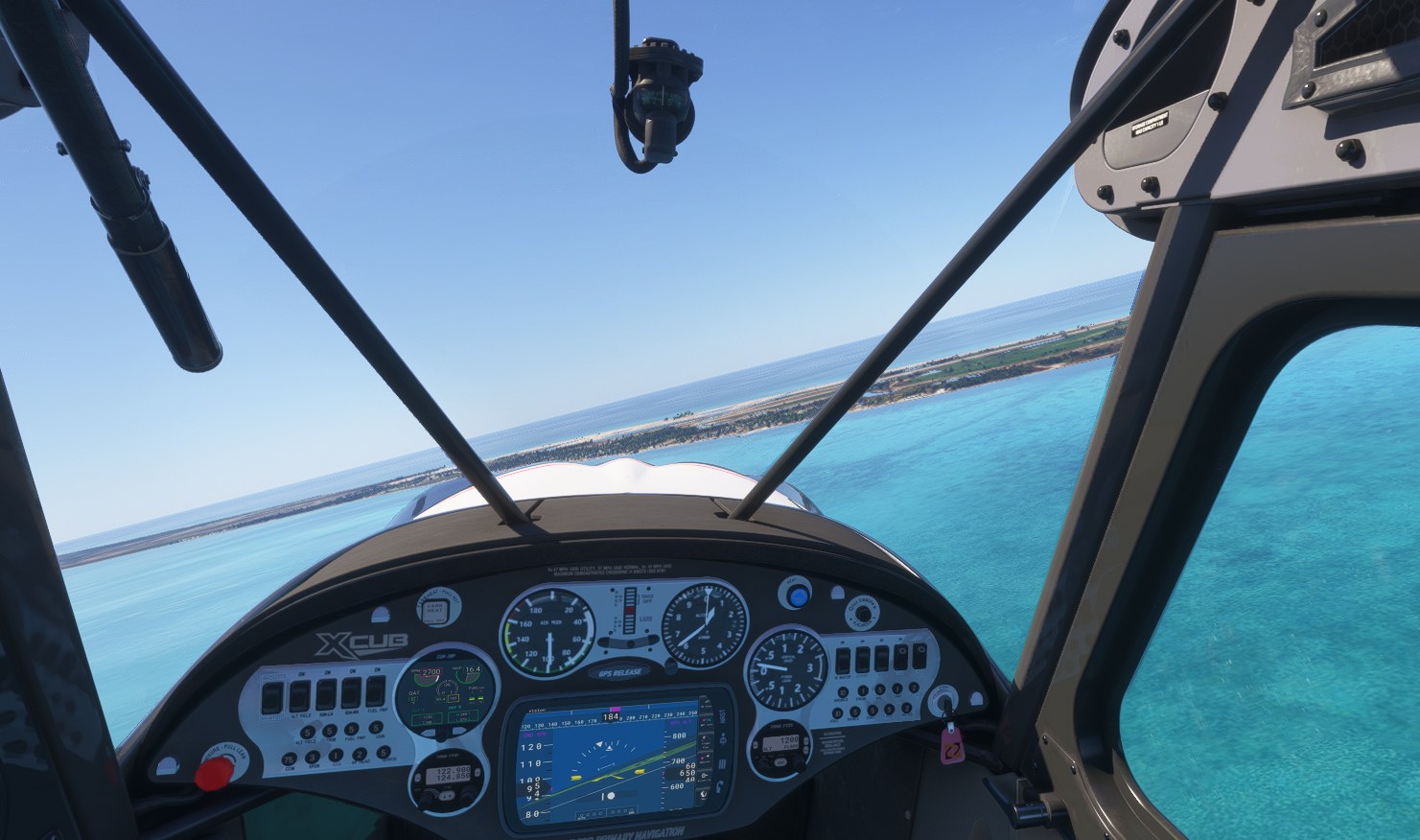

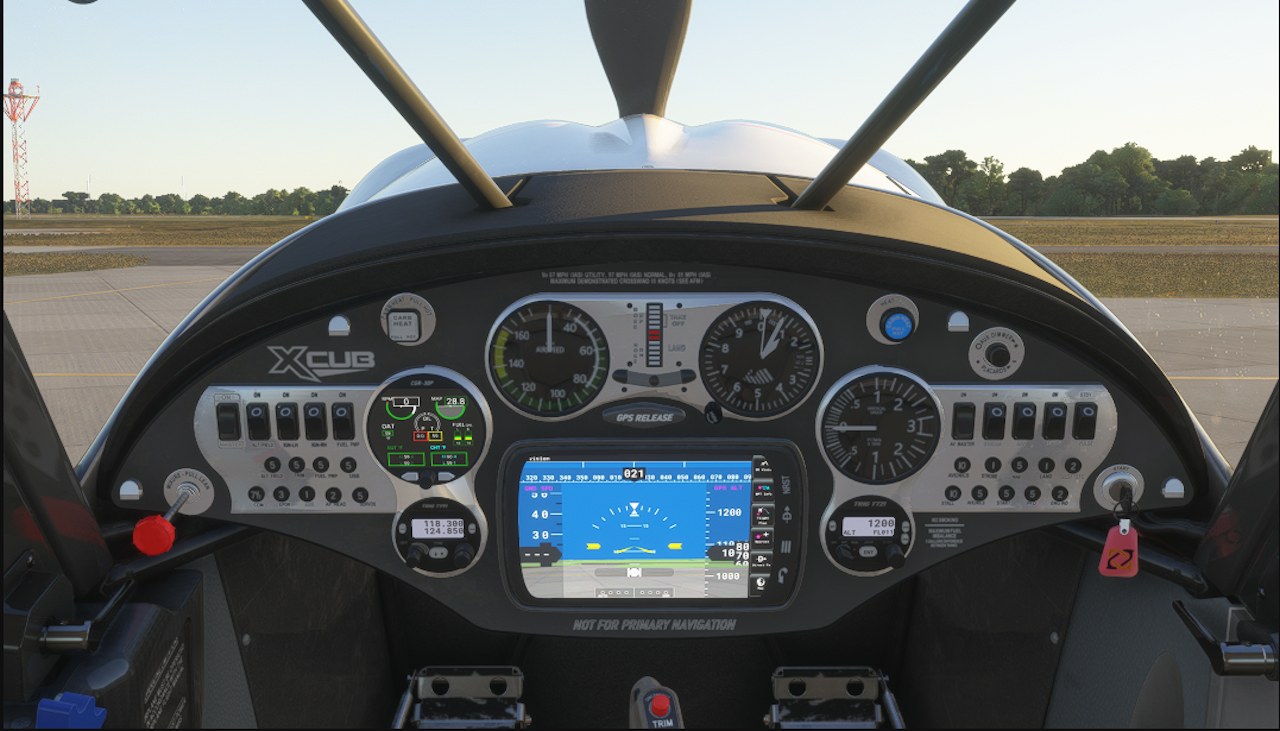


Banking along the coast, I glanced down for an airspeed check and went straight to the needle before looking outside again. That quick, familiar scan suits the XCub beautifully. The large airspeed indicator and altimeter sit high on the panel, with the Aera below them; I like having the dials take that prominent position without giving up the screen. This feels like a sensible conventional VFR cockpit, not an exercise in making everything look old. The 3D needles are a worthwhile detail in a panel you’ll spend this much time reading.
Persistent fuel and switch settings are the other part I’d keep coming back for. Having to pay attention to the state you left the aircraft in gives the next outing a little continuity, and tablet fueling fits neatly into that routine. The drink-holder choices are amusing, but saved aircraft state has a practical purpose on every flight. Keep the simulator requirement in mind: the developer’s earlier MSFS 2020 work doesn’t make this release compatible with 2020.
EzMods 2024 XCub Classic replaces the stock CubCrafters XCub’s glass-panel layout with dial gauges and an Aera tablet in Microsoft Flight Simulator 2024. Developed by EzMods, version 0.9.94 requires the simulator’s own XCub and adds custom flight modeling, persistent settings, and more than a dozen liveries.
The base aircraft isn't included, but it ships with MSFS 2024, so no separate aircraft download is needed. This release is for MSFS 2024 only.
EzMods began developing for Microsoft Flight Simulator 2020 largely to build these XCub variants. The aim was to reproduce the aircraft’s conventional VFR panel: the real XCub has been offered with standard dial instruments, while the simulator depicts the more expensive G3X glass-cockpit option.
The 2024 version draws on that earlier work, with new 3D needles on every dial gauge, new PBR textures throughout, and numerous smaller adjustments. It uses MSFS 2024’s modular packaging system and supports walkaround features and fueling from the tablet.
Copy the ezmods-2024xcub-classic folder into your Community Folder.
EzMods welcomes feedback and suggestions through the developer’s Discord.
EzMods permits use only within the Microsoft Flight Simulator game environment. Any other use is strictly prohibited. The package is supplied under a Standard Product License and must not be redistributed. Read the license PDF for more information.
Alongside EzMods’ own work, the package contains contributions from other developers. Some artwork and miscellaneous components remain the intellectual property of their original creators.
Free for all simmers · 545.9 MB · Scanned clean Nov 2026
Download speed: Free tier is capped at 2 Mbps (this file takes approximately 38 mins at the cap). PRO members download at full line speed.
Initial release.
%LOCALAPPDATA%\Packages\Microsoft.FlightSimulator_8wekyb3d8bbwe\LocalCache\Packages\Community\. Steam version: %APPDATA%\Microsoft Flight Simulator\Packages\Community\. Tip: enable Developer Mode in MSFS to see your exact Community folder path.readme.txt or README file. It tells you exactly where files go, what dependencies are needed, and any quirks specific to this add-on.Animating Pixels & Coding Creativity. MSFS 2020 & 2024 Aircraft Development SDK Setup & Management 3D Animations Basic 2020 Template Coding Basic LOD creation
Are you EzMods? Sign in to Fly Away Creators for download stats, comment replies and updates. Make add-ons? Publish them here.
Only PRO members can place votes.
More MSFS add-ons hand-picked based on this download.
MSFS General Aviation Aircraft
A pack containing repaints for the default Cessna 172SP G1000 and Cessna 172S…
 FS2004 Panels
Very hight quality 737-300 Analog panel for FS2004. New wonderful XML gauges:…
 FSX Panels & Gauges
Analog Mini Panel version 2.1. The analog mini panel has been updated with se…
 FSX Military Aircraft
This is a panel update for two different models of the Lockheed Martin F16 Fi…
 FSX Panels & Gauges
Airbus A321 VC Modification. A modification for the default A321. Adds more r…
 FSX Military Aircraft
Sludge Hornet Modification v1.2 with updated features and new effects. Realis…
 FSX General Aviation Aircraft
Ayres Turbo Thrush Modification. Based on the model by Marcel Du Plessis. Thi…
 FSX Military Aircraft
T-6G Texan II Modification. Texture modification for the Texan T-6G by Warwic…
Be the first to leave a comment on this download.
Be the first to share your thoughts on this download.