

 FS2004 Civil Jet Aircraft
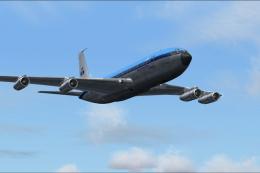
KLM Boeing 707 HP-BUE
Textures only. Model by Captain Sim. Screenshot of KLM Boeing 707 HP-BUE in f…
KLM Boeing 747-200B PH-BUE brings a classic widebody to FS2004 with a detailed Project Open Sky model, accurate KLM markings, and convincing external proportions for era-correct airline operations. Enjoy a clean visual presentation suited to long-haul routes and airport ramp scenes, with a well-structured package that integrates smoothly into the simulator.
 Rate
Rate
Model by Project Open Sky.
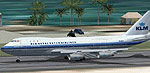
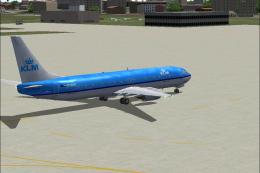
Screenshot of KLM Boeing 747-200B on runway.
Free for all simmers · 4.69 MB · Scanned clean Oct 2026
Download speed: Free tier is capped at 0.5 Mbps (this file takes approximately 1 min at the cap). PRO members download at full line speed.
FS9\Aircraft\, FS9\Addon Scenery\, FS9\Gauges\, or FS9\Effects\.readme.txt or README file. It tells you exactly where files go, what dependencies are needed, and any quirks specific to this add-on.The archive avia.zip has 58 files and directories contained within it.
This list displays the first 500 files in the package. If the package has more, you will need to download it to view them.
| Filename/Directory | File Date | File Size |
|---|---|---|
| 744-effects | 03.24.04 | 0 B |
| Opensky_747_vclight.fx | 10.02.02 | 1.31 kB |
| Opensky_airbus_strobe.fx | 08.23.02 | 4.81 kB |
| Opensky_beacon.fx | 02.12.02 | 3.04 kB |
| Opensky_conden.fx | 10.03.02 | 3.15 kB |
| Opensky_condens.fx | 09.08.02 | 2.71 kB |
| Opensky_condens.xml | 10.03.02 | 282 B |
| Opensky_logo_light.fx | 10.03.02 | 1.31 kB |
| Opensky_nacelle_refl.fx | 09.29.02 | 1.29 kB |
| Opensky_nav_yellow.fx | 09.29.02 | 3.07 kB |
| Opensky_sparks.fx | 09.08.02 | 7.05 kB |
| Opensky_vortex.fx | 09.10.02 | 1.23 kB |
| Opensky_wing_light.fx | 09.29.02 | 1.31 kB |
| WS_FTP.LOG | 03.24.04 | 2.41 kB |
| 747-200MGE.air | 03.05.04 | 10.20 kB |
| Aircraft.cfg | 03.24.04 | 13.69 kB |
| model | 03.20.04 | 0 B |
| Model.cfg | 03.06.04 | 38 B |
| POSKY742MCF6A12S3B234.mdl | 03.06.04 | 1.86 MB |
| WS_FTP.LOG | 03.24.04 | 172 B |
| panel | 03.20.04 | 0 B |
| panel.cfg | 03.19.04 | 32 B |
| sound | 03.20.04 | 0 B |
| Sound.cfg | 04.18.01 | 30 B |
| texture | 03.20.04 | 0 B |
| posky_tire1.bmp | 01.26.04 | 17.05 kB |
| posky_tire2.bmp | 01.26.04 | 17.05 kB |
| posky_tire3.bmp | 01.26.04 | 17.05 kB |
| posky742_bodyl_l.bmp | 03.21.04 | 5.33 MB |
| posky742_bodyl_t.bmp | 03.23.04 | 5.33 MB |
| posky742_bodyr_l.bmp | 03.23.04 | 5.33 MB |
| posky742_bodyr_t.bmp | 03.23.04 | 5.33 MB |
| posky742_cargo_interior_l.bmp | 10.13.02 | 64.06 kB |
| posky742_combi_interior_l.bmp | 10.13.02 | 64.06 kB |
| posky742_combi_interior_t.bmp | 10.06.02 | 257.05 kB |
| posky742_doors_l.bmp | 10.20.02 | 1.00 MB |
| posky742_doors_t.bmp | 03.23.04 | 5.33 MB |
| posky742_eng_GECF650_l.bmp | 10.13.02 | 64.06 kB |
| posky742_eng_GECF650_t.bmp | 03.24.04 | 5.33 MB |
| posky742_gear_l.bmp | 10.13.02 | 64.07 kB |
| posky742_gear_t.bmp | 09.15.03 | 64.07 kB |
| posky742_misc_l.bmp | 10.13.02 | 1.00 MB |
| posky742_misc_t.bmp | 01.22.04 | 1.00 MB |
| posky742_pax_interior_l.bmp | 10.13.02 | 64.07 kB |
| posky742_pax_interior_t.bmp | 12.29.03 | 682.75 kB |
| posky742_vertical_l.bmp | 10.13.02 | 256.07 kB |
| posky742_vertical_t.bmp | 03.21.04 | 1.33 MB |
| posky742_window_t.bmp | 06.12.03 | 128.08 kB |
| posky742_wingbottom_l.bmp | 10.13.02 | 64.06 kB |
| posky742_wingbottom_t.bmp | 03.23.04 | 5.33 MB |
| posky742_wingtop_l.bmp | 10.13.02 | 64.06 kB |
| posky742_wingtop_t.bmp | 01.22.04 | 1.00 MB |
| posky742fan.bmp | 09.17.03 | 65.05 kB |
| posky742fanfast.bmp | 09.17.03 | 65.05 kB |
| posky747cabina1.bmp | 12.30.03 | 682.75 kB |
| Thumbs.db | 03.24.04 | 84.50 kB |
| flyawaysimulation.txt | 10.29.13 | 959 B |
| Go to Fly Away Simulation.url | 01.22.16 | 52 B |
Only PRO members can place votes.
More FS2004 add-ons hand-picked based on this download.
FS2004 Civil Jet Aircraft
Textures only. Model by Captain Sim. Screenshot of KLM Boeing 707 HP-BUE in f…
 FS2004 Civil Jet Aircraft
Model by Project Open Sky. British Caledonian paint by Bejae Taylor. Screensh…
 FS2004 Civil Jet Aircraft
Boeing 747-400 (new colors), registration PH-BFL. Model by Project Open Sky. …
 FS2004 Civil Jet Aircraft
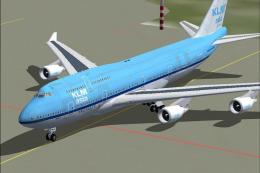
This repaint showcases the “City of Mexico” Boeing 747-400 bearing KLM Asia m…
 FS2004 Civil Jet Aircraft
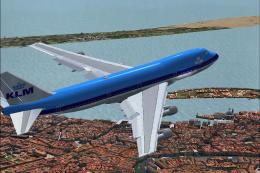
This freeware add-on package introduces KLM’s Boeing 747-200 “PH-BUA,” common…
 FS2004 Civil Jet Aircraft
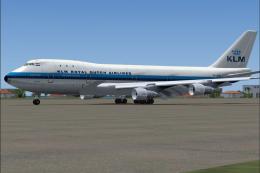
Project Open Sky's B747-200 in KLM's old colors. PH-BUC was the third 747 for…
 FS2004 Civil Jet Aircraft
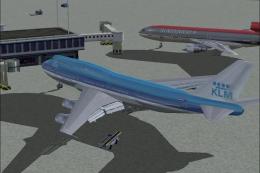
KLM Boeing 747-206BM SUD, registration PH-BUK. Model by FSPainter. Repainted …
 FS2004 Civil Jet Aircraft
Textures only. Model by PMDG. Repaint by Vincent v/d Hof. Screenshot of KLM B…
Read what other simmers think, or add your own.

Thanks a lot for this airplane, and it even works in FSX (I don't have FS2004).
I simply pasted it into the Airplanes folder in FSX.
Very nice 1970s livery.
Best wishes to you and other FS people.