

 FS2004 Civil Jet Aircraft
Austrian Airlines Airbus A319
This comprehensive Airbus A319 package featuring Austrian Airlines livery has…
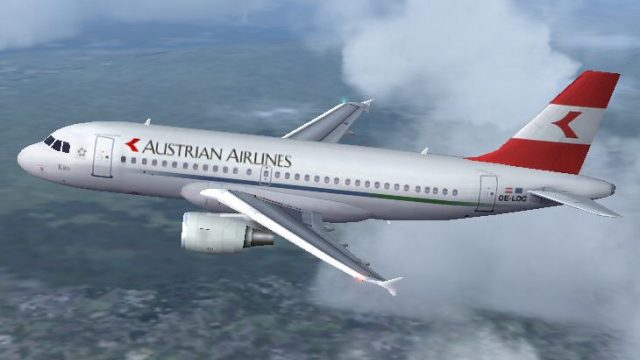
Austrian Airlines Airbus A319 in a fictional retro “old colors” scheme brings classic branding to Microsoft Flight Simulator 2004 with an FPS-friendly FSPainter native model and AI-tuned flight dynamics. Enjoy reflective photoreal textures, LOD optimization, and fully animated exterior details including gear, flaps, spoilers, thrust reversers, and gear bays.
 Rate
Rate
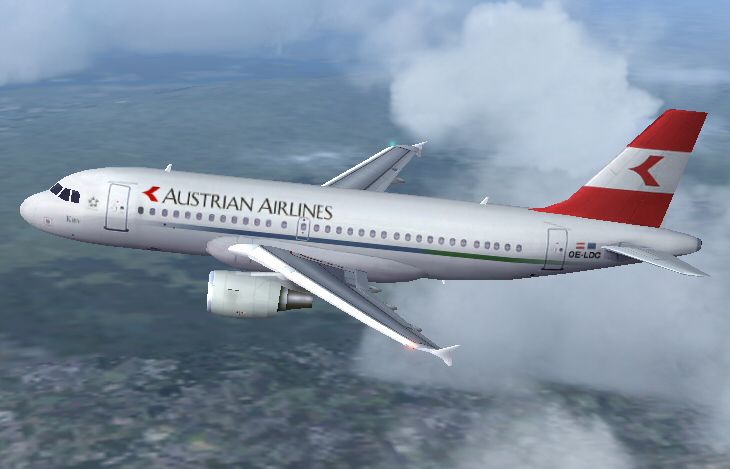
This freeware add-on introduces a fictional, retro-themed Austrian Airlines Airbus A319 for Microsoft Flight Simulator 2004. It contains a complete package featuring a native FSPainter model, with visuals and AI flight dynamics that preserve performance. The repaint highlights the older airline branding that was never officially used for this aircraft variant during its actual delivery.
The Airbus A319 belongs to the A320 family, well-known for its efficiency on short- to medium-haul routes. Under the hands of FSPainter, this model implements LOD (Level of Detail) technology for optimal in-simulator performance. For enthusiasts preferring detailed external animations, it includes retractable landing gear, deployed flaps and spoilers, thrust reverser action, antenna placement, flap fairings, and functional gear bays. Reflective texture mapping, derived from Antti Salo’s photorealistic paint kit, further enhances the visuals.
Although these specific jets entered the Austrian Airlines fleet featuring a newer livery, the repaint captures the classic palette. This entirely fictional approach has been crafted for enthusiasts who prefer the traditional style. Every detail on the fuselage, tail, and wing surfaces mimics the older corporate identity, delivering a visually appealing tribute to Austrian’s heritage.
• Original model and textures by FSPainter
• AI flight dynamics meticulously arranged by Hiro
• Repaint produced by Imre Kiss
-fsx-1.jpg)
Screenshot of the Austrian Airlines Airbus A319 flying in its fictional retro look.
The download folder, named "FSP A319 Austrian Old", should be unzipped directly into the FS2004\Aircraft directory. Alternatively, decompress it in a temporary folder and then manually move it into the Aircraft location.
If you already operate the FSP A319 (CFM variant) in your collection, place the enclosed texture.aua_oc folder into your current FSP A319 installation. Then, include the following registration in your aircraft.cfg, adjusting [fltsim.X] to the subsequent available index:
[fltsim.X]

title=FSP A319 Austrian Airlines Old Colors

sim=fsp_a320

model=cfm

panel=

sound=

texture=aua_oc

kb_checklists=

kb_reference=

atc_id=

atc_id_color=0xffffffff

atc_airline=Austrian

atc_flight_number=

ui_manufacturer=AI_Plane

ui_type=A319

ui_variation=Austrian Airlines Old

description=For AI aircraft.By FSPainter,Hiro,Painted by Imre Kiss

atc_parking_types=GATE

atc_parking_codes=
This full package allows simulation enthusiasts to enjoy a visually rich yet FPS-friendly Austrian Airlines A319 primed for Microsoft Flight Simulator 2004. It merges classic design elements with modern performance, delivering a compelling AI or user-flown option within your virtual skies.
Free for all simmers · 489.6 KB · Scanned clean Oct 2026
Download speed: Free tier is capped at 0.5 Mbps. PRO members download at full line speed.
FS9\Aircraft\, FS9\Addon Scenery\, FS9\Gauges\, or FS9\Effects\.readme.txt or README file. It tells you exactly where files go, what dependencies are needed, and any quirks specific to this add-on.The archive fsp319ao.zip has 18 files and directories contained within it.
This list displays the first 500 files in the package. If the package has more, you will need to download it to view them.
| Filename/Directory | File Date | File Size |
|---|---|---|
| FILE_ID.DIZ | 09.14.04 | 652 B |
| FSP A319 Austrian Old | 09.14.04 | 0 B |
| aircraft.cfg | 09.14.04 | 14.26 kB |
| fsp_a320.air | 11.03.02 | 8.62 kB |
| model.cfm | 09.14.04 | 0 B |
| fsp_a319cfm.mdl | 11.11.02 | 255.05 kB |
| model.cfg | 11.11.02 | 30 B |
| sound | 09.14.04 | 0 B |
| sound.cfg | 06.17.02 | 34 B |
| texture.aua_oc | 09.14.04 | 0 B |
| fsp_a319cfm_l.bmp | 09.07.04 | 1.00 MB |
| fsp_a319cfm_t.bmp | 09.13.04 | 1.00 MB |
| README.txt | 09.14.04 | 2.09 kB |
| Screenshot.jpg | 09.13.04 | 128.22 kB |
| thumbnail.gif | 09.14.04 | 8.61 kB |
| fsp319ao | 09.14.04 | 0 B |
| flyawaysimulation.txt | 10.29.13 | 959 B |
| Go to Fly Away Simulation.url | 01.22.16 | 52 B |
Only PRO members can place votes.
More FS2004 add-ons hand-picked based on this download.
FS2004 Civil Jet Aircraft
This comprehensive Airbus A319 package featuring Austrian Airlines livery has…
 FS2004 Civil Jet Aircraft
Delta flew several of these aircraft in the early and mid 70's. Wing textures…
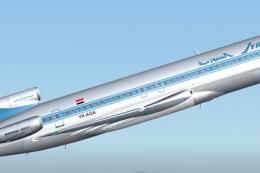 FS2004 Civil Jet Aircraft
A repaint of Vistaliners B727-200ADV in the colors of Syrian Arab airlines. M…
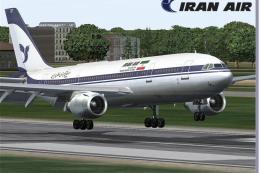 FS2004 Civil Jet Aircraft
Model by SGA. Livery by Amir Alemohammed. Screenshot of Iran Air Airbus A300B…
 FS2004 Civil Jet Aircraft
This freeware package recreates the Aerolíneas Argentinas Airbus A340-211 in …
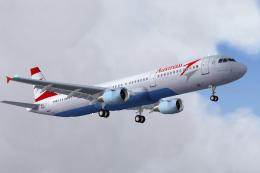 FS2004 Civil Jet Aircraft
This freeware package offers a meticulously crafted Airbus A321 that carries …
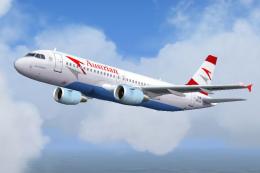 FS2004 Civil Jet Aircraft
This freeware package presents an Austrian Airlines Airbus A320 built to perf…
 FS2004 Civil Jet Aircraft
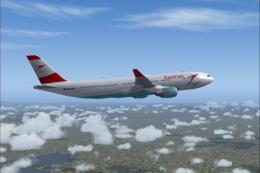
Expand your FS2004 fleet with this Austrian Airlines Airbus A330-200. Painted…
Be the first to leave a comment on this download.
Be the first to share your thoughts on this download.