

 FS2004 Civil Jet Aircraft
Austrian Airlines Airbus A319 (OC)
This freeware add-on introduces a fictional, retro-themed Austrian Airlines A…
Austrian Airlines Airbus A319 AI package brings photoreal livery, reflective textures, and detailed animations for gear, flaps, spoilers, and thrust reversers, with smart LOD to keep busy airports smooth. Tuned AI flight dynamics support realistic short-haul traffic in Microsoft Flight Simulator 2004 while preserving stable performance.
 Rate
Rate
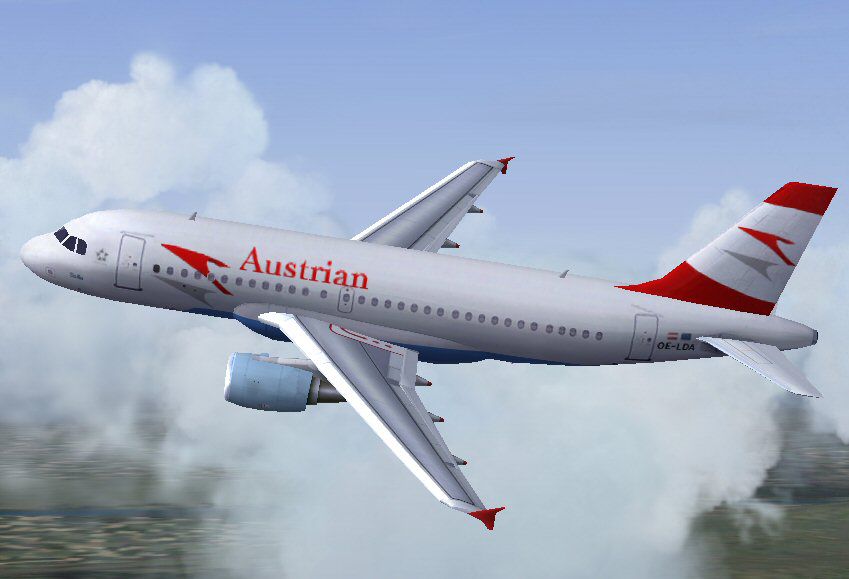
This comprehensive Airbus A319 package featuring Austrian Airlines livery has been tailored for Microsoft Flight Simulator 2004 enthusiasts. Crafted by FSPainter, Hiro, and brought to life with a repaint by Imre Kiss, it includes all essential files for seamless integration. Designed primarily for AI operations, it offers efficient performance and faithfully reproduces the look of Austrian’s short-haul jetliner with photorealistic detailing based on Antti Salo’s paint kit.
The exterior boasts reflective textures that mimic the airline’s iconic color scheme, ensuring an appealing presence on the ramp. A level-of-detail (LOD) system optimizes rendering, so when several aircraft populate busy skies, performance remains fluid. This model incorporates animated gear assemblies, spoiler deployment, flap movement, and thrust reversing actions. Even the antenna placement and flap canoe structures are visible, underscoring the attention to detail.
Developed meticulously by Hiro, the AI flight dynamics reflect the real aircraft’s behavior without impacting frame rates negatively. This feature is especially welcome for those who rely on AI traffic integration to simulate realistic airline operations across busy virtual airspaces. By leveraging AI-optimized guidelines, the model maintains stable performance, even in traffic-heavy airports.
Screenshot of Austrian Airlines Airbus A319 in flight.
Once downloaded, locate the folder named FSP A319 Austrian and move it directly into your FS2004\Aircraft directory. Alternatively, extract the contents to a temporary folder, then drag and drop the FSP A319 Austrian folder into your simulator’s \Aircraft collection. Inside you will find every file needed to operate this aircraft under Austrian Airlines’ colors.
If you already possess an FSP A319 with the CFM model installed, you can manually insert the repaint. Place the texture.aua folder into your aircraft directory (matching the existing FSP A319 CFM model) and append the following block into your aircraft.cfg file:
[fltsim.0]

title=FSP A319 Austrian Airlines

sim=fsp_a320

model=cfm

panel=

sound=

texture=aua

kb_checklists=

kb_reference=

atc_id=

atc_id_color=0xffffffff

atc_airline=Austrian

atc_flight_number=

ui_manufacturer=AI_Plane

ui_type=A319

ui_variation=Austrian Airlines

description=For AI aircraft.By FSPainter,Hiro,Painted by Imre Kiss

atc_parking_types=GATE

atc_parking_codes=
FSPainter delivered the remarkable base model and textures, while Hiro engineered the AI flight dynamics. The refined Austrian livery repaint was completed by Imre Kiss, ensuring an authentic appearance. The final outcome is an immersive freeware package that runs efficiently in dense traffic setups while capturing the essence of Austrian’s A319 aircraft.
Free for all simmers · 417.67 KB · Scanned clean Oct 2026
Download speed: Free tier is capped at 0.5 Mbps. PRO members download at full line speed.
FS9\Aircraft\, FS9\Addon Scenery\, FS9\Gauges\, or FS9\Effects\.readme.txt or README file. It tells you exactly where files go, what dependencies are needed, and any quirks specific to this add-on.The archive fsp319au.zip has 18 files and directories contained within it.
This list displays the first 500 files in the package. If the package has more, you will need to download it to view them.
| Filename/Directory | File Date | File Size |
|---|---|---|
| FILE_ID.DIZ | 09.08.04 | 431 B |
| FSP A319 Austrian | 09.07.04 | 0 B |
| aircraft.cfg | 09.07.04 | 14.24 kB |
| fsp_a320.air | 11.03.02 | 8.62 kB |
| model.cfm | 09.07.04 | 0 B |
| fsp_a319cfm.mdl | 11.11.02 | 255.05 kB |
| model.cfg | 11.11.02 | 30 B |
| sound | 09.07.04 | 0 B |
| sound.cfg | 06.17.02 | 34 B |
| texture.aua | 09.07.04 | 0 B |
| fsp_a319cfm_l.bmp | 09.07.04 | 1.00 MB |
| fsp_a319cfm_t.bmp | 09.07.04 | 1.00 MB |
| README.txt | 09.08.04 | 1.87 kB |
| screenshot.jpg | 09.07.04 | 53.72 kB |
| thumbnail.gif | 09.07.04 | 6.59 kB |
| fsp319au | 09.08.04 | 0 B |
| flyawaysimulation.txt | 10.29.13 | 959 B |
| Go to Fly Away Simulation.url | 01.22.16 | 52 B |
Only PRO members can place votes.
More FS2004 add-ons hand-picked based on this download.
FS2004 Civil Jet Aircraft
This freeware add-on introduces a fictional, retro-themed Austrian Airlines A…
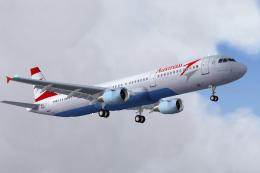 FS2004 Civil Jet Aircraft
This freeware package offers a meticulously crafted Airbus A321 that carries …
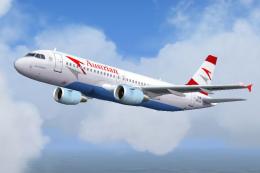 FS2004 Civil Jet Aircraft
This freeware package presents an Austrian Airlines Airbus A320 built to perf…
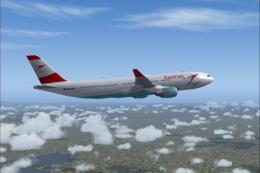 FS2004 Civil Jet Aircraft
Expand your FS2004 fleet with this Austrian Airlines Airbus A330-200. Painted…
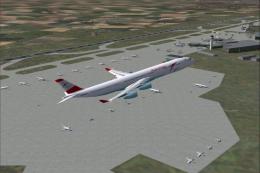 FS2004 Civil Jet Aircraft
This repaint showcases the Austrian Airlines Airbus A340-300 in distinctive D…
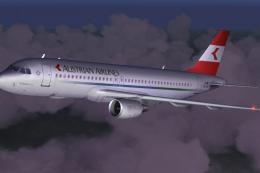 FS2004 Civil Jet Aircraft
This complete freeware package brings a classic Austrian Airlines Airbus A320…
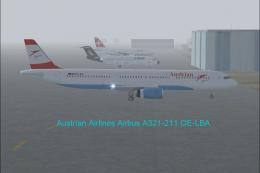 FS2004 Civil Jet Aircraft
Austrian Airlines Airbus A321-211 (new livery). Aircraft.cfg has been configu…
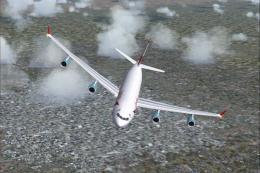 FS2004 Civil Jet Aircraft
Elevate your FS2004 sessions with this freeware Austrian Airlines Airbus A340…
Be the first to leave a comment on this download.
Be the first to share your thoughts on this download.