

 FS2004 Civil Jet Aircraft
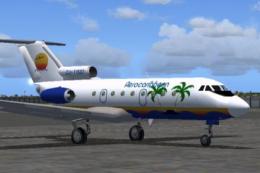
Aerocaribbean Yak-40
Repaint for AI including flight plan for three of their Yaks. By Billy Ruther…
Aerotex VIP livery brings a Moscow-based executive look to the SCDS Yak-40 v1.3 SALON with crisp markings, refined rivet detail, and a polished business-jet finish that complements the tri-engine classic. Built for FS2004, it requires the SCDS Yak-40 base package and preserves smooth performance while boosting realism.
 Rate
Rate
This free add-on provides a detailed Aerotex VIP paint scheme for the SCDS Yak-40 v1.3 SALON model created by the SCDS team. It includes all relevant markings and rivet details for a Moscow-based executive carrier, and it ensures that enthusiasts can enjoy a sophisticated VIP option in their FS2004 installation without sacrificing technical accuracy or performance.
The Yak-40, introduced by Yakovlev in the late 1960s, is known for its tri-engine layout and regional jet capabilities. This particular Aerotex VIP repaint highlights the aircraft’s streamlined design, reflecting a specialized business configuration that brings extra realism to your virtual flights. The texture set was prepared by Maxim Mysin and complements the comprehensive modeling found in the SCDS Yak-40 v1.3 SALON edition. It is not compatible with the earlier Yak-40K v1.2RC release, so be sure to verify which variant you are running in your simulator.
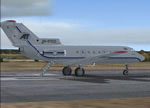
Screenshot of Aerotex Yak-40 on runway.
After downloading the package, run the provided executable and select your main Microsoft Flight Simulator 2004 folder. Once completed, start FS2004 and access the aircraft menu to locate the newly installed Aerotex Yak-40 livery. If you apply any patch updates to the SCDS Yak-40 v1.3 SALON and the livery disappears, just rerun the installer to add it once more.
This Aerotex VIP livery is the work of Maxim Mysin. The SCDS Yak-40 v1.3 model was developed by the dedicated SCDS team. Special thanks to Zbynek Pavlon for his finely crafted rivet details, which enhance the overall texture quality of all official SCDS liveries.
Free for all simmers · 630.33 KB · Scanned clean Oct 2026
Download speed: Free tier is capped at 0.5 Mbps. PRO members download at full line speed.
FS9\Aircraft\, FS9\Addon Scenery\, FS9\Gauges\, or FS9\Effects\.readme.txt or README file. It tells you exactly where files go, what dependencies are needed, and any quirks specific to this add-on.The archive scdsyk06.zip has 6 files and directories contained within it.
This list displays the first 500 files in the package. If the package has more, you will need to download it to view them.
| Filename/Directory | File Date | File Size |
|---|---|---|
| FILE_ID.DIZ | 10.18.04 | 274 B |
| scdsyk06.jpg | 10.17.04 | 5.74 kB |
| README.txt | 10.17.04 | 593 B |
| Yakovlev_Yak-40_AT.exe | 10.21.04 | 645.33 kB |
| flyawaysimulation.txt | 10.29.13 | 959 B |
| Go to Fly Away Simulation.url | 01.22.16 | 52 B |
Only PRO members can place votes.
More FS2004 add-ons hand-picked based on this download.
FS2004 Civil Jet Aircraft
Repaint for AI including flight plan for three of their Yaks. By Billy Ruther…
 FS2004 Civil Jet Aircraft
This freeware release offers a Poland Air Force paint scheme created for the …
 FS2004 Civil Jet Aircraft
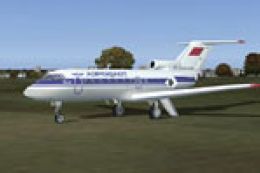
Aerocaribbean (Cuba) addon livery for SCDS Yakovlev Yak-40 v1.3 classic passe…
 FS2004 Civil Jet Aircraft
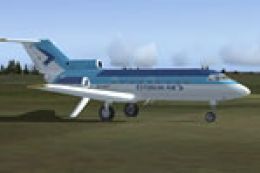
Aeroflot (USSR times) addon livery for SCDS Yakovlev Yak-40 v1.3 classic pass…
 FS2004 Civil Jet Aircraft
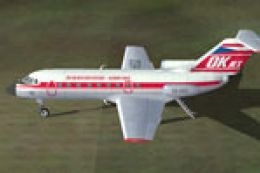
Estonian Air livery for SCDS Yakovlev Yak-40 v1.3 classic passenger version. …
 FS2004 Civil Jet Aircraft
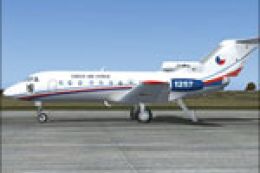
CSA (Czechoslovakia times) livery for SCDS Yakovlev Yak-40 v1.3 classic passe…
 FS2004 Civil Jet Aircraft
This enhancement introduces an authentic Czech Air Force paint scheme designe…
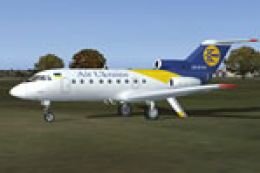 FS2004 Civil Jet Aircraft
This Microsoft flight simulator add-on gives the player the ability to fly in…
Be the first to leave a comment on this download.
Be the first to share your thoughts on this download.