

 FS2004 Civil Jet Aircraft
Braniff BAC One-Eleven 200 Light Green
This light green Braniff International repaint showcases N1549 in the distinc…
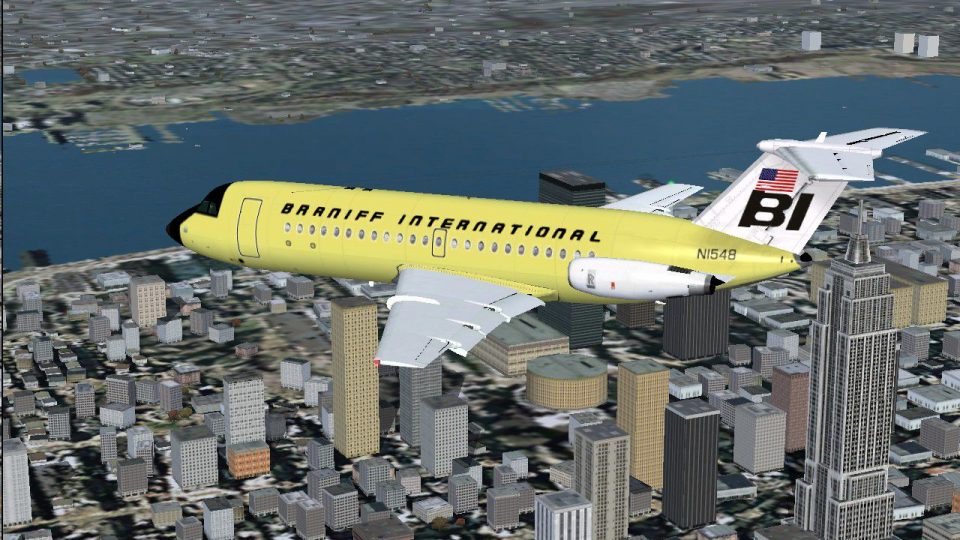
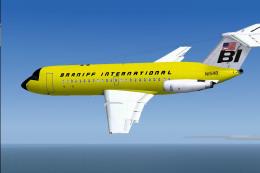
Braniff International’s light yellow livery brings the BAC One-Eleven 200 to life with crisp logos, accurate markings, and registration N1548, reflecting the airline’s bold color-era styling. Built for Microsoft Flight Simulator 2004, it requires David Maltby’s freeware base model and matches Braniff’s configuration by omitting the rear drop-down airstairs.
 Rate
Rate

This repaint showcases Braniff International’s distinctive light yellow color scheme applied to the BAC One-Eleven 200. It is specifically tailored for Microsoft Flight Simulator 2004 and requires the freeware base package, originally created by David Maltby. Developed by Garry Russell, this package highlights one of the more vivid liveries Braniff employed for its fleet. The specialized paint job replicates aircraft registration N1548, which once appeared in a similar lemon-toned variation. Enthusiasts seeking an authentic depiction of Braniff’s bold era will find this repaint aligns well with the airline’s memorable style and technical design choices.
The BAC (British Aircraft Corporation) One-Eleven series incorporated short-haul jet technology that was ahead of its time when introduced in the 1960s. Braniff International utilized multiple bright color themes to stand out from other operators, and the light yellow finish is a prime example. This livery omits the rear drop-down airstairs, remaining true to Braniff’s actual configuration. The airframe itself was crafted for optimal performance on brief routes, yet it maintained a comfortable passenger environment.
Screenshot of Braniff BAC One-Eleven 200 in flight.
[fltsim.xx] to the next available number.
[fltsim.xx]
title=BAC 1-11 203AE Braniff Light Yellow
sim=111200
model=200
panel=
sound=
texture=BNFltyellow
kb_checklists=\Documentation\Checklist
kb_reference=\Documentation\Manual
description=N1548 in the Light Yellow version of the Braniff livery also appeared for a time in Lemon Yellow. Note:- For accuracy do not use the rear drop-down airstairs, Braniff One-Elevens did not have them: Repaint by Garry Russell
Model by David Maltby.
ui_manufacturer=BAC
ui_type=1-11 200
ui_variation=Braniff International Light Yellow
atc_heavy=0
atc_id=N1548
atc_airline=Braniff
atc_flight_number=219
The texture folder incorporates realistic details faithful to Braniff’s paint guidelines, enhancing the fuselage logos, tail markings, and subtle color gradients. Pilots will observe that this variation mirrors the airline’s practice of rotating color sets for certain aircraft, reflecting the company’s branding approach known for eye-catching palettes. Additionally, flight deck and cabin details remain consistent with the original One-Eleven model’s design features, ensuring accurate visual immersion.
This modification was repainted by Garry Russell using the brilliant BAC One-Eleven 200 model by David Maltby. Users should note this is freeware and supports the historical authenticity of Braniff’s operation during the airline’s colorful years. For those aiming to add a touch of vibrant heritage to their short-haul schedules, this add-on offers an engaging way to experience a classic jet airliner.
Free for all simmers · 967.26 KB · Scanned clean Oct 2026
Download speed: Free tier is capped at 0.5 Mbps. PRO members download at full line speed.
FS9\Aircraft\, FS9\Addon Scenery\, FS9\Gauges\, or FS9\Effects\.readme.txt or README file. It tells you exactly where files go, what dependencies are needed, and any quirks specific to this add-on.The archive 111bnf05.zip has 25 files and directories contained within it.
This list displays the first 500 files in the package. If the package has more, you will need to download it to view them.
| Filename/Directory | File Date | File Size |
|---|---|---|
| One-Eleven23.jpg | 10.27.04 | 414.35 kB |
| read me.txt | 10.27.04 | 1.85 kB |
| texture.BNFltyellow | 10.27.04 | 0 B |
| 111ENG.bmp | 10.27.04 | 341.43 kB |
| 111ENG_L.bmp | 10.25.04 | 256.07 kB |
| 111EXTRA.bmp | 10.27.04 | 341.43 kB |
| 111FUSE_1.bmp | 10.27.04 | 256.07 kB |
| 111FUSE_1_L.bmp | 06.13.04 | 341.43 kB |
| 111FUSE_2.bmp | 10.27.04 | 341.43 kB |
| 111FUSE_2_L.bmp | 06.13.04 | 341.43 kB |
| 111FUSE_3.bmp | 10.27.04 | 341.43 kB |
| 111FUSE_3_L.bmp | 06.13.04 | 341.43 kB |
| 111FUSE_4.bmp | 10.27.04 | 341.43 kB |
| 111FUSE_4_L.bmp | 01.18.03 | 341.43 kB |
| 111STEPS.bmp | 10.27.04 | 85.43 kB |
| 111Tail_L.bmp | 10.27.04 | 341.43 kB |
| 111Tail_L_L.bmp | 10.25.04 | 256.07 kB |
| 111Tail_R.bmp | 10.27.04 | 341.43 kB |
| 111Tail_R_L.bmp | 10.25.04 | 256.07 kB |
| 111WING_BL.bmp | 10.27.04 | 341.43 kB |
| 111WING_BR.bmp | 10.27.04 | 341.43 kB |
| 111WING_TL.bmp | 10.27.04 | 341.43 kB |
| 111WING_TR.bmp | 10.27.04 | 341.43 kB |
| flyawaysimulation.txt | 10.29.13 | 959 B |
| Go to Fly Away Simulation.url | 01.22.16 | 52 B |
Only PRO members can place votes.
More FS2004 add-ons hand-picked based on this download.
FS2004 Civil Jet Aircraft
This light green Braniff International repaint showcases N1549 in the distinc…
 FS2004 Civil Jet Aircraft
Braniff's second BAC One-Eleven N1542 is depicted in its delivery livery. Sty…
 FS2004 Civil Jet Aircraft
This specialized repaint for Microsoft Flight Simulator 2004 recreates the cl…
 FS2004 Civil Jet Aircraft
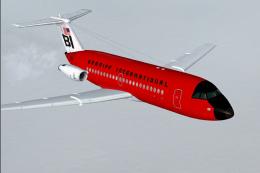
The Braniff BAC One-Eleven 200 in its striking red color scheme has been fait…
 FS2004 Civil Jet Aircraft
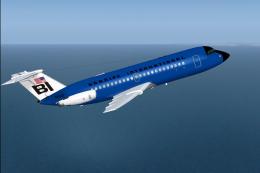
N1547 in the Dark Blue version of the Braniff livery also spent some time pai…
 FS2004 Civil Jet Aircraft
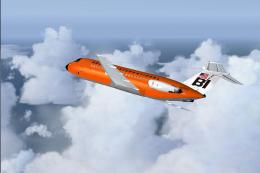
N1552 is depicted in the orange version of the Braniff livery. Requires the B…
 FS2004 Civil Jet Aircraft
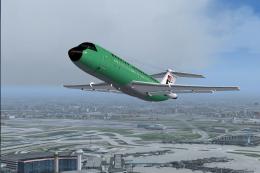
N1545 is depicted in the panagra green version of the Braniff livery. This ai…
 FS2004 Civil Jet Aircraft
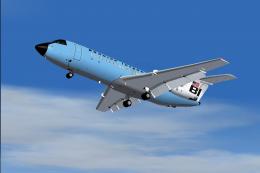
N1541 in the sky blue version of the Braniff livery also appeared for a time …
Be the first to leave a comment on this download.
Be the first to share your thoughts on this download.