

 FS2004 Civil Jet Aircraft
Braniff BAC One-Eleven 200 Dark Blue
N1547 in the Dark Blue version of the Braniff livery also spent some time pai…
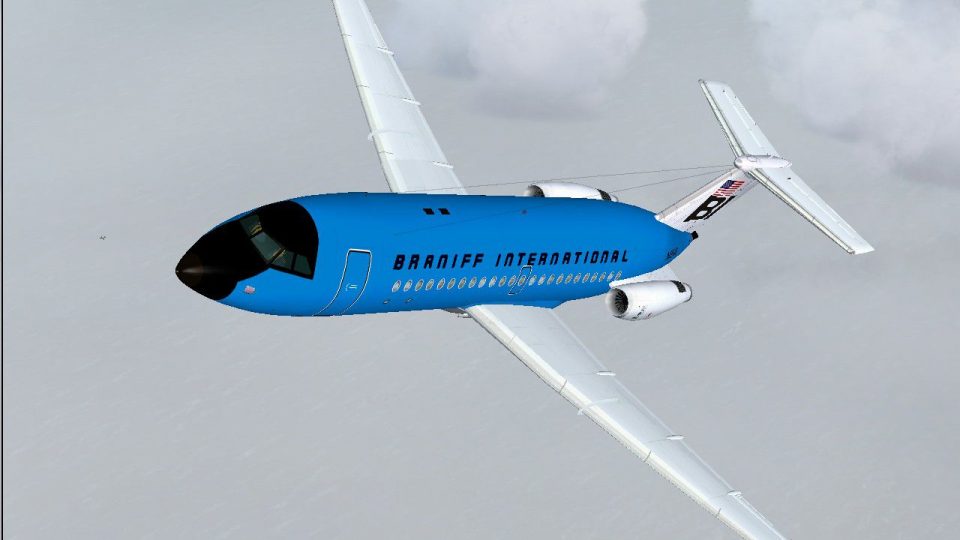
Braniff International’s medium blue BAC One-Eleven 200 livery recreates aircraft N1541 with crisp period logos, accurate registration, and a clean exterior that suits classic short-haul flying in Microsoft Flight Simulator 2004. The textures-only repaint requires David Maltby’s freeware BAC 1-11 200 base model and reflects Braniff’s bold mid-century styling.
 Rate
Rate

This freeware repaint showcases Braniff International’s striking medium blue adaptation of the iconic BAC One-Eleven 200 (registration N1541), which briefly appeared in an alternate sky blue variant as well. It is designed for Microsoft Flight Simulator 2004 enthusiasts who enjoy flying short-range airliners with accurate historical details. The textures only package requires the base BAC 1-11 200 model authored by David Maltby, also freely available in the Fly Away Simulation library. Created and refined by Garry Russell, this livery references Braniff’s bold design choices that were often seen across their fleet during the mid-20th century.
The BAC One-Eleven (referred to as the “1-11") is a British short-haul jet transport constructed to handle regional routes. Braniff International favored these aircraft for their efficiency on domestic segments, and they were notably recognized for vivid paintwork—such as this medium blue finish—setting them apart from other carriers of the era.
This repaint depends on the freeware BAC 1-11 200 model developed by David Maltby. Ensure that you have installed his base package inside your Microsoft Flight Simulator 2004 directory. The texture folder included here slots seamlessly into that existing structure.
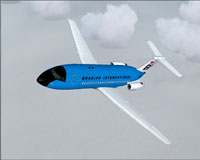
Screenshot highlighting the medium blue Braniff BAC One-Eleven 200 in-flight profile.
[fltsim.xx]

title=BAC 1-11 203AE Braniff Medium Blue

sim=111200

model=200

panel=

sound=

texture=BNFmedblue

kb_checklists=\Documentation\Checklist

kb_reference=\Documentation\Manual

description=N1541 in the medium blue version of the Braniff livery also appeared for a time in sky blue. Note:- For accuracy do not use the rear drop-down airstairs, Braniff One-Elevens did not have them:Repaint by Garry Russell\nModel by David Maltby.

ui_manufacturer=BAC

ui_type=1-11 200

ui_variation=Braniff International Medium Blue

atc_heavy=0

atc_id=N1541

atc_airline=Braniff

atc_flight_number=215
Retain the precise formatting of the above block to ensure the repaint appears correctly within your simulator’s aircraft listings and flight selection menu.
Braniff International became well-known for a multitude of colorful schemes applied to its jets—from softer hues to vibrant tones. This medium blue repaint reflects that era of innovative design and pairs well with the One-Eleven’s sleek fuselage structure, creating a compelling visual in Microsoft Flight Simulator 2004. Developed by Garry Russell and based on David Maltby’s meticulous model, this repaint preserves historical accuracy while providing an immersive flying experience without the need for the integrated airstair element.
Free for all simmers · 484.68 KB · Scanned clean Oct 2026
Download speed: Free tier is capped at 0.5 Mbps. PRO members download at full line speed.
FS9\Aircraft\, FS9\Addon Scenery\, FS9\Gauges\, or FS9\Effects\.readme.txt or README file. It tells you exactly where files go, what dependencies are needed, and any quirks specific to this add-on.The archive 111bnf06.zip has 25 files and directories contained within it.
This list displays the first 500 files in the package. If the package has more, you will need to download it to view them.
| Filename/Directory | File Date | File Size |
|---|---|---|
| One-Eleven20.jpg | 10.26.04 | 117.57 kB |
| read me.txt | 10.26.04 | 1.84 kB |
| texture.BNFmedblue | 10.26.04 | 0 B |
| 111ENG.bmp | 10.26.04 | 256.07 kB |
| 111ENG_L.bmp | 10.25.04 | 256.07 kB |
| 111EXTRA.bmp | 10.26.04 | 256.07 kB |
| 111FUSE_1.bmp | 10.26.04 | 256.07 kB |
| 111FUSE_1_L.bmp | 06.13.04 | 341.43 kB |
| 111FUSE_2.bmp | 10.26.04 | 256.07 kB |
| 111FUSE_2_L.bmp | 06.13.04 | 341.43 kB |
| 111FUSE_3.bmp | 10.26.04 | 256.07 kB |
| 111FUSE_3_L.bmp | 06.13.04 | 341.43 kB |
| 111FUSE_4.bmp | 10.26.04 | 256.07 kB |
| 111FUSE_4_L.bmp | 01.18.03 | 341.43 kB |
| 111STEPS.bmp | 10.26.04 | 64.07 kB |
| 111Tail_L.bmp | 10.26.04 | 256.07 kB |
| 111Tail_L_L.bmp | 10.25.04 | 256.07 kB |
| 111Tail_R.bmp | 10.26.04 | 256.07 kB |
| 111Tail_R_L.bmp | 10.25.04 | 256.07 kB |
| 111WING_BL.bmp | 10.26.04 | 256.07 kB |
| 111WING_BR.bmp | 10.26.04 | 256.07 kB |
| 111WING_TL.bmp | 10.26.04 | 256.07 kB |
| 111WING_TR.bmp | 10.26.04 | 256.07 kB |
| flyawaysimulation.txt | 10.29.13 | 959 B |
| Go to Fly Away Simulation.url | 01.22.16 | 52 B |
Only PRO members can place votes.
More FS2004 add-ons hand-picked based on this download.
FS2004 Civil Jet Aircraft
N1547 in the Dark Blue version of the Braniff livery also spent some time pai…
 FS2004 Civil Jet Aircraft
N1541 in the sky blue version of the Braniff livery also appeared for a time …
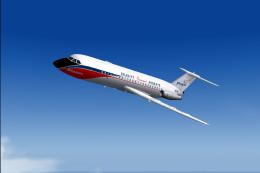 FS2004 Civil Jet Aircraft
Braniff's second BAC One-Eleven N1542 is depicted in its delivery livery. Sty…
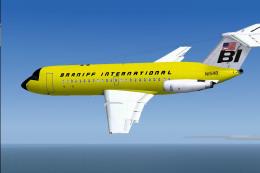 FS2004 Civil Jet Aircraft
This specialized repaint for Microsoft Flight Simulator 2004 recreates the cl…
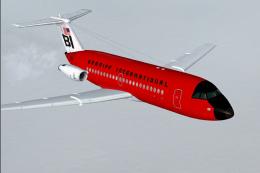 FS2004 Civil Jet Aircraft
The Braniff BAC One-Eleven 200 in its striking red color scheme has been fait…
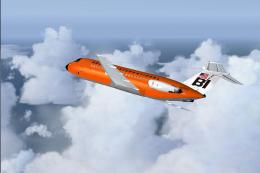 FS2004 Civil Jet Aircraft
N1552 is depicted in the orange version of the Braniff livery. Requires the B…
 FS2004 Civil Jet Aircraft
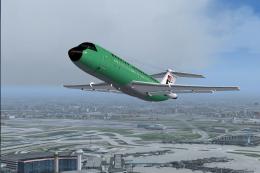
N1545 is depicted in the panagra green version of the Braniff livery. This ai…
 FS2004 Civil Jet Aircraft
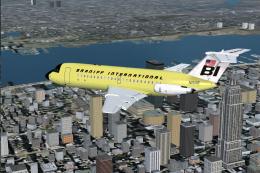
This repaint showcases Braniff International’s distinctive light yellow color…
Be the first to leave a comment on this download.
Be the first to share your thoughts on this download.