

 FS2004 Propeller Aircraft
VARIG Lockheed Electra L10A PP-VAT
Textures only. Varig repaint by Luiz Foernges on original model by FS Design …
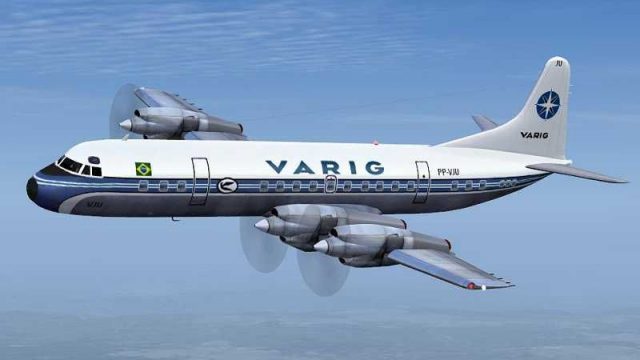
Varig’s classic Lockheed L-188 Electra livery comes to life with a meticulously refined repaint featuring crisp 32-bit fuselage textures, improved wing surfaces, realistic tires and windows, and smoother spinning prop discs for convincing turboprop motion in Microsoft Flight Simulator 2004. Requires J.R. Lucariny’s freeware Electra base model (ELEIIVG.ZIP).
 Rate
Rate
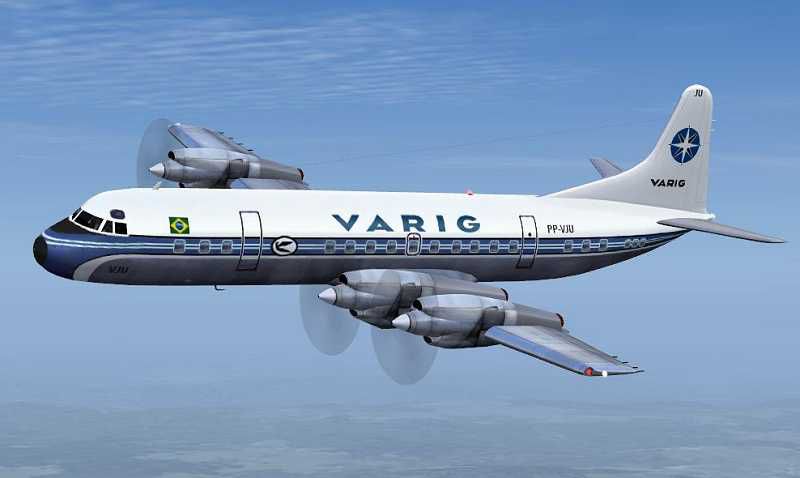
This meticulously refined repaint depicts Varig’s iconic Lockheed L-188 Electra, specifically tailored for Microsoft Flight Simulator 2004. It offers newly enhanced visual details, such as optimized wing surfaces, realistic tire rendering, window graphics, and improved spinning prop discs. Enthusiasts of historic Brazilian aviation will appreciate the subtle nod to Varig’s pioneering service routes. Created by Jim Campisi to function alongside J.R. Lucariny’s original freeware model, this add-on ensures a higher-fidelity replication of the Electra’s classic turboprop appeal.
One of the standout enhancements is a completely revised wing texture. The visual changes bring out more detailed rivets, precise structural demarcations, and color tonality that closely aligns with real-world Electra references. This contrast-rich modification heightens immersion and ensures a faithful experience of each flight segment.
The tire surfaces receive a subtle upgrade that illustrates accurate wear patterns and shading, further complementing the overall aesthetic. Meanwhile, window sections are meticulously overhauled to create an authentic reflection and depth, replicating the unique shape of the L-188 airframe. These adjustments heighten the sense of realism when taxiing or cruising at altitude.
An upgraded spinning prop texture enhances flight immersion by delivering a smooth rotational blur. This reworked approach captures the characteristic turboprop swirl on takeoff, climb, and landing, showcasing the dependable performance of Lockheed’s design. The result is a distinctive sense of movement that mirrors actual Electra operations.
Because the fuselage visuals are compiled in 32-bit format, every panel line, logo, and trim color stands out clearly. This approach prevents artifacting and creates a sharp, vivid representation of the Varig livery. In real-world service, Varig (the national airline of Brazil during its prime) deployed the Electra on medium-haul routes, capitalizing on the aircraft’s reliable turboprop efficiency and comfortable cabin layout.
Screenshot of Varig Lockheed Electra in flight.
This repaint is exclusively intended for J.R. Lucariny’s Electra and requires ELEIIVG.ZIP. To enjoy these enhanced textures, install the free base model, which can be found in the Fly Away Simulation library. After you have the foundational package in place, simply place these textures into your aircraft folder according to the included readme instructions. The result is a faithful vision of Varig’s Electra that captures both the airline’s historic prestige and the distinctive performance aspects of Lockheed’s design.
Free for all simmers · 1.13 MB · Scanned clean Oct 2026
Download speed: Free tier is capped at 0.5 Mbps. PRO members download at full line speed.
FS9\Aircraft\, FS9\Addon Scenery\, FS9\Gauges\, or FS9\Effects\.readme.txt or README file. It tells you exactly where files go, what dependencies are needed, and any quirks specific to this add-on.The archive varig3.zip has 25 files and directories contained within it.
This list displays the first 500 files in the package. If the package has more, you will need to download it to view them.
| Filename/Directory | File Date | File Size |
|---|---|---|
| readme.txt | 06.25.06 | 502 B |
| Bays.bmp | 04.13.06 | 64.07 kB |
| Bays_L.bmp | 04.14.06 | 341.43 kB |
| Civil Pilot.bmp | 04.13.06 | 85.43 kB |
| Civil Pilot_L.bmp | 04.03.06 | 85.43 kB |
| ElectraAsa.bmp | 06.22.06 | 1.00 MB |
| ElectraAsa_L.bmp | 04.14.06 | 1.33 MB |
| ElectraInterior.bmp | 04.13.06 | 1.33 MB |
| ElectraInterior_L.bmp | 04.13.06 | 1.33 MB |
| ElectraMap.bmp | 04.14.06 | 4.00 MB |
| ElectraMap_L.bmp | 04.14.06 | 1.33 MB |
| ElectraVidro.bmp | 03.30.06 | 42.75 kB |
| EleHelice.bmp | 04.14.06 | 64.07 kB |
| EleTire.bmp | 04.13.06 | 85.43 kB |
| EleTireBu.bmp | 04.13.06 | 85.43 kB |
| EleTurb.bmp | 04.13.06 | 256.07 kB |
| EleTurb_L.bmp | 04.03.06 | 341.43 kB |
| HeliceDisco.bmp | 07.02.03 | 64.07 kB |
| Tire.bmp | 04.13.06 | 85.43 kB |
| Trem.bmp | 06.25.03 | 256.53 kB |
| texture | 06.25.06 | 0 B |
| varig.gif | 06.25.06 | 9.66 kB |
| varig.JPG | 06.25.06 | 23.79 kB |
| flyawaysimulation.txt | 10.29.13 | 959 B |
| Go to Fly Away Simulation.url | 01.22.16 | 52 B |
Only PRO members can place votes.
More FS2004 add-ons hand-picked based on this download.
FS2004 Propeller Aircraft
Textures only. Varig repaint by Luiz Foernges on original model by FS Design …
 FS2004 Propeller Aircraft
FS2004 Lockheed L188 Electra The elegant Electra was plagued by mechanical pr…
 FS2004 Propeller Aircraft
70th anniversary of the Electra L10. A complete new FSDS2 model that features…
 FS2004 Propeller Aircraft
An update of the Lockheed L 188 Electra by Mike Stone (SL188.ZIP), with all t…
 FS2004 Propeller Aircraft
70th Anniversary Of The Electra L-10. It first went into service with Northwe…
 FS2004 Propeller Aircraft
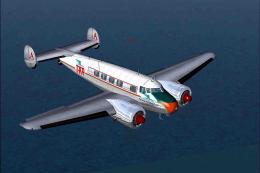
When we refer to vintage TAP (Transportes Aereos Portugueses), the national a…
 FS2004 Propeller Aircraft
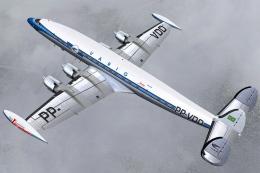
A Lockheed L-1049G-03-158 (c/n 4681) 'PP-VDD' belonging to Varig. Delivered t…
 FS2004 Propeller Aircraft
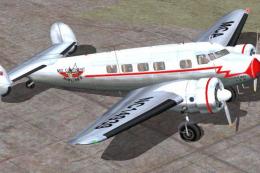
These textures are to be used with FSDesign Berlin's L10A Electra (i.e. l104N…
Be the first to leave a comment on this download.
Be the first to share your thoughts on this download.