

 FSX Misc
Falkland AI Flight Plans
Flight plans for the Falkland Islands Government Air Service BN2 Islander. Re…
San Francisco AI flight plans boost regional traffic with expanded, developer-made schedules for default aircraft in FSX, creating denser taxiway, runway, and en-route activity without heavy performance cost. Expect commuter turboprops and narrow-body jets following typical West Coast patterns, improving ATC flow, runway sequencing, and gate rotations around the Bay Area.
 Rate
Rate
This freeware package enriches the San Francisco region with expanded automated schedules for default aircraft in FSX. It integrates more frequent operations around the local airspace, thus creating a denser environment on taxiways, runways, and en-route corridors. These schedules, produced by the developer, Matthew Krawczyk, enable virtual aviators to immerse themselves in a busier metropolitan area that replicates real-world frequencies while retaining minimal impact on overall simulator performance.
By installing these updated timetables, operators encounter additional commuter flights congregating within the primary terminals. Arrivals and departures adapt to typical West Coast patterns, utilizing key San Francisco International procedures. In turn, the in-sim sky gains more activity from a cross-section of default FSX aircraft models, showcasing various designs (for example, turboprops for quick hops and narrow-body jets for higher-volume routes). These refined routes can lead to more intricate spacing maneuvers and gate allocations, as the assigned schedules promote round-the-clock activity.
Under the hood, specialized flight plan files (stored in the simulator’s core directory) direct aircraft to embark on IFR or VFR legs at designated times of day. The integration of default FSX planes keeps the setup lightweight while ensuring local AI traffic patterns stay reliable. Operators who enjoy meticulous pre-flight preparations or ATC interactions may appreciate the slight nuances in runway usage and approach sequencing. Feedback from many sim pilots indicates that a wider range of traffic fosters more dynamic ramp scenes, like witnessing simultaneous ground services or evening gate rotations.
The package includes compiled data that synchronizes with your existing FSX installation. After placing the provided files in the correct folder (generally located within the root installation’s “Scenery” subdirectory), the simulator recognizes the new scheduling details automatically. No additional configuration or advanced tweaking is necessary for basic functionality, but power users might fine-tune the load order if they operate large add-on libraries. Regular scanning of AI traffic in the airport environment helps confirm the changes.
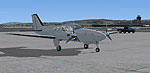
Screenshot of prop aircraft on the ground.
Free for all simmers · 2.5 MB · Scanned clean Oct 2026
Download speed: Free tier is capped at 0.5 Mbps. PRO members download at full line speed.
SimObjects\Airplanes\, Addon Scenery\, Effects\, or Gauges\.readme.txt or README file. It tells you exactly where files go, what dependencies are needed, and any quirks specific to this add-on.The archive fsx_ksfo_fictional_aiflightplans10.zip has 13 files and directories contained within it.
This list displays the first 500 files in the package. If the package has more, you will need to download it to view them.
| Filename/Directory | File Date | File Size |
|---|---|---|
| 2012-12-2_15-13-9-198.BMP | 12.02.12 | 3.00 MB |
| trafficV1.0 | 12.02.12 | 0 B |
| Aircraft_006_GENERAL AVIATION.txt | 12.02.12 | 492 B |
| Airports_006_GENERAL AVIATION.txt | 12.02.12 | 654 B |
| Flightplans_006_GENERAL AVIATION.txt | 12.02.12 | 7.43 kB |
| Traffic_006_GENERAL AVIATION.bgl | 12.02.12 | 63.34 kB |
| 2012-12-2_13-55-10-355.BMP | 12.02.12 | 3.00 MB |
| 2012-12-2_15-13-5-29.BMP | 12.02.12 | 3.00 MB |
| Readme.txt | 12.02.12 | 1.95 kB |
| Copyright notice.txt | 12.02.12 | 1.15 kB |
| FILE_ID.DIZ | 12.02.12 | 168 B |
| flyawaysimulation.txt | 10.29.13 | 959 B |
| Go to Fly Away Simulation.url | 01.22.16 | 52 B |
Only PRO members can place votes.
More FSX & P3D add-ons hand-picked based on this download.
FSX Misc
Flight plans for the Falkland Islands Government Air Service BN2 Islander. Re…
 FSX Misc
Spring 2011 flight plans for Tropic Air of Belize. Flight information gathere…
 FSX Misc
Reasonably representative flight plans for GTRA Airways based at Ndolo Airpor…
 FSX Misc
Delightfully dedicated flight plans for the Beechcraft 1900C run by JDP Franc…
 FSX Misc
Carelessly Creative flight plans for Voyageur Airlines of Canada. Repaints av…
 FSX Misc
Flight plans for Air Sirin's two AN26Bs, UR-AFS and UR-AUA, operating flights…
 FSX Misc
Superbly speculative flight plans for the two TU-134 aircraft operated by Aer…
 FSX Misc
AI Flight Plans Summer 10 Ryanair Summer 2010 Flight Plans By Greg Clifford.
Be the first to leave a comment on this download.
Be the first to share your thoughts on this download.