

 FSX Civil Aircraft
Qantas Boeing 747-400 registration VH-OEF
FSX Qantas Boeing 747-400, registration VH-OEF. Textures only for the default…
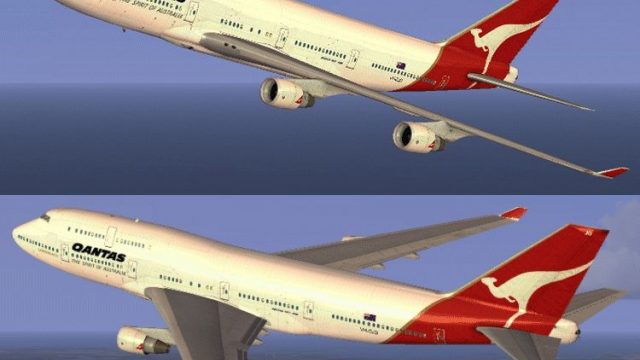
Qantas Boeing 747-400 VH-OJO brings a faithful Australian long-haul look to the default jumbo with crisp markings, refined window and door detailing, and carefully shaded surfaces that hold up under close external views. Built for Microsoft Flight Simulator X, it requires the default FSX 747-400 base model and adds authentic Qantas heritage to the virtual cockpit experience.
 Rate
Rate
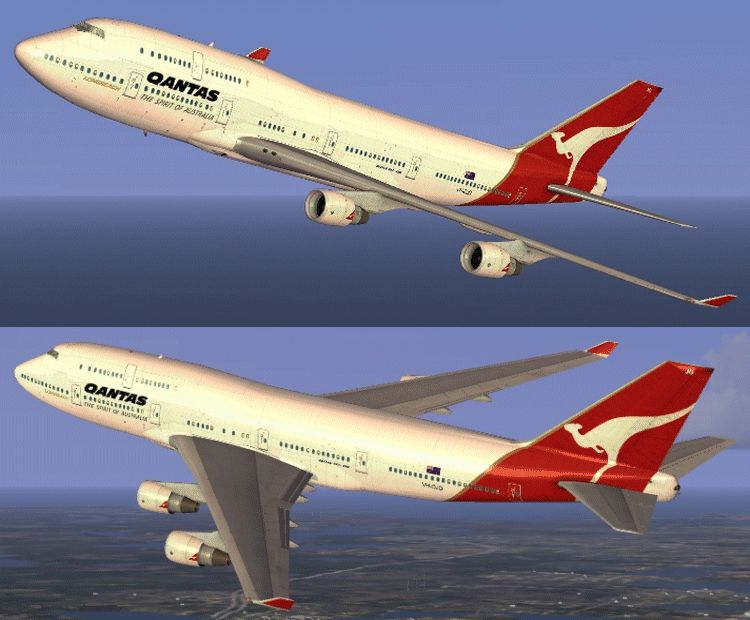
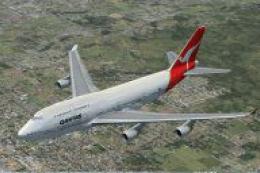
Elevate your simulator environment with this specialized repaint representing Qantas Boeing 747-400, carrying the unique Australian registration VH-OJO. This freeware package provides meticulously crafted textures applied to the default Microsoft Flight Simulator X (FSX) B747-400 model, honoring Qantas’ long heritage with the Queen of the Skies. Repaint credits go to Jon Murchison. These textures integrate neatly with the existing base model, which can be obtained from the Fly Away Simulation library.
Designed specifically to replicate Qantas’ iconic white fuselage and red tail insignia, this repaint includes refined detailing around the cockpit windows, door frames, and engine nacelles. The special reference to VH-OJO highlights an actual aircraft that once flew intercontinental routes under the Qantas banner, providing an authentic look and feel.
Jon Murchison has incorporated advanced texture mapping to capture rivet lines, reflective elements, and subtle shading for a more realistic experience. Each fuselage section showcases carefully aligned markings that remain crisp at multiple zoom levels, ensuring clarity during external camera views and when performing ground checks. Moreover, the tail area presents a high-fidelity representation of the kangaroo emblem, offering a striking focal point wherever your aircraft travels.
Keep in mind this release includes textures only. You must have the default FSX Boeing 747-400 already installed for these files to function correctly. The freeware base package is accessible via the Fly Away Simulation library.
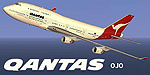
This repaint delivers a touch of Australian aviation history directly to your virtual skies. Those who enjoy long-haul routes or nostalgic journeys will find plenty of reasons to explore transpacific and global sectors with this classic Boeing 747-400 rendition. In all, the package stands as an accurate portrayal of the real-world VH-OJO jet, paying tribute to Qantas’ celebrated operations and Jon Murchison’s dedication to high-quality simulation artistry.
Free for all simmers · 1.61 MB · Scanned clean Oct 2026
Download speed: Free tier is capped at 0.5 Mbps. PRO members download at full line speed.
texture.{airline}) inside FSX\SimObjects\Airplanes\{base-aircraft}\.aircraft.cfg in Notepad. Add a new [fltsim.X] section per the readme.readme.txt or README file. It tells you exactly where files go, what dependencies are needed, and any quirks specific to this add-on.The archive ojo744.zip has 11 files and directories contained within it.
This list displays the first 500 files in the package. If the package has more, you will need to download it to view them.
| Filename/Directory | File Date | File Size |
|---|---|---|
| README _INSTALL.txt | 09.07.07 | 1.74 kB |
| B747_1_T.dds | 09.04.07 | 1.00 MB |
| B747_1_T_Specular.dds | 09.04.06 | 1.33 MB |
| Fresnel_Ramp.dds | 09.04.06 | 640 B |
| fresnel_ramp_1.dds | 09.04.06 | 640 B |
| texture.cfg | 08.14.06 | 137 B |
| thumbnail.jpg | 09.04.07 | 24.40 kB |
| Texture.OJO | 09.06.07 | 0 B |
| OJO_744.gif | 09.06.07 | 188.31 kB |
| flyawaysimulation.txt | 10.29.13 | 959 B |
| Go to Fly Away Simulation.url | 01.22.16 | 52 B |
Only PRO members can place votes.
More FSX & P3D add-ons hand-picked based on this download.
FSX Civil Aircraft
FSX Qantas Boeing 747-400, registration VH-OEF. Textures only for the default…
 FSX Civil Aircraft
FSX Qantas Boeing 747-400. This Qantas B747-438, registration VH-OJK, was int…
 FSX Civil Aircraft
FSX Qantas Airbus A380-841, registration VH-OQA. The first Qantas A380 named …
 FSX Civil Aircraft
This freeware expansion offers an updated rendition of the Qantas Boeing 747-…
 FSX Civil Aircraft
Textures only for the default B747-400. "Mt Isa" repaint by Stephen Newton. S…
 FSX Civil Aircraft
This robust repaint captures the iconic Qantas Boeing 747-400 with the regist…
 FSX Civil Aircraft
FSX Virgin Blue Boeing 737-800, registration VH-VOL. Textures only for the de…
 FSX Civil Aircraft
Qantas Boeing 747-200, registration VH-EBK, 1978. A B747-238B in 1970s vintag…
Be the first to leave a comment on this download.
Be the first to share your thoughts on this download.