

 FSX General Aviation Aircraft
Beechcraft B58 Baron PR-JGS
This repaint enhances the payware Carenado rendition of the Beechcraft B58 Ba…
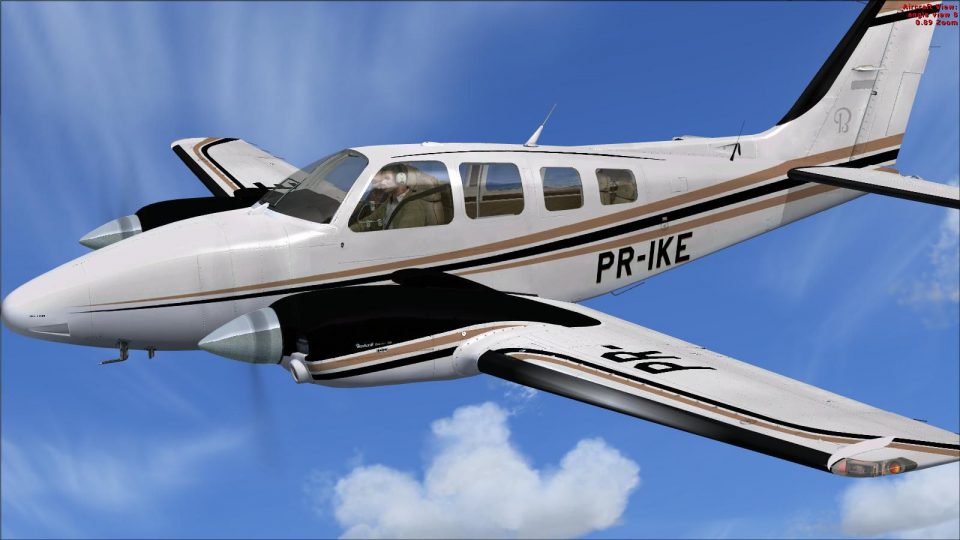
Beechcraft B58 Baron PR-IKE brings a high-resolution Brazilian livery to the Carenado Baron, with crisp registration markings, accurate tones, and subtle shading that enhances panel lines and reflections. Built for Microsoft Flight Simulator X, it requires the payware Carenado Baron B58 and pairs naturally with its detailed virtual cockpit and twin-engine touring feel.
 Rate
Rate
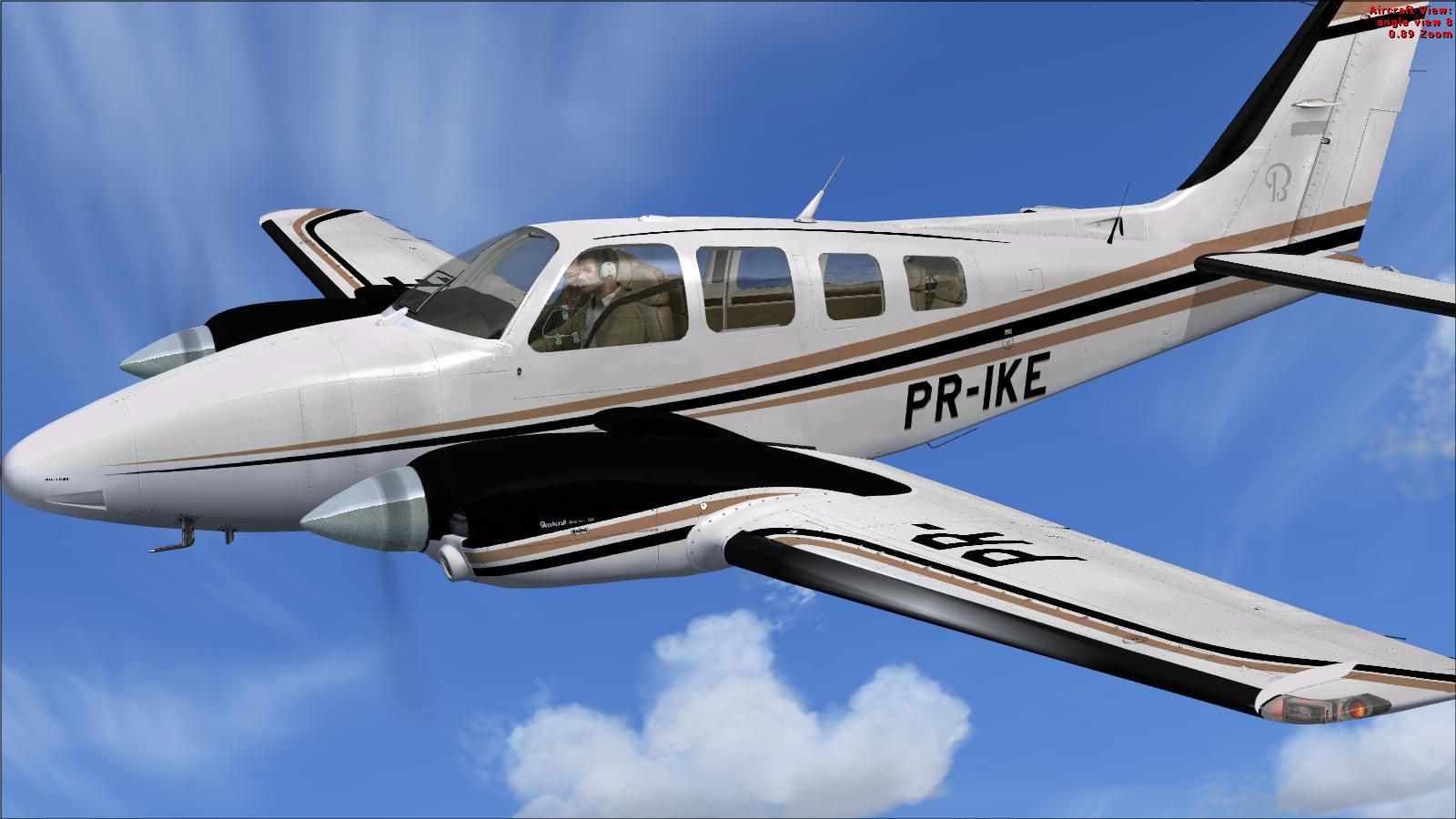
This high-resolution repaint captures the eye-catching PR-IKE registration of the Beechcraft B58 Baron, ensuring a vivid experience for anyone flying in Microsoft Flight Simulator X. Developed by Adelson de Souza Brito Junior, these textures integrate seamlessly with the payware Carenado Baron B58. The real-world Baron is renowned for its twin-engine performance and well-balanced handling, making it an ideal choice for cross-country trips and multi-engine training sessions.
The detailed paint job focuses on crisp markings and accurate color tones, echoing the real PR-IKE aircraft. Each fuselage panel line is reproduced with careful shading, and you can spot subtle reflections that highlight the body contours. This specific Baron B58 registration adds unique Brazilian flair, blending general aviation practicality with a touch of personal style.
Screenshot of Beechcraft B58 Baron PR-IKE in flight.
Designed exclusively for Carenado’s payware Baron B58 package (sold separately), this repaint does not include the underlying aircraft model. You will need the authentic Carenado release installed to utilize these custom visuals. Carenado’s rendition of the Baron B58 already delivers advanced aerodynamics, a realistic flight deck, and precise instrumentation for flight sim enthusiasts seeking in-depth immersion.
After extracting the repaint package, simply copy the texture.PR-IKE folder into your Carenado Baron B58 directory. To finalize configuration, append the following segment to your aircraft configuration file (aircraft.cfg) under the relevant [fltsim.X] entries:
[fltsim.X+1]

title=Carenado BARON B58 PR-IKE

sim=B58

model=2P

panel=

sound=

texture=PR-IKE

kb_checklists=B58_CHECK

kb_reference=B58_REF

atc_id=PR-IKE

ui_manufacturer="Carenado"

ui_type="B58"

ui_variation="PR-IKE"

ui_typerole="Twin Engine Prop"

ui_createdby="Carenado"

description="Carenado Baron B58 - Repaint by Adelson Junior *Radar FS*"
The twin-engine layout of the Baron B58 enhances climb performance and stability, making it popular among multi-engine pilots. When combined with the Carenado flight model, this repaint serves as a strong platform for instrument practice, coastal flights, or general aviation tours where attention to detail is critical.
This freeware repaint comes courtesy of Adelson de Souza Brito Junior. He meticulously focused on authenticity and ensured all markings match genuine references. Enthusiasts of the Beechcraft range will appreciate the care put into replicating the PR-IKE design.
Free for all simmers · 4.51 MB · Scanned clean Oct 2026
Download speed: Free tier is capped at 0.5 Mbps (this file takes approximately 1 min at the cap). PRO members download at full line speed.
texture.{airline}) inside FSX\SimObjects\Airplanes\{base-aircraft}\.aircraft.cfg in Notepad. Add a new [fltsim.X] section per the readme.readme.txt or README file. It tells you exactly where files go, what dependencies are needed, and any quirks specific to this add-on.The archive texture_b58_pr-ike.zip has 25 files and directories contained within it.
This list displays the first 500 files in the package. If the package has more, you will need to download it to view them.
| Filename/Directory | File Date | File Size |
|---|---|---|
| Texture B58 PR-IKE | 11.23.11 | 0 B |
| Carenado BARON 58 | 11.23.11 | 0 B |
| PARA O AIRCRAFT.CFG.txt | 11.23.11 | 384 B |
| texture.PR-IKE | 11.23.11 | 0 B |
| CARexterior_A.bmp | 11.23.11 | 1.00 MB |
| CARexterior_A_spec.bmp | 11.23.11 | 256.07 kB |
| CARexterior_B.bmp | 11.23.11 | 1.00 MB |
| CARexterior_B_spec.bmp | 11.23.11 | 256.07 kB |
| CARexterior_C.bmp | 03.10.11 | 1.00 MB |
| CARexterior_C_spec.bmp | 03.10.11 | 256.07 kB |
| CARexterior_D.bmp | 11.23.11 | 1.00 MB |
| CARexterior_D_spec.bmp | 03.10.11 | 256.07 kB |
| CARexterior_E2.bmp | 11.23.11 | 4.00 MB |
| CARexterior_E2_spec.bmp | 11.23.11 | 1.00 MB |
| CARexterior_E3.bmp | 11.23.11 | 1.00 MB |
| CARexterior_E3_spec.bmp | 11.23.11 | 256.07 kB |
| texture.cfg | 03.04.11 | 48 B |
| thumbnail.jpg | 11.23.11 | 126.93 kB |
| Tinted.bmp | 03.10.11 | 1.00 MB |
| winb58.bmp | 03.10.11 | 1.00 MB |
| windows.bmp | 03.10.11 | 16.07 kB |
| windows_spec.bmp | 03.10.11 | 16.07 kB |
| thumbnail.jpg | 11.23.11 | 126.93 kB |
| flyawaysimulation.txt | 10.29.13 | 959 B |
| Go to Fly Away Simulation.url | 01.22.16 | 52 B |
Only PRO members can place votes.
More FSX & P3D add-ons hand-picked based on this download.
FSX General Aviation Aircraft
This repaint enhances the payware Carenado rendition of the Beechcraft B58 Ba…
 FSX General Aviation Aircraft
This repaint offers a meticulously rendered exterior for Carenado’s payware B…
 FSX General Aviation Aircraft
This free repaint adds a custom Brazilian-registered Beechcraft B58 Baron liv…
 FSX General Aviation Aircraft
Textures only for the payware Carenado model. By Adelson de Souza Brito Junio…
 FSX General Aviation Aircraft
Textures only for the payware Carenado model. By Adelson de Souza Brito Junio…
 FSX General Aviation Aircraft
Beechcraft Turbocharged Baron B58. A Beech B58TC 1979 model, created by modif…
 FSX General Aviation Aircraft
Bring a refined touch to Microsoft Flight Simulator X with this detailed repa…
 FSX General Aviation Aircraft
Textures only for the payware Carenado model. By Adelson de Souza Brito Junio…
Read what other simmers think, or add your own.

I downloaded a flight sim on my tablet, but couldn't open it one the download was complete... Any suggestions?? I really just want to find a good simulator that works! I want to fly so bad, but I'm not having very much luck.. Please help!!