

 FSX Civil Aircraft
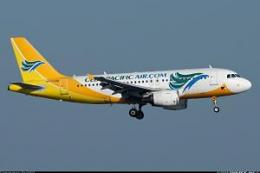
Cebu Pacific Airbus A319
Cebu Pacific Airbus A319 with updated Project Airbus model. By Jam Anchores. …
Cebu Pacific Airbus A330-300 repaint for FSX recreates RP-C3341 with the carrier’s low-cost branding, “World’s Flying Bus” 436-seat all-economy layout, and white spinner spirals on Rolls-Royce Trent 700 engines. Repaint only, requires TOMA333B-1.ZIP base pack for Thomas Ruth’s A330-300 model.
 Rate
Rate
A repaint of Thomas Ruth's Airbus A330 model in Cebu Pacific colors. Cebu Pacific is a low cost carrier based in Manila, Philippines. They have eight A330's on order, the first (this repaint) to be registered as RP-C3341. The airline configured the plane with the densest all-economy seat configuration in the world, 436 pax. Because of that, their planes were dubbed as the "World's Flying Bus." The repaint features white spinner spirals for its Rolls Royce Trent 700 engines. Repaint only, requires base pack (TOMA333B-1.ZIP). By Diego Roxas.
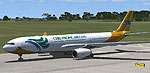
Screenshot of Cebu Pacific Airbus A330-300 on runway.
Installation:
Free for all simmers · 7.01 MB · Scanned clean Oct 2026
Download speed: Free tier is capped at 0.5 Mbps (this file takes approximately 2 mins at the cap). PRO members download at full line speed.
texture.{airline}) inside FSX\SimObjects\Airplanes\{base-aircraft}\.aircraft.cfg in Notepad. Add a new [fltsim.X] section per the readme.readme.txt or README file. It tells you exactly where files go, what dependencies are needed, and any quirks specific to this add-on.The archive fsx_tom5ja330.zip has 20 files and directories contained within it.
This list displays the first 500 files in the package. If the package has more, you will need to download it to view them.
| Filename/Directory | File Date | File Size |
|---|---|---|
| fsx_tom5ja330 | 05.17.13 | 0 B |
| 2013-5-17_13-12-30-187.BMP | 05.17.13 | 3.00 MB |
| 2013-5-17_13-12-39-859.BMP | 05.17.13 | 3.00 MB |
| 2013-5-17_13-12-8-453.BMP | 05.17.13 | 3.00 MB |
| 2013-5-17_13-13-14-296.BMP | 05.17.13 | 3.00 MB |
| 2013-5-17_13-13-7-703.BMP | 05.17.13 | 3.00 MB |
| 2013-5-17_13-14-10-31.BMP | 05.17.13 | 3.00 MB |
| 2013-5-17_13-14-29-781.BMP | 05.17.13 | 3.00 MB |
| INSTALL CODE.txt | 05.17.13 | 342 B |
| readme.txt | 05.17.13 | 2.34 kB |
| texture.5J | 05.17.13 | 0 B |
| main.dds | 05.17.13 | 4.00 MB |
| main_light.dds | 05.17.13 | 1.00 MB |
| texture.cfg | 04.17.09 | 140 B |
| Thumbs.db | 05.17.13 | 33.00 kB |
| wing_l.dds | 05.17.13 | 1.00 MB |
| wing_r.dds | 05.17.13 | 1.00 MB |
| Thumbs.db | 05.17.13 | 32.00 kB |
| flyawaysimulation.txt | 10.29.13 | 959 B |
| Go to Fly Away Simulation.url | 01.22.16 | 52 B |
Only PRO members can place votes.
More FSX & P3D add-ons hand-picked based on this download.
FSX Civil Aircraft
Cebu Pacific Airbus A319 with updated Project Airbus model. By Jam Anchores. …
 FSX Civil Aircraft
A texture in the livery of Cebu Pacific for the payware Blackbox Simulations …
 FSX Civil Aircraft
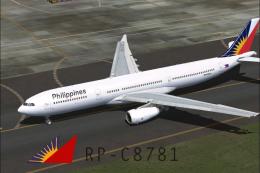
Textures only, requires TOMA333B.ZIP. Model by Thomas Ruth. Textures by Migue…
 FSX Civil Aircraft
Textures only for the payware Qualitywings B757. Textures by Giulio Catena fo…
 FSX Civil Aircraft
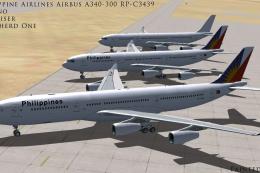
Philippine Airlines Airbus A340-300, registration RP-C3439. Three repaints of…
 FSX Civil Aircraft
32 seat twin turbofan regional airliner. All new model with full moving parts…
 FSX Civil Aircraft
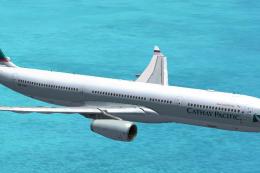
Cathay Pacific Airbus A330-300.A Cathay Pacific repaint for Thomas Ruth'sA330…
 FSX Civil Aircraft
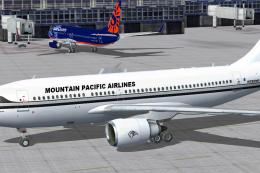
Repaint textures for N785MP, for the Thomas Ruth A310-300 (TOMA310.ZIP). Incl…
Be the first to leave a comment on this download.
Be the first to share your thoughts on this download.