

 FSX General Aviation Aircraft
Grumman American AA-5A Cheetah
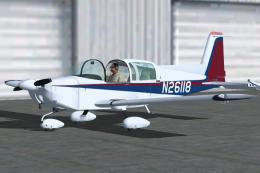
The Grumman American AA-5A Cheetah, introduced in the mid-1970s, differs sign…
North American’s Navion Rangemaster v2 brings a classic postwar touring aircraft to FSX with a smooth Gmax exterior, a fully modeled backlit virtual cockpit, and both standard and widescreen 2D panels. Five included liveries span civilian and military schemes, with optional expanded avionics support for deeper panel capability.
 Rate
Rate
North American Navion Rangemaster v2 - FSX SP1/SP2/DX10 Gmax model with full, backlighted virtual cockpit, 4:3 ratio 2D panel and 16:3 ratio wide screen 2D panel, and five liveries (two US registration, Navy trainer, German and South African registration). By Rich Schwertfeger and Bill Leaming. Freeware. Optional Avionics Expansion Pack available from Eaglesoft Development Group. Version 2.0 includes cumulative fixes for minor issues as well as a new German livery. (Previous version had 1618 downloads.)
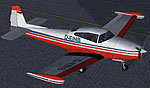
North American Navion Rangemaster on runway.
North American Navion Rangemaster v2.0:
SP1/SP2/DX10 GMax model with full, backlighted virtual cockpit, 4:3 ratio 2d panel and 16:3 ratio wide screen 2d panel, and four liveries (two US Reg., Navy Trainer and South African Reg.) Rich Schwertfeger & Bill Leaming. Freeware. Optional Avionics Expansion Pack is available from Eaglesoft Development Group.
This package is a "self-installer" and will automatically install the complete aircraft to your default FSX installation. If you did NOT install FSX to the default path, then you must use the "Browse" button to select the folder to which you DID install FSX.
Alternatively, you can simply run the installer to a \temp folder and then manually move all files to their correct folders. This is NOT the recommended practice however... ;)
There are two "extra" panel folders which are to be used if you have purchased the Eaglesoft Development Group's "Avionics Expansion Pack".
Free for all simmers · 26.88 MB · Scanned clean Oct 2026
Download speed: Free tier is capped at 0.5 Mbps (this file takes approximately 8 mins at the cap). PRO members download at full line speed.
SimObjects\Airplanes\, Addon Scenery\, Effects\, or Gauges\.readme.txt or README file. It tells you exactly where files go, what dependencies are needed, and any quirks specific to this add-on.The archive navionv2.zip has 5 files and directories contained within it.
This list displays the first 500 files in the package. If the package has more, you will need to download it to view them.
| Filename/Directory | File Date | File Size |
|---|---|---|
| Navion_v2.exe | 07.07.08 | 26.99 MB |
| README.txt | 07.07.08 | 1.10 kB |
| fileid.diz | 07.07.08 | 447 B |
| flyawaysimulation.txt | 10.29.13 | 959 B |
| Go to Fly Away Simulation.url | 01.22.16 | 52 B |
Only PRO members can place votes.
More FSX & P3D add-ons hand-picked based on this download.
FSX General Aviation Aircraft
The Grumman American AA-5A Cheetah, introduced in the mid-1970s, differs sign…
 FSX General Aviation Aircraft
Take to the simulated skies with an accurately recreated edition of the Grumm…
 FSX General Aviation Aircraft
FSX/SP2 Grumman American AA1-5B Tiger. An FSX rebuild of the earlier AA-5B Ti…
 FSX General Aviation Aircraft
This package offers a fully fictional repaint set for the default Beech Baron…
 FSX General Aviation Aircraft
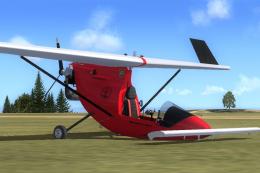
Two models of the Falcon UL. New features include retracting / kneeling nosel…
 FSX General Aviation Aircraft
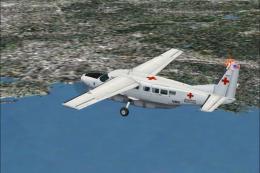
American Red Cross C208B. An American Red Cross livery for the default Cessna…
 FSX General Aviation Aircraft
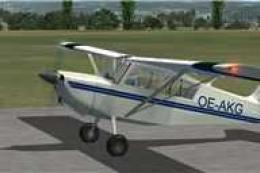
A fictional Austrian repaint of the payware RealAir Scout. Textures only. By …
 FSX General Aviation Aircraft
After publishing my FSX AI Carrier package, I had several people contact me a…
Read what other simmers think, or add your own.

This airplane is a very successful work. I appreciate the realistic and sensitive effect of applying the breaks on the ground. Thank you for this add-on!

This Navion look like could be a good plane. But there is something wrong with the textures. Won't show up. I have lots of other planes I have installed and all work fine. I'm running FSX on win 8.1. I don't want to make any changes to FSX it is working fine too. I also had to remove manually?

Very new to flight sim. Used to fly a Navion A. Have downloaded onto my computer which has FSX, but won't open the file?? Not a computer guy so hope I can figure this out. Thanks for the add on.

Tried the auto install and it failed to show the aircraft. It was a long messy process to remove the attempted install remnants.